
1. 서론
This manual provides detailed instructions for the installation, operation, and maintenance of your JOOAN 4G Solar Security Camera. This outdoor wireless surveillance camera is designed for areas without traditional power or network infrastructure, utilizing 4G cellular connectivity and solar power for continuous operation. Please read this manual thoroughly before use to ensure proper setup and functionality.

Image 1.1: JOOAN 4G Solar Security Camera with its solar panel and a smartphone displaying the camera's live feed, highlighting its 4MP/5MP HD resolution capability.
2. 제품 특징
- 4G 연결: Operates independently using a SIM card, ideal for remote locations.
- 태양열 전원: Equipped with a solar panel for continuous charging, reducing the need for external power sources.
- 고화질 해상도: 선명한 비디오 영상을 촬영합니다tage for effective surveillance.
- 컬러 나이트 비전: Offers multiple night vision modes including infrared, full-color, and smart color night vision for enhanced visibility in low-light conditions up to 10 meters.
- 로컬 및 클라우드 스토리지: Supports up to 256GB SD card storage and optional cloud storage for recorded footage.
- 간편한 설치: Designed for straightforward setup and mounting.
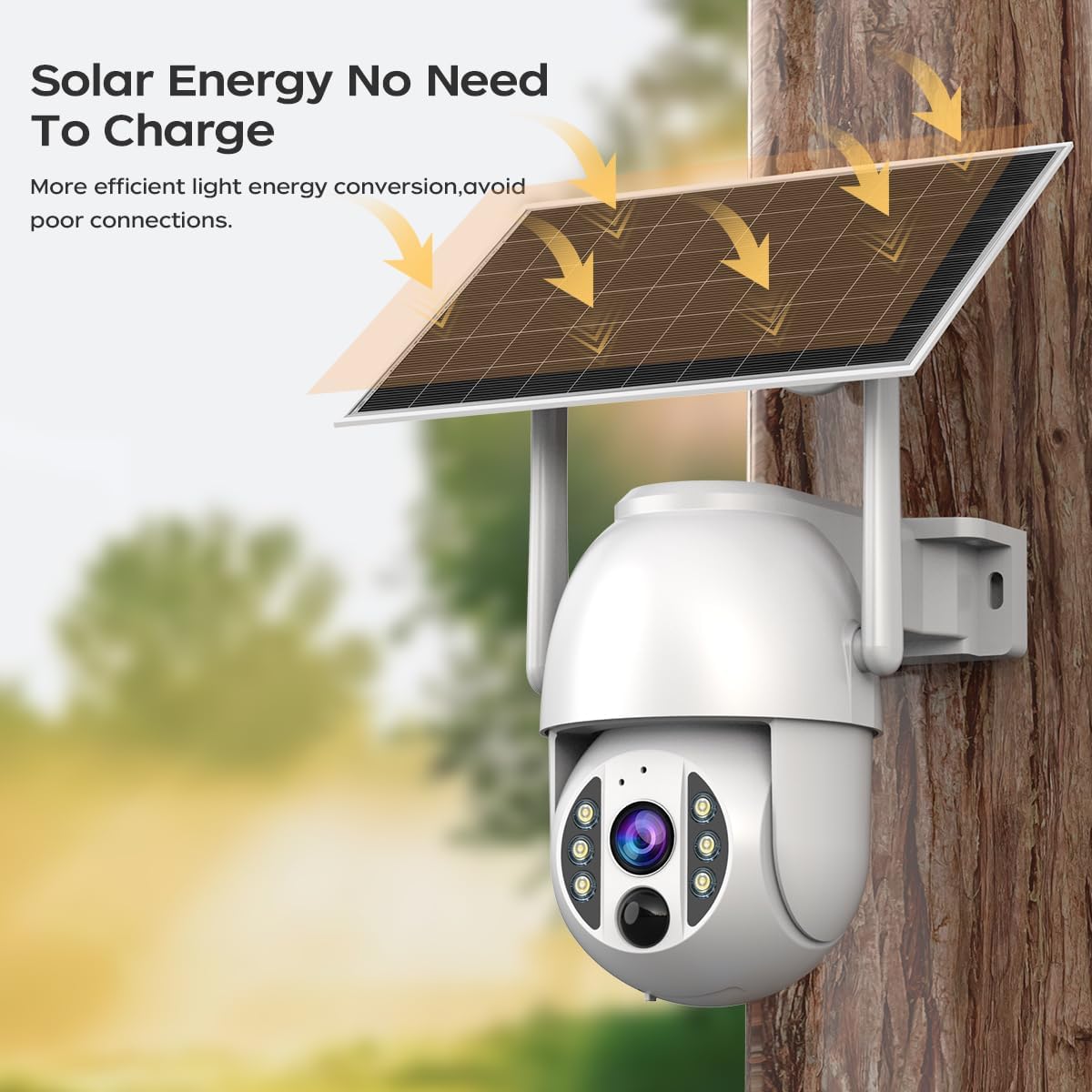
Image 2.1: The JOOAN 4G Solar Security Camera mounted with its solar panel, illustrating its solar energy capability for efficient light energy conversion and avoiding poor connections.
3. 설정 및 설치
3.1. SIM 카드 및 SD 카드 설치
Before mounting, install a 4G SIM card (not included) and an SD card (up to 256GB, not included) into the designated slots on the camera. Ensure the camera is powered off before inserting or removing cards.

이미지 3.1: 클로즈업 view of the JOOAN camera's SD card slot, indicating support for cloud storage and a maximum 256GB SD card.
3.2. 장착 단계
- Positioning and Punching: Select a suitable location for the camera and solar panel. Mark the drilling points on the wall. Use a drill to create holes at the marked positions.
- 확장 나사 삽입: Gently tap the expansion screws into the drilled holes until they are flush with the surface.
- 카메라 장착: Align the camera bracket with the expansion screws and secure it using the provided screws.
- 전체 설치: Attach the solar panel to the camera bracket or mount it separately in a location with ample sunlight. Ensure all connections are secure.

Image 3.2: Visual guide showing the four installation steps: 1. Positioning and punching, 2. Inserting expansion screws, 3. Mounting the camera with screws, and 4. Completing the installation with the solar panel.
3.3. 앱 연결
Download the official JOOAN app from your smartphone's app store. Follow the in-app instructions to add your camera. There are typically two methods:
- Add APP Phone Code: Scan the QR code displayed on your mobile phone APP with the camera lens from a distance of 20-30cm to add the distribution network.
- Add Camera Body Code: Scan the QR code located on the camera body using the mobile phone APP to add the distribution network.

Image 3.3: Illustration of the two connection methods: scanning the APP phone code or scanning the camera body code to establish a network connection.
4. 운영
4.1. 전원 켜기 / 끄기
The camera automatically powers on when sufficient solar power is available or when connected to a power source. To power off, disconnect the power source and allow the battery to deplete, or use the app if a power-off function is available.
4.2. 라이브 View 그리고 녹음
Once connected to the app, you can access the live video feed. The camera supports continuous recording to the SD card or cloud storage (subscription may be required). You can also manually record video or capture screenshots from the live view.
4.3. 동작 감지 및 알림
Configure motion detection sensitivity and alert settings within the app. The camera will send notifications to your smartphone when motion is detected. Recorded events can be review앱의 재생 섹션에서 편집되었습니다.
4.4. 야간 투시 모드
The camera offers three night vision modes, selectable via the app:
- 적외선 나이트 비전: 완전한 어둠 속에서도 선명한 흑백 이미지를 제공합니다.
- 풀 컬러 야간 투시경: Utilizes built-in spotlights to provide color images in low-light conditions.
- 스마트 컬러 나이트 비전: Automatically switches from infrared to full-color vision upon detection of motion or specific events.

Image 4.1: Comparison of the three night vision modes: Infrared night vision, Full color night vision, and Smart color night vision, demonstrating the camera's ability to pick out details in darkness up to 10 meters away.
5. 유지관리
- 렌즈 청소: 깨끗한 이미지 품질을 유지하려면 부드럽고 마른 천으로 카메라 렌즈를 정기적으로 닦으세요. 연마성 세척제는 사용하지 마세요.
- 태양광 패널 청소: Keep the solar panel free from dust, dirt, and debris to maximize charging efficiency. Clean with a damp 필요에 따라 천을 사용하세요.
- 펌웨어 업데이트: 최적의 성능과 보안을 유지하려면 앱의 펌웨어 업데이트가 있는지 정기적으로 확인하십시오.
- 배터리 상태: Ensure the solar panel receives adequate sunlight to maintain battery charge. Prolonged periods without sunlight may require temporary charging via a USB power adapter (not included).
6. 문제 해결
6.1. Camera Not Connecting to 4G Network
- SIM 카드가 올바르게 삽입되었고 유효한 데이터 플랜으로 활성화되었는지 확인하세요.
- 카메라 설치 위치에서 4G 신호 강도를 확인하세요.
- 카메라의 전원을 잠시 차단했다가 다시 연결하여 카메라를 재시작하십시오.
6.2. No Video Feed or Poor Quality
- Verify the camera has sufficient power.
- Check the 4G signal strength.
- 카메라 렌즈를 청소하세요.
6.3. Solar Panel Not Charging
- 태양광 패널이 매일 몇 시간 동안 직사광선을 받을 수 있도록 설치하십시오.
- Clean any dirt or obstructions from the solar panel surface.
- 태양광 패널과 카메라를 연결하는 케이블을 확인하십시오.
6.4. SD Card Not Recording
- SD 카드가 앱 내에서 올바르게 삽입되고 포맷되었는지 확인하세요.
- SD 카드에 충분한 여유 공간이 있는지 확인하세요.
- 앱에서 녹화 설정을 확인하세요.
7. 사양
| 특징 | 세부 사항 |
|---|---|
| 상표 | 주안 |
| 모델 | B0GCFGYCLX |
| 전원 | 태양열 전원 |
| 연결 프로토콜 | 4G Cellular (SIM card required), Wi-Fi (for initial setup/local access if applicable) |
| 추천 용도 | 실내/실외 감시 |
| 특징 | 설치가 쉽습니다 |
| 저장 | Supports up to 256GB SD card, Cloud Storage (subscription may apply) |
8. 보증 및 지원
For warranty information and technical support, please refer to the JOOAN official web사이트에서 확인하거나 고객 서비스에 직접 문의하세요. 구매 증빙 자료로 구매 영수증을 보관하세요.
추가 지원을 받으려면 다음을 방문하세요. 아마존의 JOOAN 스토어