
1. 서론
This manual provides comprehensive instructions for the Weytoll 15-in-1 Multifunctional Air Quality Monitor, Model Weytollrkjzwvh0t2-12. This device is designed to accurately detect and monitor various indoor air pollutants and environmental factors, ensuring a healthier living or working environment. Please read this manual thoroughly before using the device.
2. 제품 오버view
The Weytoll 15-in-1 Air Quality Monitor is a versatile device equipped with advanced sensor technology to provide real-time data on your indoor air quality.
2.1 주요 특징
- Multi-Parameter Detection: Monitors HCHO (Formaldehyde), TVOC (Total Volatile Organic Compounds), PM1.0, PM2.5, PM10 (Particulate Matter), CO (Carbon Monoxide), CO2 (Carbon Dioxide), AQI (Air Quality Index), Temperature, Humidity, Air Pressure, and Sound Meter.
- 고급 센서 기술: Utilizes high-precision semiconductor/infrared detection technology for reliable and accurate readings.
- 명확한 전시: Features a 2.8-inch TFT color screen with a clear digital display and real-time curve graphs for trend monitoring.
- Wi-Fi 연결: Supports Wi-Fi for easy data synchronization and remote monitoring via a dedicated mobile application.
- 긴 배터리 수명: Equipped with a built-in 2000mAh rechargeable lithium battery, providing approximately 300-360 minutes of continuous operation on a 4-hour charge.
- 사용자 친화적인 인터페이스: Offers 11 customizable background images for a personalized visual experience.
- 소형 및 휴대성: With dimensions of 9 x 7 x 4 cm, it is suitable for various indoor environments.
2.2 패키지 내용
- 1 x Weytoll 15-in-1 Air Quality Monitor
- 1 x Type-C USB 충전 케이블
- 1 x 사용자 설명서

Image: The Weytoll 15-in-1 Air Quality Monitor displaying multiple environmental parameters.

Image: Contents of the product package, including the monitor, charging cable, and user manual.
3. 설정
Follow these steps for initial setup and preparation of your air quality monitor.
3.1 장치 충전
Before first use, fully charge the monitor. Connect the provided Type-C USB charging cable to the device's charging port and plug the other end into a standard 5V DC USB power adapter (not included). The charging process typically takes about 4 hours. The battery indicator on the screen will show the charging status.
3.2 전원 켜기/끄기
To power on the device, press and hold the power button located on the side of the monitor until the screen illuminates. To power off, press and hold the power button again until the screen turns off.
3.3 Wi-Fi Configuration and App Connection
- 앱 다운로드: 검색 the dedicated mobile application (usually specified in the included paper manual) on your smartphone's app store (e.g., Google Play Store or Apple App Store) and install it.
- 등록/로그인: 앱을 열고 새 계정을 생성하거나 이미 계정이 있는 경우 로그인하세요.
- Wi-Fi에 연결: On the monitor, navigate to the 'WiFi Config' option in the menu. Follow the on-screen instructions to connect the device to your 2.4GHz Wi-Fi network.
- 앱에 장치 추가: Within the mobile app, follow the prompts to add a new device. This typically involves scanning a QR code displayed on the monitor or manually selecting the device from a list.
- 원격 모니터링: 연결되면 다음을 수행할 수 있습니다. view real-time data, historical trends, and manage settings remotely through the app.

Image: The monitor's display showing Wi-Fi connectivity and a smartphone screen demonstrating the mobile app interface for data view주고받음.
4. 사용 설명서
This section details how to operate your Weytoll Air Quality Monitor and interpret its readings.
4.1 Main Display and Readings
Upon powering on, the device will display real-time readings for various air quality parameters. Each parameter is shown with its current value and unit (e.g., mg/m³ for HCHO, ppm for CO2, ug/m³ for PM values, dB for Voice). The display also shows temperature, humidity, air pressure, and the current date/time.
4.2 메뉴 탐색
Use the physical buttons on the device (refer to the included manual for specific button functions) to navigate through the menu. The menu typically includes options such as:
- WiFi Config: For connecting to a Wi-Fi network.
- 곡선: 에게 view historical data trends for different parameters.
- PM Calibration: For calibrating Particulate Matter sensors.
- TVOC Calibration: For calibrating Total Volatile Organic Compounds sensors.
- Voice Calibration: For calibrating the sound meter.
- Alert Config: To set up alerts for specific parameter thresholds.
- Switch Interface: To change the display background image.
- Temp °F/°C: To switch between Fahrenheit and Celsius temperature units.
- 버튼 소리: To enable or disable button press sounds.
- 출구: To exit the menu.

Image: The menu interface of the Weytoll Air Quality Monitor, showing various configuration and calibration options.
4.3 읽기 해석
The device provides numerical readings for each parameter. Refer to local or international air quality guidelines to understand what constitutes healthy or unhealthy levels for each pollutant. The device may also use color-coding or an AQI (Air Quality Index) to provide a quick visual assessment of overall air quality.
4.4 Customizing Display Background
The monitor supports 11 different background images. Navigate to the 'Switch Interface' option in the menu to browse and select your preferred display background.

이미지: 전amples of the 11 different background images available for customization on the monitor's display.
5. 유지관리
Proper maintenance ensures the longevity and accuracy of your air quality monitor.
5.1 청소
Wipe the exterior of the device with a soft, dry cloth. Do not use liquid cleaners, abrasive materials, or solvents, as these can damage the casing or internal components. Ensure no liquids enter the sensor vents.
5.2 센서 관리
The sensors are delicate. Avoid exposing the device to direct water, excessive dust, or strong chemical fumes, which can affect sensor performance and accuracy. Do not attempt to open the device to clean internal sensors.
5.3 배터리 관리
To maximize battery life, avoid frequent deep discharges. Recharge the device when the battery level is low. If storing the device for an extended period, charge it to about 50% and recharge every few months to prevent battery degradation.
6. 문제 해결
If you encounter issues with your Weytoll Air Quality Monitor, refer to the following common problems and solutions.
- 장치 전원이 켜지지 않음:
- 기기가 완전히 충전되었는지 확인하십시오. 전원에 연결하고 최소 30분 동안 충전한 후 다시 전원을 켜십시오.
- Try using a different Type-C USB cable and a compatible 5V DC power adapter.
- Wi-Fi 연결 문제:
- Verify that your Wi-Fi network is active and operating on the 2.4GHz band (the device may not support 5GHz networks).
- 기기가 Wi-Fi 라우터의 범위 내에 있는지 확인하십시오.
- 설정 과정에서 입력한 Wi-Fi 비밀번호를 다시 한번 확인하세요.
- Restart both the air quality monitor and your Wi-Fi router.
- 부정확하거나 변동이 심한 측정값:
- Allow the device to stabilize for at least 5-10 minutes after powering on, especially in a new environment.
- Ensure the device is placed in an open area, away from direct airflow (e.g., vents, fans), heat sources, or strong chemical fumes (e.g., cleaning products, paint).
- If calibration options are available in the menu (e.g., 'PM Calibration', 'TVOC Calibration'), follow the instructions for recalibration if readings seem consistently off. Refer to the included paper manual for detailed calibration procedures.
- Screen Not Responding or Frozen:
- 전원 버튼을 10~15초간 길게 눌러 강제로 다시 시작하세요.
- If the problem persists, ensure the device is fully charged.
If these troubleshooting steps do not resolve the issue, please refer to the support section for further assistance.
7. 사양
| 매개변수 | 사양 |
|---|---|
| 모델 번호 | Weytollrkjzwvh0t2-12 |
| 제조업체 | 웨이톨 |
| 치수(길이 x 너비 x 높이) | 9 x 7 x 4cm (약 3.54 x 2.76 x 1.57인치) |
| 무게 | 184그램 |
| 전원 입력 | Type-C USB, 5V DC |
| 배터리 | 2000mAh 충전식 리튬 배터리 |
| 충전 시간 | 약 4시간 |
| 작동 시간 | 약 300~360분 |
| 표시하다 | 2.8인치 TFT 컬러 스크린 |
| 연결성 | 와이파이 |
| 측정된 매개변수 | HCHO, TVOC, PM1.0, PM2.5, PM10, CO, CO2, AQI, Temperature, Humidity, Air Pressure, Sound Meter |
| 측정 정확도 | +/-0.5% |
| 원산지 | 중국 |

Image: Dimensions of the Weytoll Air Quality Monitor.
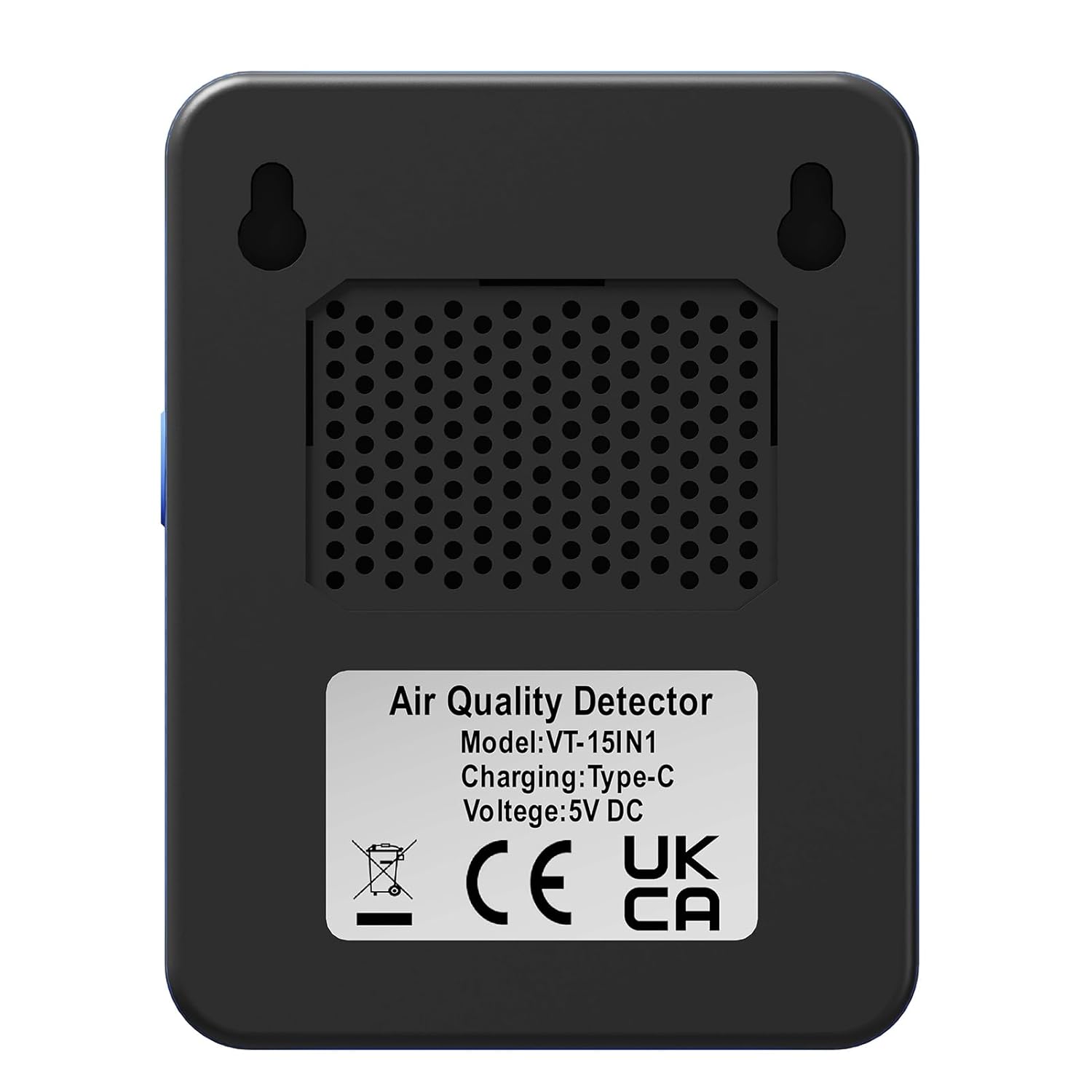
이미지: 후면 view of the monitor, indicating model number (VT-15IN1), charging type (Type-C), and voltag전자(5V DC).
8. 보증
Warranty information is not explicitly provided in the product details. Please refer to the documentation included with your purchase or contact the seller directly for specific warranty terms and conditions.
9. 지원
For technical support, product inquiries, or assistance with troubleshooting beyond the scope of this manual, please refer to the contact information provided in your product packaging or contact the seller directly through the platform where the purchase was made.