
1. 제품 오버view
The HAMCUBE PRO Morse Code Trainer is an all-in-one device designed to facilitate the learning, practice, and improvement of Morse code skills. Featuring a 2.8-inch color display, it provides a comprehensive and interactive platform for users of all proficiency levels. The unit supports both English and Chinese decoding, offering visual feedback and guided training modes to enhance memory, recognition, and transcription abilities. Its portable and self-contained design, coupled with an intuitive interface and tactile controls, makes it suitable for various environments, from home to travel. The trainer also includes flexible connectivity options for external accessories and boasts an extended battery life with convenient USB charging.
- Complete Training Workflow: Supports character memory, reading, listening, transcription, and sending.
- 2.8인치 컬러 디스플레이: Offers clear visual feedback and multilingual decoding (English and Chinese).
- 휴대성 있는 디자인: Compact and lightweight with up to 10 hours of battery endurance.
- Shortcut Function Keys: Dedicated keys for common practice functions, custom phrases, and daily settings.
- 다용도 인터페이스: Connects to earphones, speakers, decoder signal outputs, and USB-C for charging/upgrading.
2. 설정 지침
2.1 전원 켜기/끄기
To power on the HAMCUBE PRO, press and hold the power button for 3-5 seconds. A short press will not activate the unit. To power off, repeat the same action.
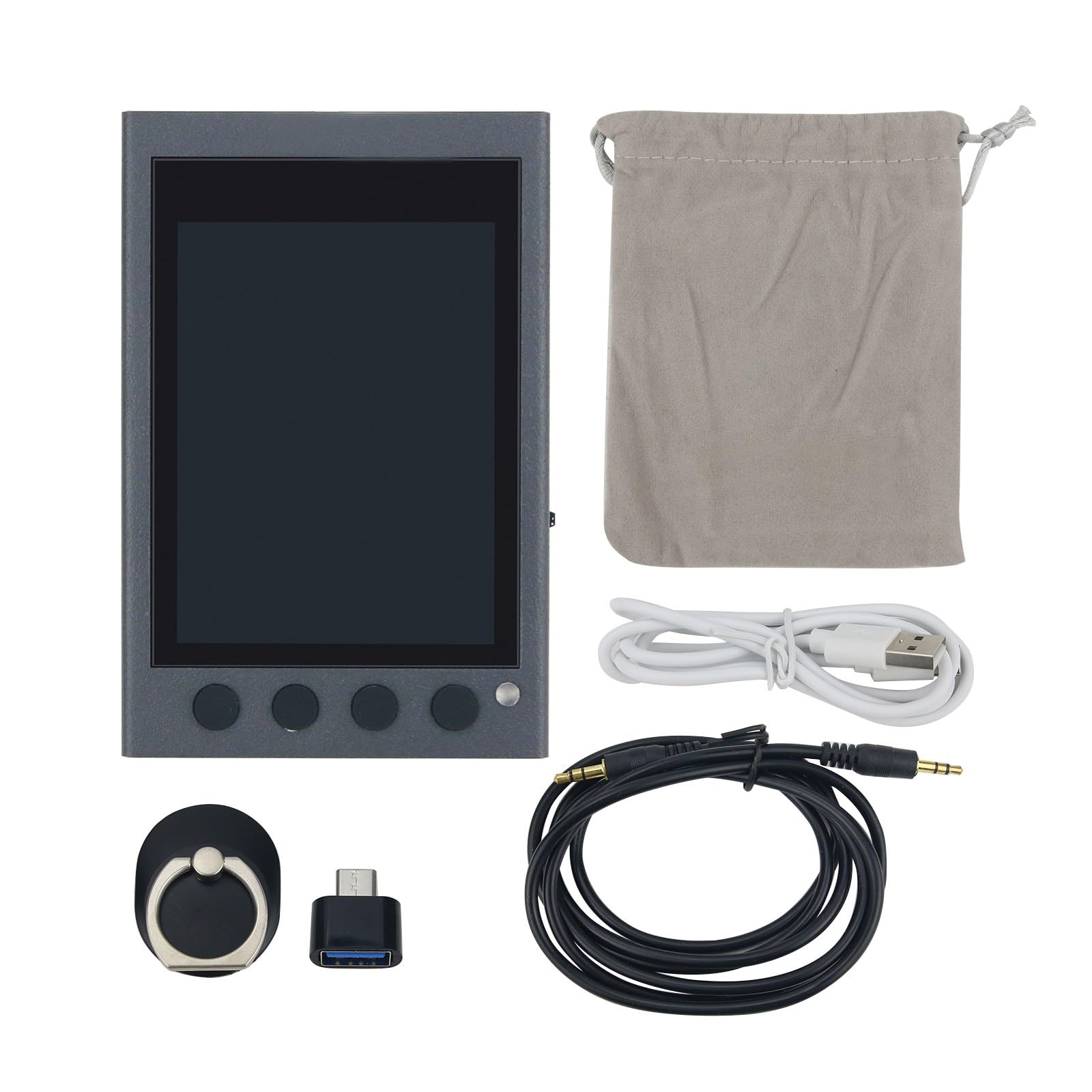
Figure 1: Powering on the HAMCUBE PRO by pressing and holding the top-right button.
2.2 장치 충전
Connect the provided USB-C cable to the USB-C port on the side of the device and plug the other end into a compatible USB power source (e.g., computer, wall adapter). The device supports straightforward USB charging.
2.3 외부 장치 연결
The HAMCUBE PRO features multiple interfaces for enhanced practice:
- Earphones/Speakers: Use the 'PHONE' port to connect standard 3.5mm earphones or external speakers for audio output.
- External CW Key: Connect your external Morse code key to the 'KEY' port for sending practice.
- 보조 포트: AUX1, AUX2, and AUX3 ports are available for additional connectivity, such as decoder signal outputs.

그림 2: 측면 view showing the various input/output ports for external connections.
3. 사용 설명서
3.1 디스플레이 탐색
The 2.8-inch color display provides a clear interface for all functions. It visually presents characters, practice progress, and decoding results, aiding in quick and accurate association of Morse symbols with letters.

그림 3: 전면 view of the HAMCUBE PRO displaying Morse code characters on its screen.
3.2 Using Shortcut Function Keys
The device is equipped with four shortcut function areas with dedicated keys. These keys streamline your training workflow and make repeated practice faster and more efficient. Refer to the on-screen prompts or the device's internal menu for specific functions assigned to each key.

그림 4: 상단 view highlighting the four shortcut buttons for quick access to functions.
3.3가지 훈련 모드
The HAMCUBE PRO offers guided training modes that are customizable to your pace and comfort. These modes support various aspects of Morse code learning, including character memory, reading, listening, transcription, and sending. Explore the device's menu to select and configure your preferred training exercises.
4. 유지관리
To ensure the longevity and optimal performance of your HAMCUBE PRO Morse Code Trainer, follow these general maintenance guidelines:
- 청소: 부드럽고 마른 천을 사용하여 기기를 닦으세요. 연마성 세척제나 용제는 사용하지 마세요.
- 저장: 본 기기는 직사광선과 극한의 온도를 피해 시원하고 건조한 곳에 보관하세요.
- 배터리 관리 : 배터리를 건강하게 유지하려면 기기를 자주 사용하지 않더라도 배터리를 정기적으로 충전하세요. 장시간 배터리를 완전히 방전하지 마세요.
- 물리적 보호: 기기를 조심스럽게 다루어 화면이나 내부 부품이 손상될 수 있는 낙하 또는 충격을 방지하십시오.
5. 문제 해결
If you encounter issues with your HAMCUBE PRO, try the following troubleshooting steps:
- 장치 전원이 켜지지 않음: Ensure the battery is sufficiently charged. Press and hold the power button for 3-5 seconds. If the issue persists, try charging the device for at least 30 minutes.
- 디스플레이가 작동하지 않음: Check if the device is powered on. If the screen is dim or unreadable, try adjusting the display brightness through the device settings.
- 오디오 출력 없음: Verify that earphones or speakers are correctly plugged into the 'PHONE' port. Check the volume settings on the device.
- External Key Not Responding: Ensure the external key is securely connected to the 'KEY' port. Check the device settings to confirm the external key input is enabled.
- 장치가 응답하지 않음: If the device becomes unresponsive, locate the 'RESET' button (often a small pinhole) and gently press it with a thin object (e.g., paperclip) to restart the device.
If these steps do not resolve the issue, please refer to the manufacturer's support resources.
6. 사양
| 특징 | 사양 |
|---|---|
| 모델 번호 | HAMCUBE PRO |
| 표시하다 | 2.8인치 컬러 디스플레이 |
| 디코딩 지원 | 영어, 중국어 |
| 배터리 수명 | 최대 10시간 |
| 충전 인터페이스 | USB-C |
| 연결성 | Earphone, Speaker, Decoder Signal Outputs, External Key |
| 패키지 크기 | 7.09 x 4.92 x 3.94 인치 |
| 품목 무게 | 14.1 온스 |
| 배터리 | 1개의 AA 배터리 필요(포함) |

그림 5: 뒤로 view of the HAMCUBE PRO, displaying its model name and reset button.
7. 보증 및 지원
For detailed warranty information, technical support, and service inquiries, please refer to the official Hamgeek manufacturer's web사이트를 방문하거나 고객 서비스에 직접 문의하세요. 보증 청구를 위해 구매 영수증을 보관하세요.