
1. 서론
The Strong 4G LTE N300 WiFi Router provides high-speed internet access using a 4G SIM card, offering reliable Cat4 LTE speeds up to 150 Mbps and stable N300 Mbps Wi-Fi coverage. This device is designed for easy setup and use, supporting up to 32 devices simultaneously, making it suitable for both home and small office environments where wired broadband may not be available.
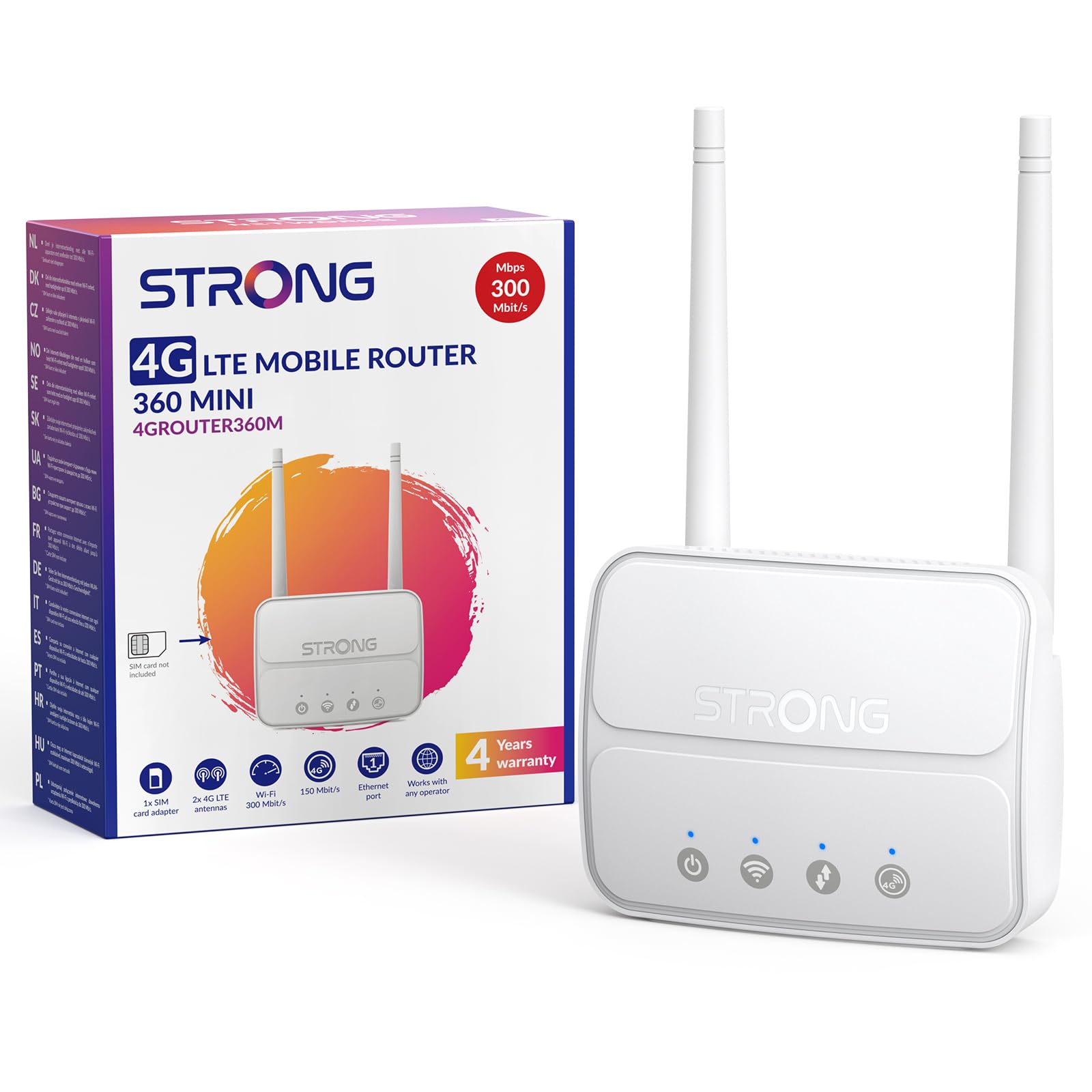
Image 1: The Strong 4G LTE N300 WiFi Router, a compact device with two external antennas for enhanced signal reception.
2. 상자 안에 무엇이 들어있나요?
포장 내용물을 꼼꼼히 확인해 주세요. 누락되었거나 손상된 품목이 있는 경우 고객 지원팀에 문의하세요.
- Strong 4G LTE N300 WiFi Router
- External Antennas (2 units)
- RJ45 이더넷 케이블
- 외부 전원 공급 장치
- Nano to Micro SIM Card Adapter
- 빠른 설치 가이드
- 안전 및 보증 카드
3. 설정 가이드
Follow these steps for a quick and easy setup of your Strong 4G LTE N300 WiFi Router.
3.1. Prepare Your SIM Card
Before inserting your SIM card, ensure that any PIN protection is disabled. You can do this by inserting the SIM card into a smartphone and disabling the PIN request through the phone's settings.
3.2. Insert the SIM Card
- 라우터에서 SIM 카드 슬롯을 찾으세요.
- If you have a Nano SIM, use the provided Nano to Micro SIM adapter to fit it into the standard SIM slot.
- Gently insert the prepared SIM card into the slot until it clicks into place.
3.3. Attach External Antennas
Screw the two external 4G antennas onto the designated connectors at the back of the router. Adjust their orientation for optimal signal reception.
3.4. 라우터 전원 켜기
Connect the external power supply to the router's DC-in port and then plug it into a power outlet. The router will automatically power on and begin the startup sequence.
3.5. Connect to the Network (Plug & Play)
The router is designed for Plug & Play operation. Once powered on and with a valid SIM card, it will automatically connect to the 4G LTE network. You can then connect your devices via Wi-Fi or Ethernet.

Image 2: Visual guide for SIM card insertion and powering on the router for instant connection. The image also shows the SIM card slot supporting standard, micro, and nano SIMs with an adapter.
3.6. 액세스 Web 인터페이스
고급 설정 및 네트워크 관리를 위해서는 라우터의 설정 메뉴에 접속하세요. web 입력을 통한 인터페이스 192.168.188.1 당신의 web browser's address bar. Refer to the Quick Installation Guide for default login credentials.
4. 사용 설명서
This section details how to use your Strong 4G LTE N300 WiFi Router for optimal performance.
4.1. 장치 연결
The router supports connections for up to 32 devices simultaneously.
- Wi-Fi 연결: Locate the Wi-Fi network name (SSID) and password printed on the label at the bottom of the router. Select this network on your device and enter the password to connect.
- 이더넷 연결: Use an RJ45 Ethernet cable to connect devices such as PCs, game consoles, or Smart TVs to the router's 100 Mbps LAN port for a stable wired connection.
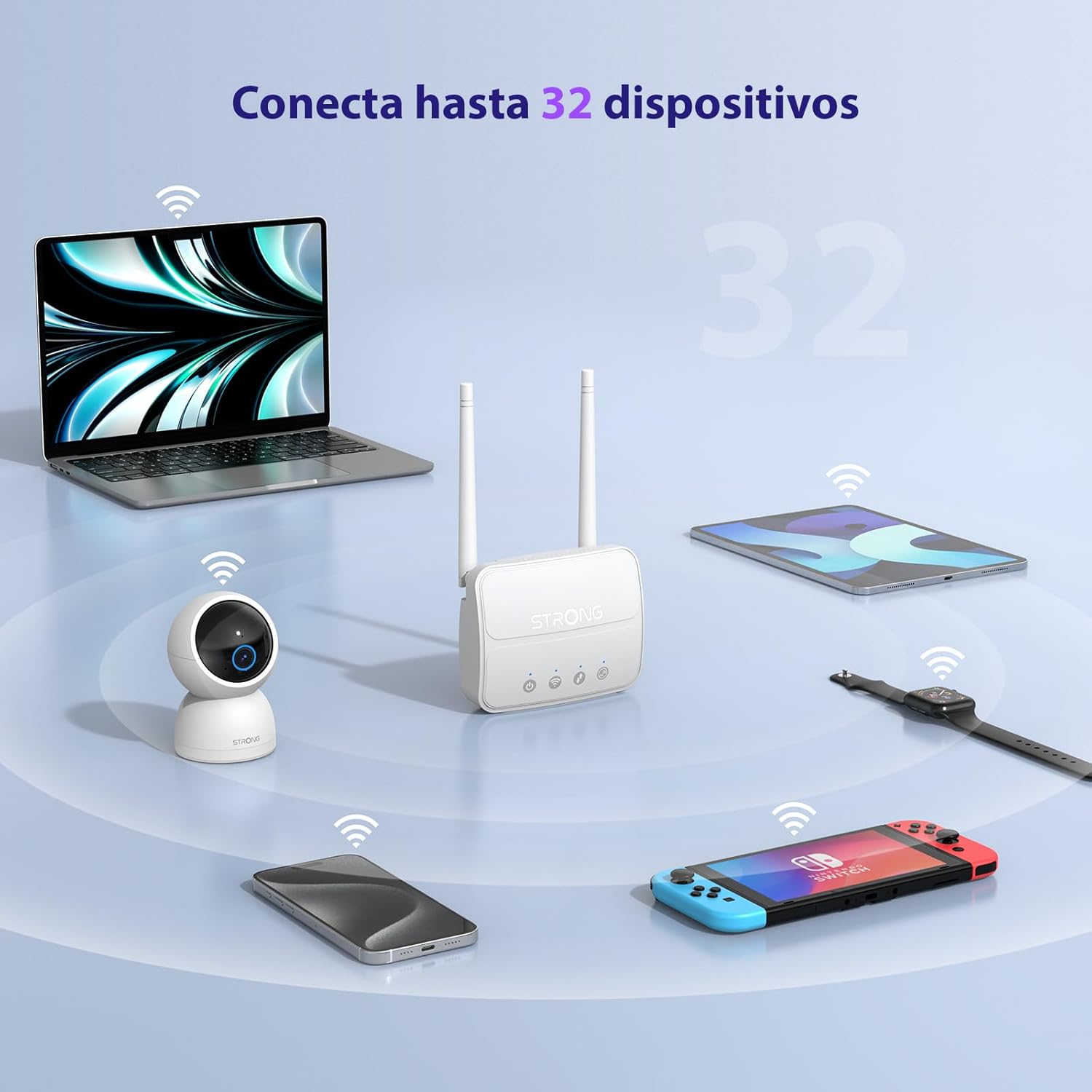
Image 3: The router connecting various devices including laptops, tablets, smartphones, and gaming consoles, demonstrating its capacity for up to 32 simultaneous connections.
4.2. Network Management and Security
The router offers robust security features to protect your network:
- WPA / WPA2 암호화 : Ensures secure wireless communication.
- PIN Control: Manage SIM card PIN settings.
- MAC 필터링: MAC 주소를 기반으로 네트워크에 연결할 수 있는 장치를 제어하세요.
- Advanced Firewall Settings: Customize firewall rules for enhanced protection.
All these settings can be managed through the easy-to-use web 인터페이스(192.168.188.1).

Image 4: A user managing network settings on a laptop, illustrating the router's WPA/WPA2 encryption and PIN control features for secure network management.
5. 유지관리
적절한 유지 관리는 라우터의 수명과 최적의 성능을 보장합니다.
- 청소: 부드럽고 마른 천을 사용하여 라우터 외부를 청소하세요. 액체 세척제나 에어로졸은 사용하지 마세요.
- 놓기: 라우터를 통풍이 잘 되는 곳에 두고 직사광선, 열원 및 강한 전자기장을 피하십시오.
- 펌웨어 업데이트: The router features a USB port specifically for firmware updates. Regularly check the Strong official website for the latest firmware versions to ensure improved performance and security. Follow the instructions provided with the firmware update package carefully.
6. 문제 해결
If you encounter issues with your router, refer to the following common troubleshooting steps:
- 인터넷에 연결되지 않음:
- 유심 카드가 올바르게 삽입되었는지, 그리고 데이터 요금제가 활성화되어 있는지 확인하십시오.
- Verify that the SIM card's PIN protection is disabled.
- Check the signal strength indicators on the router. If the signal is weak, try adjusting the external antennas or relocating the router.
- Restart the router by unplugging and replugging the power adapter.
- Wi-Fi가 검색되지 않거나 연결 중입니다:
- Ensure the Wi-Fi function is enabled (check the router's LED indicators).
- Wi-Fi 비밀번호를 정확하게 입력했는지 확인하세요 (SSID와 비밀번호는 공유기 라벨에 있습니다).
- Try connecting a device via Ethernet to confirm the router has internet access.
- 느린 속도:
- Check the 4G signal strength. Weak signal can lead to slower speeds.
- 다른 애플리케이션이나 기기가 과도한 대역폭을 사용하고 있지 않은지 확인하십시오.
- Consider the number of connected devices; the router supports up to 32, but performance may vary with heavy usage.
- 접근할 수 없습니다 Web 인터페이스:
- 장치가 라우터 네트워크(Wi-Fi 또는 이더넷)에 연결되어 있는지 확인하세요.
- 올바른 IP 주소를 입력하고 있는지 확인하십시오. 192.168.188.1.
- 다른 것을 시도해보세요 web 브라우저.
If these steps do not resolve the issue, please contact Strong customer support.
7. 사양
Detailed technical specifications for the Strong 4G LTE N300 WiFi Router (Model 4GROUTER360M).
| 특징 | 사양 |
|---|---|
| 상표 | 강한 |
| 모델명 | 4그라우터360M |
| 연결 기술 | 4G, Ethernet, LTE, Wi-Fi |
| 무선 표준 | 802.11n (N300 Mbps) |
| 4G LTE 속도 | Up to 150 Mbps (Cat4) |
| 이더넷 포트 | 1 x 100 Mbps LAN Port |
| SIM 카드 슬롯 | Standard (2FF), includes Nano to Micro adapter |
| 안테나 유형 | 2 x External, Detachable 4G Antennas; 2 x Internal Wi-Fi Antennas |
| 최대 연결 장치 | 최대 32개 |
| 보안 기능 | WPA/WPA2 Encryption, PIN Control, MAC Filtering, Firewall |
| 운영 체제 | StrongOS |
| 치수(패키지) | 18.1 x 15.6 x 7.3cm |
| 제품 무게 | 204g |
| 전원 공급 장치 | 외부 전원 어댑터 |
| 특별 기능 | Secure Network Management, Plug & Play, Connect up to 32 devices, USB port for firmware updates |
8. 보증 및 지원
Strong is committed to providing reliable products and excellent customer service.
8.1. 보증 정보
Your Strong 4G LTE N300 WiFi Router comes with a 4-year protection plan, ensuring long-term peace of mind. Please refer to the included Safety and Warranty Card for detailed terms and conditions.
8.2. 고객 지원
For any technical assistance, troubleshooting, or warranty inquiries, please contact our expert support team:
Our support team offers solid service and extended coverage to assist you.

Image 5: Visual representation of Strong's reliable support, highlighting the 4-year protection and contact email for assistance.