
1. 서론
The ACECONN Pi2 Linux 4K HD Super Box TV Box is a versatile streaming device designed for high-definition media consumption. It operates on a Linux system, offering a customizable, stable, and secure platform for your entertainment needs. This device supports 4K UHD resolution and a wide array of video formats, ensuring a premium view경험.
주요 특징은 다음과 같습니다.
- Linux system for high customization, stability, and security.
- Supports 4K UHD resolution and multiple video formats for high-definition quality.
- Compatible with various connection methods such as HDMI and RCA.
- Multiple USB ports for media playback and software updates.
- Supports network and USB dual upgrades for convenient software maintenance.

Image: The ACECONN Pi2 Linux 4K HD Super Box TV Box and its remote control.
2. 설정 가이드
2.1 패키지 내용
시작하기 전에 패키지에 모든 품목이 들어 있는지 확인하세요.
- ACECONN Pi2 TV Box
- 원격 제어 장치(RCU)
- Power Adapter (US type)
- HDMI 케이블
- IR 익스텐더
- 사용자 설명서

Image: All components included in the ACECONN Pi2 package.
2.2 장치 연결
- 전원 연결: Connect the provided power adapter to the DC IN port on the TV Box and then plug it into a power outlet.
- HDMI 연결: Use the HDMI cable to connect the HDMI OUT port on the TV Box to an HDMI IN port on your television or display. Note the HDMI input number on your TV.
- 네트워크 연결(선택 사항):
- 이더넷: 유선 연결을 하려면 라우터에서 TV 박스의 LAN 포트로 이더넷 케이블을 연결하십시오.
- 와이파이: For a wireless connection, you will configure Wi-Fi settings after the initial power-on.
- USB 장치 (선택 사항): You can connect USB storage devices or other peripherals to the available USB ports.
2.3 첫 번째 전원 켜기
After connecting all necessary cables, turn on your television and select the correct HDMI input. The ACECONN Pi2 TV Box should power on automatically or can be powered on using the remote control. Follow any on-screen prompts for initial setup, such as language selection and network configuration.
3. 사용 설명서
3.1 사용자 인터페이스 종료view
Upon startup, you will see the main user interface, which provides access to various applications and settings. The interface is designed for easy navigation using the provided remote control.
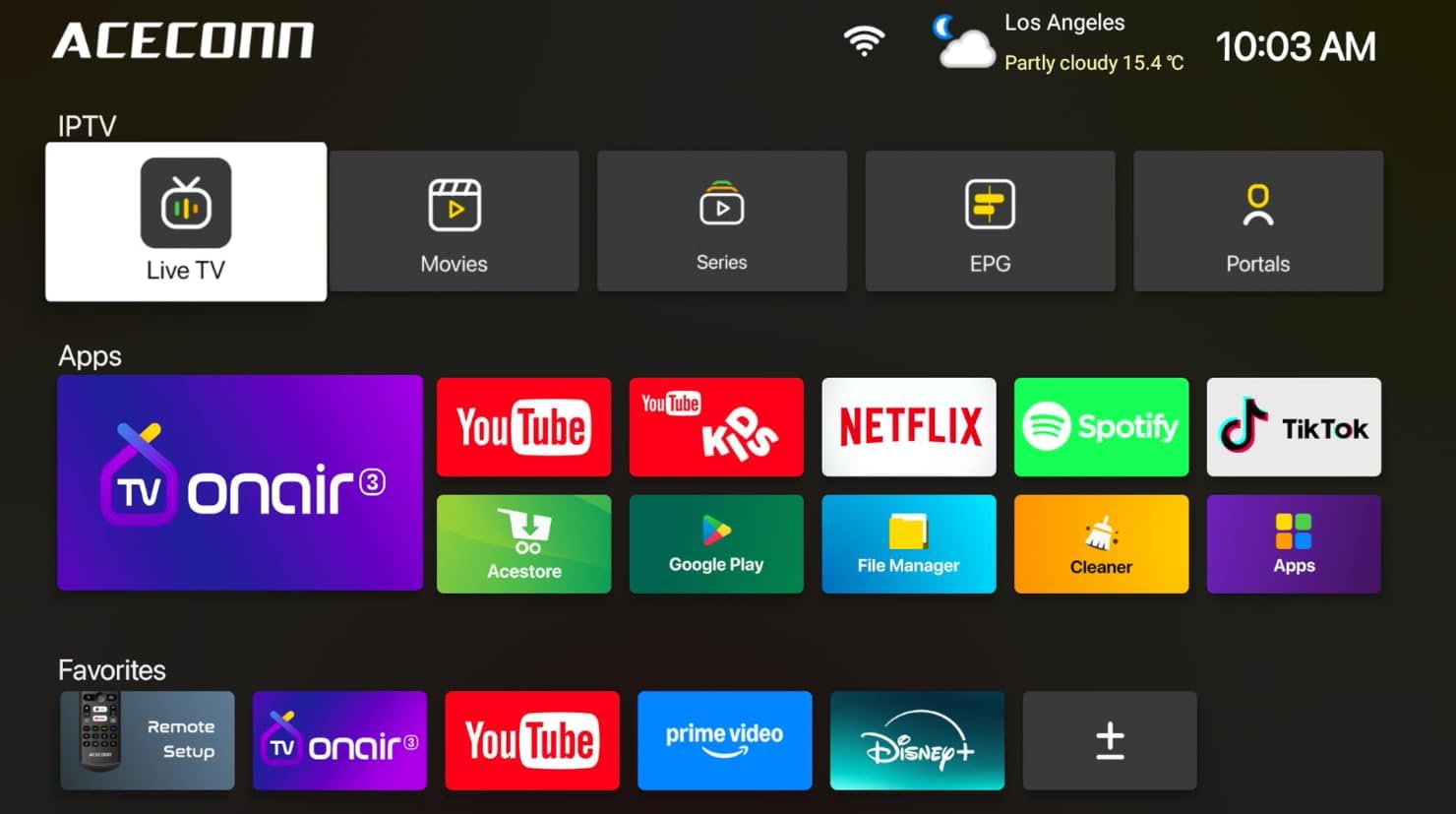
Image: Main user interface of the ACECONN Pi2, displaying various content categories and applications.
3.2 내비게이션 및 원격 제어
Use the directional buttons on the remote control to navigate through menus and select items. The 'OK' button confirms selections, and the 'Back' button returns to the previous screen. Familiarize yourself with the remote's layout for optimal control.
3.3 미디어 재생
The Pi2 supports various media playback options:
- 스트리밍: Access pre-installed or downloaded streaming applications for online content.
- 로컬 재생: Connect a USB hard drive or flash drive to play downloaded 4K content directly. The device supports full format compatibility including MKV, MP4, and AVI.
- Personal Media Library: Utilize applications like Kodi to organize and play your media collection.

Image: The ACECONN Pi2 supports various media consumption scenarios, including family streaming, personal media organization, and local file 재생.
3.4 네트워크 설정
네트워크에 연결하려면:
- 홈 화면에서 '설정' 메뉴로 이동하세요.
- Select 'Network' or 'Wi-Fi' settings.
- For Wi-Fi, select your network from the list and enter the password. For Ethernet, ensure the cable is connected; the device should automatically connect.
3.5 시스템 설정
'설정' 메뉴를 사용하면 기기의 다양한 측면을 사용자 지정할 수 있습니다.
- 표시하다: Adjust resolution, screen scaling, and HDR settings. The device supports 4K@60fps with HDR 10+ for an enhanced visual experience.
- 오디오: 오디오 출력 옵션을 구성합니다.
- 언어 및 입력: Change the system language and keyboard settings.
- 보호자 관리: Utilize the built-in parental control features to manage content access.
- 에 대한: View device information, including the Linux 4.9 kernel version.

Image: The ACECONN Pi2 offers advanced 4K decoding, HDR 10+ dynamic color, and broad media format compatibility.
4. 유지관리
4.1 청소
To maintain the device's appearance and performance, gently wipe the exterior with a soft, dry cloth. Avoid using liquid cleaners or abrasive materials.
4.2 Software Updates (OTA Updates)
The ACECONN Pi2 supports Over-The-Air (OTA) updates, as well as updates via USB. Regularly checking for and installing updates ensures you have the latest features, drivers, and security enhancements. This contributes to the device's rugged 24/7 stability.
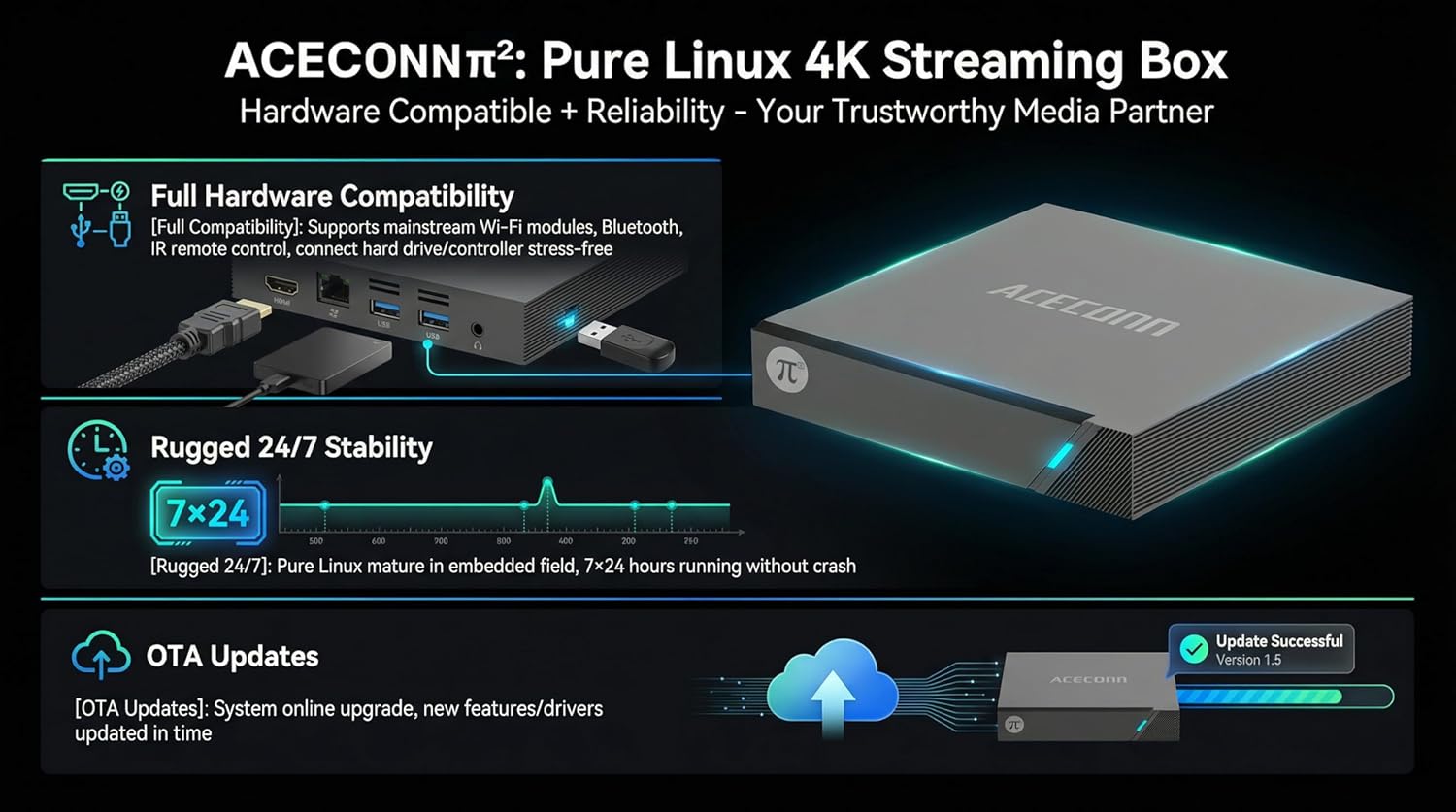
Image: The ACECONN Pi2 features full hardware compatibility, robust stability, and convenient OTA updates.
5. 문제 해결
If you encounter issues with your ACECONN Pi2, refer to the following common problems and solutions:
- 전원 없음:
- 전원 어댑터가 장치에 안전하게 연결되어 있고 전원 콘센트가 제대로 작동하는지 확인하세요.
- 다른 전원 콘센트를 사용해 보세요.
- TV에 신호가 없습니다:
- HDMI 케이블이 TV 박스와 TV에 제대로 연결되어 있는지 확인하십시오.
- TV의 HDMI 입력 소스가 올바르게 설정되어 있는지 확인하십시오.
- 다른 HDMI 케이블이나 TV의 HDMI 포트를 사용해 보세요.
- 리모콘이 응답하지 않음:
- Ensure the batteries in the remote control are correctly inserted and not depleted. Replace if necessary.
- Point the remote directly at the TV Box's IR receiver.
- 네트워크 연결 문제:
- For Wi-Fi, re-enter the password in network settings. Ensure your router is working correctly.
- For Ethernet, check the cable connection to both the TV Box and the router.
- 라우터와 TV 박스를 다시 시작하세요.
- 시스템 지연 또는 멈춤 현상:
- TV 박스를 다시 시작하세요.
- 장치에 충분한 환기가 이루어지도록 하십시오.
- 사용 가능한 소프트웨어 업데이트를 확인하고 설치하세요.
6. 사양
| 특징 | 사양 |
|---|---|
| 모델 번호 | 파이2 |
| 상표 | ACECONN |
| 제품 치수 | 11 x 11 x 2cm |
| 품목 무게 | 0.5 킬로그램 |
| 연결 기술 | 블루투스, 이더넷, HDMI, USB, Wi-Fi |
| 커넥터 유형 | HDMI |
| 해결 | 4K |
| 비디오 출력 해상도 | 3840 픽셀 |
| 컨트롤러 유형 | 앱 제어, 원격 제어 |
| 메모리 저장 용량 | 8GB (XNUMX기가바이트) |
| 특징 | 보호자 통제 |
| 운영 체제 | Linux 4.9 Kernel |
7. 보증 및 지원
7.1 보증 정보
This ACECONN Pi2 Linux 4K HD Super Box TV Box comes with a 1년 제조사 보증 구매일로부터. 보증 청구를 위해 구매 증빙을 보관하세요.
7.2 고객 지원
For technical assistance or warranty inquiries, please contact the manufacturer:
- 제조업체: shenzhenshiniulinkejiyouxiangongsi
- 이메일: zengkkoo@gmail.com