
1. 서론
The ACECONN Sword Pro+ is a high-performance streaming smart TV box designed to deliver an immersive entertainment experience. Running on the Android 11 operating system, it supports 4K Ultra HD resolution at 60 frames per second with HDR10+ for crystal-clear visuals. Equipped with dual-band Wi-Fi (2.4G/5G) and 2GB RAM with 16GB storage, it ensures fast and stable streaming. The included voice remote with backlight offers convenient control. This manual provides essential information for setting up, operating, and maintaining your device.
2. 패키지 내용
아래 나열된 모든 품목이 패키지에 포함되어 있는지 확인하세요.
- SWORD Pro+ TV Box ×1
- 리모콘 × 1
- HDMI 케이블 ×1
- 전원 어댑터 ×1
- 사용 설명서 ×1
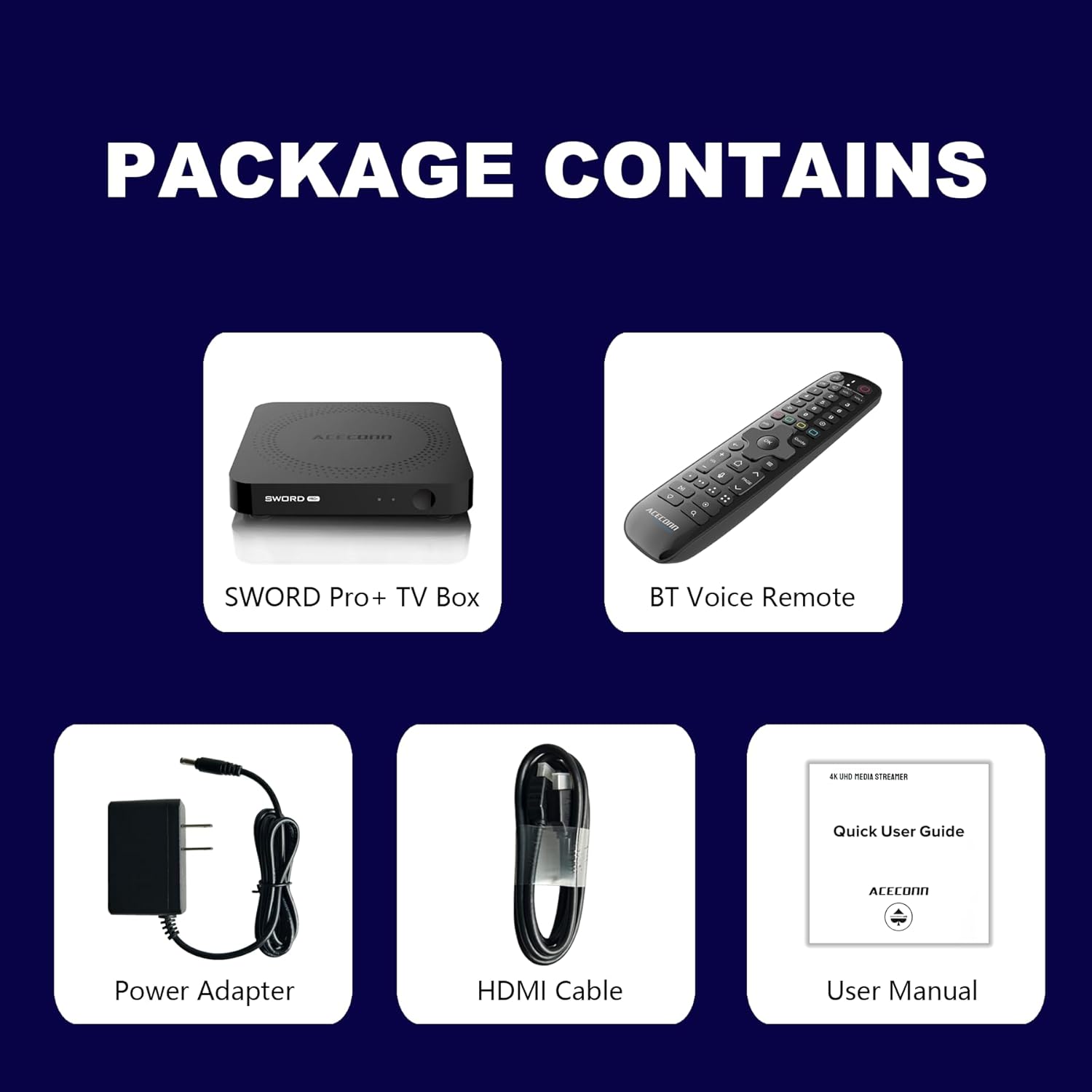
Figure 2.1: Package Contents. This image displays the SWORD Pro+ TV Box, BT Voice Remote, Power Adapter, HDMI Cable, and a Quick User Guide (User Manual).
3. 제품 오버view
3.1 장치 레이아웃

그림 3.1: 전면 및 후면 Views of the SWORD Pro+ TV Box. The front features an IR receiver and power indicator. The side includes USB 2.0, USB 3.0, and a MicroSD card slot. The rear panel provides AV, Ethernet, HDMI, Optical audio, DC power input, and a 'Find Remote' button.
3.2 치수
The ACECONN Sword Pro+ TV Box has compact dimensions for easy placement.
- 길이: 4.4인치(11cm)
- 너비: 4.4인치(11cm)
- 키: 0.8인치(2cm)

Figure 3.2: Device Dimensions. This image illustrates the length, width, and height of the SWORD Pro+ TV Box.
4. Remote Control Description
The included Bluetooth voice remote control features a backlight for ease of use in various lighting conditions. Familiarize yourself with the buttons and their functions:

Figure 4.1: Remote Control Layout. This diagram labels all buttons on the remote, including TV Power On/Off, STB Power On/Off, OK key for TV, TV Source, Number Keys, Mouse, Options, Color Keys, Information, Open TV Guide, Navigation (Up/Down/Left/Right), Confirm/Select, Exit, Menu, Home, Volume +/-, Page Up/Down, Channel Up/Down, Voice Assistant, Hot Keys, Play/Pause, Record, Setup Favorite, and Search.
- TV Power On/Off: Controls your television's power.
- STB Power On/Off: Controls the TV Box power.
- OK key for TV / TV Source: Selects options or changes TV input.
- 숫자 키(0-9): For direct input of numbers.
- 생쥐: 마우스 포인터 모드를 활성화/비활성화합니다.
- 옵션: Accesses additional options within applications.
- Color Keys: 기능은 응용 프로그램에 따라 다릅니다.
- 정보: Displays information about current content.
- 가이드: TV 프로그램 가이드를 엽니다.
- 탐색(위/아래/좌/우): 커서 또는 선택 영역을 이동합니다.
- OK (Center): 선택을 확인합니다.
- 출구: Returns to the previous screen or exits an application.
- 메뉴: Opens the context menu.
- 집: 메인 홈 화면으로 돌아갑니다.
- 볼륨 +/- : 오디오 볼륨을 조절합니다.
- 페이지 위로/아래로: 페이지를 넘긴다.
- 음성 어시스턴트 : Activates voice control for commands and search.
- 재생/일시 중지: 미디어 재생을 제어합니다.
- 기록: Initiates recording (if supported by application/service).
- Setup Favorite: Configures favorite channels or apps.
- 찾다: 검색 기능을 엽니다.
5. 설정 가이드
Follow these steps to set up your ACECONN Sword Pro+ TV Box:
- TV에 연결: Connect one end of the HDMI cable to the HDMI port on the TV Box and the other end to an available HDMI input on your television. Note the HDMI input number (e.g., HDMI 1, HDMI 2).
- 전원에 연결: Plug the power adapter into the DC IN port on the TV Box, then plug the adapter into a wall outlet. The device should power on automatically, or you may need to press the power button on the remote.
- TV 입력 선택: Turn on your television and use its remote control to select the correct HDMI input source that the TV Box is connected to. You should see the ACECONN boot logo on your screen.
- 네트워크 연결 :
- 와이파이: Once the initial setup screen appears, navigate to the network settings. Select your Wi-Fi network from the list, enter the password, and connect. The device supports dual-band Wi-Fi (2.4G & 5G) for optimal performance.
- 이더넷: For a wired connection, connect an Ethernet cable from your router to the Ethernet port on the TV Box. The device will automatically detect and connect to the wired network.
- 초기 시스템 설정: Follow the on-screen prompts to complete the initial setup, which may include language selection, time zone, and Google account login.
- 리모컨 페어링(필요한 경우): If the remote control is not responsive, ensure batteries are installed correctly. For Bluetooth remotes, you may need to pair it in the device's Bluetooth settings. Refer to the remote control section for specific pairing instructions if provided on-screen.

Figure 5.1: Dual-Band WiFi. The SWORD Pro+ supports both 2.4G and 5G WiFi for faster and more stable internet connectivity.
6. 사용 설명서
6.1 기본 탐색
Use the directional pad (Up, Down, Left, Right) and the OK button on your remote control to navigate through the Android TV interface. The Home button will always return you to the main screen.
6.2 음성 제어 사용
Press the Voice Assistant button on your remote control to activate the voice input feature. Speak clearly into the remote to search for content, open applications, or issue commands.

Figure 6.1: Smart Voice Control. This image demonstrates the voice control feature, allowing users to operate the device with spoken commands.
6.3 애플리케이션 액세스
The TV Box comes with pre-installed applications, including the TVONAIR3 Streaming App. You can access more applications through the ACECONN exclusive app store or the Google Play Store. Navigate to the 'Apps' section on the home screen to view 설치된 애플리케이션을 관리하세요.
6.4 4K HDR Streaming
To enjoy 4K HDR content, ensure your television supports 4K resolution and HDR10+. Connect the TV Box to an HDMI 2.1 port on your TV for optimal performance. Content quality will also depend on your internet speed and the streaming service's offerings.
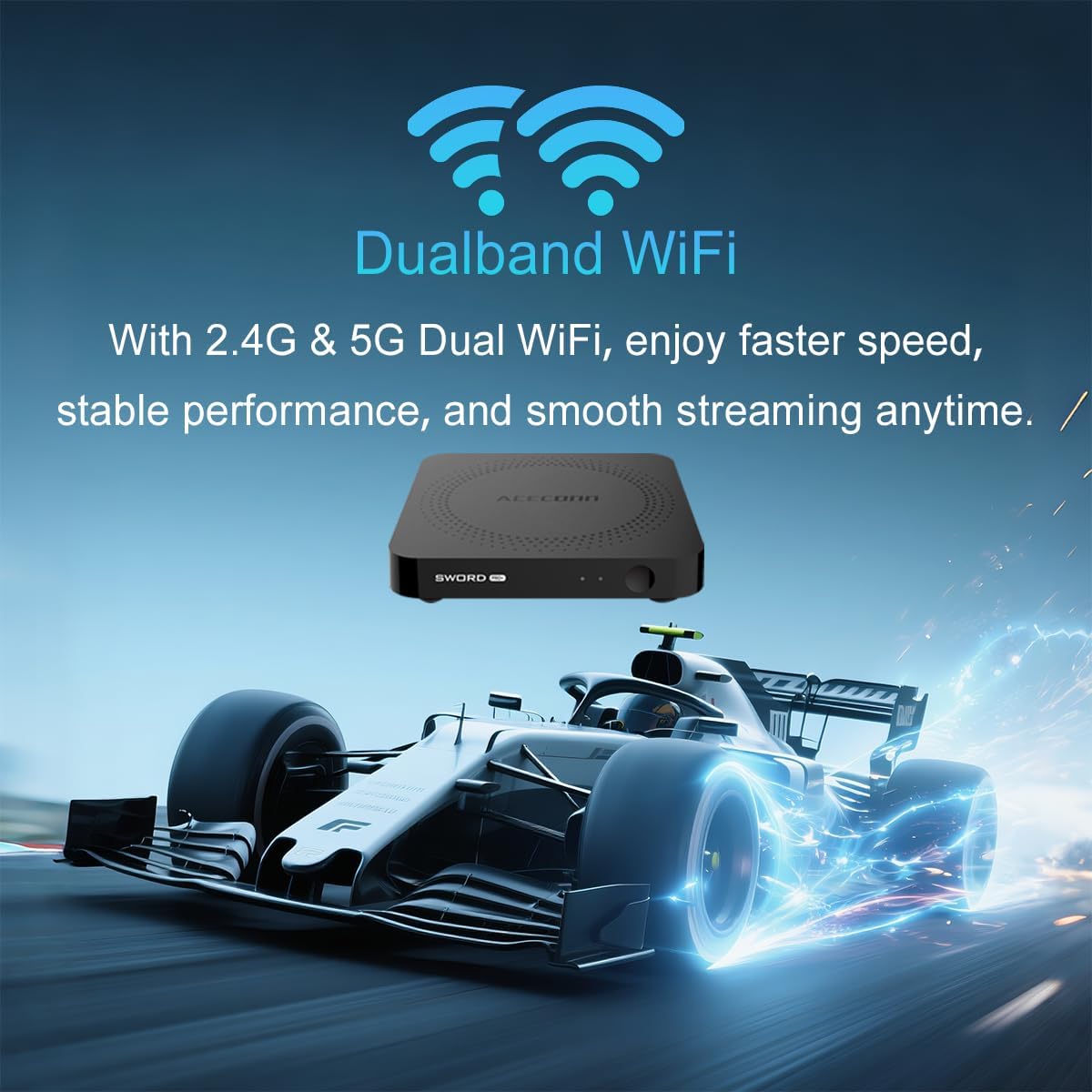
Figure 6.2: 4K HDR Support. The device supports 4K video streaming up to 3840x2160 at 60Hz, Dynamic HDR with frame-by-frame precision, and AV1 format decoding.
6.5 System Updates (OTA)
The ACECONN Sword Pro+ supports Over-The-Air (OTA) updates for both the system and applications. It is recommended to keep your device updated to ensure optimal performance and access to the latest features and security enhancements. You can check for updates in the device's settings menu.
7. 유지관리
Proper maintenance ensures the longevity and optimal performance of your TV Box:
- 청소: 부드럽고 마른 천을 사용하여 기기 외부를 닦으세요. 액체 세척제나 연마재는 사용하지 마세요.
- 통풍: Ensure the TV Box is placed in a well-ventilated area. Do not cover ventilation openings or place the device in an enclosed space that could restrict airflow.
- 소프트웨어 업데이트: Regularly check for and install system and application updates to benefit from performance improvements and security patches.
- 환경 조건: 기기를 극한 온도, 직사광선, 높은 습도 또는 먼지가 많은 환경에 노출시키지 마십시오.
- 전원 주기: 기기가 응답하지 않으면 전원 어댑터를 몇 초간 분리했다가 다시 연결하여 전원을 껐다 켜십시오.
8. 문제 해결
If you encounter issues with your ACECONN Sword Pro+, refer to the following common problems and solutions:
| 문제 | 가능한 원인 | 해결책 |
|---|---|---|
| 장치의 전원이 켜지지 않습니다. | 전원 어댑터가 연결되지 않았거나 결함이 있습니다. | 전원 어댑터가 기기에 제대로 연결되어 있고 콘센트에 전원이 제대로 공급되는지 확인하세요. 다른 콘센트를 사용해 보세요. |
| No signal on TV screen. | Incorrect HDMI input selected or loose HDMI cable. | Verify the HDMI cable is securely connected to both the TV Box and the TV. Select the correct HDMI input on your TV using your TV's remote. |
| 리모컨이 작동하지 않습니다. | Low batteries, remote not paired, or IR sensor blocked. | Replace batteries. Ensure the remote is paired via Bluetooth (check device settings). Ensure no obstructions between remote and TV Box. |
| 버퍼링 또는 스트리밍 속도 저하. | Weak Wi-Fi signal, slow internet speed, or network congestion. | Move the TV Box closer to your Wi-Fi router or use an Ethernet cable for a wired connection. Restart your router. Check your internet service provider's speed. |
| Applications crashing or freezing. | App specific issue, low memory, or outdated app. | Clear the cache of the problematic app (Settings > Apps). Update the app from the Play Store. Restart the TV Box. |
9. 사양
Detailed technical specifications for the ACECONN Sword Pro+ TV Box:
- 모델 이름: SWORD PRO+
- 운영 체제: 안드로이드 11
- 프로세서: 쿼드코어 ARM Cortex-A35 CPU
- 그래픽 카드: G31TM MP2 GPU, OpenGL ES 3.2, Vulkan 1.1, OpenCL 2.0
- 숫양: 2GB DDR3
- 내부 저장소: 16GB 메모리
- 비디오 출력: Up to 4Kx2K@60fps
- HDR 지원: HDR10+/HLG
- 비디오 디코딩 : AV1, HEVC/H.265
- 연결성:
- Dual-band Wi-Fi (2.4G/5G)
- 블루투스
- 이더넷
- 포트: HDMI 2.1, USB 2.0, USB 3.0, MicroSD Card Slot, AV, Optical, DC IN
- 치수: 4.4 x 4.4 x 0.8인치(11 x 11 x 2cm)
- 무게: 1.1파운드(약 0.5kg)
- 지원되는 인터넷 서비스: Browser, Netflix, Skype, YouTube (and others via app stores)
- 컨트롤러 유형 : 원격 제어, 음성 제어

Figure 9.1: Key Features and Specifications. This image provides a visual summary of the device's capabilities, including Android 11, 4K 60fps, AV1 codec, 2GB DDR3 RAM, 16GB storage, HDMI 2.1, and the included smart Universal BT Remote with voice command and backlight.
10. 보증 및 지원
For warranty information, please refer to the documentation included with your purchase or visit the official ACECONN website. For technical support, product inquiries, or service, please contact ACECONN customer support through their official channels.