
소개
The HiDock P1 is an advanced AI voice recorder designed to enhance productivity in various settings, including meetings, lectures, and personal notes. It features innovative BlueCatch technology for seamless integration with wireless earbuds, offering clear audio recording and high-precision transcription in multiple languages. This manual provides essential information for setting up, operating, and maintaining your HiDock P1 device.
상자 안에 무엇이 들어있나요?
패키지에 모든 품목이 들어 있는지 확인하세요.
- HiDock P1 Device (Space Gray)
- USB-C Touch Control Cable
- 금속 마운팅 플레이트
- 빠른 시작 가이드
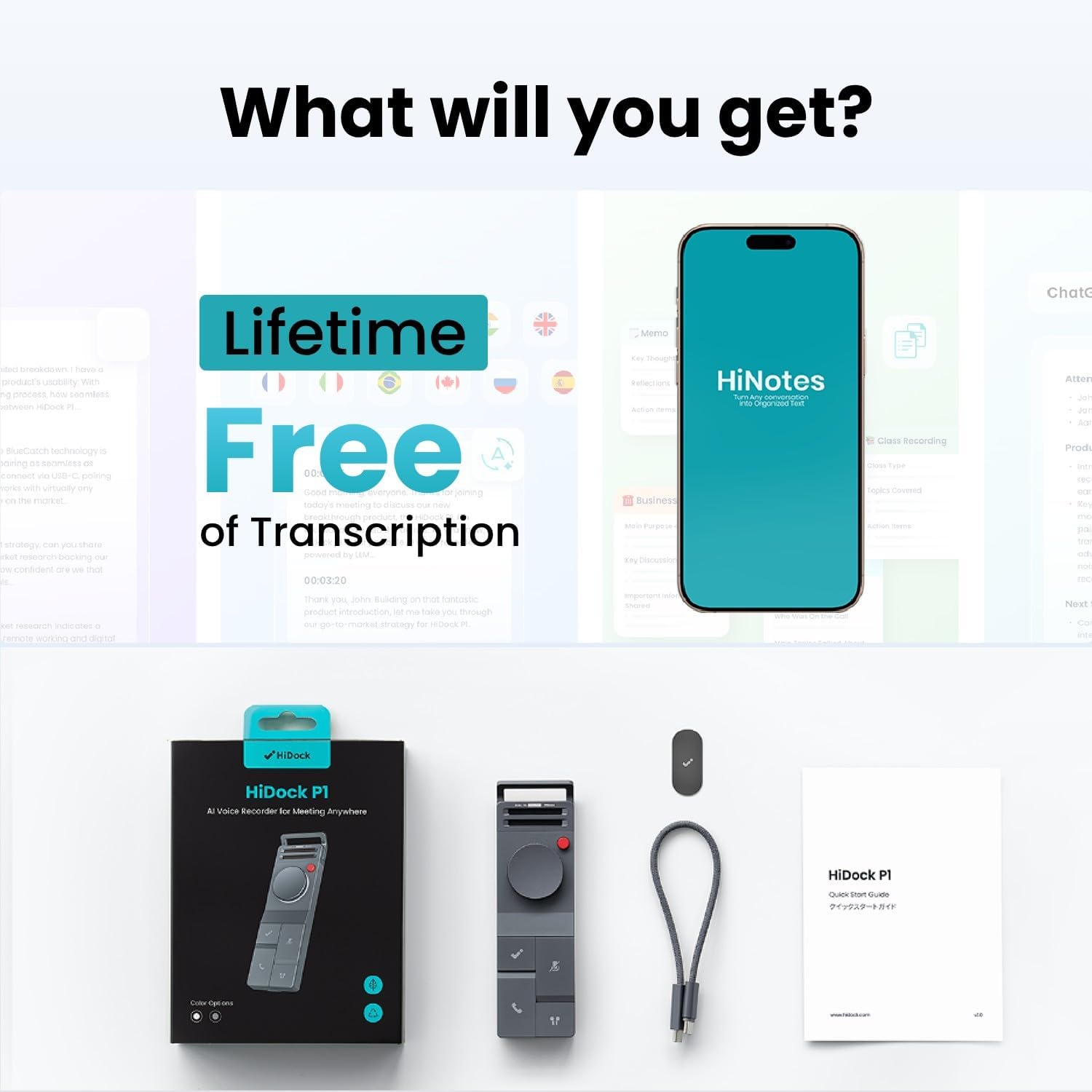
Image: HiDock P1 package contents, showing the device, USB-C cable, metal plate, and quick start guide.
Video: An unboxing of the HiDock P1, showcasing the device and its accessories.
설정
초기 전원 켜짐/꺼짐
To power on the HiDock P1, locate the ON/OFF switch on the side of the device and slide it to the 'ON' position. A blue indicator light will illuminate, signifying that the device is active. To power off, slide the switch to 'OFF'.
장치에 연결하기
The HiDock P1 connects to your computer or smartphone via the included USB-C Touch Control Cable. Simply plug the USB-C end into the HiDock P1 and the other end into your device. For Bluetooth earbuds, utilize the exclusive BlueCatch technology for seamless pairing and recording.

Image: The HiDock P1 connected to a laptop via its USB-C cable, illustrating instant recording functionality.
Video: Demonstration of recording and playback using the HiDock P1.
작동 모드
The HiDock P1 offers three smart recording modes to suit different environments:
- 통화 모드: Designed for online meetings and phone calls. When used with Bluetooth earbuds, it records clear audio directly through your headphones, ensuring privacy and a smooth recording experience.
- 룸 모드: Utilizes the device's dual high-performance ECM microphones to capture audio from interviews, conferences, and group discussions.
- 속삭임 모드: Ideal for capturing spontaneous ideas or personal memos discreetly.

Image: Visual representation of the three smart recording modes: Call Mode for earphone recording, Room Mode for group settings, and Whisper Mode for personal notes.
Video: Demonstrates the HiDock P1's functionality with wireless earbuds for recording.
주요 특징
BlueCatch Technology
The HiDock P1 is the first recorder to work seamlessly with your own Bluetooth earbuds using BlueCatch technology. This allows for clear audio recording directly through your headphones during calls or conversations, providing unparalleled privacy and a natural recording experience.

Image: A person using the HiDock P1 with wireless earbuds, demonstrating the BlueCatch technology for recording.
HiNotes App & AI Transcription
The companion HiNotes App serves as your command center for recordings. It provides high-precision transcription in 75 languages using top-tier AI models (including GPT-5, GPT-4, Gemini 3.0 Pro, Claude 4.1). The app can automatically generate meeting minutes, action lists, or custom summaries from multiple templates. Recordings are stored locally first, and transcriptions use secure API calls without training on your data. All data is encrypted end-to-end and stored on Microsoft Azure's SOC & ISO 27001 certified platform.
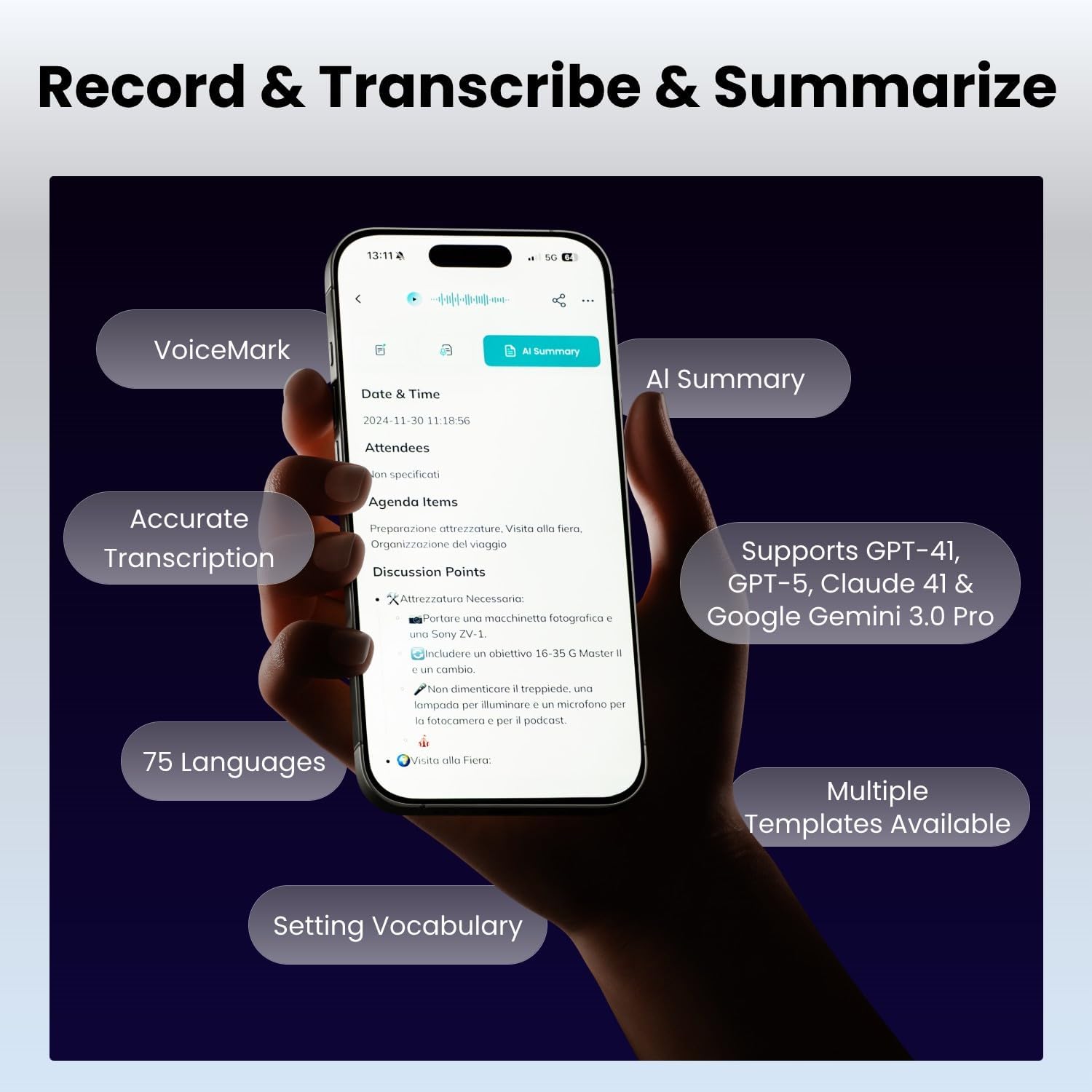
Image: A smartphone displaying the HiNotes app interface, highlighting features like AI summary, accurate transcription, and support for 75 languages.
비디오: 오버view of the HiDock P1 AI Voice Recorder's features and design.
컨트롤 및 인터페이스
The HiDock P1 is designed for effortless control through intuitive buttons and a touch-sensitive USB-C cable. Key controls include:
- 전원 버튼: 기기를 켜고 끄는 데 사용합니다.
- BNC Button: (Functionality not detailed in provided data, typically for noise cancellation or specific recording modes)
- 휠 버튼 : For navigation and selection within menus.
- HiDock Key: A dedicated button for specific HiDock functions.
- 정답: Supports Zoom call answering (sync with HiNotes calendar for Teams/Web전).
- 음소거 키: To mute the microphone during calls or recordings.
- BlueCatch™ Key: For activating and managing Bluetooth earbud connections.
- USB-C 포트: For charging, data transfer, and connecting the Touch Control Cable.

Image: A detailed diagram of the HiDock P1, labeling its various buttons and ports for user reference.
연결성
The HiDock P1 offers versatile connectivity options:
- USB 유형 C : For fast data transfer and charging. The touch-sensitive USB-C cable provides additional control.
- 블루투스 5 : For wireless earbud connectivity via BlueCatch technology, enabling private and clear call recording.

Image: A comparison showing the faster audio transfer speed of HiDock P1 via USB-C (0.5 min for 1-hour 60MB file) compared to Bluetooth (25 min).
명세서
| 특징 | 세부 사항 |
|---|---|
| 상표 | 하이독 |
| 모델 | P1 |
| 메모리 저장 용량 | 64GB (XNUMX기가바이트) |
| 디지털 녹음 시간 | 360시간 |
| 마이크 폼 팩터 | 내장형 |
| 마이크 작동 모드 | Multiple (Call Mode, Room Mode, Whisper Mode) |
| 하드웨어 인터페이스 | Bluetooth 5, USB Type C |
| 헤드폰 잭 | 블루투스 이어폰 |
| 호환 장치 | 노트북, 개인용 컴퓨터, 스마트폰, 태블릿 |
| 품목 무게 | 7.4 온스 |
| 패키지 크기 | 7.13 x 4.88 x 1.14 인치 |
유지
To ensure the longevity and optimal performance of your HiDock P1, follow these maintenance guidelines:
- 기기를 깨끗하고 매끄럽게 유지하려면 부드럽고 마른 천으로 닦아주세요. 연마성 세척제나 용제를 사용하지 마십시오.
- 본 기기는 직사광선과 극한의 온도를 피해 시원하고 건조한 곳에 보관하세요.
- 기기를 떨어뜨리거나 강한 충격을 가하지 마십시오.
- Ensure the USB-C port is free of dust and debris to maintain proper connectivity.
문제 해결
If you encounter issues with your HiDock P1, consider the following:
- 장치가 켜지지 않음: 배터리가 충전되어 있는지 확인하십시오. USB-C 케이블을 사용하여 기기를 전원에 연결하십시오.
- 녹음 문제: Check that the device is in the correct recording mode (Call, Room, or Whisper). Ensure the microphone is not muted.
- 연결 문제: Verify that the USB-C cable is securely connected to both the HiDock P1 and your computer/smartphone. For Bluetooth, ensure your earbuds are in pairing mode and within range.
- 전사 정확도: Ensure clear audio input. Background noise can affect transcription quality.
- 앱 문제: Ensure the HiNotes App is updated to the latest version. Restart the app or your device if necessary.
보증 및 지원
For warranty information, technical support, or any inquiries regarding your HiDock P1, please refer to the official HiDock website or contact the HiDock Official Store. The device receives future features via OTA updates, ensuring its AI capabilities remain cutting-edge.

Image: A customer support representative wearing a headset, symbolizing available assistance and support for HiDock products.