
1. 서론
The Fairphone Fairbuds XL are over-ear wireless headphones designed for high-quality audio and durability. They feature Active Noise Cancelling (ANC), aptX-HD 24-bit audio, a long-lasting battery, and an IP54 weather-resistant rating. A key aspect of the Fairbuds XL is their modular design, allowing for easy repair and replacement of parts.
This manual provides essential information for setting up, operating, maintaining, and troubleshooting your Fairbuds XL headphones.
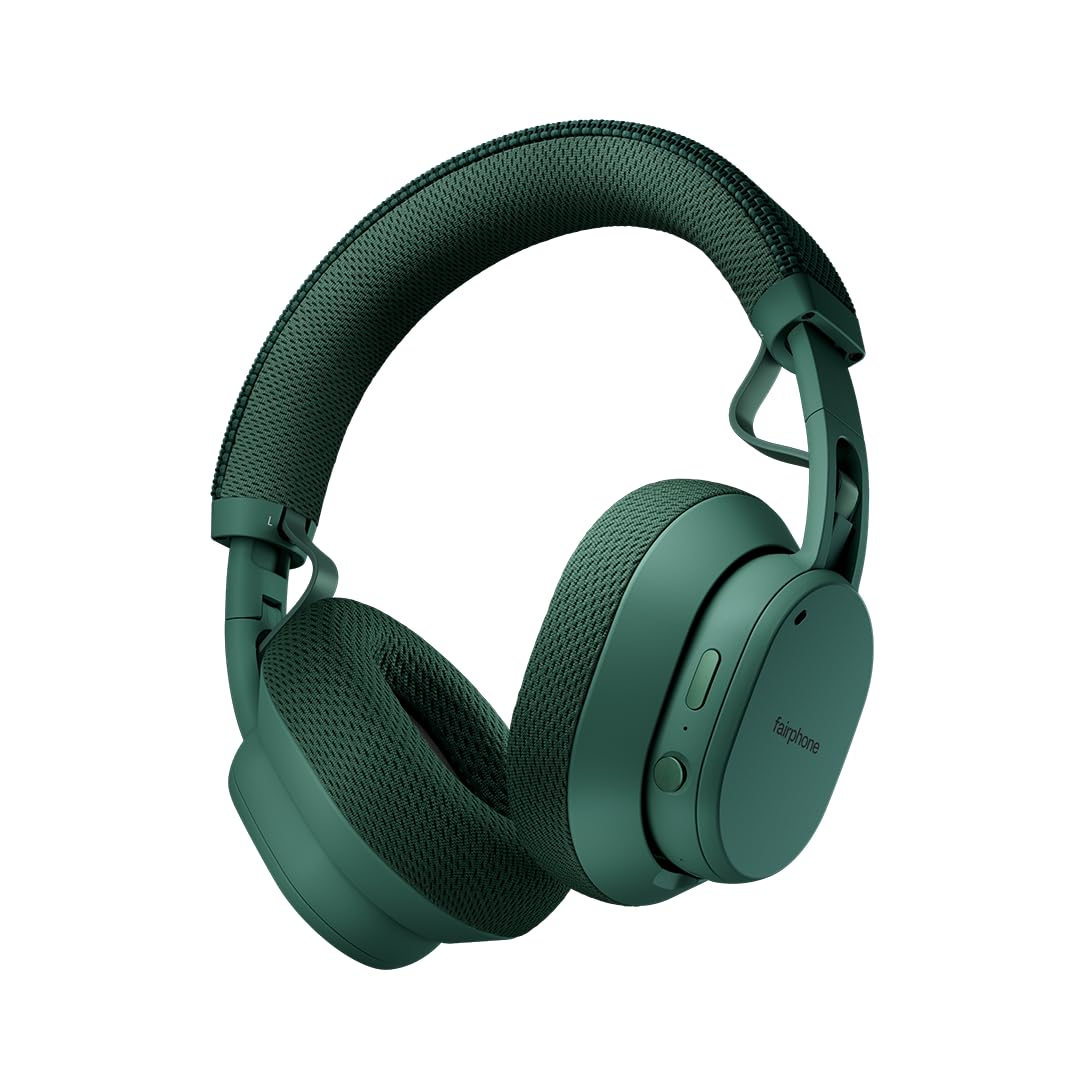
Image: Fairphone Fairbuds XL headphones in Forest Green, showcasin세련된 디자인이 특징입니다.
비디오: 오버view of the Fairbuds XL headphones, highlighting their main features and design.
2. 설정
2.1. 상자 안에 무엇이 들어있나요?
Upon unboxing your Fairbuds XL, you should find the following items:
- Fairphone Fairbuds XL Wireless Headphones
- 보호 케이스
- 사용 설명서 (본 문서)
- USB-C 충전 케이블 (명시적으로 명시되어 있지는 않지만 충전용으로 사용될 가능성이 높습니다)
2.2. 헤드폰 충전
Before first use, fully charge your Fairbuds XL. Connect the provided USB-C cable to the charging port on the headphones and to a compatible USB power source. The LED indicator will show charging status. A full charge provides up to 30 hours of battery life (26 hours with ANC active).
2.3. 전원 켜기 / 끄기
- 전원을 켜려면: LED 표시등이 켜질 때까지 전원 버튼을 길게 누릅니다.
- 전원을 끄려면: LED 표시등이 꺼질 때까지 전원 버튼을 길게 누르세요.
2.4. 블루투스 페어링
To pair your Fairbuds XL with a device:
- 헤드폰의 전원이 꺼져 있는지 확인하십시오.
- 전원 버튼을 약 5초간 길게 눌러 LED 표시등이 파란색과 빨간색으로 깜박이면 페어링 모드임을 나타냅니다.
- 사용하시는 기기(스마트폰, 노트북 등)에서 블루투스를 켜고 사용 가능한 기기를 검색하세요.
- Select "Fairbuds XL" from the list of found devices.
- 연결이 완료되면 LED 표시등에 파란색 불이 계속 켜집니다.
2.5. Dual Point Connectivity
The Fairbuds XL support seamless dual point connectivity, allowing you to connect to two devices simultaneously. For example, you can connect to both your laptop and smartphone. To switch between devices, simply play audio on the desired device, and the headphones will automatically switch.
3. 헤드폰 작동

이미지: 클로즈업 view of the control buttons on the Fairbuds XL ear cup, including the power button and a toggle switch.
3.1. 통제view
The Fairbuds XL feature physical buttons for intuitive control. Refer to the diagram below for button placement (if available in the physical manual) or the image above for a visual reference.
- 전원 버튼: Powers on/off, initiates Bluetooth pairing.
- Toggle Switch/Button: Controls Active Noise Cancelling (ANC) and Ambient Mode.
- 볼륨 높이기/낮추기: 오디오 볼륨을 조절합니다.
- 다기능 버튼: Play/pause, skip tracks, answer/end calls.
3.2. Active Noise Cancelling (ANC) and Ambient Mode
The Fairbuds XL offer advanced noise cancellation features:
- 능동 소음 제거(ANC): Reduces external noise for an immersive listening experience. Toggle this mode using the dedicated switch/button.
- 주변 모드: Allows you to hear your surroundings while still enjoying your audio. Toggle this mode using the dedicated switch/button.
3.3. 오디오 재생
- 재생/일시 중지: 다기능 버튼을 한 번 누릅니다.
- 다음 트랙: 다기능 버튼을 두 번 누릅니다.
- 이전 트랙 : 다기능 버튼을 세 번 누릅니다.
- 볼륨 조절: 볼륨 높이기/낮추기 버튼을 사용하세요.
3.4. 함수 호출
- 전화 받기/종료: 다기능 버튼을 한 번 누릅니다.
- 전화 거부: 다기능 버튼을 길게 누릅니다.
3.5. 유선 연결
For a wired audio experience or when the battery is depleted, connect the Fairbuds XL to your device using a USB-C to USB-C cable (not included, but compatible with the charging port). This allows for charge-free listening.
4. 유지관리
The Fairbuds XL are designed for longevity with easily replaceable parts. Regular cleaning and proper care will extend their lifespan.
4.1. 청소
부드럽고 마른 천으로 헤드폰을 닦으세요. 잘 지워지지 않는 얼룩은 약간 거친 천으로 닦아주세요.amp cloth can be used. Avoid using harsh chemicals or abrasive materials. The IP54 rating provides protection against dust and light splashes, but the headphones are not waterproof.
4.2. 배터리 교체
The 800mAh battery in your Fairbuds XL is designed to be user-replaceable. When the battery's performance degrades after approximately 500 charging cycles, you can replace it with a new one. This process typically involves removing a cover and a few screws.

이미지: 폭발된 view of the Fairbuds XL headphones, showing individual components like the headband, ear cups, speakers, and battery, emphasizing its modular design.
Video: A short demonstration on how to replace the battery in the Fairbuds XL headphones.
4.3. Replacing Other Modular Parts
Beyond the battery, various other components of the Fairbuds XL, such as the individual speakers, ear cups, headband, and speaker-to-speaker cable, can be replaced. These parts are designed for easy removal and installation, often requiring only a single screwdriver. Consult the official Fairphone support website for detailed guides and spare parts availability.
5. 문제 해결
If you encounter issues with your Fairbuds XL, refer to the following common problems and solutions:
| 문제 | 가능한 원인 | 해결책 |
|---|---|---|
| 헤드폰의 전원이 켜지지 않습니다. | 배터리가 부족합니다. | USB-C 케이블을 사용하여 헤드폰을 충전하세요. |
| 블루투스로 페어링할 수 없습니다. | 헤드폰이 페어링 모드가 아닙니다. 기기의 Bluetooth가 꺼져 있습니다. 간섭이 발생합니다. | Ensure headphones are in pairing mode (flashing blue/red LED). Check device Bluetooth settings. Move closer to the device. |
| 소리가 나지 않거나 음질이 좋지 않습니다. | Volume too low; incorrect audio source; loose connection (wired); out of Bluetooth range. | Increase volume. Verify audio output on your device. Reconnect wired cable. Move closer to the Bluetooth device. |
| ANC가 효과적으로 작동하지 않습니다. | ANC 모드가 활성화되지 않았습니다. 착용감이 부적절합니다. | Ensure ANC is toggled on. Adjust headphones for a snug fit over your ears. |
If the issue persists, please refer to the official Fairphone support resources.
6. 사양
| 특징 | 세부 사항 |
|---|---|
| 모델명 | 페어버드 XL |
| 품목 모델 번호 | HEAD-2 |
| 연결 기술 | 무선(블루투스 5.1) |
| 오디오 드라이버 유형 | 다이내믹 드라이버(40mm) |
| 소음 제어 | 능동형 소음 제거, 투명 모드 |
| 배터리 수명 | 최대 30시간 (액티브 노이즈 캔슬링 사용 시 26시간) |
| 배터리 유형 | 1 Lithium Ion battery (included, replaceable) |
| 방수 레벨 | IP54(방수) |
| 품목 무게 | 324그램(11.4온스) |
| 제품 치수 | 7.68 x 6.89 x 3.07 인치 |
| 재료 | 플라스틱 |
| 색상 | 포레스트 그린 |
| 한국어: | 850077419072 |
7. 보증 및 지원
Fairphone is committed to product longevity. The Fairbuds XL are designed with repairability in mind, and spare parts are available. The EU Spare Part Availability Duration is 3 Years.
For detailed warranty information, spare parts, and further support, please visit the official Fairphone web사이트를 방문하거나 고객 서비스에 문의하세요.
더 많은 정보와 지원은 다음에서 찾을 수 있습니다. Fairphone Store on Amazon.