
1. 이상view
The SKYBASIC Industrial Endoscope Borescope Camera is a handheld inspection device designed for viewing hard-to-reach areas. It features a 4.3-inch HD color LCD screen for real-time image display and an 8.5mm ultra-thin camera with 8 adjustable LED lights. The semi-rigid cable allows for flexible navigation through various spaces. This device is self-contained and does not require a mobile phone or additional software for operation.
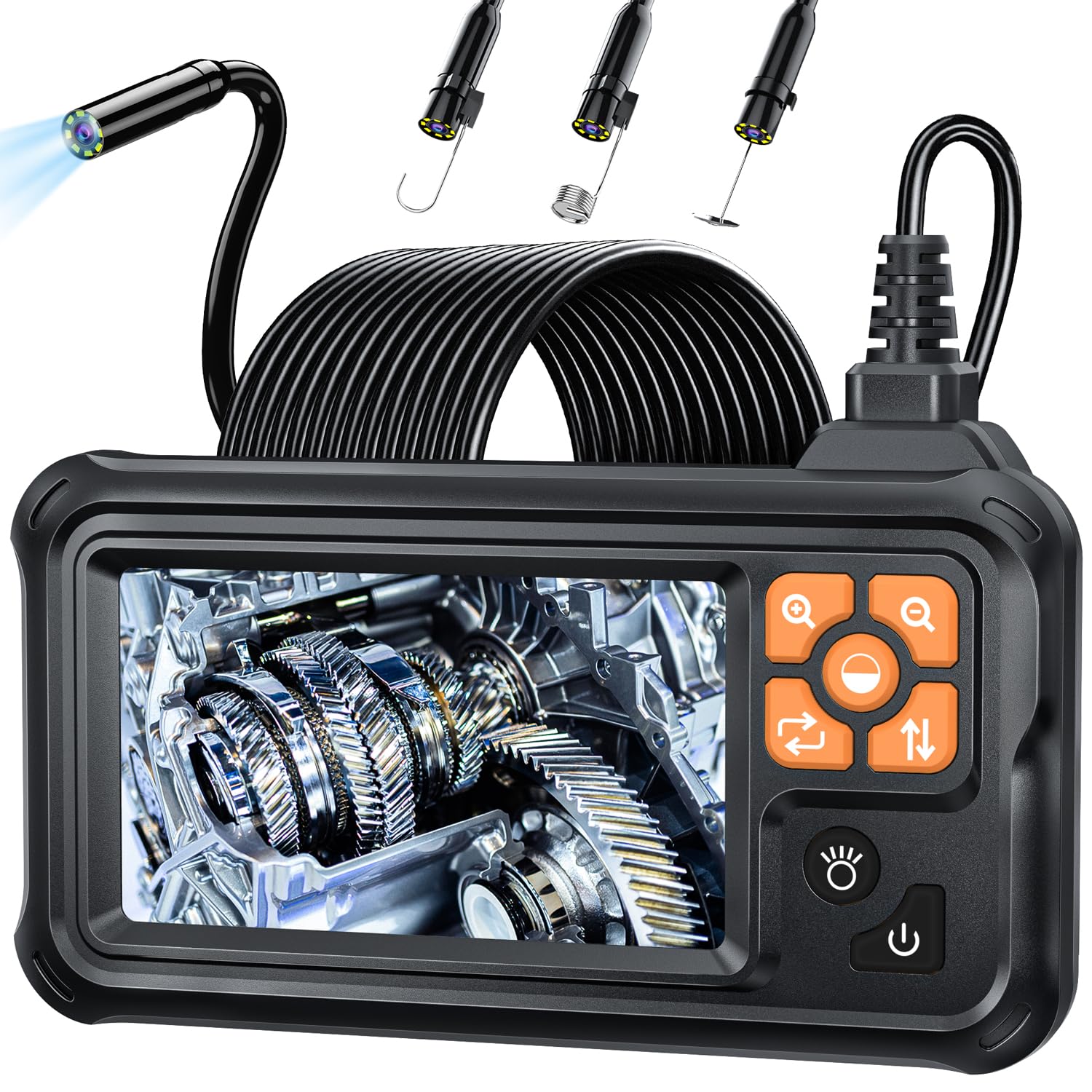
그림 1: SKYBASIC 산업용 내시경 보어스코프 카메라
2. 패키지 내용
패키지에 모든 품목이 들어 있는지 확인하세요.
- LCD 디지털 내시경 장치
- 사용자 설명서
- USB 충전 케이블 (충전 플러그는 포함되지 않음)
- Set of Accessories (including a hook, magnet, and side mirror)

Figure 2: Endoscope with included accessories (hook, magnet, mirror)
3. 설정
- 장치 충전: Before first use, fully charge the endoscope using the provided USB charging cable. Connect the cable to the device's charging port and a compatible USB power adapter (not included). The battery indicator on the screen will show charging status.
- 액세서리 부착: If needed, attach the hook, magnet, or side mirror to the camera tip. These accessories are designed to snap securely onto the camera head for specific tasks.
- 전원 켜기: Long press the power button located on the side of the device to turn it on. The 4.3-inch HD screen will display the live camera feed.
4. 사용 설명서
The endoscope is designed for immediate use upon powering on, without the need for external applications or Wi-Fi connections.
- LED 조명 조정: The camera features 8 adjustable LED lights. Use the dedicated light adjustment button (often indicated by a sun or lightbulb icon) to cycle through different brightness levels to achieve optimal illumination in dark environments.
- 줌 기능 : The device supports a 2X optical zoom. Use the zoom buttons (often indicated by '+' and '-' magnifying glass icons) to magnify the image on the screen for closer inspection of details.
- Navigating the Camera Cable: The 16.5-foot (5-meter) semi-rigid cable is designed to be both stiff and flexible. This allows you to bend and shape the cable to navigate through pipes, crevices, and other confined spaces while maintaining its form.
- Optimal Focusing Distance: For the clearest images, maintain a focusing distance of 2cm to 10cm (0.8 inches to 3.9 inches) from the object being inspected.

Figure 3: IP67 Waterproof Probe with Adjustable LED Brightness
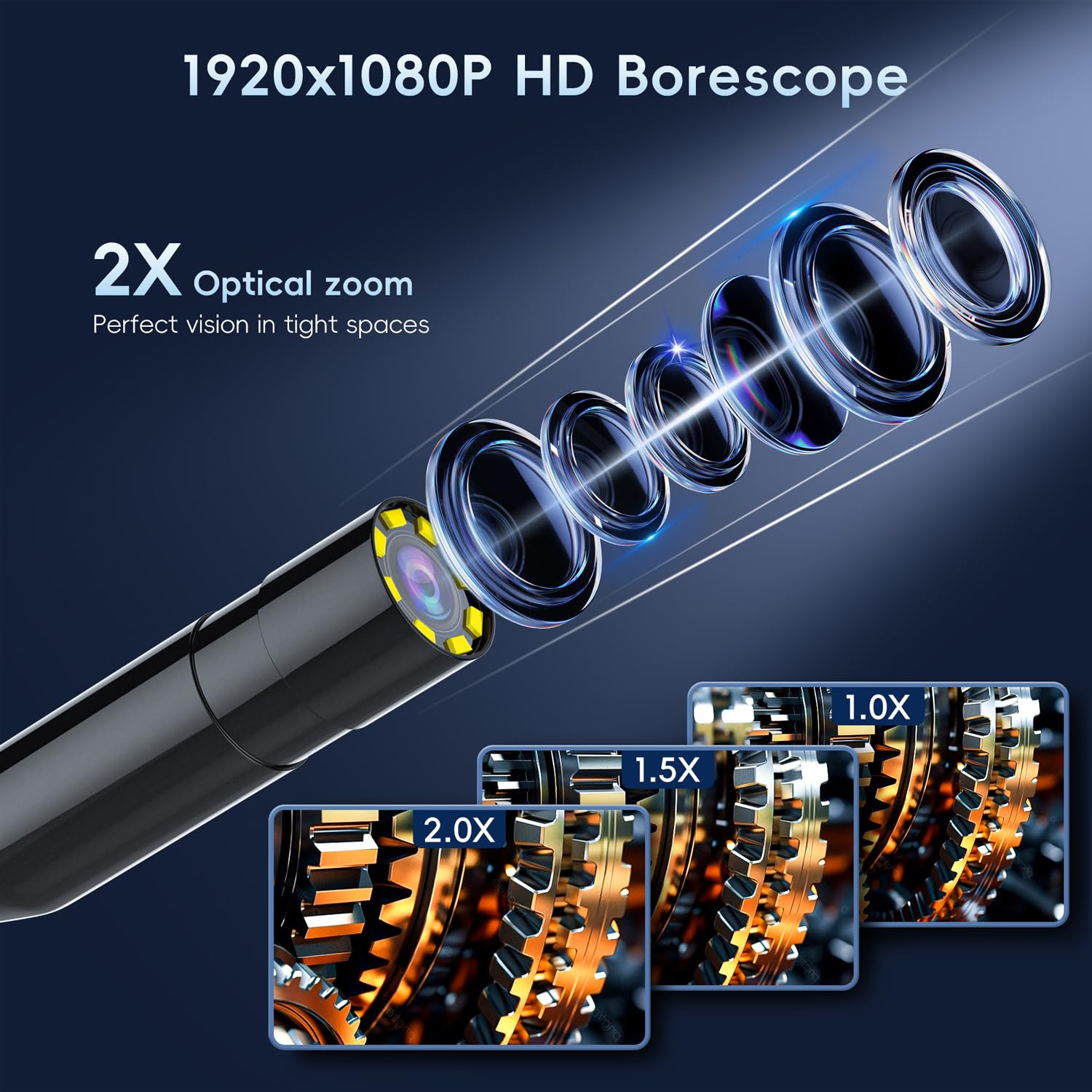
Figure 4: HD Borescope with 2X Optical Zoom

Figure 5: Various applications of the endoscope
5. 유지관리
- 청소: 사용 후에는 카메라 렌즈와 케이블을 부드럽고 마른 천으로 살살 닦아주세요. 잘 지워지지 않는 얼룩은 약간 거친 천으로 닦아주세요.amp cloth can be used, ensuring no liquid enters the main unit. The camera probe is IP67 waterproof, but the main unit is not.
- 충전 중: Recharge the device when the battery indicator shows low power. Avoid completely draining the battery for prolonged periods to maintain battery health.
- 저장: 내시경은 직사광선과 극한 온도 변화를 피해 서늘하고 건조한 곳에 보관하십시오. 케이블이 꼬이거나 손상되지 않도록 깔끔하게 감아서 보관하십시오.

Figure 6: Battery specifications and usage time
6. 문제 해결
- 장치 전원이 켜지지 않음:
- 배터리가 충전되어 있는지 확인하세요. 전원에 연결한 후 다시 시도해 보세요.
- Long press the power button for at least 3-5 seconds.
- 이미지 품질이 좋지 않음:
- Adjust the LED light brightness to suit the environment.
- Ensure the camera lens is clean and free of debris.
- Verify the object is within the optimal focusing distance (2cm-10cm).
- Screen Freezes or Malfunctions:
- Locate the reset button (usually a small pinhole) on the device. Use a thin object (like a paperclip) to press and hold the reset button for a few seconds.
- Power off the device, then power it back on.
7. 사양
| 특징 | 사양 |
|---|---|
| 제품 치수 | 3.94 x 3.94 x 3.94 인치 |
| 품목 무게 | 1.12파운드 |
| 품목 모델 번호 | 5M |
| 배터리 | 1개의 리튬 폴리머 배터리 필요(포함) |
| 매크로 초점 범위 | 2~10센티미터 |
| 촬영 모드 | 오토매틱 |
| 노출 제어 유형 | 오토매틱 |
| 색상 | 검은색 |
| 비디오 캡처 해상도 | 1080p |
8. 보증 및 지원
SKYBASIC offers a worry-free guarantee and a 1-year replacement or return service for this borescope. For any questions regarding your digital endoscope camera or its instructions, please contact SKYBASIC customer support. Support is available 24/7 to assist you with any issues.