
소개
Welcome to the user manual for your Rapoo EV310M Wireless Vertical Mouse. This ergonomic mouse is designed for comfort and efficiency, featuring multi-mode wireless connectivity and adjustable DPI settings. Please read this manual carefully to ensure proper setup and optimal performance.
패키지 내용
- Rapoo EV310M Wireless Vertical Mouse
- USB 수신기(마우스 내부에 저장됨)
- AA Battery (pre-installed or included)
- 빠른 시작 가이드(이 문서)
제품 끝view
Familiarize yourself with the components of your Rapoo EV310M mouse.
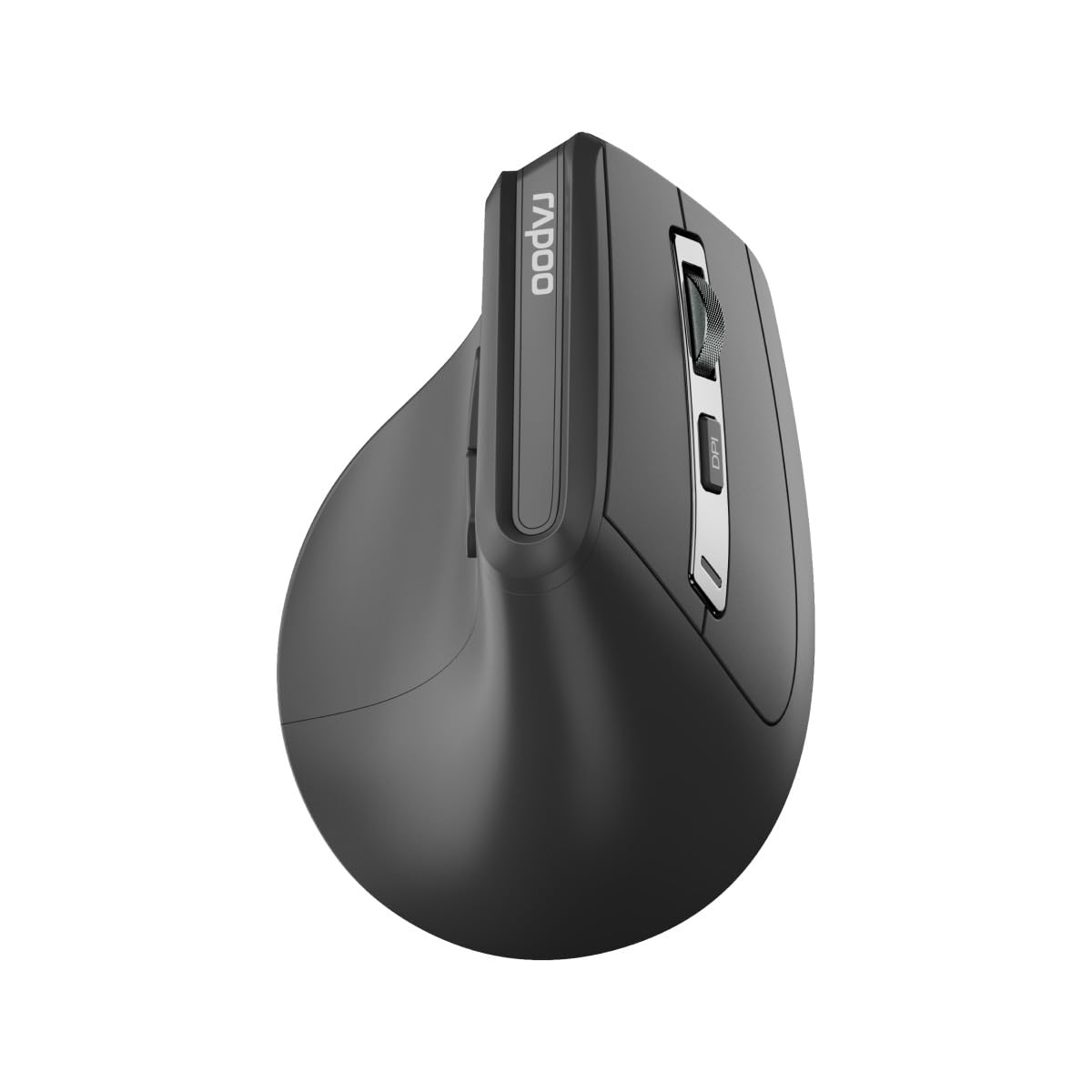
이미지: 상단 view of the Rapoo EV310M Wireless Vertical Mouse, highlighting the scroll wheel and DPI button.
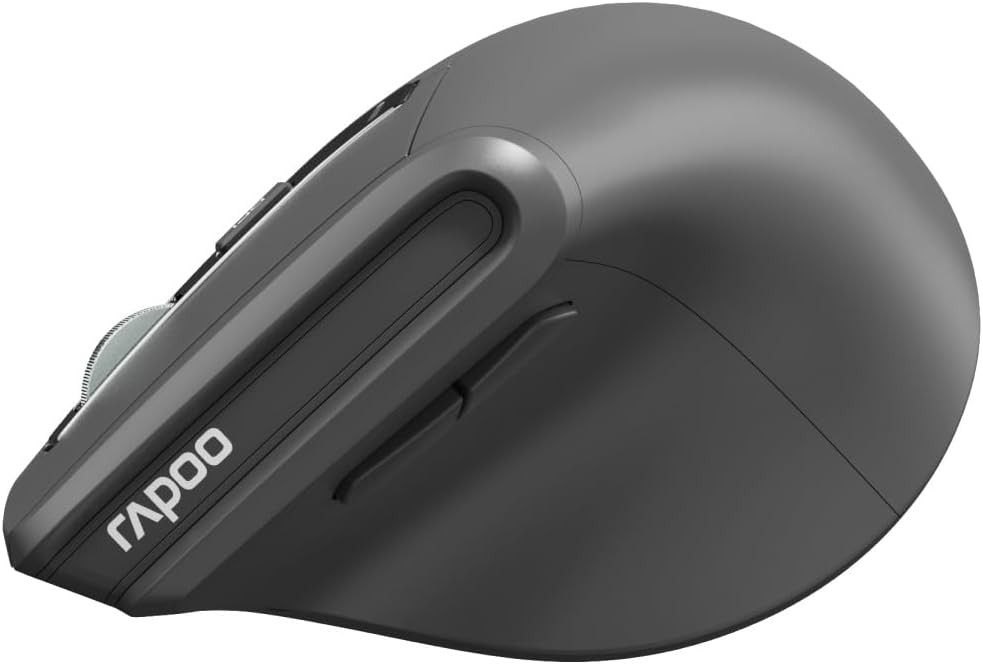
이미지: 측면 view of the Rapoo EV310M Wireless Vertical Mouse, showing the forward and backward navigation buttons.
버튼 기능
- 왼쪽 클릭 버튼: 표준 왼쪽 클릭 기능.
- 오른쪽 클릭 버튼: 표준 마우스 오른쪽 클릭 기능.
- 스크롤 휠: 위/아래로 스크롤한 다음 마우스 가운데 버튼을 클릭하세요.
- DPI 버튼: 커서 감도(DPI)를 조정합니다.
- 앞으로 버튼: 앞으로 이동합니다 web 브라우저 또는 file 탐험가.
- 뒤로 버튼: 뒤로 탐색합니다 web 브라우저 또는 file 탐험가.
- Mode Switch Button/Indicator: Switches between 2.4GHz and Bluetooth modes.
설정
1. 배터리 설치
- 마우스 밑면에서 배터리 칸을 찾으세요.
- 배터리 덮개를 엽니다.
- AA 배터리 1개를 올바른 극성(+/-)에 맞춰 삽입하세요.
- 배터리 덮개를 닫습니다.
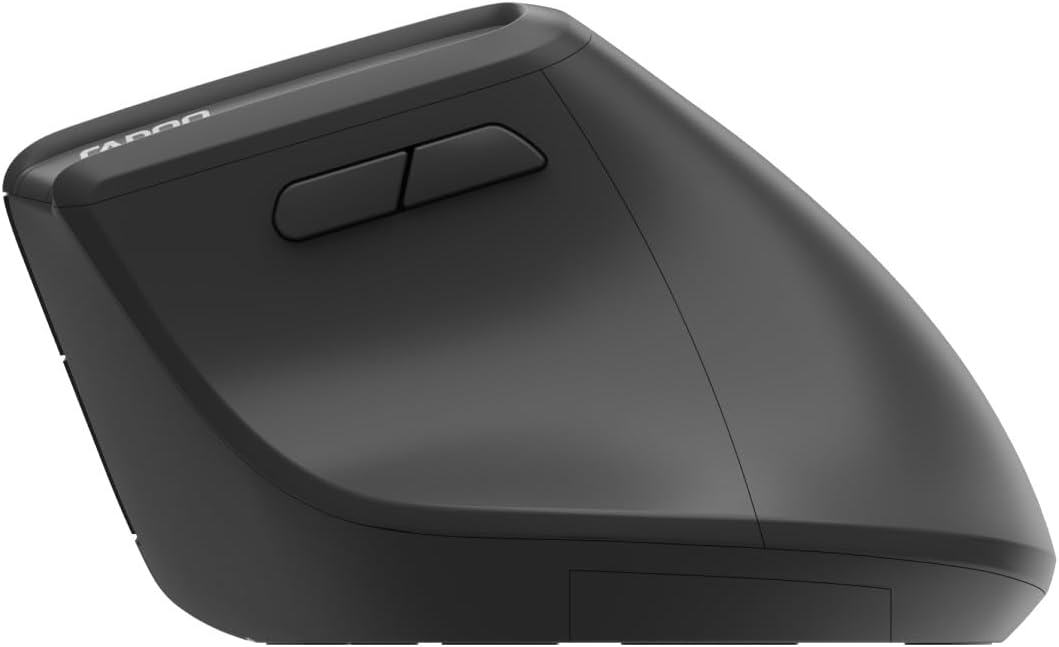
Image: Underside of the mouse, illustrating the battery compartment and the storage slot for the USB receiver.
2. 마우스 연결
The Rapoo EV310M supports multi-mode wireless connection: 2.4 GHz via USB receiver and Bluetooth 3.0/5.0.
2.1. 2.4GHz 무선 연결
- 마우스 하단에 있는 보관 슬롯에서 USB 수신기를 꺼내십시오.
- USB 수신기를 컴퓨터의 사용 가능한 USB 포트에 연결합니다.
- Turn on the mouse using the power switch (usually on the bottom).
- The mouse should connect automatically. If not, press the mode switch button until the 2.4GHz indicator lights up.
2.2. 블루투스 연결
- 마우스를 켭니다.
- Press the mode switch button to select a Bluetooth channel (e.g., Bluetooth 1 or Bluetooth 2). The indicator light for the selected Bluetooth channel will start blinking slowly.
- Press and hold the mode switch button for 3 seconds until the indicator light blinks rapidly. This indicates the mouse is in pairing mode.
- 컴퓨터나 기기에서 Bluetooth 설정을 열고 새 기기를 검색하세요.
- Select "RAPOO EV310M" from the list of available devices to pair.
- 페어링이 완료되면 표시등이 깜빡임을 멈추고 몇 초 동안 계속 켜져 있다가 꺼집니다.
작동 지침
1. DPI 조정
The DPI (Dots Per Inch) button allows you to adjust the cursor speed and sensitivity.
- 를 누르세요 DPI 버튼 located on the top of the mouse to cycle through available DPI settings (e.g., 800, 1200, 1600, 2400 DPI).
- Each press will change the sensitivity, allowing you to find your preferred cursor speed.
2. 연결된 장치 간 전환
The EV310M mouse can be paired with up to three devices (one 2.4GHz and two Bluetooth devices).
- 연결된 기기 간에 전환하려면 버튼을 누르기만 하면 됩니다. 모드 전환 버튼 마우스에.
- The indicator light will briefly show which channel (2.4G, BT1, BT2) is active.
유지
청소
마우스를 청소하려면 부드럽고 마른 천을 사용하세요. 잘 지워지지 않는 오염의 경우, 가볍게 두드리세요.amp천에 물이나 순한 세척액을 묻혀 닦아주세요. 강한 화학 물질이나 연마재는 사용하지 마세요.
배터리 교체
When the mouse performance degrades or the indicator light signals low battery, replace the AA battery following the installation steps in the Setup section.
문제 해결
마우스가 응답하지 않음
- 배터리 확인: 배터리가 올바르게 설치되었고 충전량이 충분한지 확인하세요. 필요한 경우 교체하세요.
- 전원 스위치: 마우스 전원이 켜져 있는지 확인하십시오.
- USB 수신기: For 2.4GHz mode, ensure the USB receiver is securely plugged into a working USB port. Try a different port.
- 블루투스 연결 : For Bluetooth mode, ensure Bluetooth is enabled on your device and the mouse is correctly paired. Re-pair if needed.
- 거리: Ensure the mouse is within the effective operating range of your computer (typically 10 meters).
커서 움직임이 불규칙합니다
- 표면: 깨끗하고 반사되지 않는 표면에서 마우스를 사용하십시오. 마우스 패드를 사용하는 것이 좋습니다.
- DPI 설정: Adjust the DPI setting to a lower value if the cursor is too fast or jumpy.
- 센서 청결도: Check the optical sensor on the bottom of the mouse for any obstructions or dirt. Clean gently with a soft cloth.
명세서
| 특징 | 세부 사항 |
|---|---|
| 상표 | 라푸 |
| 모델 번호 | EV310M |
| 연결 기술 | 블루투스(3.0, 5.0), 2.4GHz 무선 |
| DPI 감도 | Adjustable 800-2400 DPI |
| 버튼의 수 | 6 |
| 손의 방향 | 오른손잡이 |
| 전원 | 배터리 구동(AA 1개) |
| 배터리 수명 | 최대 9개월 |
| 운영 체제 호환성 | PC, 리눅스, 맥 |
| 품목 무게 | 100그램 |
| 색상 | 검은색 |
보증 및 지원
For warranty information or technical support, please refer to the official RAPOO website or contact your local dealer. Keep your purchase receipt for warranty claims.