
1. 서론
This manual provides detailed instructions for the setup, operation, and maintenance of your HPRT iDPRT MT890 Portable Wireless Thermal Printer. Please read this manual thoroughly before using the printer to ensure proper function and longevity of the device.
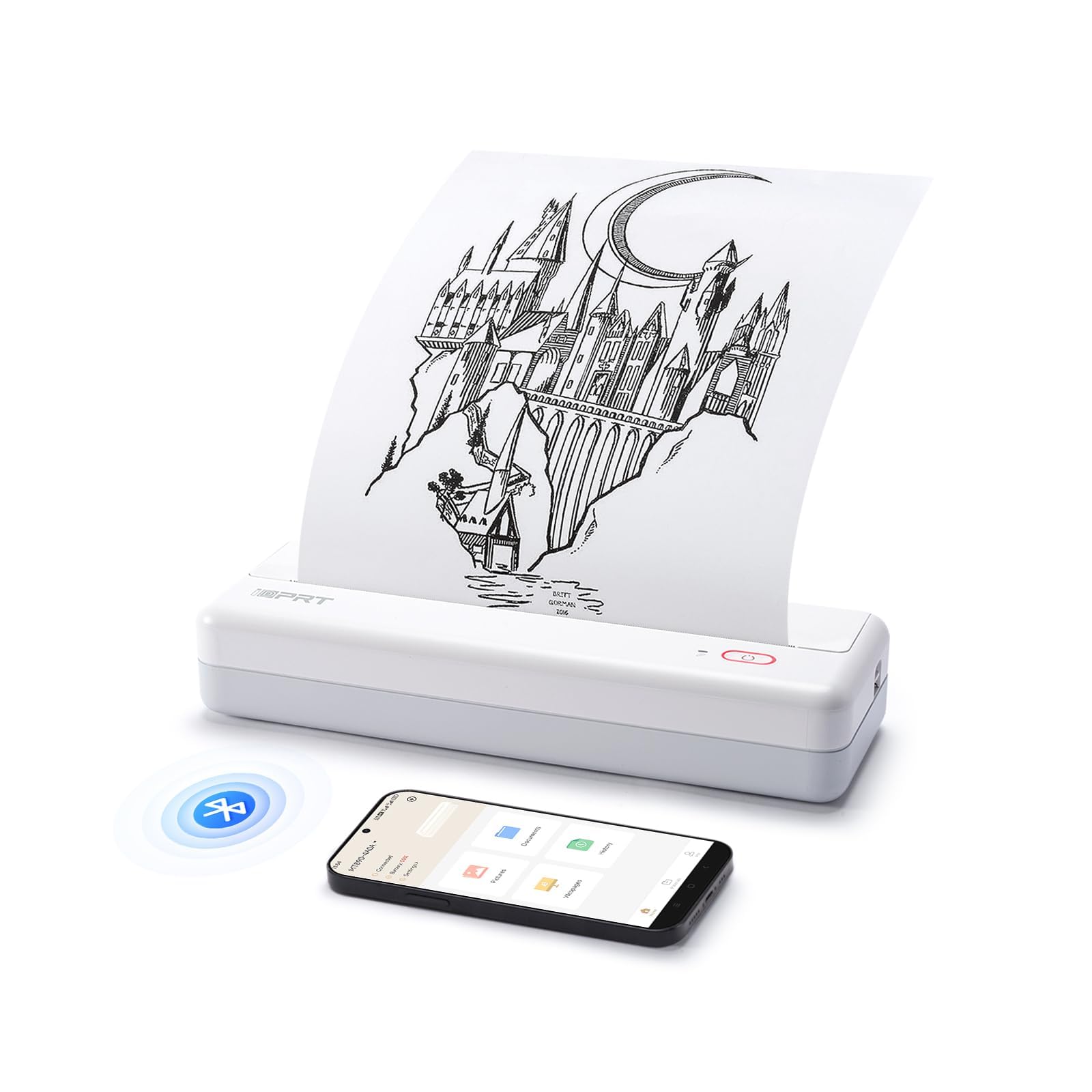
Image: The HPRT iDPRT MT890 Portable Wireless Printer shown in a professional meeting environment, highlighting its compact size and suitability for various scenarios.
2. 제품 오버view
2.1 주요 특징
- Advanced Inkless Technology: Utilizes thermal printing, eliminating the need for ink cartridges. Achieves high-speed printing, completing an A4 page in 5-8 seconds.
- Innovative Built-in Roll Paper Design: Supports thermal roll paper, allowing printing on various lengths as needed. Includes a serrated tearing knife for easy paper detachment.
- 다양한 연결성: Compatible with Laptop (Mac, Windows, Linux, Chrome OS) via USB and mobile phones (iOS, Android) via Bluetooth.
- "HerePrint" Mobile Application: A free application offering extensive functions for a creative printing experience on mobile devices.
- 소형 및 휴대성: Measuring 12.4 x 4.8 x 2.7 inches, this lightweight printer is designed for portability, fitting easily into briefcases, backpacks, or suitcases.

Image: An illustration highlighting the key features of the MT890 printer: Bluetooth/USB connectivity, inkless thermal printing, a 2500mAh battery capacity, and its lightweight design.
2.2 상자 내용물
패키지에는 다음이 포함됩니다.
- HPRT iDPRT MT890 Portable Wireless Thermal Printer
- 사용 설명서(본 문서)
- USB 케이블(충전 및 유선 연결용)
- Thermal A4 Paper Roll (for initial use)
3. 설정
3.1 프린터 충전
Before initial use, fully charge the printer. Connect the provided USB cable to the printer's charging port and a compatible USB power adapter (not included) or computer USB port. The charging indicator light will show the charging status.

Image: The MT890 printer connected to a wall adapter via its USB cable, indicating the charging process.
3.2 감열지 넣기
- 용지함 커버를 엽니다.
- Insert the thermal paper roll into the compartment, ensuring the printable side faces the print head.
- Pull a small amount of paper out of the compartment.
- 용지 보관함 덮개를 단단히 닫으세요.
Note: Only use thermal paper. Regular A4 paper is not compatible with this printer. The printer supports various thermal paper sizes including US Letter, A4, and A5, as well as continuous roll paper.
Image: The MT890 printer with thermal paper being loaded, illustrating the support for multiple paper sizes like 8.5 inches (216mm), 8 inches (210mm), and 4 inches (110mm).
3.3 소프트웨어 및 드라이버 설치
3.3.1 For Desktop Computers (Windows, Mac, Linux, Chrome OS)
To print from a desktop computer, you need to install the appropriate driver:
- 제공된 USB 케이블을 사용하여 프린터를 컴퓨터에 연결합니다.
- Visit the official iDPRT driver download page: https://www.idprt.com/Driver/
- Download and install the driver corresponding to your operating system.
- 화면의 지시에 따라 설치를 완료하세요.
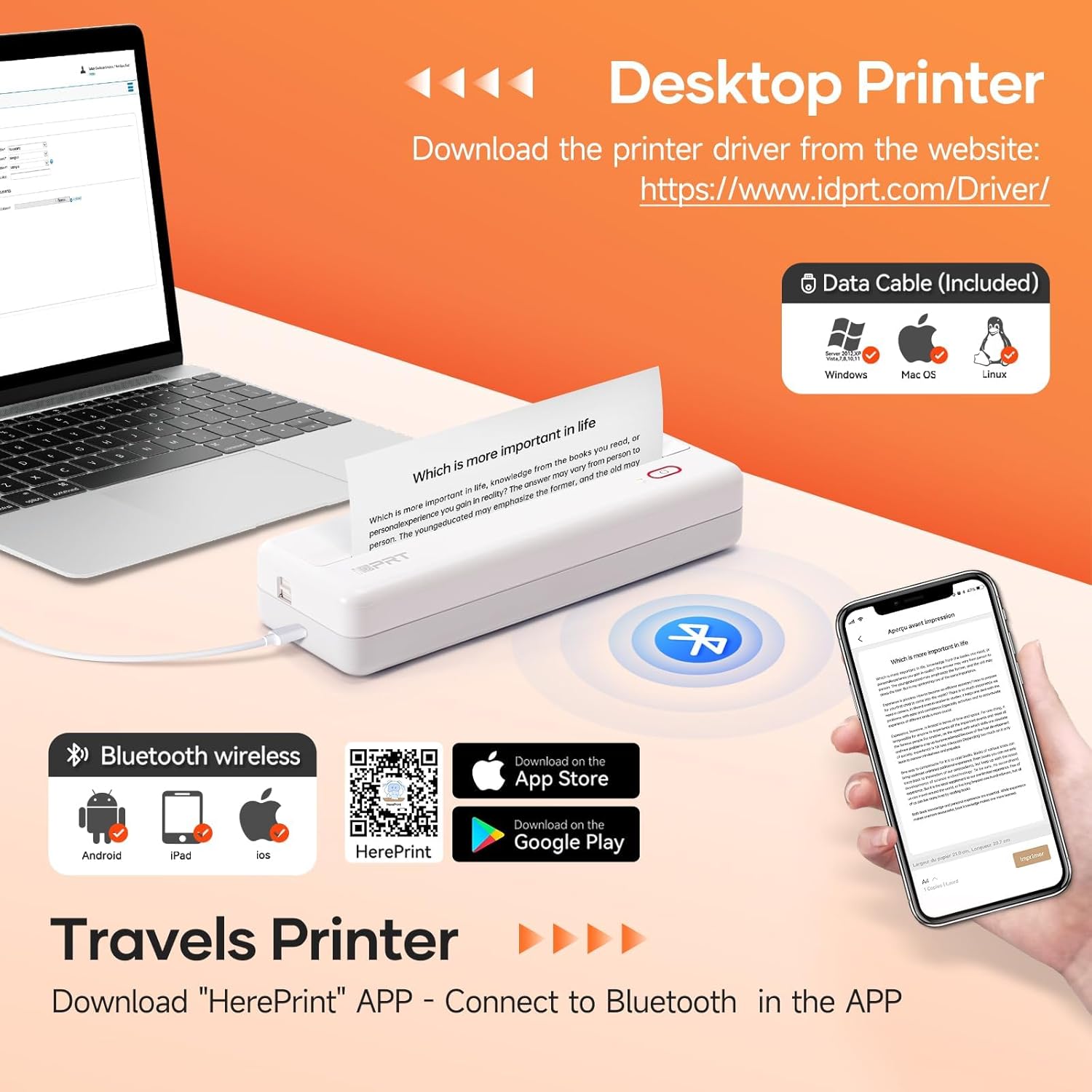
Image: The MT890 printer connected to a laptop, with an overlay indicating the driver download website for Windows, Mac OS, and Linux.
3.3.2 For Mobile Devices (iOS, Android)
To print from your smartphone or tablet, download the "HerePrint" application:
- Scan the QR code provided in the product packaging or search for "HerePrint" in your device's app store (Apple App Store for iOS, Google Play Store for Android).
- Alternatively, visit the app download link: https://hereprint.hprt.com/app/hereprint
- Install the "HerePrint" application on your mobile device.
Image: The MT890 printer with a smartphone displaying the "HerePrint" app interface, alongside QR codes and app store icons for downloading the application on Android and iOS devices.
3.4 프린터 연결하기
3.4.1 USB Connection (for Desktop)
After installing the driver, connect the printer to your computer using the USB cable. The computer should recognize the printer automatically.
3.4.2 블루투스 연결 (모바일 기기용)
- 모바일 장치에서 Bluetooth가 활성화되어 있는지 확인하십시오.
- Turn on the HPRT MT890 printer.
- Open the "HerePrint" application.
- Within the app, navigate to the device connection settings and select your MT890 printer from the list of available Bluetooth devices.
- Follow any on-screen prompts to pair the devices.

Image: A man working on a laptop, wirelessly printing a document to the compact HPRT MT890 printer placed on a table, demonstrating wireless connectivity and instant printing.
4. 사용 설명서
4.1 컴퓨터에서 인쇄
- Ensure the printer is powered on and connected via USB.
- 컴퓨터에서 인쇄할 문서나 이미지를 엽니다.
- 응용 프로그램 메뉴에서 "인쇄"를 선택하세요(예: File > 인쇄).
- Choose "HPRT MT890" as your printer.
- 필요에 따라 인쇄 설정(예: 용지 크기, 방향)을 조정하십시오.
- 인쇄를 시작하려면 "인쇄"를 클릭하세요.

Image: A woman at an office desk, focused on her laptop, with the MT890 printer beside her, illustrating its use for business document printing.
4.2 Printing from a Mobile Device
- Ensure the printer is powered on and connected via Bluetooth to your mobile device through the "HerePrint" app.
- Open the "HerePrint" application.
- Select the document, image, or content you wish to print within the app.
- Adjust print settings as available in the app.
- Tap "Print" to initiate printing.
5. 유지관리
5.1 프린트 헤드 청소
인쇄 품질을 유지하려면 주기적으로 프린트 헤드를 청소하십시오. 부드럽고 보풀 없는 천으로 가볍게 닦아주세요.ampened with isopropyl alcohol. Gently wipe the print head surface. Ensure the printer is turned off and cooled down before cleaning.
5.2 일반 관리
- Keep the printer away from dust, direct sunlight, and extreme temperatures.
- 프린터를 떨어뜨리거나 강한 충격을 가하지 마십시오.
- Use only recommended thermal paper. Using incorrect paper types can damage the print head.
- When not in use for extended periods, store the printer in a dry, cool place.
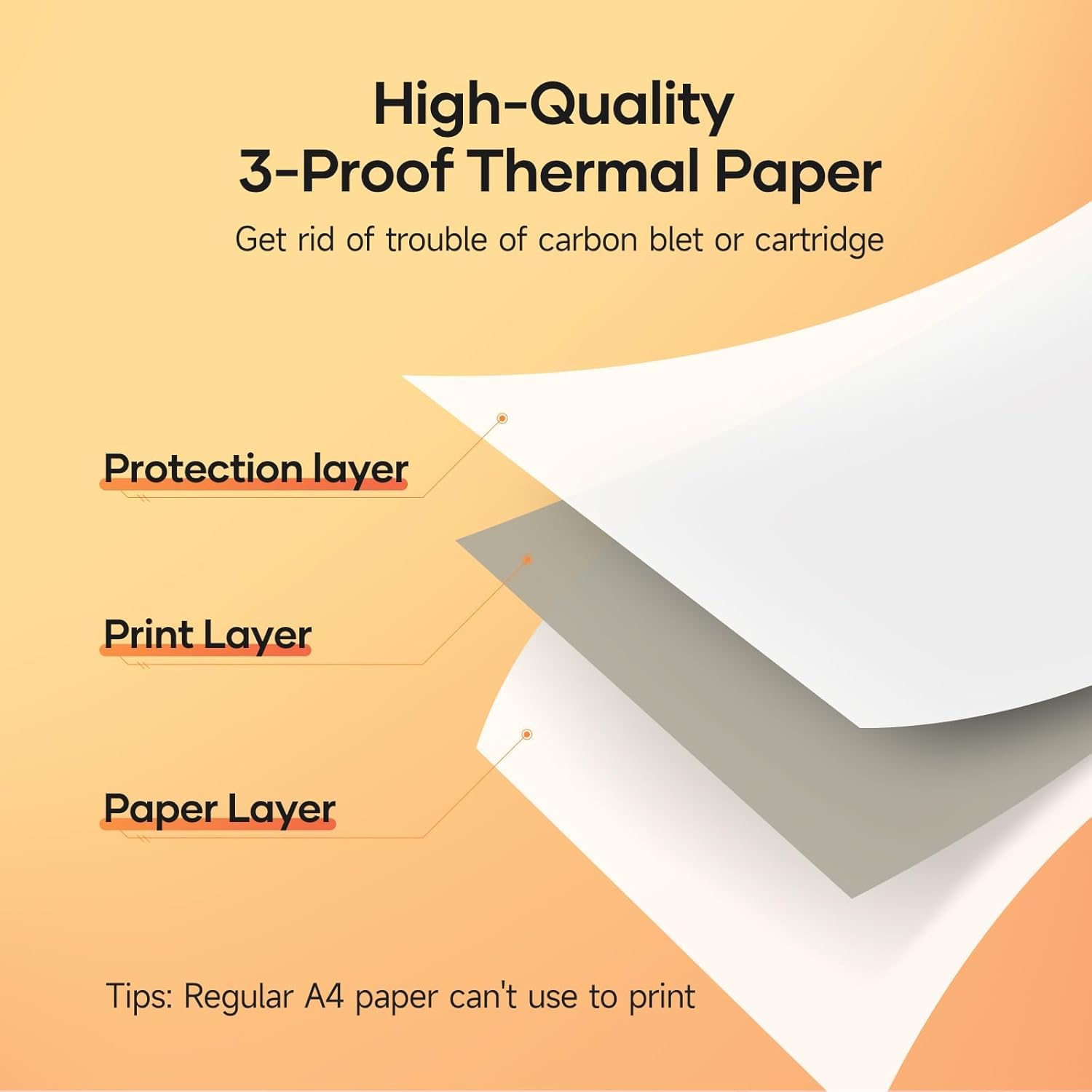
Image: A diagram illustrating the layered structure of high-quality 3-proof thermal paper, consisting of a protection layer, print layer, and paper layer. A note indicates that regular A4 paper cannot be used.
6. 문제 해결
6.1 프린터가 켜지지 않음
- Ensure the printer is fully charged. Connect it to a power source and wait for the charging indicator.
- 전원 버튼을 몇 초간 길게 누르세요.
6.2 No Print Output / Blank Pages
- Check if thermal paper is loaded correctly and the printable side is facing the print head.
- 일반 용지가 아닌 감열지를 사용하고 있는지 확인하십시오.
- Verify the printer is connected and recognized by your device.
6.3 인쇄 품질이 좋지 않음
- 유지관리 섹션에 설명된 대로 프린트 헤드를 청소하세요.
- Ensure the thermal paper is of good quality and not expired or damaged.
- Check print settings in your application for density or darkness adjustments.
6.4 블루투스로 연결할 수 없음
- 프린터의 전원이 켜져 있고 모바일 기기의 범위 내에 있는지 확인하세요.
- 모바일 기기에서 Bluetooth가 활성화되어 있는지 확인하세요.
- 프린터와 모바일 기기를 다시 시작하세요.
- Forget the device in your phone's Bluetooth settings and try pairing again through the "HerePrint" app.
6.5 드라이버 설치 문제
- Ensure you downloaded the correct driver for your operating system from the official iDPRT web대지.
- Temporarily disable antivirus or firewall software during installation if issues persist.
- Try connecting the printer to a different USB port or computer.
7. 사양
| 특징 | 세부 사항 |
|---|---|
| 상표 | HPRT |
| 모델명 | MT890 |
| 연결 기술 | 블루투스, USB |
| 인쇄 기술 | 열의 |
| 특징 | 휴대 가능, 잉크 불필요 |
| 프린터 출력 | 단색화 |
| 최대 인쇄 속도(흑백) | 20.35 mm/s (approx. 5-8 seconds per A4 page) |
| 지원되는 시트 크기 | US Letter, A4, A5, Roll Paper (up to 8.5 inches wide) |
| 제품 치수 | 3.74 x 10.6 x 1.97 인치 |
| 배터리 용량 | 2500mAh |
| 한국어: | 728434048190 |

Image: The MT890 printer shown alongside a laptop bag and other accessories, illustrating its compact dimensions (10.6in length, 3.7in width, 1.9in height) and ease of portability.
8. 보증 및 지원
이 제품에는 다음이 포함되어 있습니다. 90일 한정 보증 from the date of purchase. This warranty covers manufacturing defects and malfunctions under normal use. It does not cover damage caused by misuse, accidents, unauthorized modifications, or use of non-thermal paper.
For technical support, warranty claims, or further assistance, please contact HPRT customer service. Refer to the official HPRT web연락처 정보 사이트.