
HP DG0034
HP 2026인치 22인치 FHD 올인원 데스크탑 컴퓨터 사용 설명서
모델 : DG0034
소개
This manual provides essential information for setting up, operating, maintaining, and troubleshooting your HP 2026 22" FHD All-in-One Desktop Computer. Please read these instructions carefully before using your device to ensure optimal performance and longevity.
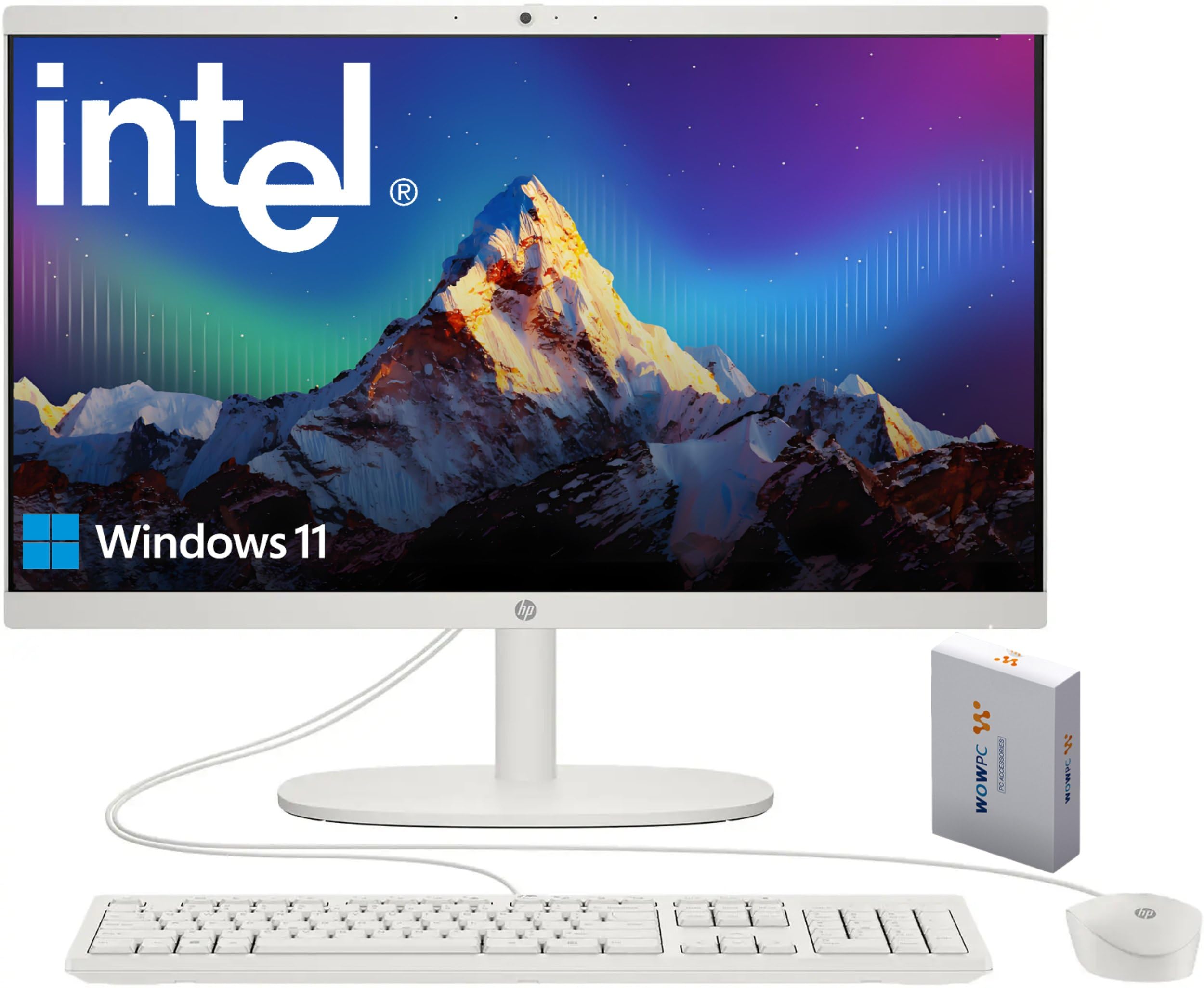
Figure 1: HP 2026 22" FHD All-in-One Desktop Computer
상자 안에 무엇이 들어있나요?
모든 구성품이 포장에 들어 있는지 확인하세요.
- HP 2026 22" FHD All-in-One Desktop Computer
- 유선 USB 키보드
- 유선 USB 마우스
- 전원 어댑터
- 500GB WOWPC 3-in-1 External Hard Drive Bundle, including:
- 2.5 inch SATA External Case
- 2-in-1 USB 3.0 Data Cable
- 청소용 천
- Windows Shortcut Sticker
- Leather Bag

Figure 2: External Hard Drive Bundle Components
설정
- 짐 풀기: Carefully remove the computer and all accessories from the packaging. Place the computer on a stable, flat surface.
- 키보드와 마우스 연결: Plug the wired USB keyboard and mouse into the available USB Type-A ports on the back of the All-in-One computer.
- 전원 연결: Connect the power adapter to the power input port on the computer, then plug the power cord into a wall outlet.
- 초기 부팅: Press the power button, usually located on the side or back of the display. The computer will power on and guide you through the Windows 11 initial setup process. Follow the on-screen instructions to configure your operating system, network, and user accounts.
- 외부 저장 장치 연결: Connect the 500GB WOWPC external hard drive to an available USB port on the computer using the provided USB 3.0 data cable. The system will automatically detect and prepare the drive for use.
- Optional: Connect to Network: For a wired connection, connect an Ethernet cable from your router or modem to the RJ-45 Ethernet port on the computer. For wireless, follow the Windows 11 setup prompts to connect to a Wi-Fi network.
- Optional: Connect External Display: If desired, connect an external monitor to the HDMI-out port using an HDMI cable.

Figure 3: Rear Ports of the All-in-One Computer
작동 지침
전원 켜기/끄기
- 전원 켜기: 전원 버튼을 누르세요.
- 종료: Windows에서 시작 버튼을 클릭한 다음 전원 > 시스템 종료를 선택합니다.
- 다시 시작: 시작 버튼을 클릭한 다음 전원 > 다시 시작을 선택합니다.
- 잠: 시작 버튼을 클릭한 다음 전원 > 절전을 선택하세요.
Using Ports
- USB 타입 C(5Gbps): For data transfer only. Connect compatible devices such as external drives or smartphones.
- USB Type-A (Hi-Speed / 5Gbps): Connect peripherals like keyboards, mice, printers, or USB flash drives.
- HDMI 출력: 외부 디스플레이나 프로젝터에 연결합니다.
- 3.5mm 헤드폰/마이크 콤보 잭: Connect headphones, earbuds, or a headset with a built-in microphone.
- RJ-45 이더넷 포트: 안정적인 유선 인터넷 연결을 위해.
Web캠 및 오디오
- 통합 HD webcam features a privacy shutter. Slide the shutter to cover the camera lens when not in use for enhanced privacy.
- The built-in dual microphones and high-definition stereo speakers provide clear audio for video calls and multimedia.

Figure 4: Video Call Features
무선 연결
- 와이파이 6: Connect to wireless networks for internet access. Manage Wi-Fi connections through Windows settings.
- 블루투스 5.3 : Pair with Bluetooth-enabled devices such as wireless headphones, speakers, or mobile phones. Manage Bluetooth devices through Windows settings.

Figure 5: Connectivity and Display Features
Display and Multimedia
- The 21.5" Full HD IPS display offers sharp visuals with an anti-glare coating.
- Experience enhanced entertainment with a 3000:1 contrast ratio and speakers tuned by DTS Audio.

Figure 6: Display and Audio Enhancements
유지
청소
- 표시하다: 부드럽고 보푸라기가 없는 천을 사용하여 약간 dampened with water or a screen-cleaning solution, to gently wipe the display. Avoid harsh chemicals.
- 섀시 : 부드럽고 마른 천으로 외부 표면을 닦으세요.
- 포트: 포트에 먼지와 이물질이 들어가지 않도록 하십시오. 필요한 경우 압축 공기를 사용하되, 포트에 물체를 넣지 마십시오.
소프트웨어 업데이트
- 시스템 보안 및 성능 유지를 위해 정기적으로 Windows 업데이트를 확인하고 설치하세요. 다음 링크로 이동하세요. 설정 > Windows 업데이트.
- Ensure drivers for hardware components are up-to-date. HP Support Assistant or Windows Device Manager can help manage this.
데이터 백업
- 중요한 내용을 정기적으로 백업하세요 files to the included 500GB external hard drive or a cloud storage service to prevent data loss.
문제 해결
If you encounter issues with your HP All-in-One computer, refer to the following common solutions:
| 문제 | 가능한 해결책 |
|---|---|
| 컴퓨터 전원이 켜지지 않습니다. | Ensure the power adapter is securely connected to both the computer and a working electrical outlet. Test the outlet with another device. |
| 화면에 아무것도 표시되지 않습니다. | Check if the computer is powered on. Adjust screen brightness. If an external monitor is connected, ensure it is powered on and correctly configured. |
| 키보드나 마우스가 응답하지 않습니다. | Ensure USB cables are firmly connected to the correct ports. Try connecting them to different USB ports. Restart the computer. |
| 인터넷에 연결되지 않았습니다. | For Wi-Fi, check network settings and ensure you are connected to the correct network. For wired, ensure the Ethernet cable is properly connected and your router/modem is working. Restart your router/modem. |
| External hard drive not detected. | Ensure the USB 3.0 data cable is securely connected to both the drive and the computer. Try a different USB port. Check Disk Management in Windows to see if the drive is listed. |
For more detailed troubleshooting or persistent issues, please refer to the HP support web사이트를 방문하거나 고객 서비스에 문의하세요.
명세서
| 특징 | 세부 사항 |
|---|---|
| 상표 | HP |
| 모델 번호 | 디지0034 |
| 운영 체제 | 윈도우 11 홈(64비트) |
| 프로세서 | 13th Gen Intel N100 (4 cores, up to 3.4GHz, 6MB cache) |
| 제도법 | 통합 Intel UHD 그래픽 |
| 숫양 | 16GB DDR5(최대 32GB까지 확장 가능) |
| 내부 저장소 | 128GB UFS |
| 외부 저장소 | 500GB WOWPC 3-in-1 External Hard Drive Bundle |
| 표시하다 | 21.5" Full HD (1920x1080) IPS Anti-glare Display, 16:9 Aspect Ratio, 60Hz Refresh Rate |
| 오디오 | High-Definition stereo speakers |
| Web캠 | HD webcam with privacy shutter, Built-in Dual Microphone |
| 포트 | 1x USB Type-C (5Gbps, data only), 2x USB Type-A (Hi-Speed), 1x USB Type-A (5Gbps), 1x 3.5mm combo jack, 1x RJ-45 Ethernet, 1x HDMI-out |
| 무선 연결 | 와이파이 6, 블루투스 5.3 |
| 치수(높이 × 너비 × 깊이) | 약 15.8 × 19.3 × 6.5인치 |
| 무게 | 약 10.5파운드 |
| 전원 공급 장치 | 65-Watt AC adapter |
보증 및 지원
Your HP 2026 22" FHD All-in-One Desktop Computer comes with a 판매자 1년 보증.
For technical assistance, warranty claims, or further inquiries, please contact the seller or visit the official HP support website. Ensure you have your product model number (DG0034) and proof of purchase available when seeking support.
HP 공식 지원: https://www.hp.com/support