
소개
This manual provides essential instructions for the safe and efficient use of your CUKTECH 10000mAh Magnetic Wireless Portable Charger Power Bank, Model WPB100L. Please read this guide thoroughly before operating the device and retain it for future reference.
제품 끝view
The CUKTECH WPB100L is a versatile 10000mAh power bank designed for portable and desktop charging. It features strong magnetic attachment for compatible devices and a built-in USB-C cable for wired charging. It also functions as a charging stand.

This image illustrates the 10,000mAh high capacity of the CUKTECH power bank, capable of fully charging an iPhone 17 up to 1.8 times. It also provides charging estimates for iPhone 15 (approx. 2 charges), iPhone 16 (approx. 1.8 charges), and iPhone 17 Pro (approx. 1.5 charges).

This image highlights the 2-in-1 functionality of the CUKTECH power bank, serving as both a magnetic mobile power bank that snaps onto your phone and a desktop charging dock for stable, hands-free charging.

This image demonstrates the strong magnetic attachment feature of the CUKTECH power bank, detailing the 15 N52 rare-earth magnets inside. It visually confirms the power bank's ability to securely hold devices, equivalent to the weight of up to 5 smartphones.
설정
초기 충전
Before first use, fully charge your CUKTECH power bank. Connect the built-in USB-C cable to a compatible USB power adapter (not included) and a power outlet. The indicator lights will show the charging progress. Once all lights are solid, the power bank is fully charged.
작동 지침
Wireless Charging (Magnetic)
- Ensure your device is compatible with magnetic wireless charging (e.g., iPhone 12 series and newer).
- Align your compatible device with the magnetic charging area on the power bank. The magnets will snap into place, securing the device and initiating wireless charging.
- The power bank provides up to 7.5W wireless charging for iPhones.
Note: Magnetic function is exclusive to iPhone 12 and newer models. It is not compatible with Android devices for magnetic attachment, though some Android devices may support standard Qi wireless charging if placed correctly.

This image displays the CUKTECH power bank being used as a charging stand, with an iPhone placed horizontally in StandBy Mode. This feature allows for convenient viewing of time and notifications while charging.
유선 충전(USB-C)
- 모바일 기기에 내장된 USB-C 케이블을 찾으세요.
- Connect the USB-C cable to the charging port of your device.
- The power bank will automatically begin charging your device. It supports up to 20W fast charging via the built-in cable.
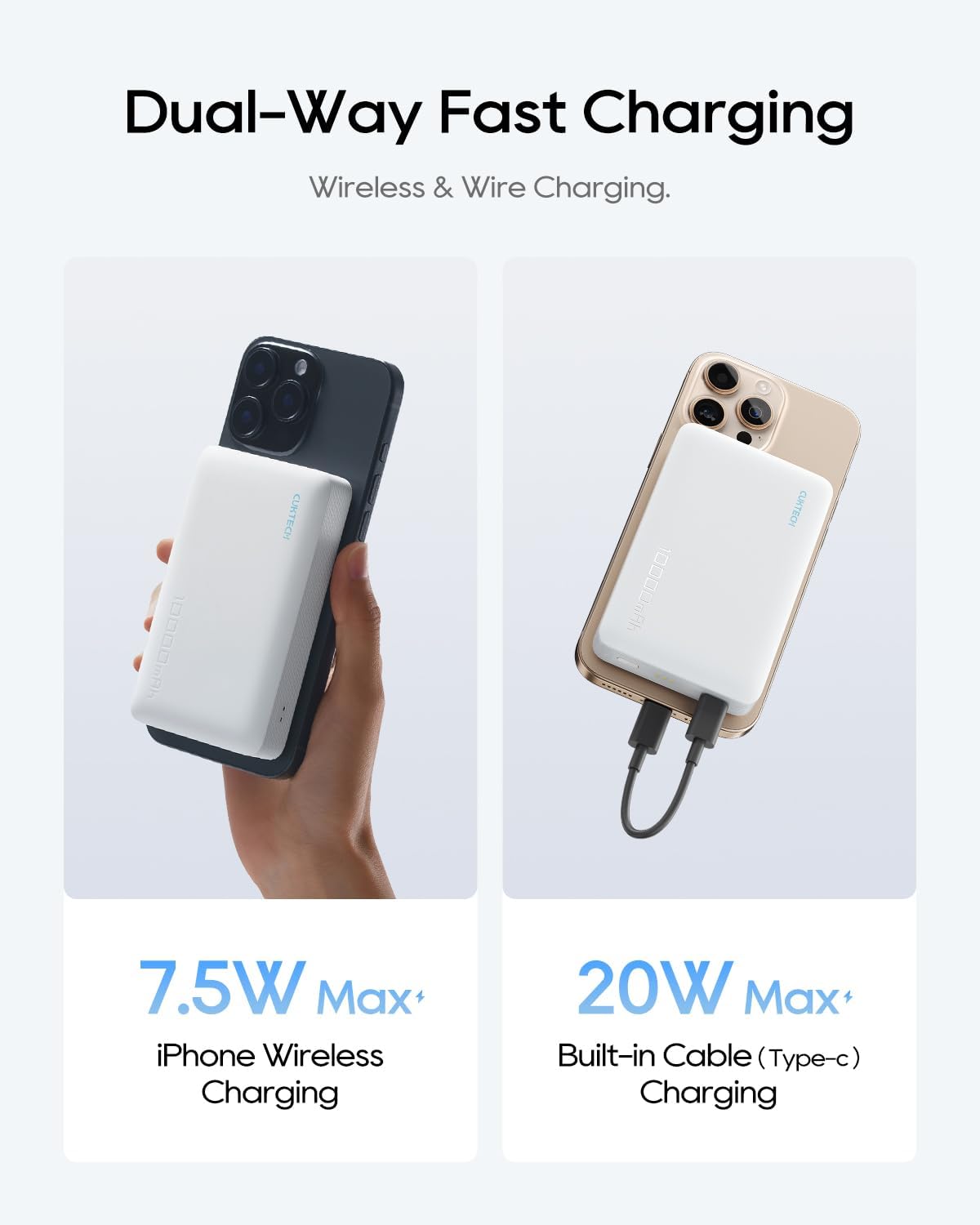
This image illustrates the dual-way fast charging capabilities of the CUKTECH power bank. It shows wireless charging for an iPhone at up to 7.5W Max and wired charging using the integrated USB-C cable at up to 20W Max.
여러 장치 충전
The power bank can charge two devices simultaneously: one wirelessly via magnetic attachment and another via the built-in USB-C cable.

This image demonstrates the CUKTECH power bank's ability to charge two devices concurrently. One iPhone is shown charging wirelessly via magnetic attachment, while another is connected and charging using the built-in USB-C cable.
Using as a Charging Stand
The power bank can be used as a stable wireless charging stand, supporting both horizontal and vertical orientations. This is ideal for watching videos or making calls while your device charges.
유지
- 청소: Use a soft, dry cloth to clean the surface of the power bank. Avoid liquid cleaners or aerosols.
- 저장: 모바일 배터리는 직사광선과 극한의 온도를 피해 서늘하고 건조한 곳에 보관하세요.
- 배터리 관리 : 배터리 수명을 연장하려면 정기적으로 사용하지 않더라도 3개월에 한 번씩 전원 은행을 완전히 충전하세요.
문제 해결
- 장치가 무선으로 충전되지 않음: Ensure your device is magnetically aligned and compatible with magnetic wireless charging (iPhone 12 or newer). Remove any thick cases that might interfere with the magnetic connection or wireless charging.
- 기기가 케이블로 충전되지 않습니다. Check if the built-in USB-C cable is securely connected to both the power bank and your device. Ensure the power bank has sufficient charge.
- 모바일 기기가 충전되지 않음: Verify that the USB-C cable is properly connected to a working power adapter and outlet. Try a different power adapter or cable if available.
- 느린 충전: Ensure your device and power bank are not overheating. Fast charging requires compatible devices and cables.
명세서
| 특징 | 사양 |
|---|---|
| 모델 번호 | WPB100L |
| 배터리 용량 | 10000mAh |
| 무선 충전 출력 | 최대 7.5W(iPhone용) |
| 유선 충전 출력(USB-C) | 최대 20W |
| 입력(USB-C) | 10 Volts (Corded Electric) |
| 배터리 셀 구성 | 리튬폴리머 |
| 치수 | 11.7 x 9.9 x 7.9cm |
| 무게 | 300g |
| 특별 기능 | Pocket-sized, Fast Charging, Wireless Charging, Integrated Stand |
| 색상 | 회색 |
안전 정보
- 모바일 기기를 극한의 온도(45°C 이상 또는 0°C 이하)에 노출시키지 마세요.
- 기기를 떨어뜨리거나 분해하거나 개조하지 마십시오.
- 물과 높은 습도를 피해 보관하십시오.
- 기기가 손상되었거나 부풀어 오른 경우에는 사용하지 마십시오.
- 어린이의 손이 닿지 않는 곳에 보관하세요.
- 현지 규정에 따라 책임감 있게 제품을 폐기하십시오.
보증 및 지원
Your CUKTECH power bank comes with a 24개월 스트레스 없는 보증 against manufacturing defects. For any product inquiries, technical support, or warranty claims, please contact our friendly customer service team.
고객 지원 이메일: service@cuktech.com