
소개
This manual provides essential information for the safe and efficient operation of your CTEK NXT 5 Smart Charger. The NXT 5 is a new generation 5A charger designed for advanced compatibility with 12V lead-acid and lithium (LiFePO4) batteries. It is built on the reliable CTEK MXS 5.0 platform, featuring a more durable design and award-winning Swedish technology.
Please read this manual carefully before using the charger to ensure proper function and to prevent damage to the unit or your battery.
안전 정보
Always prioritize safety when working with electrical equipment and batteries. Failure to follow these instructions may result in electric shock, fire, or serious injury.
- Ensure the charger is disconnected from the mains power before connecting or disconnecting the battery.
- Use the charger only for 12V lead-acid and lithium (LiFePO4) batteries. Do not attempt to charge other battery types.
- Avoid charging a frozen battery. Allow it to thaw before charging.
- Ensure adequate ventilation when charging, especially for lead-acid batteries, as they can emit explosive gases.
- Keep the charger away from water, moisture, and flammable materials. The unit is splash and dust-resistant but not submersible.
- Do not operate the charger if it has been damaged or dropped. Contact support for assistance.
- The charger is spark-free and protected against reverse polarity, enhancing safety during connection.
- 어린이의 손이 닿지 않는 곳에 보관하세요.
제품 특징
The CTEK NXT 5 charger incorporates several advanced features for optimal battery care:
- 고급 호환성: Charges 12V lead-acid (WET, MF, Ca/Ca, AGM, EFB, GEL) and lithium (LiFePO4) batteries from 1.2 Ah to 160 Ah.
- 재정비 모드: Patented desulphation and reconditioning modes help restore the capacity of discharged or deeply discharged batteries, extending their lifespan.
- AGM Optimization: Maximizes charging efficiency for Start/Stop and AGM batteries, providing faster charging and maximizing lifespan.
- 자동 온도 보정: Adapts charging parameters to ambient temperature, ensuring optimal performance in both hot and cold climates.
- Float/Pulse Maintenance: Keeps batteries in optimal condition for safe, long-term storage and readiness.
- 견고한 디자인: Features durable rubber cables and a splash-proof, dust-resistant casing for longevity and intensive use.
- 안전 기능: Spark-free operation and reverse polarity protection ensure safety for sensitive vehicle electronics and the user.

Image: The CTEK NXT 5 Smart Charger displaying its mode indicators for different battery types and charging stages. This charger offers simple 'connect and forget' operation.
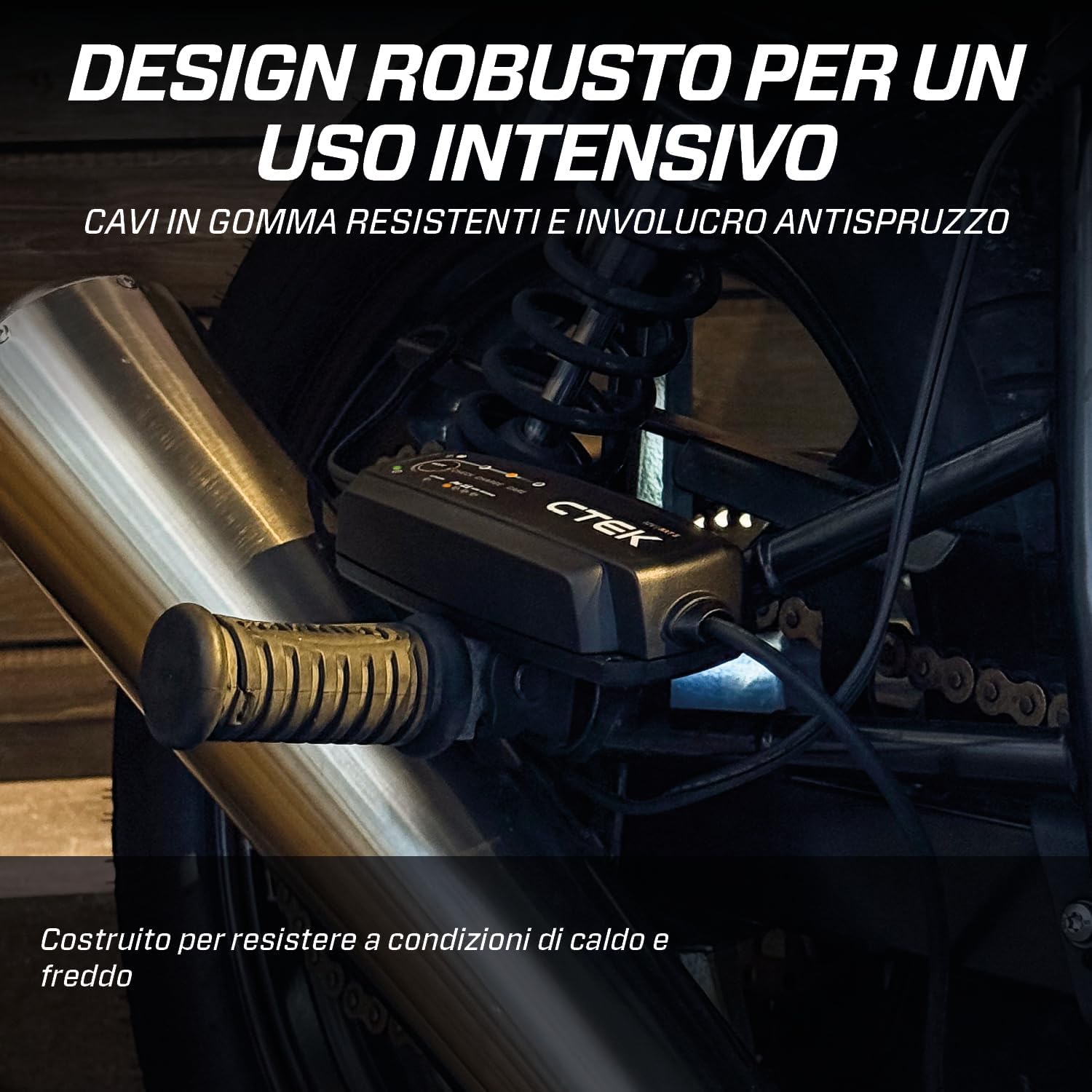
Image: The CTEK NXT 5 charger connected to a motorcycle battery, showcasing its robust design with durable rubber cables and splash-proof casing, built for intensive use and various conditions.
설정
- 충전기 풀기: Remove the CTEK NXT 5 charger and all accessories from the packaging.
- 위치를 선택하세요: 충전기를 직사광선, 열원 및 인화성 물질을 피해 통풍이 잘 되는 안정적이고 평평한 곳에 놓으십시오.
- 배터리 종류를 확인하세요: Determine if your battery is a 12V lead-acid (WET, MF, Ca/Ca, AGM, EFB, GEL) or lithium (LiFePO4) type. This will influence the mode selection.
- 배터리에 연결:
- 빨간색 cl을 연결하세요amp 배터리의 양극(+) 단자에 연결하세요.
- 검은색 cl을 연결하세요amp 배터리의 음극(-) 단자에 연결하십시오. 차량에 설치된 배터리를 충전하는 경우 검은색 플러그를 연결하십시오.amp 배터리와 연료 라인에서 차량 섀시까지 떨어뜨려 놓습니다.
- Ensure connections are secure. The charger is protected against reverse polarity, but correct connection is always recommended.
- 전원 콘센트에 연결하세요: Plug the charger's power cord into a suitable 12V AC wall outlet.

Image: The CTEK NXT 5 charger connected to a 12V battery, demonstrating its compatibility with both lead-acid and lithium (LiFePO4) battery types.
작동 지침
The CTEK NXT 5 operates with a simple "connect and forget" principle, but proper mode selection is crucial.
- 전원 켜기: Once connected to the battery and mains power, the charger will automatically start.
- 충전 모드 선택: Press the "MODE" button to cycle through the available charging programs. The selected mode will be indicated by an illuminated LED.
- Normal (Car/Motorcycle icon): For most lead-acid batteries (WET, MF, Ca/Ca, GEL).
- AGM (AGM icon): For AGM and Start/Stop batteries.
- Recond (Recond icon): For reconditioning deeply discharged lead-acid batteries. Use this mode sparingly.
- Lithium (Lithium icon): For 12V LiFePO4 batteries.
Note: The charger automatically compensates for temperature, adjusting charging parameters for optimal performance in hot or cold conditions.
- 모니터 충전: The charger's display will show the current charging stage (CHECK, CHARGE, CARE).
- 검사: Initial analysis of battery condition.
- 요금: 주요 충전 단계.
- 케어: Float/pulse maintenance charging, keeping the battery at optimal charge.
- 충전 완료: The "CARE" LED will illuminate when the battery is fully charged and in maintenance mode. The charger can remain connected for extended periods for long-term maintenance.
- 연결 해제:
- 먼저 충전기를 콘센트에서 분리하세요.
- Then, disconnect the black clamp from the negative (-) terminal or chassis.
- Finally, disconnect the red clamp 양극(+) 단자에서.

Image: The CTEK NXT 5 charger connected to a car battery, illustrating its reconditioning capabilities to revive discharged or deeply discharged batteries and prolong their lifespan.

Image: The CTEK NXT 5 charger in use, demonstrating its automatic temperature compensation feature which adjusts charging for optimal battery performance in extreme hot or cold conditions.
유지
The CTEK NXT 5 charger is designed for durability and requires minimal maintenance.
- 청소: 충전기를 닦으세요asing with a soft, dry cloth. Do not use harsh chemicals or abrasive cleaners. Ensure the charger is disconnected from both mains and battery before cleaning.
- 케이블 검사: 충전 케이블과 커넥터에 손상, 마모 또는 부식 흔적이 있는지 정기적으로 점검하십시오. 손상된 케이블은 즉시 교체하십시오.
- 저장: 충전기를 사용하지 않을 때는 서늘하고 건조한 곳에 보관하십시오. 극한의 온도 변화를 피하십시오.
문제 해결
If you encounter issues with your CTEK NXT 5 charger, refer to the following common problems and solutions:
| 문제 | 가능한 원인 | 해결책 |
|---|---|---|
| Charger does not start or no LEDs illuminate. | No mains power; incorrect battery connection; battery voltag너무 낮음. | Check mains power supply. Ensure correct polarity connection to battery. The charger may not start if battery voltage is below 2.0V for lead-acid or 8.0V for LiFePO4. |
| Error LED (if present) is lit. | 역극성 연결; 단락; 배터리 고장. | Check battery connections for correct polarity. Inspect cables for damage. If the issue persists, the battery may be faulty. |
| 충전하는 데 시간이 너무 오래 걸립니다. | Battery is deeply discharged; battery capacity is large; incorrect mode selected. | Deeply discharged batteries require more time. Ensure the correct mode (e.g., AGM for AGM batteries) is selected. |
| 작동 중 충전기가 따뜻해집니다. | 정상 작동. | It is normal for the charger to become warm during charging. Ensure adequate ventilation. |
If these solutions do not resolve the issue, please contact CTEK customer support.

Image: The CTEK NXT 5 charger connected to a battery, highlighting its safety features such as spark-free operation and reverse polarity protection, ensuring safety for sensitive vehicle electronics.
명세서
| 특징 | 세부 사항 |
|---|---|
| 상표 | 씨텍 |
| 모델 | 엔엑스티5 |
| 색상 | 검은색 |
| 출력 볼륨tage | 12볼트(DC) |
| 입력 Voltage | 12볼트(AC) |
| 충전 전류 | 5A |
| 배터리 호환성 | 12V Lead-acid (WET, MF, Ca/Ca, AGM, EFB, GEL) and Lithium (LiFePO4) |
| 배터리 용량 | 1.2아 ~ 160아 |
| 규정 준수 | CE |
보증
The CTEK NXT 5 Smart Charger comes with a 5년 보증 from the date of purchase. This warranty covers manufacturing defects and material faults under normal use. Please retain your proof of purchase for warranty claims.
The warranty does not cover damage caused by misuse, neglect, improper installation, unauthorized modifications, or normal wear and tear.
지원하다
For technical assistance, troubleshooting beyond this manual, or warranty inquiries, please contact CTEK customer support through their official web사이트 또는 공인 대리점.
Visit the official CTEK web최신 정보 및 지원 자료를 제공하는 사이트: www.ctek.com