
INIU P512
INIU P512 20000mAh 22.5W PD Fast Charging Power Bank Instruction Manual
모델: P512
1. 제품 오버view
The INIU P512 is a compact 20000mAh portable power bank designed for fast charging of various electronic devices. It features 22.5W Power Delivery (PD) fast charging, a detachable USB-C cable that doubles as a lanyard, an LED digital display, and a built-in flashlight. Its design is flight-safe, making it suitable for travel.
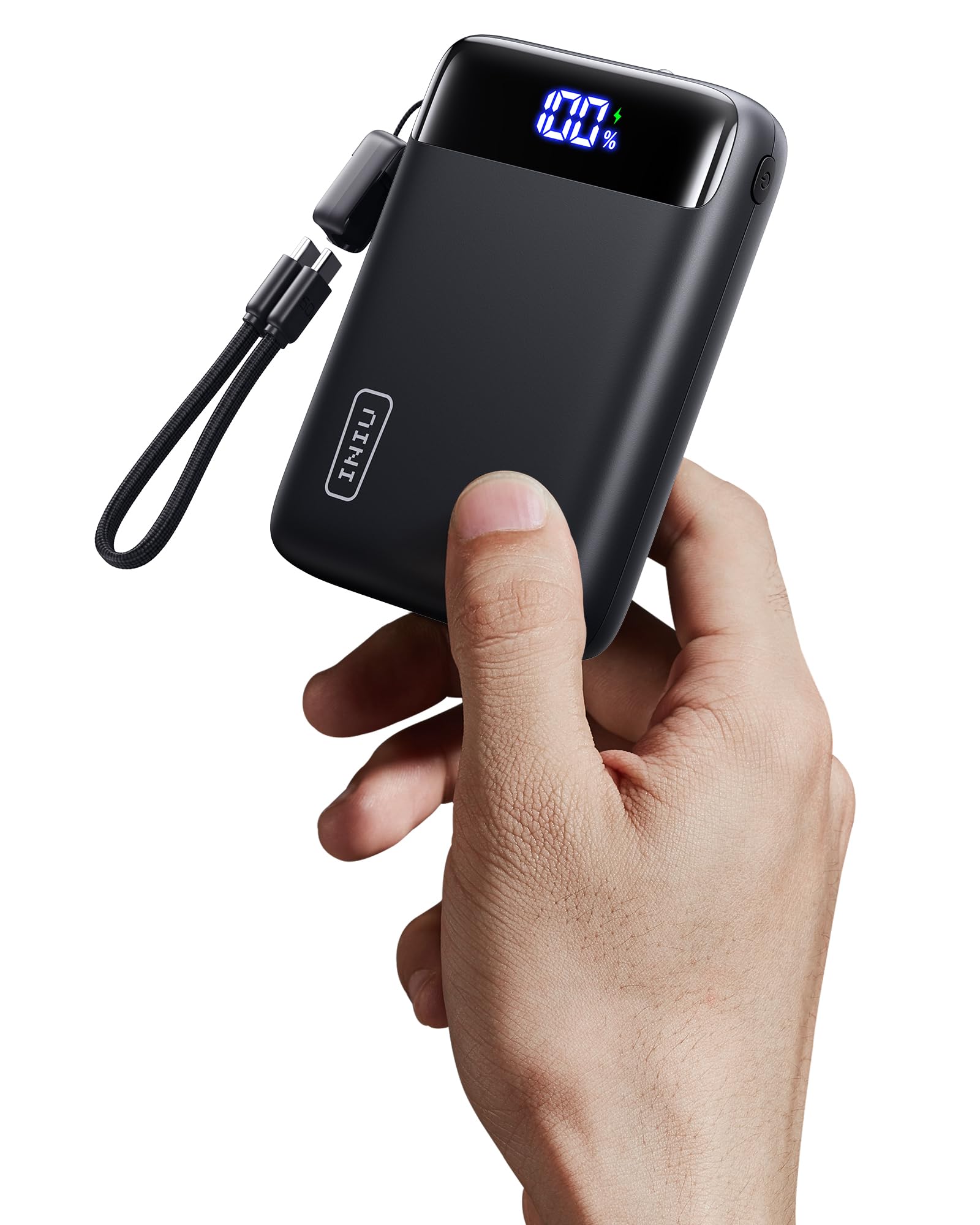
Image: The INIU P512 20000mAh Power Bank in black, showcasing its compact size and LED display.
2. 패키지 내용
패키지에 모든 품목이 들어 있는지 확인하세요.
- 1x INIU P512 20000mAh Power Bank
- Built-in USB-C Cables (detachable)
- 1x 사용자 설명서
3. 설정 및 초기 사용
3.1 파워뱅크 충전하기
Before first use, fully charge the power bank. The LED display will show the battery percentage.
- Connect the built-in USB-C cable or another compatible USB-C cable to the power bank's input port (IN1/OUT1 or IN2/OUT2).
- 케이블의 다른 쪽 끝을 USB 벽면 충전기(별도 구매)에 연결하십시오.
- The LED display will show the charging progress. A full charge typically takes approximately 5.4 hours.

Image: The INIU P512 power bank connected to a charging source, displaying its battery percentage.
3.2 Detachable Cable Functionality
The integrated USB-C cable serves as both a charging cable and a lanyard. It can be detached for use or storage.

Image: Illustration of the detachable USB-C cable on the INIU P512 power bank, showing how it can be removed and reattached.
4. 사용 설명서
4.1 충전 장치
The power bank can charge up to three devices simultaneously using its USB-C and USB-A output ports.
- Connect your device to one of the power bank's output ports (USB Type C * 2 + USB A *1).
- 보조 배터리가 자동으로 기기 충전을 시작합니다. LED 디스플레이에 배터리 잔량이 표시됩니다.tage.
- For Apple devices requiring a Lightning cable, use your own Lightning cable with one of the USB-A or USB-C output ports.
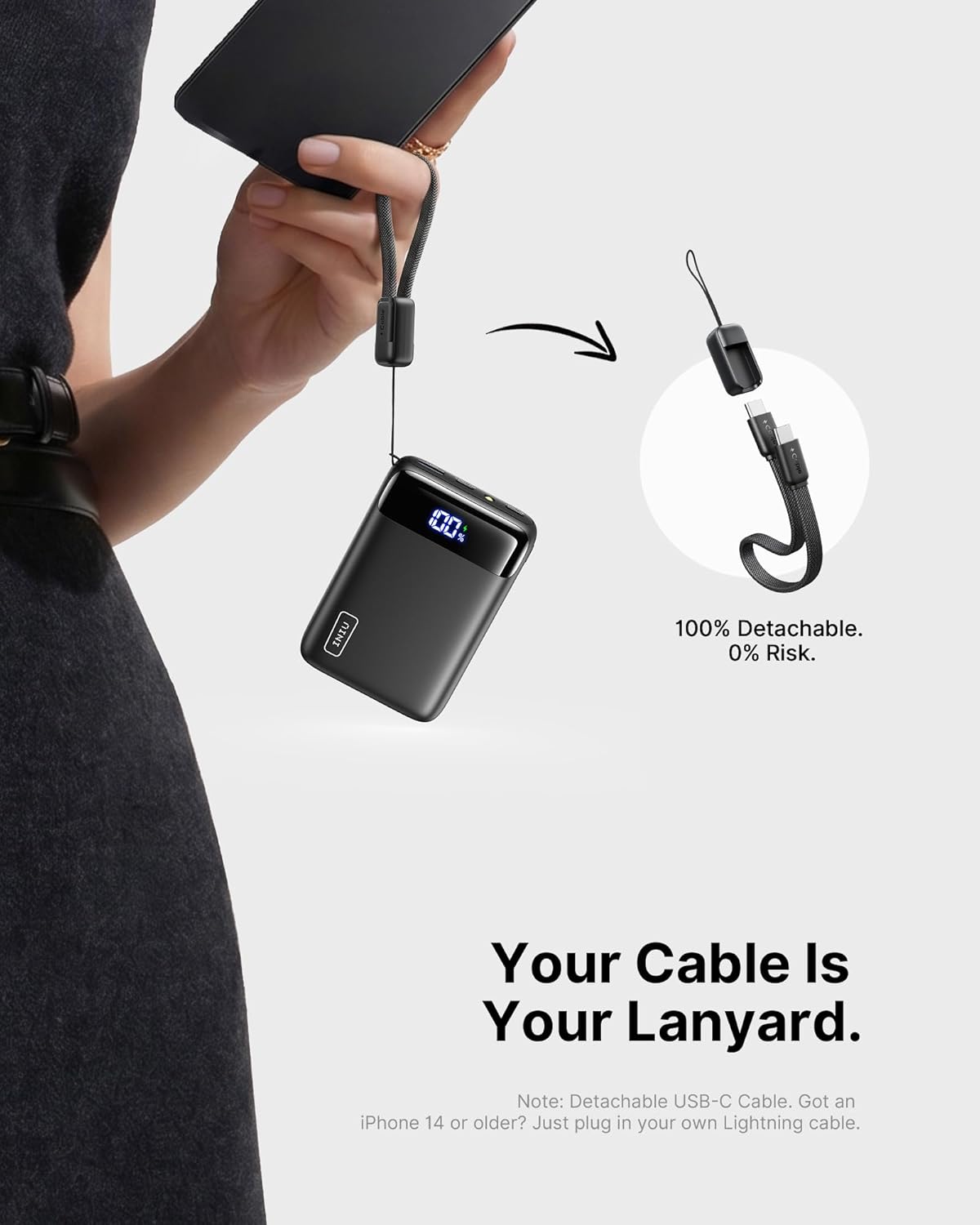
Image: The INIU P512 power bank connected and charging a smartphone and another device.
4.2 손전등 사용하기
The power bank includes a built-in flashlight for convenience.
- 손전등을 켜려면 전원 버튼을 몇 초 동안 길게 누르세요.
- 손전등을 끄려면 전원 버튼을 다시 길게 누르세요.
Image: A hand holding the INIU P512 power bank with its built-in flashlight illuminated.
5. 유지보수 및 안전
- 모바일 배터리는 물, 불, 극한 온도로부터 멀리 두십시오.
- 기기를 분해하거나, 구멍을 뚫거나, 개조하지 마십시오.
- 사용하지 않을 때는 시원하고 건조한 곳에 보관하세요.
- 배터리 상태를 유지하려면 최소한 3개월에 한 번씩 보조 배터리를 충전하세요.
- The power bank is equipped with an 18-layer SmartProtect safety system to prevent overcharge, over-discharge, short-circuit, and overheating.

Image: Diagram illustrating the 18-layer SmartProtect safety system integrated into the INIU P512 power bank.
6. 문제 해결
- 모바일 기기가 충전되지 않음: 충전 케이블이 보조 배터리와 벽면 충전기에 제대로 연결되어 있는지 확인하십시오. 다른 케이블이나 벽면 충전기를 사용해 보세요.
- 전원 은행에서 기기가 충전되지 않음: Ensure the power bank has sufficient charge. Check if the cable connecting your device to the power bank is functional and properly connected.
- 느린 충전: Verify that both the power bank and your device support fast charging protocols. Ensure you are using a compatible cable.
- 손전등이 작동하지 않습니다. Press and hold the power button for a few seconds to activate/deactivate the flashlight.
7. 사양
| 모델명 | 피512 |
| 배터리 용량 | 20000밀리amp 시간 |
| 산출 | USB Type C * 2 + USB A *1 |
| 빠른 충전 | 22.5W 파워드 |
| 배터리 셀 유형 | 리튬폴리머 |
| Item Dimensions (L x W x Th) | 길이 4.1인치 x 너비 2.8인치 x 두께 1.1인치 (10.4 x 7 x 2.9cm) |
| 배터리 무게 | 320그램 (11.3온스) |
| 배터리 충전 시간 | 5.4시간 |
| 특별 기능 | Digital Display, Fast Charging, Flashlight, Lightweight, Pocket Size, Detachable Cable |
| 비행 승인됨 | Yes (TSA-compliant capacity) |

Image: The INIU P512 power bank shown next to a smartphone and tablet for size comparison, highlighting its compact form factor.
8. 보증 및 지원
8.1 보증 정보
INIU provides a 3-year hassle-free warranty for this product. For any quality issues within this period, a brand-new replacement will be provided.

Image: Graphic indicating INIU's 3-year warranty for the product.
8.2 고객 지원
For further assistance or inquiries, please contact INIU customer support through their official web제품을 구매한 사이트 또는 소매업체.
Ask a question about this manual
Ask about setup, troubleshooting, compatibility, parts, safety, or missing instructions. Manuals+ will review the question and use this page’s manual context to help answer it.