
1. 서론
This manual provides essential information for setting up, operating, and maintaining your XIAOMI 15T Pro smartphone. Please read it carefully to ensure optimal performance and longevity of your device.
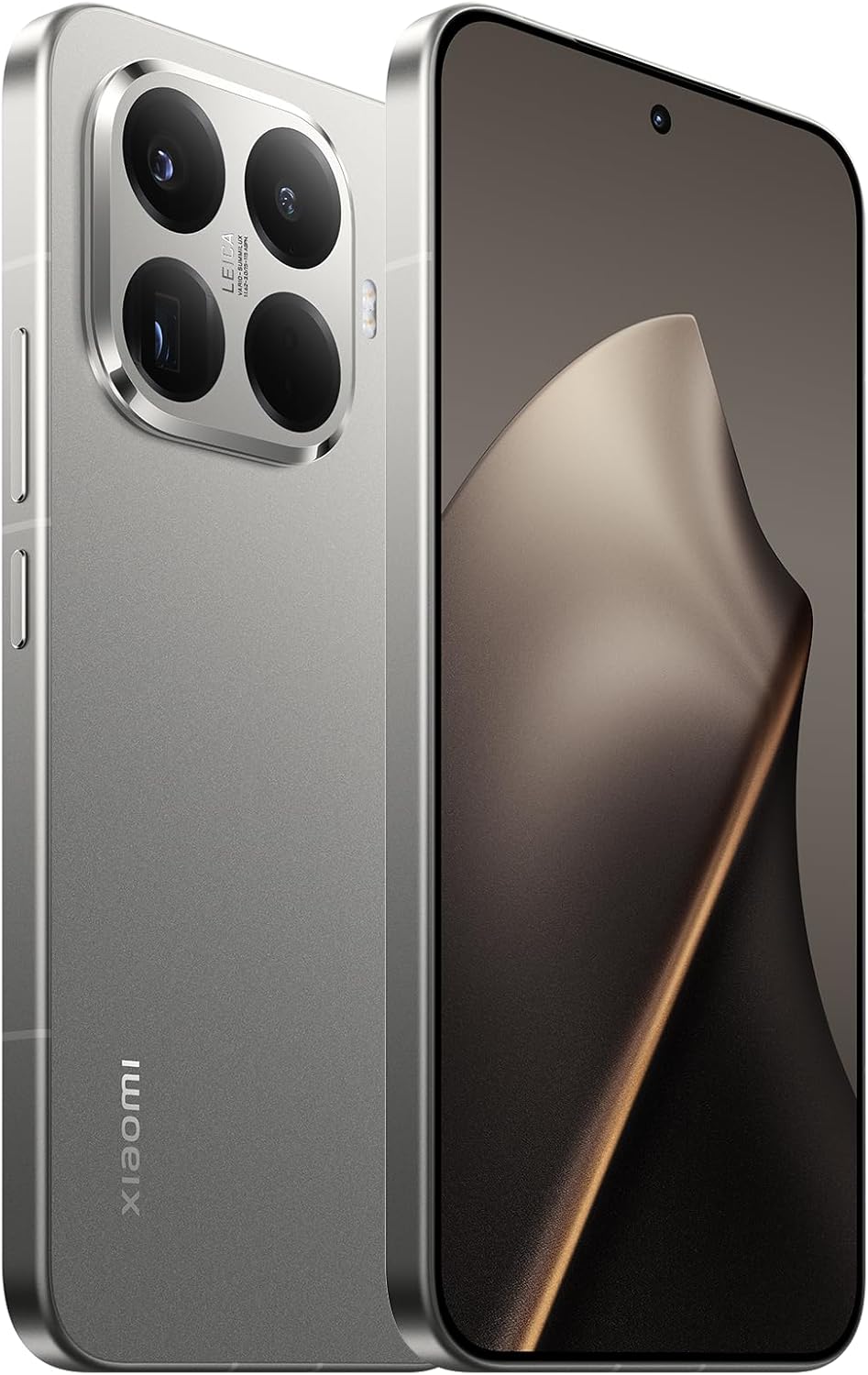
이미지 1.1: 앞면과 뒷면 view of the XIAOMI 15T Pro smartphone, showcasin세련된 디자인과 카메라 모듈이 특징입니다.
2. 장치 설정
2.1. 상자 안에 무엇이 들어있나요?
시작하기 전에 모든 구성 요소가 있는지 확인하세요.
- 샤오미 15T 프로 스마트폰
- USB 케이블
- (Other accessories like charger, SIM ejector tool, protective case may vary by region)
2.2. 장치 충전
Connect the provided USB cable to the smartphone's USB-C port and the other end to a compatible power adapter (sold separately) or a computer's USB port. Allow the device to charge fully before first use.

이미지 2.1: 하단 view of the XIAOMI 15T Pro, highlighting the USB-C charging port and speaker grille.
2.3. SIM 카드 삽입
Locate the SIM card tray on the side of the device. Use the SIM ejector tool (if included) to open the tray. Insert your Nano-SIM card(s) into the designated slots, ensuring proper orientation. Gently push the tray back into the device.

이미지 2.2: 측면 view of the XIAOMI 15T Pro, showing the power button, volume rocker, and SIM card tray location.
2.4. 전원 켜기 / 끄기
To power on, press and hold the Power button (located on the side) until the Xiaomi logo appears. To power off, press and hold the Power button, then select "Power off" from the options on the screen.
3. 장치 작동
3.1. 디스플레이 기능
The XIAOMI 15T Pro features an immersive 6.83-inch AMOLED display with a 1.5K resolution and a 144Hz refresh rate. This display is designed to protect your eyes while delivering vibrant colors and sharp details. The ultra-thin bezels, achieved with LIPO technology, provide an expansive view94.5%의 화면 대 본체 비율로 몰입감 넘치는 경험을 선사합니다.
비디오 3.1: 짧은 개요view of the XIAOMI 15T Pro smartphone's design and display features.
3.2. Camera System with Leica Optics
Experience professional-level photography with the XIAOMI 15T Pro's advanced camera system, featuring Leica optics. The device includes a 5x Pro telephoto lens, allowing for optical zoom up to 5x, 10x optical-level zoom, and an impressive ultra-zoom up to 20x. This system ensures sharp, vivid details and allows you to capture moments with exceptional clarity and artistic depth, enhanced by the legendary Leica effect.
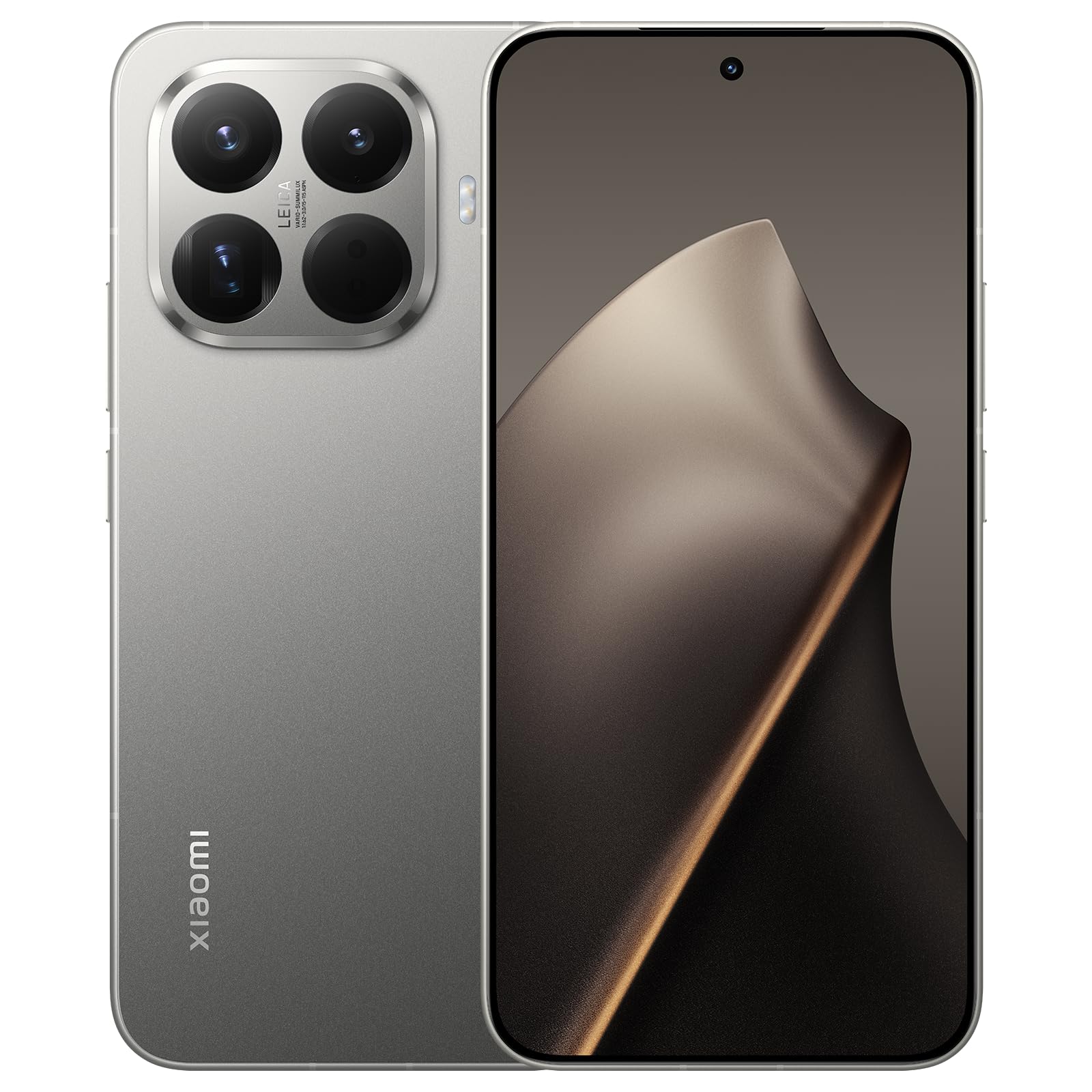
Image 3.1: Close-up of the XIAOMI 15T Pro's rear camera module, highlighting the Leica branding and multiple lenses.
3.3. 성능
Powered by the MediaTek Dimensity 9400+ processor, built on a 3nm flagship-level process, the XIAOMI 15T Pro delivers exceptional performance. This ensures smooth operation for demanding tasks such as gaming, professional video editing, and seamless multitasking, all while maintaining excellent power efficiency.
3.4. 배터리 수명
The device is equipped with a powerful 5500 mAh battery, offering extended endurance for your daily activities. Supported by Xiaomi's intelligent Surge battery management system and 64 layers of security, it provides maximum durability and safety, ensuring reliable power from morning to night.
3.5. 운영 체제
The XIAOMI 15T Pro runs on Android 15, providing a user-friendly interface and access to a vast ecosystem of applications and services.
Video 3.2: A brief visual demonstration of the XIAOMI 15T Pro smartphone's features.
4. 유지관리
- 청소: 부드럽고 보풀이 없는 천을 사용하여 화면과 본체를 닦으세요. 연마재나 강한 화학 물질은 사용하지 마세요.
- 소프트웨어 업데이트: 최적의 성능, 보안, 새로운 기능에 대한 액세스를 보장하려면 소프트웨어 업데이트를 정기적으로 확인하고 설치하세요.
- 환경 조건: 기기를 극한의 온도, 장시간 직사광선 또는 과도한 습기에 노출시키지 마세요.
- 저장: If storing the device for an extended period, ensure it is charged to about 50% to preserve battery health.
5. 문제 해결
5.1. 장치가 켜지지 않음
Ensure the battery is sufficiently charged. Connect the device to a charger and wait a few minutes before attempting to power it on again. If the issue persists, perform a forced restart by holding the Power button for approximately 10-15 seconds.
5.2. 배터리가 빠르게 소모됨
Check for background apps consuming excessive power. Adjust screen brightness, disable unnecessary features like GPS or Bluetooth when not in use, and ensure your software is up to date. Extreme temperatures can also affect battery performance.
5.3. 앱 충돌 또는 정지
Try clearing the cache of the problematic app or reinstalling it. Ensure your device has enough free storage space. If multiple apps are affected, a factory reset might be necessary (back up your data first).
5.4. 네트워크 연결 문제
Toggle Airplane Mode on and off. Restart your device. Check if your SIM card is properly inserted. Verify your mobile data or Wi-Fi settings. If issues persist, contact your network provider.
6. 사양
| 특징 | 세부 사항 |
|---|---|
| 상표 | 샤오미 |
| 모델 | 샤오미 15T 프로 |
| 운영 체제 | 안드로이드 15 |
| 프로세서 | 미디어텍 디멘시티 9400+ |
| 숫양 | 12GB (XNUMX기가바이트) |
| 내부 저장소 | 512GB (XNUMX기가바이트) |
| 디스플레이 크기 | 6.83 인치 |
| 디스플레이 유형 | 아몰레드 |
| 해결 | 1536 x 864 |
| 새로 고침 빈도 | 144Hz |
| 배터리 용량 | 5500mAh |
| 카메라 | Leica 50MP 5x Pro Telephoto, up to 20x Ultra Zoom |
| 연결성 | 5G |
| 포함된 구성 요소 | USB 케이블 |
7. 보증 및 지원
Your XIAOMI 15T Pro smartphone comes with a standard manufacturer's warranty. For detailed information regarding warranty terms, conditions, and duration, please refer to the warranty card included with your product or visit the official Xiaomi support web대지.
For technical assistance, troubleshooting, or service inquiries, please visit the official Xiaomi support portal: 샤오미 지원