
소개
This manual provides essential information for the proper use and maintenance of your Techkey USB Bluetooth 5.1 Adapter. This device enables Bluetooth connectivity for your desktop or laptop PC, allowing you to connect various Bluetooth-enabled peripherals wirelessly.
The adapter features Bluetooth 5.1 technology with Enhanced Data Rate (EDR) and Bluetooth Low Energy (BLE) for efficient and stable connections. It includes a 5dBi antenna designed to extend wireless range up to 300 feet (100 meters) in open environments.
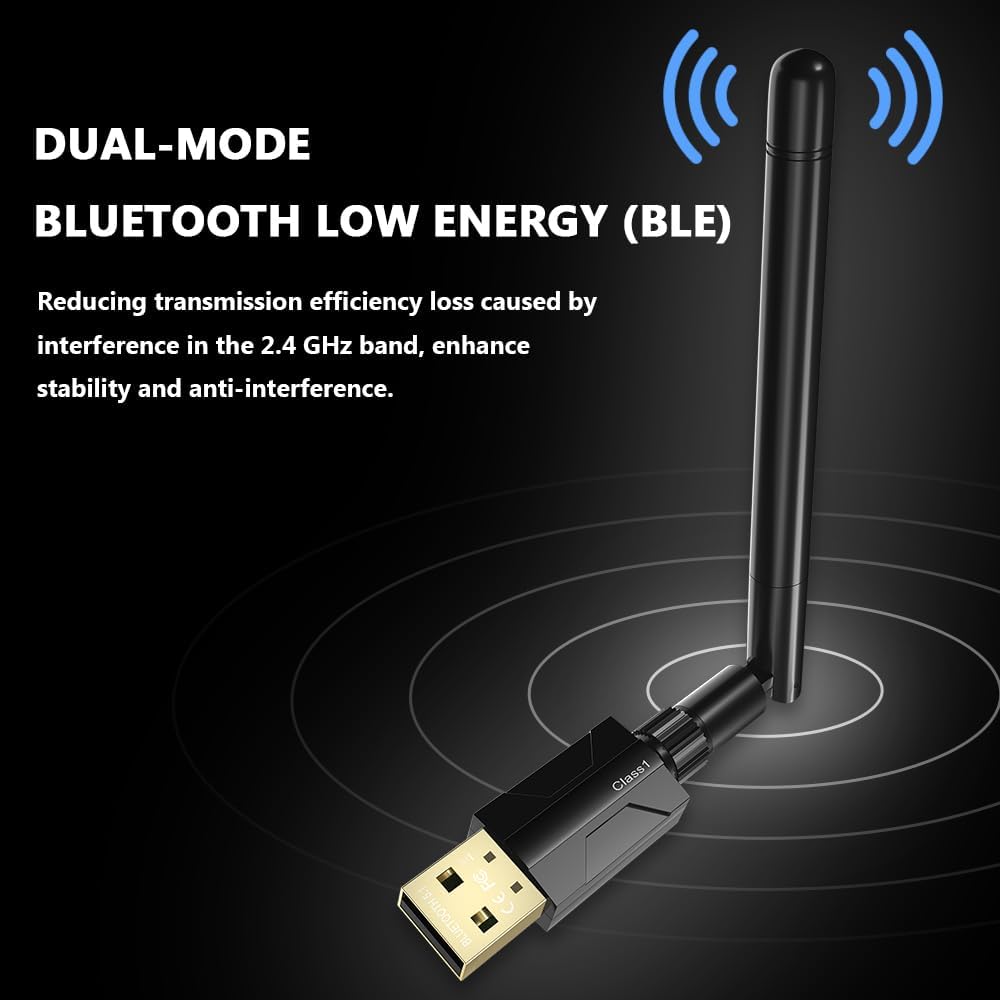
Image: The Techkey USB Bluetooth 5.1 Adapter, featuring its compact USB design and adjustable external antenna.
설치 가이드
The Techkey USB Bluetooth 5.1 Adapter is designed for plug-and-play functionality on compatible Windows operating systems. No driver installation is typically required for initial use.
- 시스템 요구 사항: Ensure your computer is running Windows 11, Windows 10, or Windows 8.1. This adapter is not compatible with Mac OS, Linux, car stereo systems, XBOX, PS4, or TVs.
- 어댑터를 삽입합니다: Plug the USB Bluetooth adapter into an available USB port on your desktop or laptop PC.
- 안테나 조정: Adjust the 5dBi antenna to an optimal position for signal reception. The antenna is rotatable for flexibility in various setups.
- 자동 인식: Your operating system should automatically detect and install the necessary drivers. A notification may appear indicating that the device is ready for use.

Image: The adapter connected to a computer, demonstrating the 360-degree rotatable antenna for flexible positioning.
작동 지침
Once the adapter is recognized by your system, you can begin pairing Bluetooth devices.
- 블루투스 활성화: Navigate to your computer's Bluetooth settings (typically found in 'Settings' > 'Devices' > 'Bluetooth & other devices' on Windows 10/11) and ensure Bluetooth is turned 'On'.
- 장치를 추가하다: '블루투스 또는 기타 장치 추가'를 클릭하고 '블루투스'를 선택하세요.
- 페어링 모드 : Put your Bluetooth device (e.g., headphones, speaker, keyboard, mouse) into pairing mode. Refer to your device's manual for specific instructions on how to do this.
- 장치 선택: 컴퓨터가 주변의 블루투스 장치를 검색합니다. 목록에 장치가 나타나면 선택하세요.
- 페어링 확인: Follow any on-screen prompts to complete the pairing process. You may need to enter a PIN or confirm a code.
The adapter supports simultaneous connections with up to 7 Bluetooth wireless devices, including speakers, keyboards, headsets, mice, and printers.

Image: The adapter facilitating Bluetooth connections between a computer and multiple peripheral devices such as headphones, keyboards, and mice.
유지
To ensure the longevity and optimal performance of your Techkey USB Bluetooth 5.1 Adapter, follow these simple maintenance guidelines:
- 깨끗하게 유지하십시오: Periodically wipe the adapter with a soft, dry cloth to remove dust. Avoid using liquid cleaners.
- 손상으로부터 보호: Avoid dropping the adapter or subjecting it to physical impact. When not in use, consider removing it from the USB port to prevent accidental damage.
- 온도 조절: Store and operate the adapter within normal room temperatures. Avoid extreme heat or cold, which can affect electronic components.
- 안테나 관리: Handle the antenna gently. While rotatable, excessive force can cause damage.
문제 해결
If you encounter issues with your Techkey USB Bluetooth 5.1 Adapter, consider the following troubleshooting steps:
- 어댑터가 인식되지 않음:
- 어댑터를 컴퓨터의 다른 USB 포트에 꽂아보세요.
- 컴퓨터를 다시 시작하세요.
- Windows 운영 체제가 최신 상태인지 확인하세요.
- Device Not Pairing/Connecting:
- 블루투스 기기가 페어링 모드인지, 그리고 연결 범위 내에 있는지 확인하십시오.
- Turn Bluetooth off and then on again in your computer's settings.
- Remove previously paired devices from your computer's Bluetooth list and attempt to pair again.
- Check if your Bluetooth device is fully charged.
- 제한된 범위 또는 간헐적 연결:
- Physical obstructions (walls, furniture) and wireless interference (from Wi-Fi routers, microwaves, other Bluetooth devices) can reduce the effective range. Try to minimize these.
- 더 나은 신호 수신을 위해 어댑터의 안테나를 조정하세요.
- Ensure the adapter is not blocked by other USB devices or computer components.
- 호환성 문제:
- Remember, this adapter is exclusively compatible with Windows 11/10/8.1. It does not support Mac OS, Linux, car stereo systems, XBOX, PS4, or TVs.

Image: An illustration depicting the long-range transmission capability of the adapter, showing signal coverage over a wide area, highlighting potential environmental factors affecting range.
명세서
| 특징 | 세부 사항 |
|---|---|
| 제품 치수 | 4.29 x 3.74 x 0.67 인치 |
| 품목 무게 | 1.13온스(0.03킬로그램) |
| 상표 | 테크키 |
| 하드웨어 인터페이스 | 블루투스 |
| 색상 | 검은색 |
| 호환 장치 | Headphones, Keyboard, Laptop, Mouse, Printer, Speaker |
| 데이터 링크 프로토콜 | USB, 블루투스 |
| 데이터 전송 속도 | 초당 3메가비트(Mbps) |
| Minimum Required Operating System | 윈도우 8.1 |
| 블루투스 표준 | Bluetooth 5.1 + EDR (Enhanced Data Rate) + BLE (Bluetooth Low Energy) |
| 전송 범위 | Up to 300ft / 100m (Class 1 radio technology in open areas) |

Image: A visual representation of the Bluetooth 5.1 technology, highlighting Bluetooth Low Energy (BLE), Class 1 range (up to 100m/328ft), Enhanced Data Rate (EDR), and the underlying Realtek chip.
보증 정보
This Techkey product is covered by the manufacturer's standard warranty. For specific details regarding warranty duration and terms, please refer to the packaging or contact Techkey customer support directly. Keep your proof of purchase for warranty claims.
고객 지원
For further assistance, technical support, or inquiries not covered in this manual, please contact Techkey customer support. Contact information can typically be found on the product packaging or the official Techkey web대지.