
1. 서론
The SENTKENG Y03008 InstaVision 1080P WiFi Camera is an indoor security camera designed for monitoring your home, baby, or pets. It offers 1080P Full HD video, pan and tilt functionality for wide coverage, two-way audio communication, infrared night vision, and intelligent motion detection. This manual provides essential information for setting up, operating, and maintaining your camera.
2. 안전 정보
- 카메라는 반드시 실내에서만 사용하십시오.
- 제공된 전원 어댑터와 케이블만 사용하십시오.
- 장치를 물, 습기 및 극한의 온도로부터 멀리 두십시오.
- 카메라를 직접 분해하거나 수리하려고 하지 마십시오. 문제가 발생하면 고객 지원팀에 문의하십시오.
- 어린이와 애완동물의 손이 닿지 않는 곳에 보관하세요.
3. 패키지 내용
다음 품목이 패키지에 포함되어 있는지 확인하세요.
- SENTKENG Y03008 InstaVision 1080P WiFi Camera
- 사용 설명서
- Type-C 충전 케이블
- 벽 브래킷
- 나사 패키지

Image: The camera, Type-C charging cable, wall bracket, screw package, and instruction manual are included in the box.
4. 제품 오버view
카메라의 주요 구성 요소를 알아보세요.
- 카메라 렌즈: 1080P Full HD 비디오를 촬영합니다.
- 스피커: 양방향 오디오 통신을 위해.
- 저장 카드 슬롯: Insert a microSD card (up to 128GB, not included) for local storage.
- 재설정 키: 카메라를 공장 설정으로 재설정하는 데 사용됩니다.
- Type-C 충전 포트: 여기에 전원 케이블을 연결합니다.
이미지: 자세한 view of the camera highlighting the camera lens, speaker, storage card slot, reset key, and Type-C charging port.
5. 설정 가이드
5.1 Powering On and App Installation
- 전원 켜기: Connect the camera to a power outlet using the provided Type-C charging cable and power adapter. The camera will power on automatically.
- Download the InstaVision App: 검색 'InstaVision' in your smartphone's app store (iOS or Android) and download the application.
- 등록/로그인: Open the InstaVision app and follow the on-screen instructions to register a new account or log in if you already have one.

Image: The camera next to a smartphone displaying the InstaVision app's welcome screen, illustrating the easy connection process.
5.2 Wi-Fi에 연결하기
- 장치 추가: In the InstaVision app, tap the '+' icon or 'Add Device' to begin the pairing process.
- 카메라 종류를 선택하세요: 목록에서 적절한 카메라 모델을 선택하세요.
- 앱 내 지침을 따르세요: The app will guide you through connecting the camera to your 2.4GHz Wi-Fi network. Ensure your phone is connected to the same 2.4GHz Wi-Fi network during setup.
- 확인: 연결이 완료되면 카메라의 표시등이 바뀌고 앱에서 페어링이 성공적으로 완료되었음을 확인시켜 줍니다.
5.3 설치 옵션
The SENTKENG Y03008 camera offers flexible installation:
- Tabletop Mount (Freestanding): Place the camera on any flat surface such as a table, shelf, or desk. Ensure it has a clear view 모니터링하려는 영역의
- 천장 장착: Use the included wall bracket and screws to mount the camera to the ceiling. After mounting, you may need to adjust the image orientation in the InstaVision app settings.

이미지: 전amples of camera placement, showing both flat surface installation and ceiling mounting options.
6. 사용 설명서
6.1 라이브 View 및 재생
Once connected, open the InstaVision app to access the live video feed from your camera. You can view 실시간 푸tag전자와 재view recorded events from anywhere, anytime.
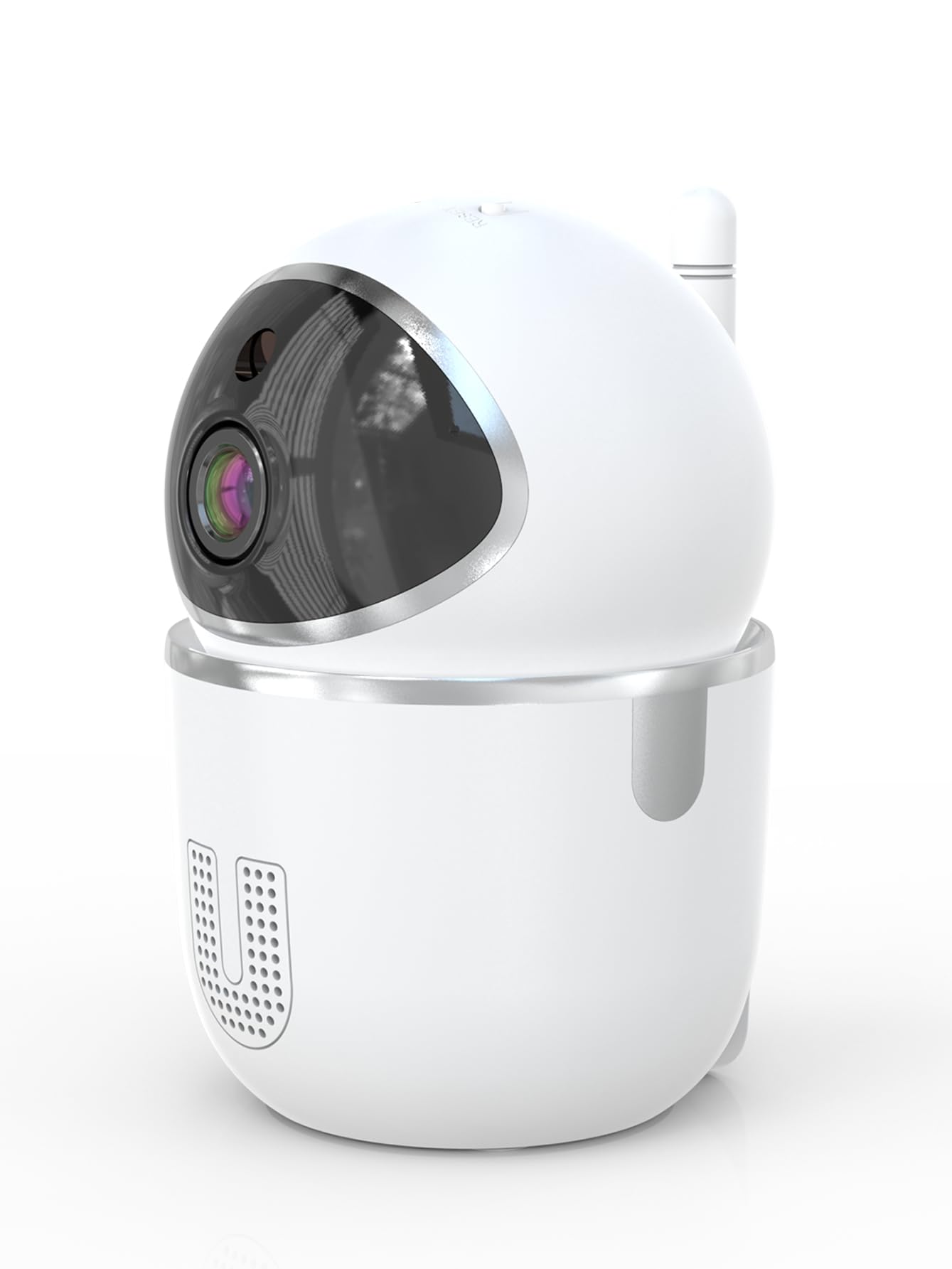
Image: A smartphone displaying the live video feed from the camera, showing a living room scene.
6.2 팬 및 틸트 제어
카메라를 원격으로 제어합니다. viewing angle through the InstaVision app. The camera supports 355° horizontal rotation and 90° vertical tilt, allowing you to cover a wide area with minimal blind spots.

Image: The camera illustrating its pan (355°) and tilt (90°) capabilities, showing the range of motion.
6.3 양방향 오디오
The built-in microphone and speaker enable real-time two-way communication. Tap the microphone icon in the app to speak through the camera, and listen to audio from the camera's surroundings.
6.4 야간 투시경
The camera is equipped with powerful infrared LEDs, providing clear black-and-white video footage in low-light conditions or complete darkness, ensuring 24/7 monitoring.
6.5 동작 감지 및 알림
The camera detects motion and sends instant notifications to your smartphone. You can customize motion detection sensitivity and alert schedules within the InstaVision app.

Image: A smartphone screen showing a list of motion detection events and alerts, indicating human presence.
6.6 저장 옵션
- MicroSD 카드 저장: Insert a microSD card (up to 128GB, not included) into the camera's card slot for local recording. The camera will automatically overwrite the oldest footag카드가 가득 찼을 때.
- 클라우드 스토리지: An optional cloud service is available via a paid InstaVision app subscription. This provides secure off-site storage for your recordings.

Image: The camera with visual cues indicating support for both local microSD card storage (up to 128GB) and optional cloud storage.
6.7 AI Detection (Subscription)
With a paid InstaVision app subscription, you can access advanced AI-powered features such as recognizing people, pets, and specific human actions. This allows for more precise alerts and faster searching of recorded events.

Image: A smartphone screen demonstrating the contextual AI search feature, allowing users to quickly find specific events like package deliveries or pet movements.
6.8 다중 사용자 View잉
Share access to your camera's live feed with family members or trusted individuals through the InstaVision app, allowing multiple users to view 동시에 카메라를 켜세요.

Image: The camera surrounded by multiple smartphones, illustrating the multi-user viewing capability for real-time online monitoring.
7. 유지관리
- 청소: 부드럽고 마른 천을 사용하여 카메라 렌즈와 본체를 닦으세요. 액체 세척제나 에어로졸은 사용하지 마세요.
- 펌웨어 업데이트: Regularly check the InstaVision app for available firmware updates. Keeping your camera's firmware updated ensures optimal performance and security.
- MicroSD 카드 관리: If using a microSD card, periodically check its status in the app. Format the card if necessary to maintain recording quality.
8. 문제 해결
8.1 카메라가 Wi-Fi에 연결되지 않음
- Wi-Fi 네트워크가 2.4GHz인지 확인하세요. 카메라는 5GHz Wi-Fi를 지원하지 않습니다.
- 와이파이 비밀번호를 정확하게 입력했는지 확인하세요.
- 카메라를 Wi-Fi 라우터에 더 가까이 옮기세요.
- 라우터와 카메라를 다시 시작하세요.
- Perform a factory reset on the camera using the reset key and try connecting again.
8.2 비디오 피드 없음
- 카메라 전원이 켜져 있고 Wi-Fi에 연결되어 있는지 확인하십시오.
- 인터넷 연결을 확인하세요.
- Restart the InstaVision app.
8.3 동작 감지 기능이 작동하지 않음
- Ensure motion detection is enabled in the InstaVision app settings.
- 동작 감지 감도를 조정합니다.
- Check the detection zone settings to ensure the desired area is covered.
8.4 양방향 오디오 문제
- Ensure your phone's microphone is enabled for the InstaVision app.
- 휴대폰과 앱의 볼륨 설정을 확인하세요.
- Ensure there are no obstructions blocking the camera's speaker or microphone.
9. 사양
| 모델명 | Y03008 InstaVision |
| 실내/실외 사용 | 실내 |
| 비디오 캡처 해상도 | 1080p 풀 HD |
| 팬/틸트 범위 | 355° 수평, 90° 수직 |
| 연결 기술 | 무선(2.4GHz Wi-Fi) |
| 전원 | 코드식 전기 |
| 나이트 비전 범위 | 8 미터 |
| 저장 옵션 | MicroSD 카드(최대 128GB, 별도 구매), 클라우드 저장소(선택 사항, 구독) |
| 특별 기능 | 2-Way Audio, PTZ Technology, Motion Detection, AI Detection (subscription) |
| 제품 치수 | 3.18 x 2.63 x 4.02 인치 |
| 품목 무게 | 8.5 온스 |
10. 보증 및 지원
10.1 보증 정보
For detailed warranty information, please refer to the documentation included with your purchase or visit the official SENTKENG web사이트. 보증 청구를 위해 구매 증빙 자료를 보관하세요.
10.2 고객 지원
If you encounter any issues or have questions regarding your SENTKENG Y03008 InstaVision Camera, please contact SENTKENG customer support through the InstaVision app or the official SENTKENG website. Our support team is available to assist you.