
소개
This manual provides detailed instructions for the installation, operation, and maintenance of your GNCC GT1ProB-2P Outdoor Security Camera. Designed for reliable home surveillance, this 2K camera features motion detection, color night vision, two-way audio, and 24/7 recording capabilities. Please read this manual thoroughly before use to ensure proper setup and optimal performance.
패키지 내용
- GNCC GT1ProB-2P Outdoor Security Camera (2 units)
- 전원 어댑터
- 장착 스탠드
- 장착 나사
- 사용 설명서
설정
1. 물리적 설치
The GNCC GT1ProB-2P camera is designed for outdoor use and is IP65 waterproof. Select a suitable location that provides the desired viewing angle and is within range of a power outlet and your 2.4 GHz Wi-Fi network.
- 드릴링 위치 표시: Place the mounting stand against the wall or surface where you intend to install the camera. Use a pencil to mark the positions for the mounting screws.
- 드릴 구멍: Drill pilot holes at the marked positions. Insert wall anchors if necessary for your mounting surface.
- 스탠드 고정: Attach the mounting stand to the wall using the provided mounting screws.
- 카메라 부착: Securely attach the camera to the mounting stand. Adjust the camera angle as needed.
- 전원 연결: Connect the power adapter to the camera and plug it into a power outlet. The camera will power on.

Image: The GNCC GT1ProB-2P camera, demonstrating its IP65 waterproof design, suitable for outdoor installation.
2. 앱 설치 및 페어링
The GNCC GT1ProB-2P camera uses the Osaio app for control and monitoring.
- 앱 다운로드 : 검색 "Osaio" in your smartphone's app store (App Store for iOS or Google Play Store for Android) and download the application.
- 계정 생성: Open the Osaio app and follow the on-screen instructions to create a new user account or log in if you already have one.
- 장치 추가: Tap the "+" icon or "Add Device" option within the app. Select your camera model (GT1ProB-2P) from the list.
- Wi-Fi에 연결: Follow the app's prompts to connect the camera to your 2.4 GHz Wi-Fi network. Ensure your phone is also connected to the same 2.4 GHz Wi-Fi network during the pairing process.
- QR 코드 스캔: The app may display a QR code. Hold your camera up to your phone screen to scan the QR code. A voice prompt from the camera will confirm successful connection.
- 설정 완료: 연결되면 카메라 이름을 지정하고 앱에서 설정 과정을 완료하세요.
작동 지침
살다 View 그리고 녹음
Access the Osaio app to view 라이브 푸tage from your camera. The camera supports 24/7 continuous recording.
- 로컬 스토리지: Insert a MicroSD card (up to 128GB, not included) into the camera's MicroSD card slot for local storage of recordings.
- 클라우드 스토리지: An optional cloud storage service is available, offering a 14-day free trial. This provides remote backup of your recordings.

Image: A smartphone interface showing 24/7 recording playback from the GNCC camera, with a timeline of events.
움직임 감지 및 알림
The camera features advanced motion detection. When motion is detected, the camera can send instant notifications to your smartphone via the Osaio app.
- 활성화/비활성화: You can enable or disable motion detection and adjust sensitivity settings within the Osaio app.
- 알림: Receive push notifications on your phone when motion or sound is detected.
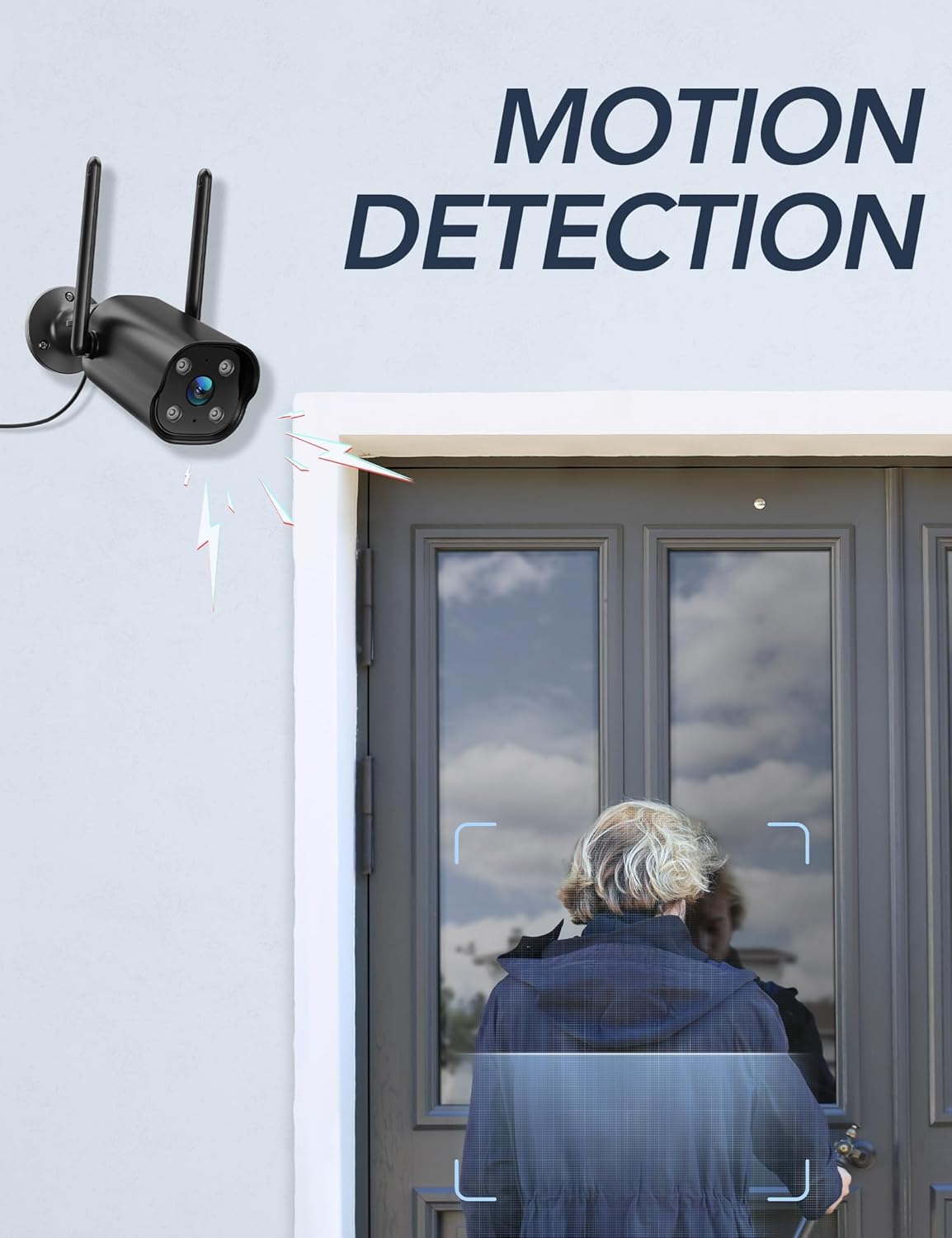
Image: The GNCC camera illustrating its motion detection capability, highlighting a person entering the detection zone.

Image: A smartphone displaying push notifications from the Osaio app, indicating detected motion and sound events.
양방향 오디오
The integrated microphone and speaker allow for two-way communication through the camera. This feature enables you to speak to visitors or deter intruders remotely.
- 활성화: 라이브에서 view interface of the Osaio app, locate and tap the microphone icon to speak through the camera.
- 듣다: 카메라의 마이크는 주변 소리를 수집하여 휴대전화를 통해 들을 수 있습니다.

Image: The GNCC camera demonstrating its two-way audio function, allowing communication between the user and the monitored area.
나이트 비전
The camera is equipped with enhanced night vision, providing clear visibility up to 50 feet (15 meters) in low-light conditions. It also supports color night vision for improved detail.
스마트 홈 통합
The GNCC GT1ProB-2P camera is compatible with Amazon Alexa and Google Home. Refer to the Osaio app settings or your smart home assistant's documentation for instructions on linking your camera.
유지
청소
To ensure optimal image quality, periodically clean the camera lens. Use a soft, damp cloth to gently wipe away dust and dirt. Avoid using harsh chemicals or abrasive materials that could scratch the lens.
펌웨어 업데이트
GNCC regularly releases firmware updates to improve camera performance and add new features. Check for available updates through the Osaio app settings. It is recommended to keep your camera's firmware up to date.
문제 해결
일반적인 문제 및 솔루션
- 카메라 오프라인:
- 카메라의 전원이 켜져 있고 전원 어댑터가 제대로 연결되어 있는지 확인하세요.
- Wi-Fi 라우터와 인터넷 연결을 확인하세요.
- Verify the camera is within range of your 2.4 GHz Wi-Fi network.
- 카메라 전원 어댑터를 뽑았다가 다시 꽂아 카메라를 재시작하십시오.
- 녹음 안함:
- If using local storage, ensure a MicroSD card is properly inserted and formatted within the Osaio app.
- Check recording settings in the Osaio app to ensure 24/7 recording or motion-triggered recording is enabled.
- If using cloud storage, verify your subscription status.
- 이미지 품질이 좋지 않음:
- 부드러운 천으로 카메라 렌즈를 닦아주세요.
- Ensure the camera is receiving sufficient power.
- Wi-Fi 신호 강도를 확인하세요. 신호가 약하면 비디오 스트리밍 품질에 영향을 줄 수 있습니다.
- 동작 감지가 작동하지 않음:
- Verify motion detection is enabled in the Osaio app settings.
- 동작 감도 설정을 조정합니다.
- 카메라를 가리는 장애물이 없는지 확인하십시오. view.
명세서
| 모델명 | GT1ProB-2P |
| 상표 | GNCC |
| 연결 기술 | Wired (Power), Wi-Fi (2.4 GHz), Bluetooth |
| 비디오 캡처 해상도 | 2K |
| 사진 센서 해상도 | 3 MP |
| 나이트 비전 범위 | 최대 50피트(15미터) |
| 특별 기능 | 2-Way Audio, HD Resolution, Motion Sensor, Night Vision, Weatherproof (IP65) |
| 실내/실외 사용 | 집 밖의 |
| 호환 장치 | Smartphone (via Osaio App), Amazon Alexa, Google Home |
| 전원 | 코드식 전기 |
| 로컬 스토리지 | 최대 128GB MicroSD 카드(별도 구매) |
| 클라우드 스토리지 | Optional, 14-day free trial available |
| 품목 치수(L x W x H) | 11 x 7.6 x 5 센티미터 |
| 색상 | 검은색 |
| 제조업체 | 칼라도 |

Image: The GNCC camera highlighting its dual storage options: optional cloud storage and local MicroSD card storage (up to 128GB).
보증 정보
GNCC products are covered by a limited warranty from the date of purchase. This warranty typically covers defects in materials and workmanship under normal use. Please refer to the warranty card included in your product packaging or visit the official GNCC web보증 기간 및 보증 범위에 대한 자세한 내용을 포함한 구체적인 보증 약관은 해당 사이트를 참조하십시오.
The warranty does not cover damage caused by improper installation, accident, misuse, abuse, natural disaster, or unauthorized modification or repair.
고객 지원
If you encounter any issues or have questions regarding your GNCC GT1ProB-2P Outdoor Security Camera, please contact our customer support team. Before contacting support, please ensure you have reviewed the troubleshooting section of this manual.
- 온라인 지원: Visit the official GNCC web자주 묻는 질문(FAQ), 지원 문서 및 문의 양식을 위한 사이트입니다.
- 이메일 지원: Refer to your product packaging or the GNCC web고객 지원 전용 이메일 주소 사이트입니다.
- Osaio App: The Osaio app may also offer in-app support options or a help section.
When contacting support, please have your product model (GT1ProB-2P) and purchase information readily available.