
1. 소개 및 이상view
The pTron Dynamo Storm 20000mAh Powerbank is a high-capacity portable charging solution designed to keep your devices powered on the go. Featuring 22.5W fast charging, multiple output ports, and convenient built-in cables, this power bank ensures reliable and efficient charging for a wide range of smartphones, tablets, and other USB-powered devices.
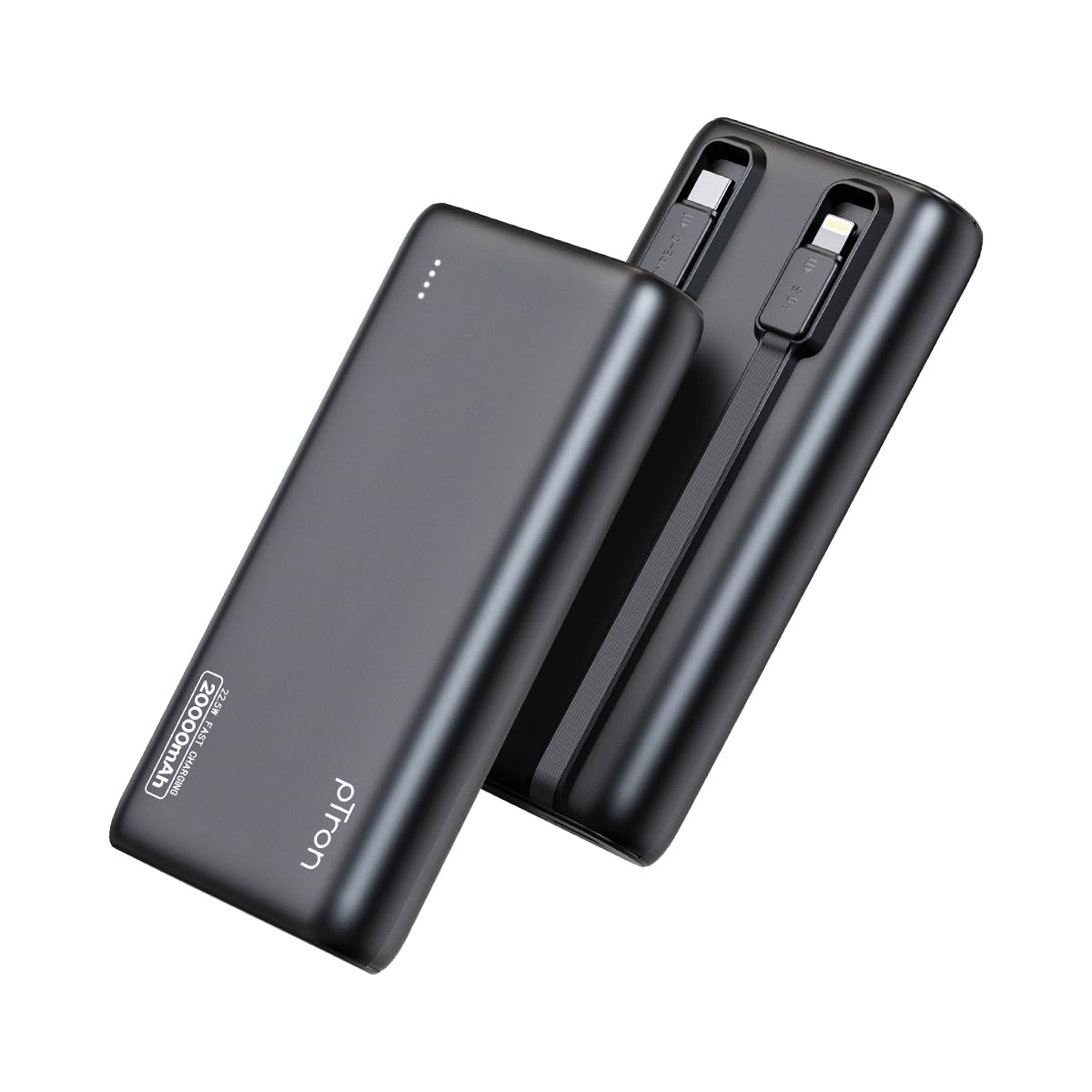
Image: The pTron Dynamo Storm 20000mAh Powerbank, showcasin컴팩트하고 세련된 디자인이 특징입니다.
2. 제품 특징
- 20000mAh 대용량: Provides multiple charges for smartphones and tablets, ensuring extended device usage.
- 22.5W 고속 충전: Supports rapid charging for compatible devices via USB-A and Type-C ports.
- 내장 케이블: Includes integrated Type-C (22.5W) and iOS (10W) cables for convenient charging without carrying extra accessories.
- 다중 출력 포트: Equipped with 1x USB-A port, 1x Type-C/PD port, 1x built-in Type-C cable, and 1x built-in iOS cable, allowing simultaneous charging of up to 4 devices.
- 보편적 인 호환성 : Compatible with various fast charging protocols including PD3.0 (Power Delivery), Quick Charge (QC3.0), VOOC/WARP/DASH, and PPS.
- 첨단 안전 기능: Multiple layers of protection in the chipset guard against over-charging, over-discharging, over-current, and short circuits.
- LED 표시등: 4개의 LED 표시등은 보조 배터리의 남은 배터리 잔량을 나타냅니다.
- 여행 친화적인 디자인: Compact and portable, ideal for daily use and travel.

Image: Diagram illustrating the pTron Dynamo Storm Powerbank's built-in Type-C and iOS cables, along with USB and Type-C output ports.

Image: The pTron Dynamo Storm Powerbank actively charging two smartphones and a tablet, demonstrating its multi-device capability.
3. 설정
3.1 파워뱅크 초기 충전
- Before first use, fully charge your pTron Dynamo Storm Powerbank.
- Connect the power bank to a compatible wall charger (not included) using the built-in Type-C cable or a separate Type-C to Type-C cable via the Type-C port. The power bank supports 18W input.
- 충전 진행 상황을 나타내는 LED 표시등이 켜집니다. 충전이 완료되면 네 개의 LED가 모두 켜집니다.
3.2 배터리 잔량 확인
전원 버튼을 한 번 누르면 배터리 잔량을 확인할 수 있습니다. LED 표시등이 켜집니다.
- LED 1개: 0-25%
- 2개 LED: 25-50%
- 3개 LED: 50-75%
- 4개 LED: 75-100%
4. 사용 설명서
4.1 장치 충전
The pTron Dynamo Storm Powerbank offers multiple ways to charge your devices:
- 내장 케이블 사용:
- For Type-C devices: Pull out the built-in Type-C cable and connect it to your device's charging port.
- For iOS devices: Pull out the built-in iOS cable and connect it to your device's charging port.
- USB-A 포트 사용: Connect your device's standard USB charging cable to the USB-A output port on the power bank.
- Using Type-C/PD Port: Connect your device's Type-C charging cable to the Type-C/PD output port on the power bank. This port supports 22.5W fast charging.
Charging will begin automatically. If not, press the power button once. You can charge multiple devices simultaneously using different output options.
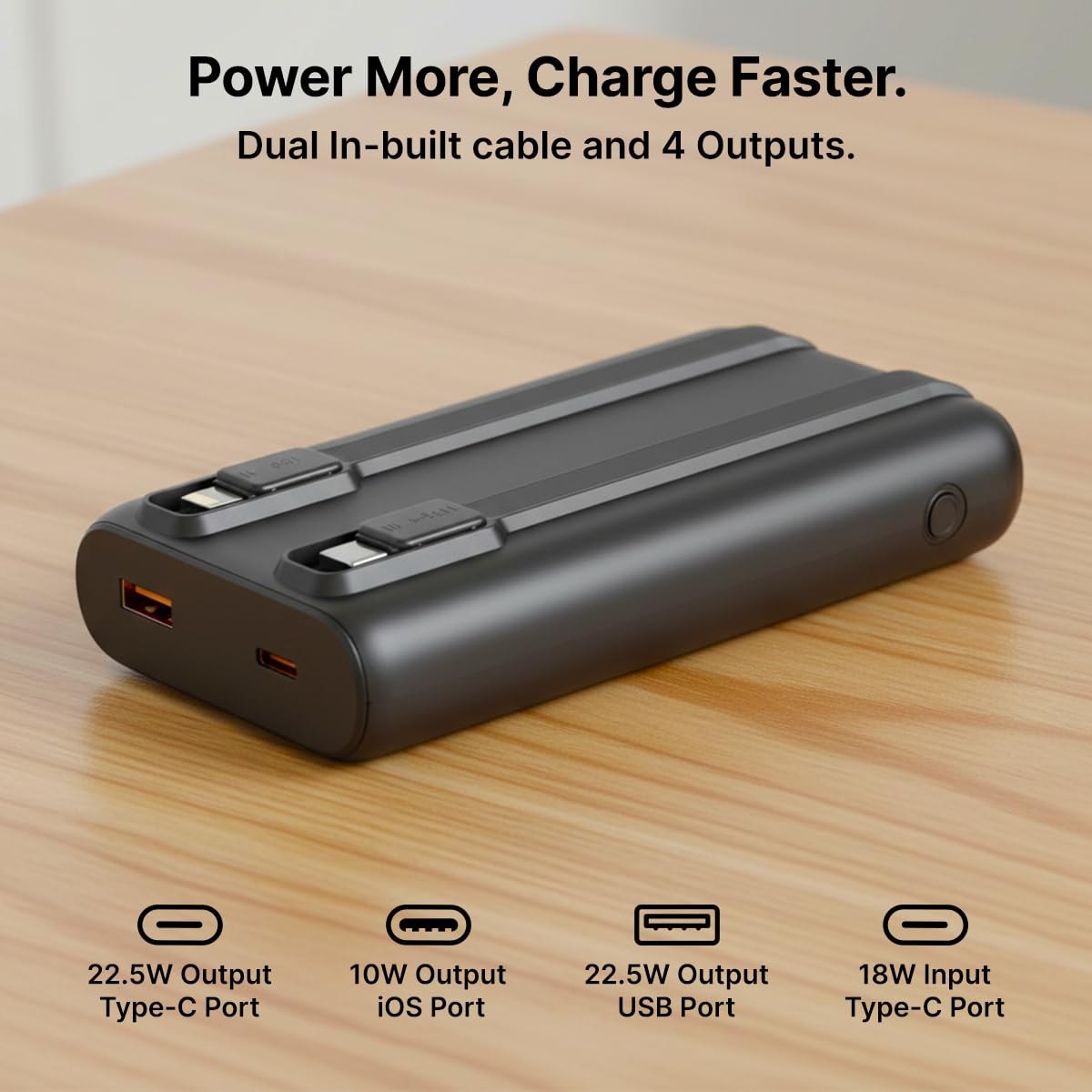
이미지: 자세한 view of the pTron Dynamo Storm Powerbank's various charging outputs, including the USB-A port, Type-C port, and the integrated Type-C and iOS cables.
4.2 공식 제품 영상
Video: A short demonstration of the pTron Dynamo Storm 20000mAh Powerbank, highlighting its sleek design, multiple charging options, and built-in cables for convenient use.
5. 유지관리
- 저장: 모바일 배터리는 직사광선과 극한의 온도를 피해 서늘하고 건조한 곳에 보관하세요.
- 청소: 보조 배터리를 닦을 때는 부드럽고 마른 천을 사용하십시오. 액체 세제나 연마성 재질은 사용하지 마십시오.
- 배터리 관리 : 배터리 수명을 연장하려면 자주 사용하지 않을 경우 최소 3개월에 한 번씩 보조 배터리를 완전히 충전하십시오. 배터리를 너무 자주 완전히 방전시키지 마십시오.
- 손질: 모바일 충전기를 떨어뜨리거나 강한 충격을 주지 마십시오.
6. 문제 해결
6.1 파워뱅크 충전 안됨
- 충전 케이블이 전원 은행과 벽면 충전기에 모두 단단히 연결되어 있는지 확인하세요.
- 벽면 충전기가 올바르게 작동하고 전원 콘센트에 연결되어 있는지 확인하세요.
- Try using a different Type-C cable or wall charger.
6.2 전원 은행에서 장치가 충전되지 않음
- 보조 배터리에 충전량이 충분한지 확인하십시오(LED 표시등 참조).
- Ensure the device's charging cable (built-in or external) is securely connected to both the power bank and the device.
- 충전이 자동으로 시작되지 않으면 보조 배터리의 전원 버튼을 눌러 충전을 시작하세요.
- Try using a different port or built-in cable.
- 사용하시는 기기가 보조 배터리의 출력 사양과 호환되는지 확인하십시오.
6.3 느린 충전
- Ensure both the power bank and your device support fast charging protocols (PD, QC, etc.).
- 고품질의 고속 충전 호환 케이블을 사용하세요.
- 여러 기기를 동시에 충전하면 각 기기의 충전 속도가 느려질 수 있습니다.
7. 사양
| 모델 번호 | Dynamo Storm |
| 배터리 용량 | 20000mAh |
| 입력(C형) | 18와트 |
| 출력(USB-A 포트) | 22.5와트 |
| Output (Type-C/PD Port) | 22.5와트 |
| 출력(내장 Type-C 케이블) | 22.5와트 |
| 출력(iOS 내장 케이블) | 10와트 |
| 커넥터 유형 | USB 타입 A, USB 타입 C |
| 특별 기능 | Built-in Cables, Fast Charging, LED Indicator Lights, Over Charging Protection, Pocket Size |
| 색상 | 검은색 |
| 품목 무게 | 414g |
| 패키지 크기 | 14.6 x 6.9 x 3.6cm |
| 제조업체 | 팔레드 일렉트로닉스 주식회사 |
8. 보증 및 지원
8.1 보증 정보
This pTron Dynamo Storm Powerbank comes with a 6 Months manufacturer warranty from the date of purchase, covering manufacturing defects only. Please retain your purchase receipt for warranty claims.
8.2 고객 지원
문의 사항, 기술 지원 또는 보증 청구 관련 문의는 pTron 고객 지원팀으로 연락해 주십시오.
- 이메일: support@ptron.in
- 핸드폰: 040-67138888
© 2026 pTron. 모든 권리 보유.