
Thunderobot Zero 16
Thunderobot Zero 16 게임용 노트북 사용 설명서
모델: 제로 16
1. 서론
This manual provides essential information for setting up, operating, and maintaining your Thunderobot Zero 16 Gaming Laptop. Please read this guide thoroughly to ensure optimal performance and longevity of your device.
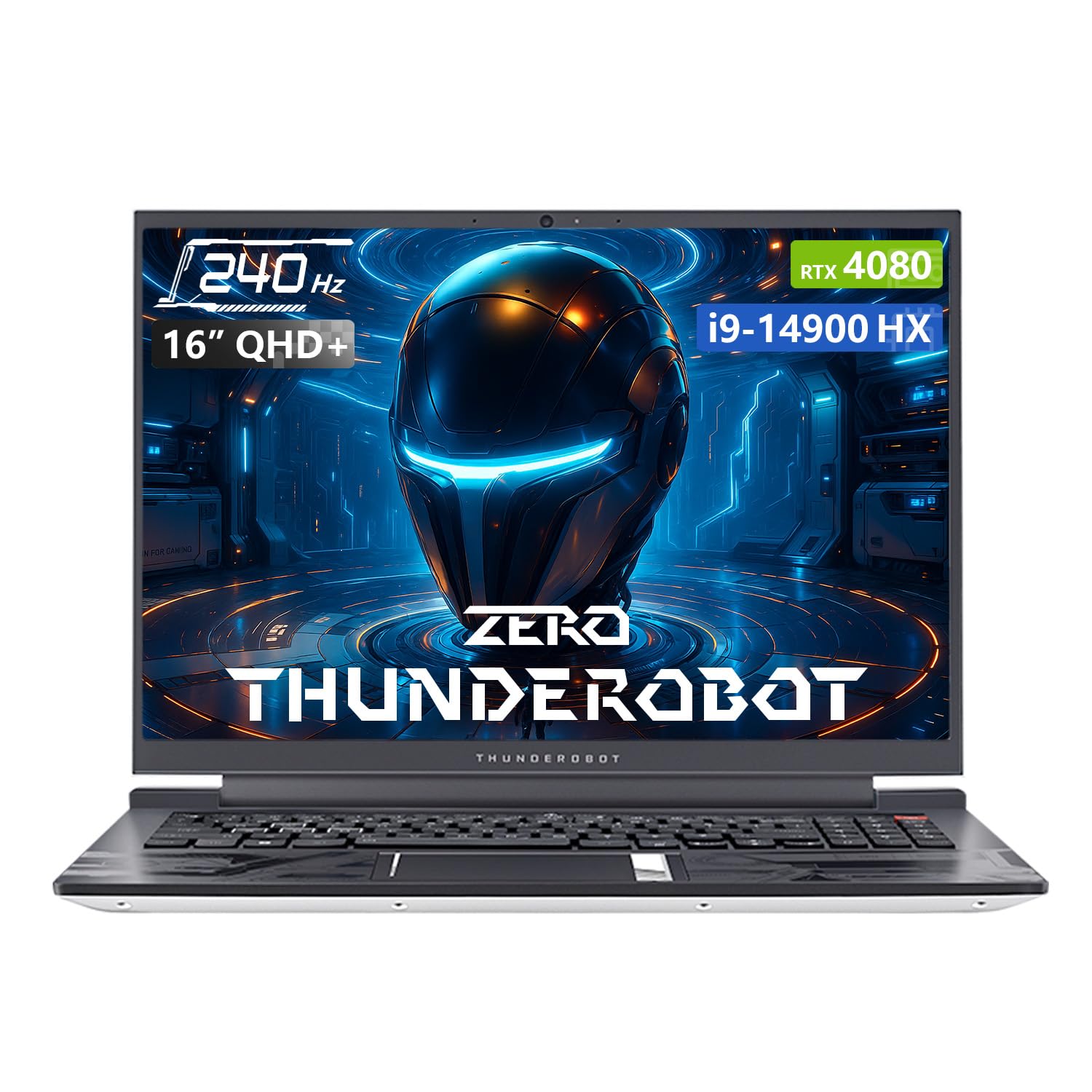
Image: The Thunderobot Zero 16 Gaming Laptop, showcasin세련된 디자인과 디스플레이.
2. 설정
2.1 포장 풀기 및 초기 검사
Carefully remove the laptop and all accessories from the packaging. Verify that all components are present and undamaged. The box should contain:
- 썬더로봇 제로 16 노트북
- 전원 어댑터 및 케이블
- 사용 설명서 (본 문서)
2.2 전원 연결
- 전원 어댑터를 노트북의 전원 입력 포트에 연결합니다.
- 전원 케이블을 벽면 콘센트에 꽂으세요.
- The laptop is designed to operate on AC power and will charge the battery automatically.
2.3 첫 번째 부팅 및 운영 체제 설정
Upon first startup, the Windows 11 Home operating system will guide you through the initial setup process. Follow the on-screen instructions to configure language, region, network settings, and user accounts.
3. 노트북 작동
3.1 디스플레이 기능
Your laptop features a 16-inch QHD+ (2560x1600) display with a 240Hz refresh rate, offering crisp visuals and smooth motion. It supports a 16:10 aspect ratio and high color accuracy.

Image: Close-up of the laptop display highlighting QHD+ resolution, 240Hz refresh rate, and color accuracy.
3.2 키보드 및 터치패드
The laptop is equipped with an RGB backlit keyboard featuring an independent numeric keypad. The keys have a 1.8mm travel distance for comfortable typing and gaming. The touchpad provides precise cursor control.

영상: View of the laptop's RGB backlit keyboard and touchpad, showing the numeric keypad and key travel.
3.3 Control Center Software
The Thunderobot Control Center software allows you to customize performance modes, fan speeds, and RGB lighting. It offers three main performance modes:
- 광폭 모드: Full performance release for demanding tasks.
- 게임 모드: Optimized for smooth gaming experiences.
- Audio and Office Mode: Balances performance with power efficiency for everyday use and extended battery life.
참고: 제어 센터에서 시스템 모드를 전환하려면 기기를 전원에 연결해야 합니다.
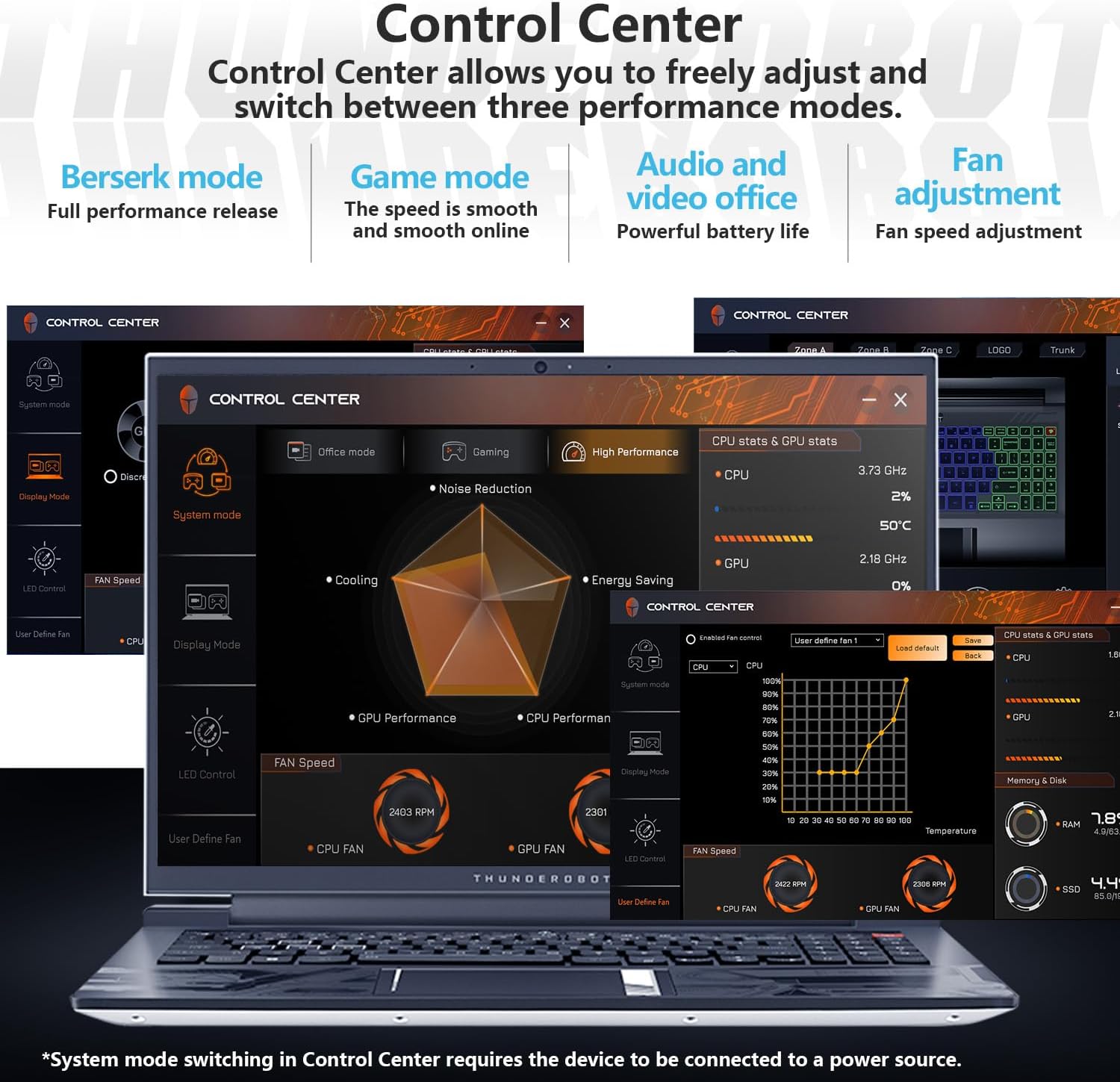
Image: Screenshots of the Thunderobot Control Center interface, showing options for performance modes, fan control, and system monitoring.
3.4 연결 및 포트
The laptop provides extensive connectivity options:
- 3 x USB 3.0 Type-A 포트
- USB Type-C 포트 1개
- 1 x HDMI 2.1 포트
- RJ45 이더넷 포트 1개
- 헤드폰/마이크 콤보 잭 1개
- 1 x Mini DP 1.4 port
- Integrated Wi-Fi 6 for fast wireless networking
- Bluetooth for connecting wireless peripherals

Image: Diagram illustrating the various ports available on the Thunderobot Zero 16 laptop, including USB, HDMI, RJ45, and Mini DP.
3.5 오디오 시스템
Equipped with Nahimic sound effects, the audio system delivers immersive sound quality with 3D surround, treble stabilization, and noise reduction features for an enhanced listening experience.

Image: Visual representation of the laptop's audio capabilities, highlighting Nahimic sound features like 3D surround and noise reduction.
4. 유지관리
4.1 냉각 시스템
The Thunderobot Zero 16 features an advanced direct-flow cooling technology with a wind tunnel structure, dual fans, four air outlets, and six air channels. This system includes 5*3D composite heat pipes and ultra-thin heat sink fins for efficient heat dissipation. Regular cleaning of air vents is recommended to maintain optimal cooling performance.

Image: Diagram illustrating the laptop's omnidirectional four air outlets and internal cooling components like heat pipes and dual turbo fans.
4.2 일반 관리
- 노트북은 깨끗하고 건조한 환경에 보관하십시오.
- 노트북을 극한의 온도나 직사광선에 노출시키지 마세요.
- Clean the screen with a soft, lint-free cloth and a screen-safe cleaning solution.
- Use compressed air to clear dust from keyboard and ventilation openings.
- 노트북 위에 무거운 물건을 올려놓지 마세요.
5. 문제 해결
| 문제 | 가능한 원인 | 해결책 |
|---|---|---|
| 노트북의 전원이 켜지지 않습니다. | 전원이 안 들어옴, 배터리 방전, 전원 어댑터 고장. | Ensure power adapter is securely connected and plugged into a working outlet. Check battery charge level. |
| 디스플레이가 비어 있습니다. | Laptop in sleep mode, external display connected, display driver issue. | Press any key or move the mouse to wake. Disconnect external displays. Restart the laptop. |
| 성능 저하 또는 과열. | Dust in vents, background applications, incorrect power mode. | Clean air vents. Close unnecessary applications. Switch to a higher performance mode in Control Center (ensure power adapter is connected). |
| Wi-Fi 연결 문제. | 와이파이가 비활성화되었나요? 드라이버 문제인가요? 라우터 문제인가요? | Ensure Wi-Fi is enabled. Restart router. Update Wi-Fi drivers. |
6. 사양
| 특징 | 세부 사항 |
|---|---|
| 상표 | 썬더로봇 |
| 모델명 | 제로16 |
| 프로세서 | Intel Core i9-14900HX(24코어, 32스레드, 최대 5.8GHz) |
| 그래픽 카드 | NVIDIA GeForce RTX 4080 노트북 GPU (12GB GDDR6) |
| 숫양 | 64GB DDR5 SDRAM(4800MHz) |
| 저장 | 2 TB PCIe M.2 SSD |
| 표시하다 | 16-inch QHD+ (2560x1600) LCD, 240 Hz Refresh Rate |
| 운영 체제 | 윈도우 11 홈 |
| 연결성 | Wi-Fi 6 (802.11ax), Bluetooth, Ethernet |
| 포트 | 3x USB 3.0 Type-A, 1x USB Type-C, 1x HDMI 2.1, 1x RJ45, 1x Headphone/Mic Combo, 1x Mini DP 1.4 |
| 건반 | RGB 백라이트, 숫자 키패드 |
| Web캠 | 예 |
| 치수(길이 x 너비 x 두께) | 14.09인치 x 10인치 x 0.82인치 |
| 색상 | 하얀색 |
7. 보증 및 지원
모든 Thunderobot 노트북에는 다음이 포함됩니다. 12개월 보증. This warranty provides expert support, thorough diagnostics, and genuine parts if a repair is needed. Additionally, a 90일 보증 모든 보증 교체 부품에 대해 서비스가 제공되므로 번거로움 없이 수리할 수 있습니다.
For technical assistance or warranty claims, please contact Thunderobot customer support through their official channels. Refer to the product packaging or the Thunderobot web연락처 정보 사이트.

Image: Information regarding Thunderobot's warranty and support services.
관련 문서제로16


Ask a question about this manual
Ask about setup, troubleshooting, compatibility, parts, safety, or missing instructions. Manuals+ will review the question and use this page’s manual context to help answer it.