
1. 서론
This manual provides detailed instructions for the safe and effective use of your Portkeys LH5C 5.4-inch Camera Monitor. Please read this manual thoroughly before operating the device and retain it for future reference. The Portkeys LH5C is a professional field monitor designed to enhance your filmmaking workflow with advanced monitoring tools and wired camera control capabilities.
2. 상자 안에 무엇이 들어있나요?
Verify that all items listed below are included in your package. If any items are missing or damaged, please contact Portkeys customer support.
- Portkeys LH5C Camera Monitor
- Protective Rubber Covers (2)
- 양산
- MH-2 마운트
- Mini Flash Drive
- A to D (Micro) HDMI Cable
- A to A HDMI 케이블
- USB-C Control Cable
- LANC Control Cable

Figure 2.1: Included Accessories for the LH5C Monitor.
3. 제품 오버view
The Portkeys LH5C is a compact and powerful 5.4-inch field monitor designed for professional videographers and filmmakers. It features a high-brightness IPS touchscreen and extensive camera control capabilities.
3.1 주요 특징
- 5.4인치 HD IPS 터치스크린: Offers a 1920x1152 resolution, 800 nits brightness, 1000:1 contrast ratio, and 10-bit color depth for accurate and clear monitoring.
- 유선 카메라 제어: Direct control over various camera settings (aperture, shutter, ISO, white balance) for compatible Sony, Canon, Panasonic, Blackmagic, and Z Cam cameras.
- 전문 모니터링 도구: Includes waveform, histogram, audio meters, customizable focus peaking, zebra patterns, ARRI False Color, 3D LUT support, anamorphic de-squeeze, rectangle cropping, crosshair, and framing grids.
- Freeze Frame with Overlay: Capture and overlay reference frames for precise shot matching and continuity.
- 유연한 전원 옵션: Supports Sony NP-F batteries (7-24V) and USB-C 5V power input.
- 4K30p Input & 1080p60 Output: Supports lossless 4K30p input with 1080p60 output, including 3D LUT pass-through.
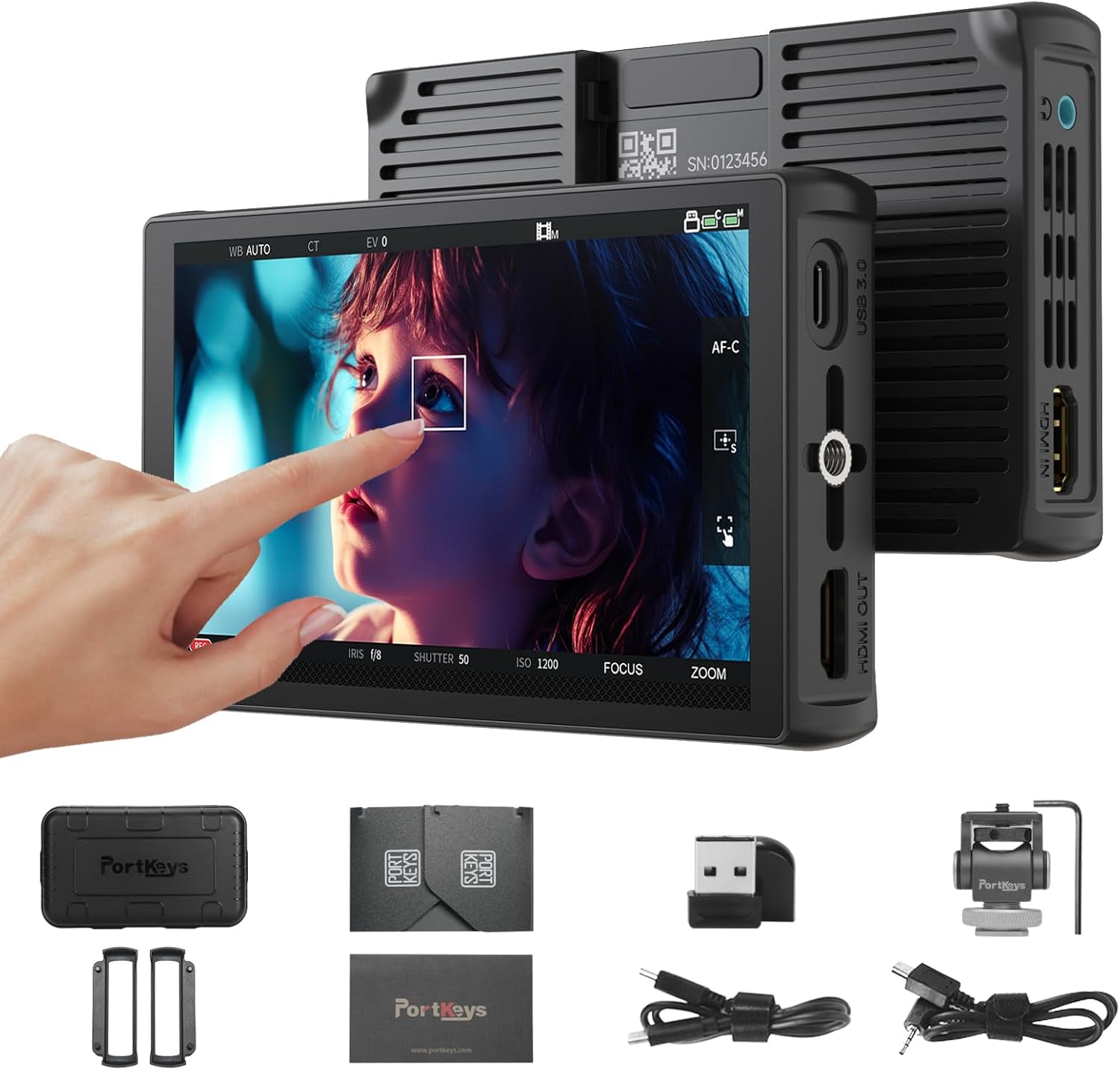
그림 3.1: 전면 view of the Portkeys LH5C Camera Monitor.

Figure 3.2: High-brightness display of the LH5C monitor.
3.2개 제품 이상view 동영상
영상 3.1: 간략한 제품 소개view of the Portkeys LH5C Camera Monitor, highlighting its main features and design.
4. 설정
4.1 모니터 전원 켜기
The LH5C monitor can be powered using either a Sony NP-F series battery or via a USB-C 5V power input.
- NP-F 배터리: Align the NP-F battery with the battery plate on the back of the monitor and slide it into place until it clicks. Ensure the battery is securely locked.
- USB-C 전원: Connect a USB-C cable from a 5V power source (e.g., power bank, wall adapter) to the USB-C port on the side of the monitor.
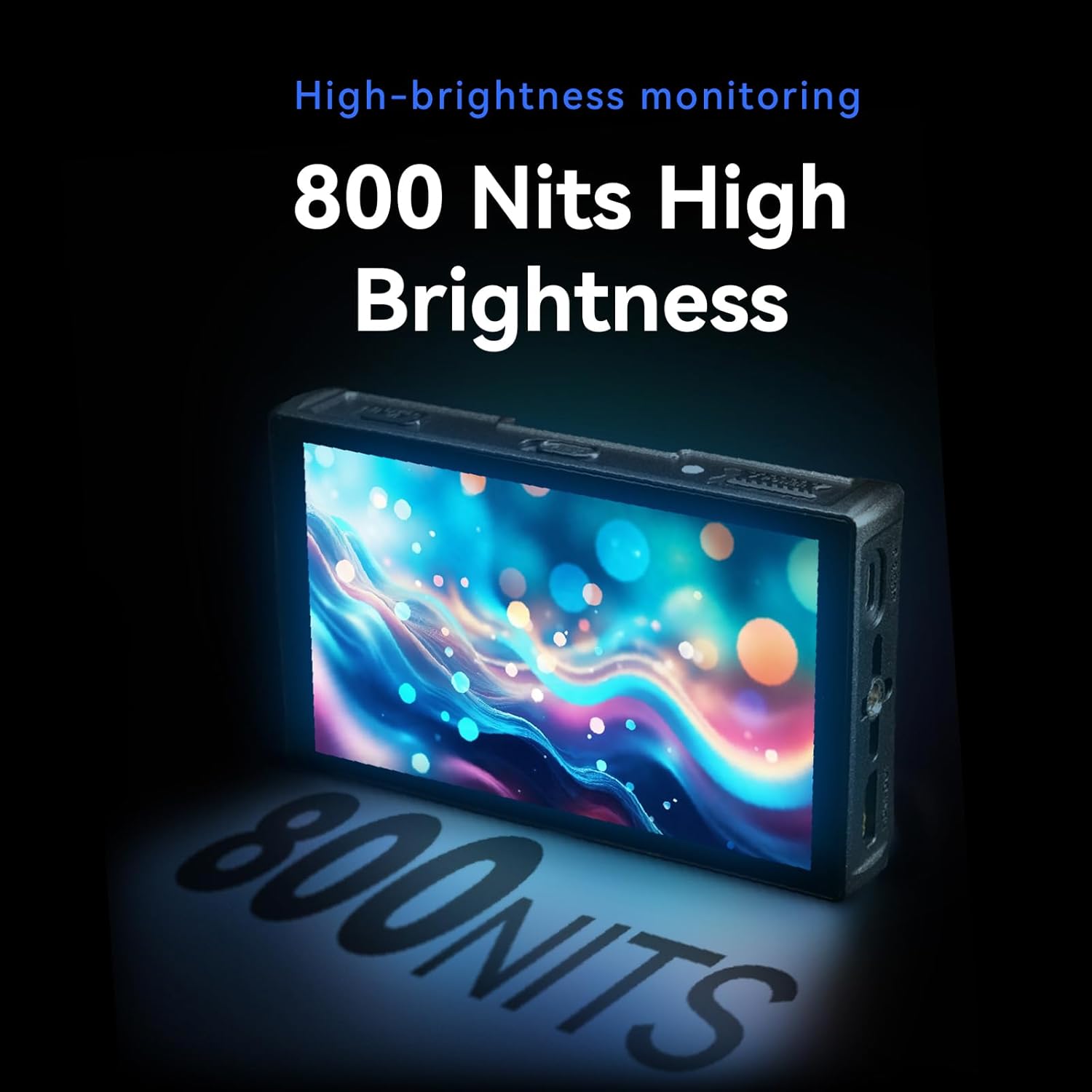
Figure 4.1: USB-C power input and HDMI output ports.
4.2 Connecting to a Camera (HDMI)
에게 view your camera's feed on the LH5C monitor:
- Connect one end of the provided HDMI cable (A to D Micro or A to A) to your camera's HDMI output port.
- Connect the other end of the HDMI cable to the HDMI IN port on the left side of the LH5C monitor.
- Power on both your camera and the monitor. The camera's video feed should appear on the monitor screen.
메모: If the monitor display does not fill the entire screen or the camera screen appears black, you may need to disable the camera's HDMI display settings (e.g., HDMI Info. Display) to restore normal display. Refer to your camera's manual for specific settings.

Figure 4.2: HDMI connection for 4K 30P input.
4.3 Connecting for Wired Camera Control
The LH5C supports wired camera control for various camera models. Ensure your camera's USB mode is set to 'Remote Shooting' or equivalent before connecting.
- Connect the appropriate control cable (USB-C or LANC) to your camera's USB port.
- Connect the other end of the control cable to the 'CAMERA REMOTE' port on the LH5C monitor.
- On the monitor, tap the screen to bring up the menu, select 'Camera', and then choose 'USB' or the relevant camera type (e.g., 'Sony Multi'). A control panel will appear, indicating a successful connection.

Figure 4.3: Wired camera control setup.
4.4 Setup and Connection Video Tutorial
Video 4.1: Unboxing and initial setup guide for the Portkeys LH5C Monitor, including power and basic connections.
Video 4.2: Detailed instructions on how to connect and use the Portkeys LH5C camera monitor with various camera models.
Video 4.3: Guide on connecting the LH5C monitor to a Sony A7M5 camera via wired connection and controlling its functions.
5. 사용 설명서
5.1 터치스크린 인터페이스 및 메뉴 탐색
The LH5C features an intuitive touchscreen interface. Tap the screen to bring up the main menu bar at the bottom. Swipe gestures allow for quick access to various settings and functions.
- 기능 버튼(F1-F4): Customize these buttons for quick access to frequently used tools.
- 설정: Access general monitor settings such as backlight, contrast, sharpness, saturation, and tint.

Figure 5.1: Main menu and feature collection on the LH5C monitor.
5.2 모니터링 도구
The LH5C offers a comprehensive suite of professional monitoring tools:
- 포커스 어시스트(피킹): Highlights in-focus areas with a selectable color.
- 얼룩말 패턴: 과다 노출된 영역을 나타냅니다.
- 거짓 색상 : Displays exposure levels using a color-coded map, including ARRI False Color.
- 파형 및 히스토그램: Visualizes luminance and color distribution for precise exposure control.
- 오디오 미터: 오디오 입력 레벨을 모니터링합니다.
- 3D LUT: Import up to 20 custom 3D LUTs via the included USB flash drive for real-time color grading preview and HDMI output.
- Anamorphic De-Squeeze: Supports 10 presets (1.00X to 2.00X) and custom ratios (0.25X-4.00X) for viewing anamorphic footage 올바르게.
- Freeze Frame with Overlay: Capture a frame and overlay it semi-transparently with live video for shot matching.
- 360° Color Grader: Allows manual selection and adjustment of hue, saturation, and brightness for specific colors on the screen.

Figure 5.2: Color accuracy and gamut representation on the LH5C.

Figure 5.3: Real-time 3D LUT preview.

Figure 5.4: 360° Color Grader interface.
5.3 카메라 제어
Once connected via the appropriate control cable, the LH5C allows you to control key camera parameters directly from the monitor's touchscreen:
- Record Start/Stop: Initiate and stop recording.
- 노출 설정: Adjust aperture (IRIS), shutter speed, and ISO.
- 화이트 밸런스: Change white balance settings.
- 초점 제어: Utilize touch-to-focus and intelligent focus tracking frame (currently for Sony cameras, other brands via firmware updates).
- 줌: Control camera zoom function (requires power zoom lens or digital zoom enabled on camera).

Figure 5.5: Touch Focus Frame in action.

Figure 5.6: Sony and Z Cam Camera Control List.

Figure 5.7: Canon Camera Control List.

Figure 5.8: Panasonic and Blackmagic Design Camera Control List.
6. 유지관리
- 청소: Use a soft, dry cloth to clean the monitor's exterior. For the screen, use a microfiber cloth specifically designed for electronics and a gentle screen cleaning solution. Avoid harsh chemicals or abrasive materials.
- 저장: When not in use, store the monitor in its protective safety box or a padded case to prevent damage. Avoid extreme temperatures and high humidity.
- 배터리 관리 : If using NP-F batteries, ensure they are charged and stored properly. Remove batteries if the monitor will not be used for an extended period.
7. 문제 해결
If you encounter issues with your Portkeys LH5C monitor, refer to the following common problems and solutions:
- 신호 없음/검은 화면:
- Ensure HDMI cables are securely connected to both the camera and the monitor.
- Check your camera's HDMI output settings. Disable any 'HDMI Info. Display' or similar overlays that might prevent a clean signal.
- Verify the monitor is powered on and has sufficient battery charge or external power.
- 가능하다면 다른 HDMI 케이블로 테스트해 보세요.
- 카메라 제어가 작동하지 않음:
- Confirm that the correct control cable (USB-C or LANC) is used and securely connected to both the camera and the monitor.
- Check your camera's USB connection mode and ensure it is set to 'Remote Shooting' or a compatible mode.
- On the monitor, select the correct camera type in the 'Camera' menu.
- Ensure your camera model is listed as compatible for wired control. Refer to the compatibility charts in Section 5.3.
- Check for available firmware updates for both your camera and the monitor, as compatibility may improve with newer versions.
- Display Not Filling Entire Screen:
- Adjust the aspect ratio settings on both your camera and the monitor to match.
- Check your camera's HDMI output resolution settings.
- 터치스크린이 반응하지 않음:
- 모니터를 다시 시작합니다.
- 화면이 깨끗하고 이물질이나 습기가 없는지 확인하세요.
8. 사양
| 특징 | 세부 사항 |
|---|---|
| 제품 치수 | 5.31 x 0.87 x 3.27 인치 |
| 품목 무게 | 12.3 온스 |
| 모델 번호 | LH5C |
| 스탠딩 스크린 디스플레이 크기 | 5.4 인치 |
| 종횡비 | 16시 9분 |
| 해결 | 1920 x 1152 픽셀(FHD 1080p) |
| 이미지 밝기 | 제곱미터당 800 칸델라(니트) |
| 대비율 | 1000시 1분 |
| 색상 깊이 | 10비트(8+2 FRC) |
| 색상 영역 | 85% DCI-P3, Full Rec.709 |
| View잉 각도 | 178° 초광각 |
| 입력 | 4K30p Lossless HDMI |
| 산출 | 1080p60 HDMI (with 3D LUT pass-through) |
| 전원 옵션 | USB-C 5V, Sony NP-F Battery (7-24V) |
| 제조업체 | 포트키스 |
9. 보증 및 지원
For warranty information and technical support, please refer to the official Portkeys web사이트를 방문하거나 고객 서비스에 직접 문의하세요. 보증 청구를 위해 구매 증빙 자료로 구매 영수증을 보관하세요.
제조업체: 포트키스
공식적인 Web대지: www.portkeys.com