
1. 서론
The Chameye CB101 is an all-in-one 4K video conference camera system designed for small to medium conference rooms. This system integrates a 4K PTZ camera with 10x optical zoom and AI auto-tracking, along with a professional Bluetooth speakerphone featuring 360° voice pickup and AI noise cancellation. This manual provides detailed instructions for setting up, operating, and maintaining your CB101 system to ensure optimal performance for your video conferencing needs.
2. 패키지 내용
아래 나열된 모든 품목이 패키지에 포함되어 있는지 확인해 주세요. 품목이 누락되었거나 손상된 경우 고객 지원팀에 문의해 주세요.
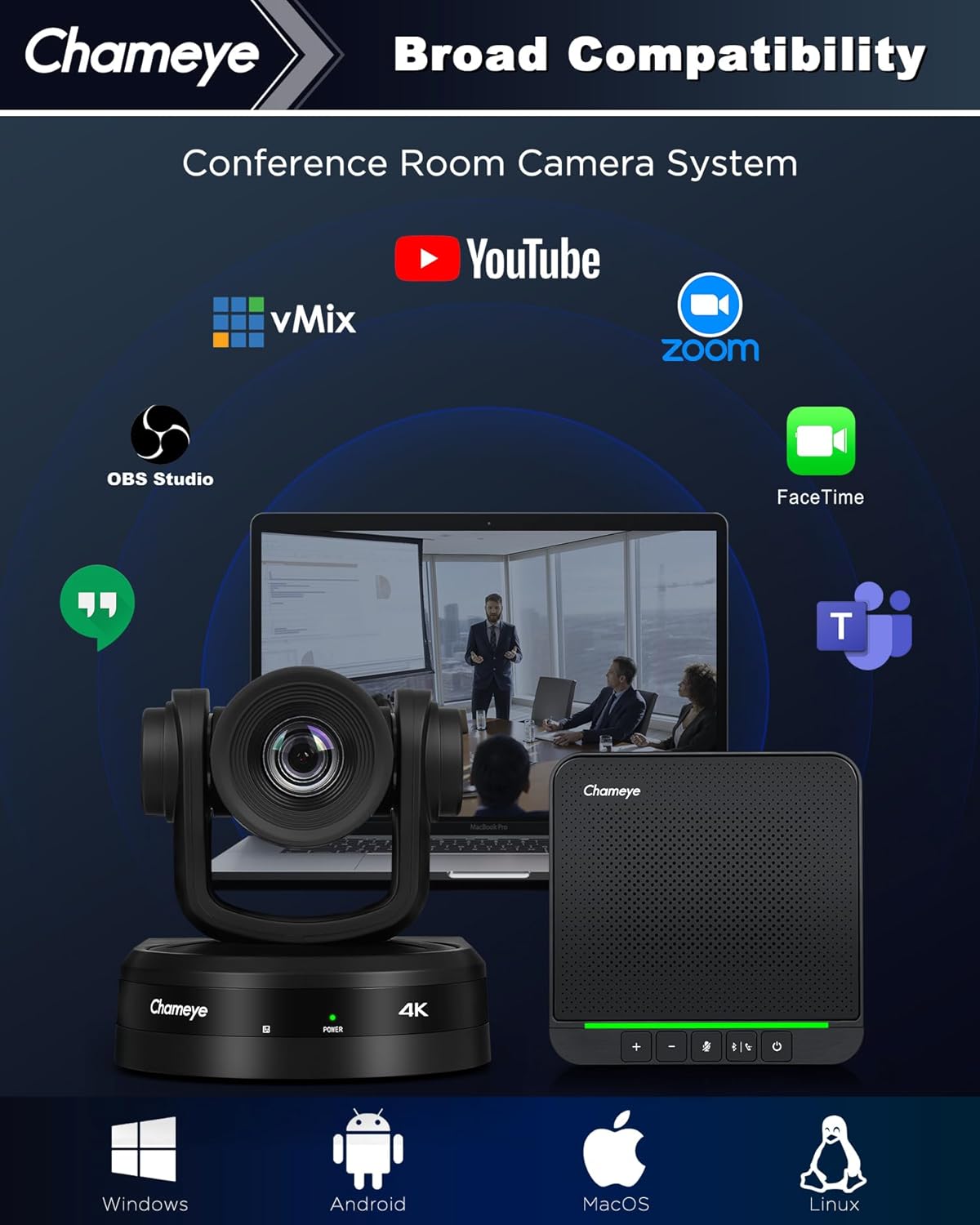
Image: The Chameye CB101 package contents, including the 4K PTZ camera, S4 speakerphone, remote control, various cables (USB3.0, LAN, Power), power adapter, wireless dongle, wall-mount bracket, ceiling bracket, and user manual. Also shown are different installation methods: tripod, ceiling, wall, and desktop mount.
- 4K PTZ 카메라
- S4 스피커폰
- 원격 제어
- USB3.0 케이블
- LAN 케이블
- 전원 케이블
- 전원 어댑터
- 무선 동글
- 벽걸이 브라켓
- 천장 브래킷
- 사용자 설명서
3. 제품 오버view
The Chameye CB101 system integrates advanced video and audio technologies to provide a seamless conferencing experience.
3.1 주요 특징
- 4K UHD PTZ Camera: Equipped with a 1/2.5-inch CMOS sensor, delivering 4K (3840x2160) resolution at 30fps.
- 10배 광학 줌: Allows for clear close-ups of participants even in larger rooms.
- AI 자동 추적: Automatically frames the active speaker, ensuring they remain the focus of the meeting.
- Multi-Interface Connectivity: Supports HDMI, USB 3.0, and LAN connections for video output.
- Professional Speakerphone: Features four built-in microphones with 360° voice pickup, covering an area of up to 5 meters (16 feet).
- AI 노이즈 제거: Effectively reduces background noises like keyboard clicks and air conditioning for clear audio.
- 광범위한 호환성: Plug-and-play with popular platforms such as Zoom, Microsoft Teams, Webex, OBS Studio, and more.

Image: An infographic detailing the Chameye CB101 system's features, including AI Tracking, 10x Optical Zoom, Multi-Interface (HDMI, USB3.0, LAN, TF Record, MIC IN), 4K UHD video, 16ft 360° Voice Pick-up, AI Noise Reduction, and Broad Compatibility with various conferencing platforms.

Image: A conference room setting demonstrating the AI auto-tracking feature of the Chameye 4K AI Tracking Conference Camera, highlighting how it keeps the active speaker in frame.
4. 설정
Follow these steps to set up your Chameye CB101 system.
4.1 물리적 설치
The camera can be installed in various ways:
- 데스크탑 마운트: Place the camera on a flat surface near your display.
- 삼각대 마운트: Attach the camera to a standard tripod using the tripod screw hole.
- 벽걸이 : Use the provided wall-mount bracket to secure the camera to a wall.
- 천장 마운트: Use the provided ceiling bracket to mount the camera to the ceiling.
Position the speakerphone centrally on the conference table for optimal voice pickup.
4.2 시스템 연결
The CB101 offers multiple connection options for both the camera and the speakerphone.

Image: Diagram illustrating the three connection options for the Chameye speakerphone: Bluetooth 5.0, Wireless Dongle, and USB cable. A close-up of the speakerphone's USB-C port is also shown.
카메라 연결:
- HDMI : Connect the camera to a display or capture card using an HDMI cable for video output.
- USB 3.0: Connect the camera to your computer using the USB 3.0 cable for video and control. This is typically used for direct connection to a conferencing PC.
- LAN(이더넷): Connect the camera to your network for IP streaming and control. Power over Ethernet (PoE) is supported.
- 힘: 카메라와 전원 콘센트에 전원 어댑터를 연결하세요.
Speakerphone Connections:
- USB 케이블 : Connect the speakerphone directly to your computer using the provided USB cable.
- 무선 동글: Plug the wireless dongle into your computer's USB port. The speakerphone will automatically pair.
- 블루투스 5.0 : Pair the speakerphone with your device via Bluetooth. Refer to your device's Bluetooth settings for pairing instructions.
Once connected, ensure your operating system recognizes both the camera and speakerphone as audio and video devices.
5. 사용 설명서
This section details how to operate your Chameye CB101 system during a conference.
5.1 카메라 작동
- 전원 켜기/끄기: Press the power button on the camera or use the remote control.
- PTZ 제어 : Use the remote control to pan, tilt, and zoom the camera manually.
- 10배 광학 줌: Adjust the zoom level using the remote control's zoom buttons.
- AI 자동 추적: Activate or deactivate AI auto-tracking via the remote control. When active, the camera will automatically follow the speaker.
- 사전 설정 위치: Save and recall specific camera positions using the preset buttons on the remote control.
5.2 스피커폰 작동
- 전원 켜기/끄기: Press and hold the power button on the speakerphone.
- 볼륨 조절: Use the '+' and '-' buttons on the speakerphone to adjust the volume.
- 음소거/음소거 해제: Press the microphone mute button to mute or unmute the microphones. The LED indicator will change color to show mute status.
- 통화 제어: Use the call answer/end button for managing calls on compatible platforms.
- 블루투스 페어링 : If connecting via Bluetooth, press and hold the Bluetooth button to enter pairing mode.
5.3 소프트웨어 통합
The Chameye CB101 is plug-and-play compatible with most video conferencing software. After connecting, select the Chameye camera as your video input and the Chameye speakerphone as your audio input/output within your chosen application's settings (e.g., Zoom, Microsoft Teams, Web전).

Image: An illustration showing the broad compatibility of the Chameye CB101 system with various operating systems (Windows, Android, MacOS, Linux) and conferencing platforms (YouTube, vMix, Zoom, OBS Studio, FaceTime, GoToMeeting, Microsoft Teams, Voov Meeting, Google Meet).
6. 유지관리
Proper maintenance ensures the longevity and optimal performance of your Chameye CB101 system.
- 청소: 부드럽고 마른 천을 사용하여 카메라 렌즈와 스피커폰 표면을 닦으세요. 연마성 세척제나 용제는 사용하지 마세요.
- 저장: When not in use for extended periods, store the system in a cool, dry place away from direct sunlight.
- 케이블 관리 : 모든 케이블이 깔끔하게 정리되어 있고 무리가 가지 않는지 확인하여 손상을 방지하세요.
- 펌웨어 업데이트: Chameye 공식을 주기적으로 확인하세요 web성능 향상 및 새로운 기능 추가를 위한 펌웨어 업데이트가 있는지 확인하려면 해당 사이트를 방문하십시오.
7. 문제 해결
If you encounter issues with your Chameye CB101 system, refer to the following common problems and solutions.
| 문제 | 가능한 원인 | 해결책 |
|---|---|---|
| 카메라에서 영상 출력이 없습니다. | Loose cable connection, incorrect input selection on display, camera not powered on, driver issue. | Check HDMI/USB 3.0/LAN cable connections. Ensure camera is powered on. Select correct input source on your display. Verify camera is selected as video source in conferencing software. Reinstall camera drivers if necessary. |
| 스피커폰에서 소리가 나지 않습니다. | Speakerphone not powered on, volume too low, muted, incorrect audio output selected. | Ensure speakerphone is powered on and not muted. Increase volume. Select Chameye speakerphone as audio output device in your computer's sound settings and conferencing software. |
| 마이크가 소리를 포착하지 못함 | Microphones muted, incorrect audio input selected, speakerphone too far from speaker. | Ensure microphones are not muted. Select Chameye speakerphone as audio input device in your computer's sound settings and conferencing software. Ensure speakerphone is within 5 meters (16 feet) of participants. |
| AI Auto-Tracking not working | Feature not activated, poor lighting conditions, subject too far or obscured. | Activate AI auto-tracking via the remote control. Ensure adequate lighting. Position subjects clearly within the camera's field of view. |
| 리모콘이 응답하지 않음 | Dead batteries, line of sight blocked. | Replace batteries in the remote control. Ensure there is a clear line of sight between the remote and the camera's IR receiver. |
If the problem persists, please contact Chameye customer support.
8. 사양
| 특징 | 세부 사항 |
|---|---|
| 모델 번호 | CB101 |
| 제조업체 | 참아이 |
| 비디오 캡처 해상도 | 4K(3840x2160) @ 30fps |
| 포토 센서 기술 | CMOS (1/2.5-inch, 8.51 megapixels) |
| 광학 줌 | 10배 |
| 최대 초점 거리 | 57 밀리미터 |
| 최대 조리개 | 1.6 피트 |
| 연결 기술 | Ethernet, HDMI, USB (USB 3.0) |
| Speakerphone Microphones | 4 built-in, 360° voice pickup (up to 5m/16ft) |
| 특별 기능 | 10x optical zoom, 4K, Professional Conference Speakerphone, USB3.0/HDMI/LAN, Wireless Conference Speaker, AI Auto-Tracking, AI Noise Cancellation |
| 제품 치수 | 18.1 x 18.1 x 17.6cm; 3.8kg |
| 색상 | 검은색 |
9. 보증 정보
Chameye products are covered by a limited warranty from the date of purchase. This warranty covers defects in materials and workmanship under normal use. It does not cover damage caused by misuse, accidents, unauthorized modifications, or external causes. Please retain your proof of purchase for warranty claims. For specific warranty terms and conditions, refer to the warranty card included in your package or visit the official Chameye web대지.
10. 고객 지원
If you require further assistance or have questions not covered in this manual, please contact Chameye customer support. Our team is available to help you with technical issues, product inquiries, and warranty services.
Please visit the official Chameye web연락처 정보, FAQ 및 추가 리소스를 제공하는 사이트입니다.