
1. 서론
Thank you for choosing the CINMOORE CM-C2U 3K Indoor Security Camera. This manual provides essential information for setting up, operating, and maintaining your camera to ensure optimal performance and security. This camera is designed for indoor use, offering advanced features such as 3K UHD video, AI-powered detection, pan-tilt-zoom functionality, and dual-band Wi-Fi connectivity.
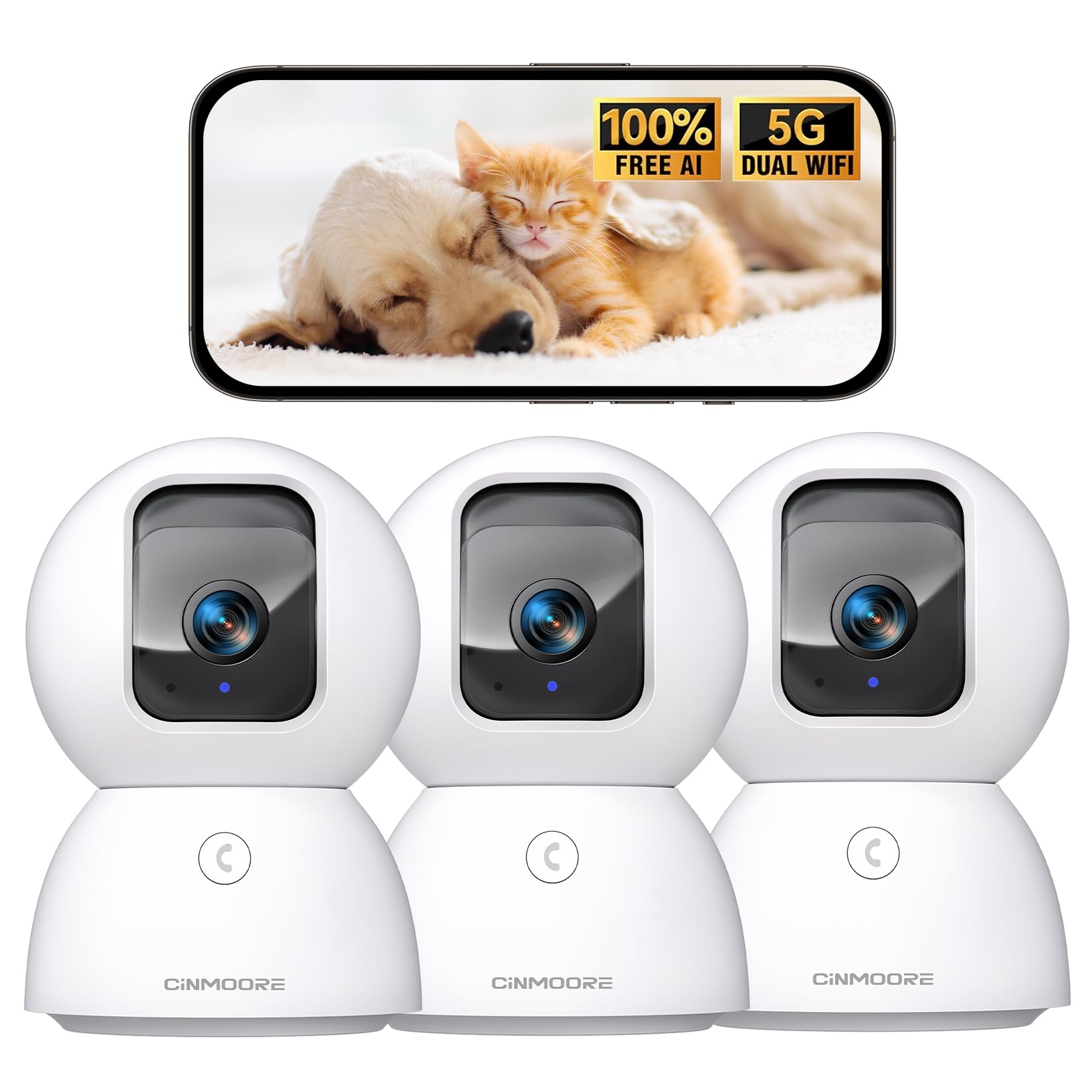
Figure 1: CINMOORE CM-C2U 3K Indoor Security Camera
2. 상자 안에 무엇이 들어있나요?
- CINMOORE Security Camera (x3)
- Mounting Bracket Base (x3)
- 전원 어댑터(x3)
- 데이터 케이블 (3개)
- 나사 앵커(x3)
- 사용 설명서(x1)
3. 설정 지침
3.1 초기 전원 켜기
- Connect the data cable to the camera's power port.
- 전원 어댑터를 표준 전기 콘센트에 연결하십시오.
- The camera will power on, and an indicator light will blink, signaling it's ready for setup.
3.2 앱 다운로드 및 연결
- Download the official CINMOORE app from your smartphone's app store (iOS or Android).
- 계정을 만들거나 이미 계정이 있으면 로그인하세요.
- Follow the in-app instructions to add your new camera. This typically involves scanning a QR code located on the camera's base.
- Connect the camera to your home Wi-Fi network. The camera supports Dual-Band 2.4GHz/5GHz Wi-Fi 6 for a stable connection.
Video: C2U Indoor Camera 1-minute Setup. This video demonstrates the quick and easy setup process for the CINMOORE C2U Indoor Camera, guiding users through connecting the device to the power supply and linking it to the mobile application.
4. 사용 설명서
4.1 실시간 영상 모니터링
Access the live feed from your camera anytime, anywhere via the CINMOORE app. The 3K UHD resolution provides clear and detailed visuals.

Figure 2: Demonstrates the superior 3K clarity of the camera's video feed compared to 2K resolution, highlighting vivid detail for monitoring.
4.2 팬-틸트-줌(PTZ) 제어
Use the virtual joystick in the app to remotely control the camera's movement. Enjoy a 360° horizontal pan and a 109° vertical tilt to cover every corner of your room. The camera also features AI auto-tracking to follow detected movement.

Figure 3: Illustrates the camera's comprehensive 360° pan and tilt capabilities, along with other key features like 3K Ultra HD, sound/crying alerts, and local facial recognition.
4.3 양방향 오디오
Engage in real-time conversations using the full-duplex two-way audio feature. Speak through the app and hear responses from the camera's location. A one-click call button can trigger family alerts.
4.4 AI 탐지 및 추적
The camera offers free AI detections for facial recognition (stores up to 5 faces locally), person detection, pet detection, baby crying detection, and smoke/gas alarm recognition. Receive instant alerts on your smartphone when activity is detected. Customize detection zones to focus on specific areas.

Figure 4: Highlights the camera's no-subscription local AI detection features, including recognition of up to 5 faces and 6 types of detections (person, pet, motion, noise, loitering, facial) while ensuring 100% privacy.
4.5 야간 투시경
The 0-Glow Night Vision 2.0 provides clear monitoring in low-light conditions without emitting a visible red glow, ensuring undisturbed sleep for babies and pets. The night vision range is up to 33 feet.

Figure 5: Compares the CINMOORE camera's 0-Glow Night Vision with a traditional camera's red glow, emphasizing safe and undisturbed monitoring for infants and pets.
4.6 저장 옵션
Choose between local storage via an SD card (up to 512GB, not included) for 24/7 recording, or optional AWS Cloud storage with bank-level security (30-day free trial available). SD card encryption ensures footage is only viewable within the CINMOORE App.

Figure 6: Details the camera's encrypted and secure storage options, including SD card support (up to 512GB, not included) and optional AWS Cloud Storage with a 30-day free trial.
4.7 개인 정보 보호 모드
Activate the one-tap privacy mode, which physically covers the camera lens, ensuring your privacy when you are home.
5. 장착 옵션
The CINMOORE CM-C2U camera offers flexible mounting options to suit your needs:
- 탁상용 마운트: 카메라를 테이블, 선반, 책상과 같은 평평한 표면에 놓기만 하면 됩니다.
- 벽걸이 : Use the included mounting bracket base and screw anchors to securely attach the camera to a wall.
- 천장 마운트: The camera can also be mounted to the ceiling using the provided bracket for an overhead view.
Ensure the camera is positioned to provide the optimal viewing angle for your desired monitoring area.
Video: Setup Guide for IMILAB indoor camera. This video provides a step-by-step guide on how to set up an IMILAB indoor camera, including unboxing, connecting to power, app setup, and mounting options.
6. 사양
| 모델명 | CM-C2U |
| 실내/실외 사용 | 실내 |
| 비디오 캡처 해상도 | 3K/4MP |
| 연결 프로토콜 | Wi-Fi (Dual-Band 2.4GHz/5GHz Wi-Fi 6) |
| 전원 | 코드식 전기 |
| 컨트롤러 유형 | 아마존 알렉사 |
| 장착 유형 | Ceiling Mount / Tabletop Mount / Wall Mount |
| 나이트 비전 범위 | 33 Feet (0-Glow) |
| 로컬 스토리지 | SD card (up to 512GB, not included) |
| 치수 | 3 x 4.5 x 3 인치 |
| 품목 무게 | 2.33파운드 |
7. 유지관리
- 청소: 부드럽고 마른 천으로 카메라 렌즈와 본체를 부드럽게 닦으세요. 강한 화학 물질이나 연마재는 사용하지 마세요.
- 펌웨어 업데이트: Regularly check the CINMOORE app for available firmware updates to ensure your camera has the latest features and security enhancements.
- 전원 주기: If the camera experiences connectivity issues, try unplugging it from the power source for 10 seconds and then plugging it back in.
- SD 카드 관리 : SD 카드를 사용하는 경우 주기적으로 다시 설정하세요.view 그리고 기록된 음식을 관리하세요tag카드가 가득 차는 것을 방지합니다.
8. 문제 해결
- 카메라가 Wi-Fi에 연결되지 않음:
- 와이파이 네트워크가 2.4GHz 또는 5GHz 대역을 사용하는지 확인하세요.
- 와이파이 비밀번호를 정확하게 입력했는지 확인하세요.
- 카메라를 Wi-Fi 라우터에 더 가까이 옮기세요.
- 라우터와 카메라를 다시 시작하세요.
- 낮은 비디오 품질:
- 인터넷 연결 속도를 확인하세요.
- 카메라 렌즈가 깨끗한지 확인하세요.
- 앱에서 동영상 화질 설정이 가능하다면 조정해 보세요.
- 동작 감지 알림 없음:
- 앱 설정에서 동작 감지 기능이 활성화되어 있는지 확인하십시오.
- Adjust motion sensitivity levels.
- 스마트폰의 앱 알림 설정을 확인하세요.
- 양방향 오디오 문제:
- 앱을 사용하려면 휴대폰의 마이크가 활성화되어 있는지 확인하세요.
- 앱의 볼륨 설정을 확인하세요.
- 원활한 의사소통을 위해 배경 소음을 최소화하십시오.
9. 보증 및 지원
The CINMOORE CM-C2U camera comes with a 24-month warranty. For any issues or inquiries, please contact CINMOORE customer support. We offer free replacement for eligible issues, extended warranty options, and professional support to ensure your satisfaction.
For further assistance, refer to the help section within the CINMOORE app or visit our official web대지.