
1. 서론
This manual provides detailed instructions for the safe and effective operation of your HelloBaby HB6081 Baby Monitor system. Please read this manual thoroughly before use and retain it for future reference. The system includes a 5.5-inch 720P HD monitor unit and two 1080P cameras, designed to provide secure and reliable monitoring of your baby without requiring a Wi-Fi connection.
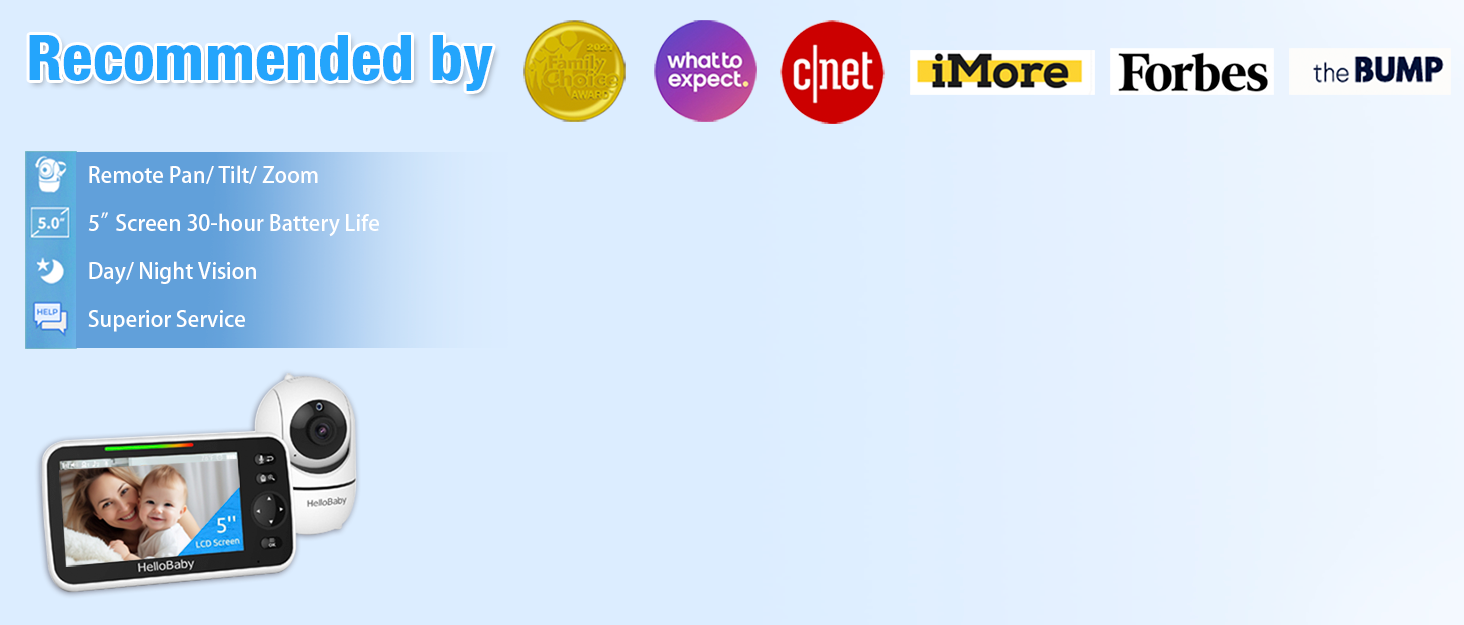
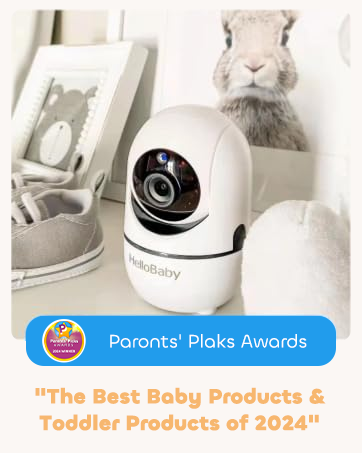
The HelloBaby HB6081 Baby Monitor system, featuring a parent unit and a camera, is designed for secure baby monitoring.
2. 중요한 안전 정보
- 목졸림 위험: Keep all cords out of reach of children. Never place the camera or cords within 3 feet (1 meter) of the crib or playpen. Secure cords to a wall or floor using clips or ties.
- 질식 위험: 이 제품에는 작은 부품이 포함되어 있습니다. 어린이의 손이 닿지 않는 곳에 보관.
- 과열: Do not cover the monitor or camera with clothing, blankets, or any other material. Ensure proper ventilation.
- 물과 습기: Do not expose the product to water or moisture. Do not use near bathtubs, sinks, or other wet areas.
- 전원: Use only the AC power adapters provided. Using other adapters may damage the device and void the warranty.
- 배터리 안전: The monitor unit contains a rechargeable battery. Do not attempt to replace it yourself. Contact customer support for battery service.
3. 패키지 내용
패키지에 모든 품목이 들어 있는지 확인하세요.
- 720P 5.5" HD Baby Monitor (Parent Unit) x 1
- 1080P Plug-In Baby Camera x 2
- Charger x 3 (for monitor and cameras)
- 사용 설명서 x 1
- Extra Wall Mounting Screws x 2
4. 제품 오버view
4.1 상위 유닛(모니터)
The parent unit features a 5.5-inch 720P HD display for clear viewing of your baby. It includes controls for camera functions, two-way talk, and menu navigation.
4.2 베이비유닛(카메라)
Each baby unit is a 1080P camera equipped with pan, tilt, and zoom capabilities, as well as infrared night vision and a microphone for two-way audio. The cameras connect wirelessly to the parent unit using a secure 2.4GHz FHSS encrypted technology, ensuring privacy and preventing hacking.

The HelloBaby HB6081 system includes one parent unit and two baby cameras.
4.3 주요 특징
- 보안 연결: No Wi-Fi, no internet, no app required. Private, closed transmission system.
- 5.5" HD Split-Screen Display: View up to two cameras simultaneously.
- 듀얼 1080P 카메라: High-definition video feed.
- Pan-Tilt-Zoom: Remote control of camera angle (355° pan, 120° tilt) and 2x digital zoom.
- 양방향 대화: Communicate with your baby or partner.
- 자동 적외선 야간 투시경: 분명한 view어두운 곳이나 조명이 약한 곳에서.
- 4000mAh 배터리: Extended battery life for the parent unit.
- 추가 기능: Adjustable lullabies, soothing night light, room temperature monitoring, feeding timer, VOX (Voice Operated Exchange) mode.
Key features of the HelloBaby HB6081 monitor, including pan-tilt-zoom, long range, night vision, and two-way audio.
This video demonstrates the features and ease of use of the HelloBaby baby monitor, including its secure connection, pan-tilt-zoom, and night vision capabilities.
5. 설정
5.1 상위 장치 충전
- Connect the small end of one power adapter to the parent unit's charging port.
- 어댑터의 다른 쪽 끝을 전원 콘센트에 연결하십시오.
- 최적의 배터리 성능을 위해 처음 사용하기 전에 본체를 최소 4시간 동안 충전하십시오. 화면의 배터리 아이콘으로 충전 상태를 확인할 수 있습니다.
5.2 베이비 유닛(카메라) 전원 공급
- Connect the small end of the remaining power adapters to each baby unit's power port.
- Plug the other end of each adapter into a power outlet.
- The baby units will power on automatically when connected to power.
5.3 Positioning the Baby Units (Cameras)
- Place the baby unit on a flat surface, such as a dresser or shelf, or mount it to a wall or crib using the provided screws.
- Ensure the camera is at least 3 feet (1 meter) away from your baby to prevent strangulation hazards from the power cord.
- Position the camera to provide a clear view 아기 침대나 놀이 공간.
- 카메라를 직사광선이나 열원 근처에 두지 마십시오.
5.4 초기 페어링 (필요한 경우)
Your cameras are pre-paired to the parent unit. If a camera loses connection or you add an additional camera (up to 4 total), follow these steps to pair:
- Turn on the parent unit and the baby unit you wish to pair.
- 부모 장치에서 다음을 누릅니다. 메뉴 단추.
- 로 이동합니다 카메라 icon and select it.
- Choose an available camera slot (e.g., Camera 2, Camera 3, Camera 4) and select 쌍.
- 10초 이내에 쌍 button on the back of the baby unit until the parent unit displays the camera's video feed.
6. 사용 설명서
6.1 전원 켜기/끄기
- 부모 장치를 켜려면 버튼을 길게 누르십시오. 힘 button until the HelloBaby logo appears.
- To turn off the parent unit, press and hold the 힘 화면이 꺼질 때까지 버튼을 누르세요.
- Baby units power on automatically when connected to an electrical outlet.
6.2 메뉴 탐색
사용하세요 메뉴 button to access settings and features. Use the directional arrows (위/아래/왼쪽/오른쪽) 탐색하고 OK 버튼을 눌러 선택 사항을 확인하세요.
6.3 팬, 틸트, 줌(PTZ)
- 하는 동안 viewing a camera, use the directional arrows on the parent unit to remotely pan (move horizontally) and tilt (move vertically) the camera.
- 를 누르세요 줌 button (magnifying glass icon) to activate 2x digital zoom. Use the directional arrows to move the zoomed image. Press 줌 again to exit zoom mode.

The parent unit allows remote control of camera pan, tilt, and zoom functions.
6.4 양방향 대화
- 를 누르고 계세요 마이크로폰 button on the parent unit to speak to your baby through the camera's speaker.
- Release the button to stop speaking and listen to your baby.

The two-way talk feature allows communication between the parent unit and the baby unit.
6.5 야간 투시경
The baby unit automatically activates infrared night vision in low-light conditions, providing a clear black and white image on the parent unit. No manual adjustment is required.

The monitor provides clear day and night imaging with automatic infrared night vision.
6.6 Split-Screen View
- If you have multiple cameras, access the 카메라 메뉴.
- 선택하세요 분할 화면 옵션 view feeds from two cameras simultaneously.
- The system supports up to four cameras, allowing for multi-child monitoring.

The split-screen function allows monitoring of multiple cameras simultaneously.
6.7 VOX (Voice Operated Exchange) / ECO Mode
- VOX mode conserves battery by turning off the screen when no sound is detected from the baby unit. The screen will automatically turn on when sound is detected.
- To activate or adjust VOX sensitivity, go to the 메뉴 그리고 선택하세요 VOX 감도 option. Choose from low, medium, or high sensitivity levels.
6.8 자장가와 수면등
- 접근하기 자장가 option in the menu to play soothing melodies through the baby unit. You can select individual lullabies or a continuous loop.
- The baby unit features a gentle night light. This can be controlled via the menu on the parent unit.
6.9 Temperature Monitoring and Feeding Timer
- The current room temperature is displayed on the parent unit screen. You can set temperature alerts in the menu to be notified if the room temperature goes above or below a set range.
- 그만큼 먹이 주기 타이머 feature allows you to set reminders for feeding times, helping you maintain a consistent schedule.
7. 유지관리
- 청소: Use a soft, dry cloth to clean the surfaces of the parent unit and baby units. Do not use cleaning sprays or liquid cleaners.
- 배터리 관리 : To prolong battery life, avoid fully discharging the parent unit battery frequently. Charge it regularly. If storing the unit for an extended period, charge it to about 50% and store in a cool, dry place.
- 저장: Store the monitor system in a clean, dry environment away from extreme temperatures.
8. 문제 해결
| 문제 | 가능한 해결책 |
|---|---|
| 상위 장치에 이미지가 없습니다. |
|
| 화질이 나쁘다 |
|
| 소리가 나지 않거나 왜곡 된 소리 |
|
| 부모 유닛 배터리가 빨리 소모됩니다 |
|
9. 사양
| 특징 | 세부 사항 |
|---|---|
| 모델 번호 | HB6081 |
| 화면 크기 | 5.5 인치 |
| 모니터 해상도 | 720P HD |
| 카메라 해상도 | 1080피 |
| 연결 기술 | 2.4GHz FHSS (Wi-Fi 없음) |
| 팬 각도 | 355도 |
| 기울기 각도 | 120도 |
| 디지털 줌 | 2x |
| 부모 유닛 배터리 | 4000mAh(충전식) |
| 전원 | Battery Powered (Monitor), Plug-In (Cameras) |
| 작동 온도 | 0°C - 40°C (32°F - 104°F) |
| 치수(모니터) | 8.5 x 4.2 x 5.2 인치(대략) |
| 무게 | 2.07 pounds (total package approximate) |
10. 보증 및 지원
HelloBaby products are designed for reliability and performance. For warranty information, technical support, or customer service inquiries, please refer to the contact details provided on the HelloBaby official web사이트 또는 제품 포장에 손상이 있을 수 있습니다. 보증 청구를 위해 구매 증빙 자료로 구매 영수증을 보관하세요.