소개
Thank you for choosing the Generic Brachiosaurus Dinosaur Adjustable Cell Phone Stand. This stand is designed to provide a stable and ergonomic viewing experience for your smartphone or tablet, allowing for hands-free use in various settings. Its foldable and adjustable design ensures portability and comfort.
설정
Follow these steps to set up your cell phone stand:
- 바닥을 펼치세요: Gently unfold the base of the stand until it lies flat and stable on your desired surface.
- 지지대를 펼치세요: Pull the adjustable support arm upwards from the base to your preferred height. The stand features a telescopic design for height adjustment.
- Adjust the Device Holder: Tilt the device holder at the top to your desired viewing angle. The holder can be adjusted up to 135 degrees for optimal view주고받음.
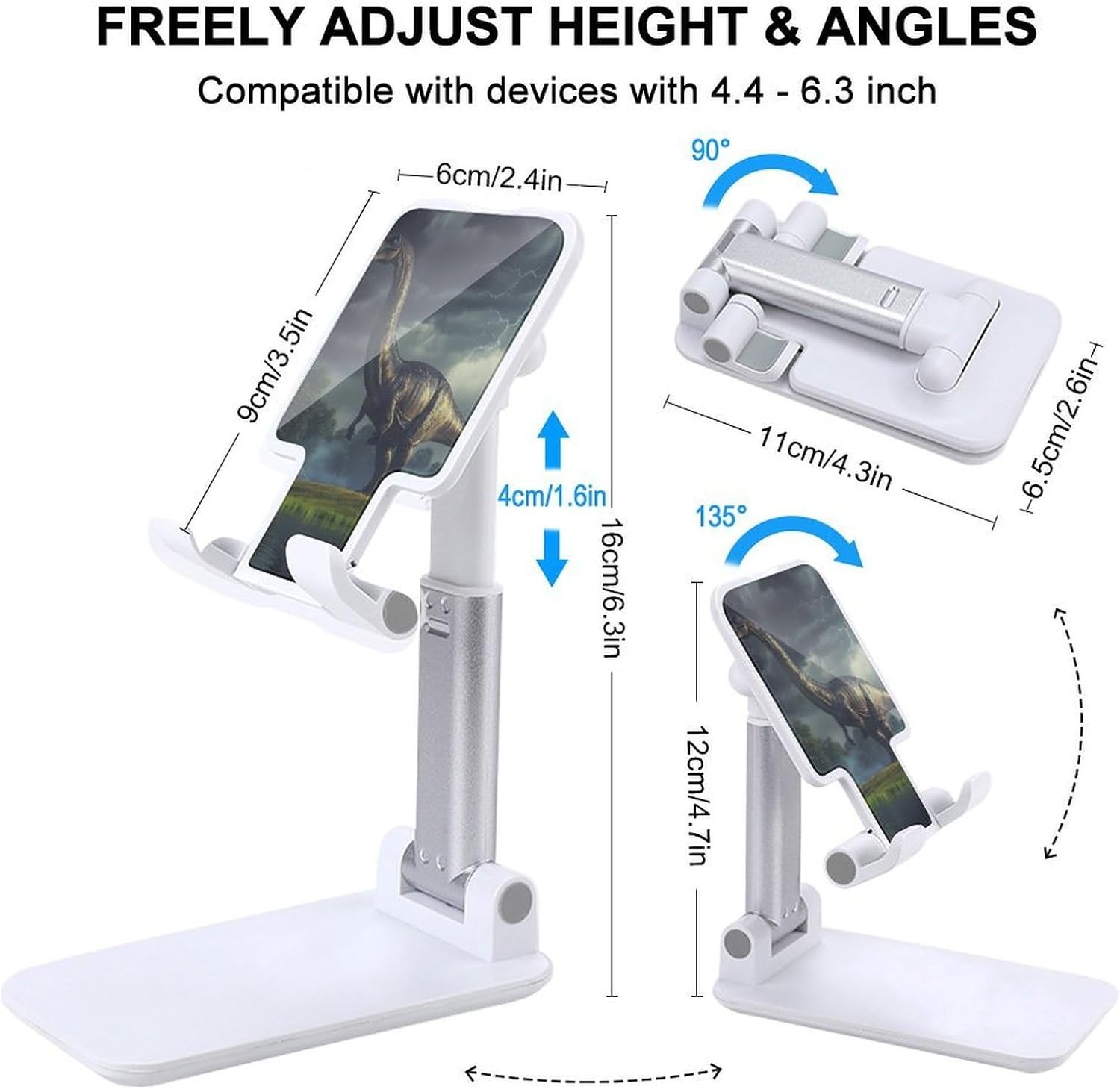
Image: The stand can be freely adjusted in height and angle, compatible with devices from 4.4 to 6.3 inches. Dimensions for height and angle adjustments are shown.
작동 지침
Using your adjustable cell phone stand is straightforward:
- 장치 배치: Place your smartphone or tablet onto the device holder. Ensure it rests securely within the cradle. The stand is compatible with devices ranging from 4 to 13 inches.
- 충전 접근: The stand features a reserved charging hole, allowing you to charge your device while it is on the stand without obstructing the charging port.
- 화면 가시성: The design ensures that the device holder does not block the screen, providing full visibility of your content.
- 안정: The base is equipped with anti-skid pads to prevent the stand from sliding on smooth surfaces, ensuring your device remains stable.
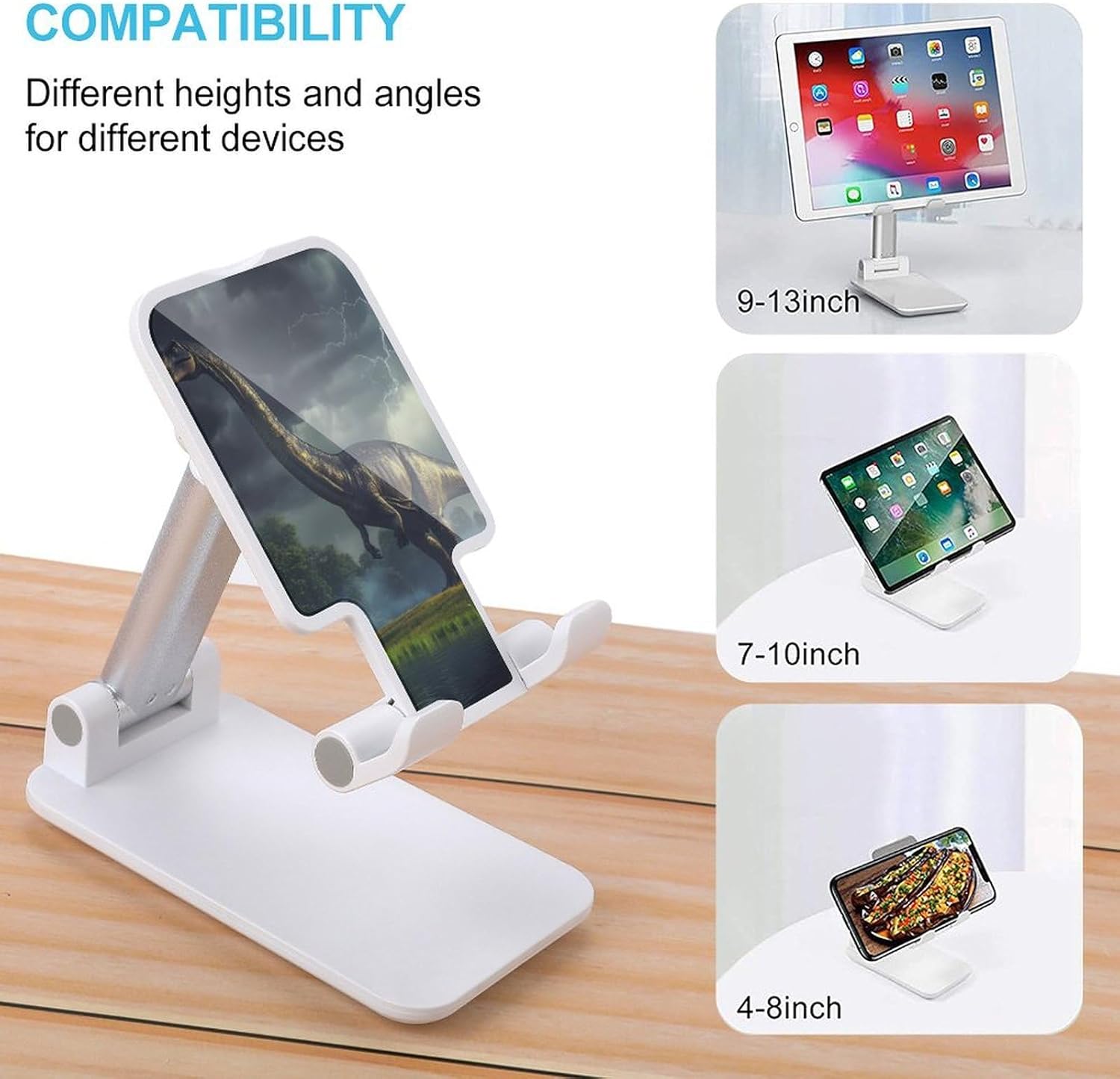
Image: The stand offers different heights and angles for various devices, demonstrating compatibility with 9-13 inch tablets, 7-10 inch tablets, and 4-8 inch smartphones.

이미지: 상세 view showing that the stand does not block the screen, has a reserved charging hole, and features an anti-skid pad on the base for stability.
유지
To ensure the longevity and proper function of your cell phone stand, follow these simple maintenance guidelines:
- 청소: 스탠드를 부드러운 천으로 닦으세요.amp 천 소재를 사용하십시오. 연마성 세제나 용제는 소재를 손상시킬 수 있으므로 사용하지 마십시오.
- 저장: When not in use, fold the stand to its compact size and store it in a dry place away from direct sunlight or extreme temperatures.
- 점검: Periodically check the hinges and adjustable parts for any signs of wear or looseness.
문제 해결
If you encounter any issues with your cell phone stand, refer to the following common solutions:
- 받침대가 불안정합니다.
- Ensure the base is fully unfolded and placed on a flat, stable surface.
- Verify that the anti-skid pads on the base are clean and intact.
- Check that your device is centered on the holder to distribute weight evenly.
- Device does not fit:
- Confirm your device size is within the compatible range of 4 to 13 inches.
- Remove any bulky cases from your device that might prevent it from seating properly.
- 조정이 엄격합니다.
- Apply gentle, even pressure when adjusting height or angle. Avoid forcing the mechanisms.
- 움직이는 부분을 방해하는 이물질이 없는지 확인하세요.
명세서
| 특징 | 세부 사항 |
|---|---|
| 상표 | 일반적인 |
| 모델 번호 | 폰 스탠드 |
| ASIN | B0FVLKQR64 |
| 제조업체 | SONGTING |
| 재료 | 플라스틱 |
| 색상 | White-Style |
| 호환 장치 | 스마트폰, 태블릿(4~13인치) |
| 품목 무게 | 7.4 온스 |
| 패키지 크기 | 17 x 11.5 x 3 인치 |
보증 및 지원
For warranty information or technical support, please refer to the retailer where the product was purchased. As this is a Generic branded product, specific warranty details may vary by seller.
For further assistance, you may contact the manufacturer, SONGTING, through their official channels if available, or the seller LEADTon via the Amazon platform.


