
1. 서론
This manual provides detailed instructions for the safe and efficient use of your Qubo X232 phone. Please read this manual thoroughly before operating the device and retain it for future reference.
2. 제품 오버view
The Qubo X232 is a 4G mobile phone designed for ease of use, featuring a large 2.3-inch screen, loud audio, and a dedicated SOS emergency button. Its robust 1700mAh battery ensures extended usage, and the unlocked status provides compatibility with various Mexican carriers.
2.1. 패키지 내용
- Qubo X232 Phone
- 1700mAh 배터리
- USB Type-C 충전 케이블
- USB OTG 어댑터
- 사용자 설명서
3. 주요 특징
- Clear Display & Simple Operation: Features a 2.3-inch color screen for enhanced readability, large illuminated buttons with voice prompts, and a simplified user interface for straightforward navigation. Includes side buttons for keypad lock/unlock and volume control.
- SOS 비상 기능: A dedicated SOS button allows for automatic dialing to up to 5 pre-set emergency contacts and simultaneous alert message sending.
- Loud Audio & Clear Calls: Equipped with a high-volume speaker for improved audibility in various environments. Supports 3.5mm headphones and Bluetooth accessories.
- Efficient 1700mAh Battery: Offers extended battery life, providing up to 14 days of standby time depending on usage. Features a reversible USB Type-C port for convenient charging.
- Unlocked & Wide Compatibility: Compatible with major Mexican carriers including Telcel, AT&T, Movistar, BAIT, CFE, and Altan. Supports 4G, 3G, and 2G networks, and accepts 5G SIM cards operating on 4G.
- 통합 도구: Includes FM radio (usable without headphones), camera, multimedia player, alarm, calendar, calculator, call recorder, SMS, and photo contacts.
- 컴팩트하고 인체공학적인 디자인: Dimensions of 132.1 x 58.2 x 14.1 mm and a weight of approximately 110 grams ensure comfortable handling and portability.
4. 설정
4.1. SIM 카드 및 배터리 설치
- 휴대폰의 뒷면 커버를 조심스럽게 제거하세요.
- Insert your Nano SIM card(s) into the designated slot(s). Ensure the gold contacts face downwards and the card is correctly oriented.
- If desired, insert a MicroSD card (up to 64GB) into its dedicated slot for expanded storage.
- Place the 1700mAh battery into the battery compartment, aligning the contacts.
- 뒤쪽 덮개를 제자리에 딸깍 소리가 날 때까지 다시 끼웁니다.
4.2. 초기 충전
Before first use, fully charge the phone battery. Connect the USB Type-C cable to the phone's charging port and the other end to a compatible USB power adapter. The charging indicator will show the battery status. A full charge typically takes a few hours.

The Qubo X232 features a 1700mAh battery for extended use, with convenient Type-C charging.
4.3. 전원 켜기 / 끄기
- 전원을 켜려면: 전원/통화 종료 버튼(일반적으로 빨간색)을 화면이 켜질 때까지 길게 누르세요.
- 전원을 끄려면: 전원/통화 종료 버튼을 길게 누르면 전원 끄기 옵션이 나타납니다. 그런 다음 '전원 끄기'를 선택하세요.
5. 사용 설명서
5.1. 기본 탐색
Use the directional keys (up, down, left, right) to navigate through menus. The 'OK' button (center) confirms selections, and the 'Back' button (often the right soft key) returns to the previous screen.

The Qubo X232 features a user-friendly, multi-language menu with voice prompts for keys, enhancing ease of use.
5.2. 전화 걸고 받기
- 전화하려면: 키패드를 사용하여 전화번호를 입력하고 녹색 통화 버튼을 누르세요.
- 대답하려면: 전화벨이 울리면 초록색 통화 버튼을 누르세요.
- 통화를 종료하려면: 빨간색 통화 종료 버튼을 누르세요.
- 단축 다이얼: Assign frequently called numbers to specific keys for quick dialing. Refer to the 'Phone Settings' menu for setup.
- Photo Contacts: Store contacts with associated photos for easy visual identification.
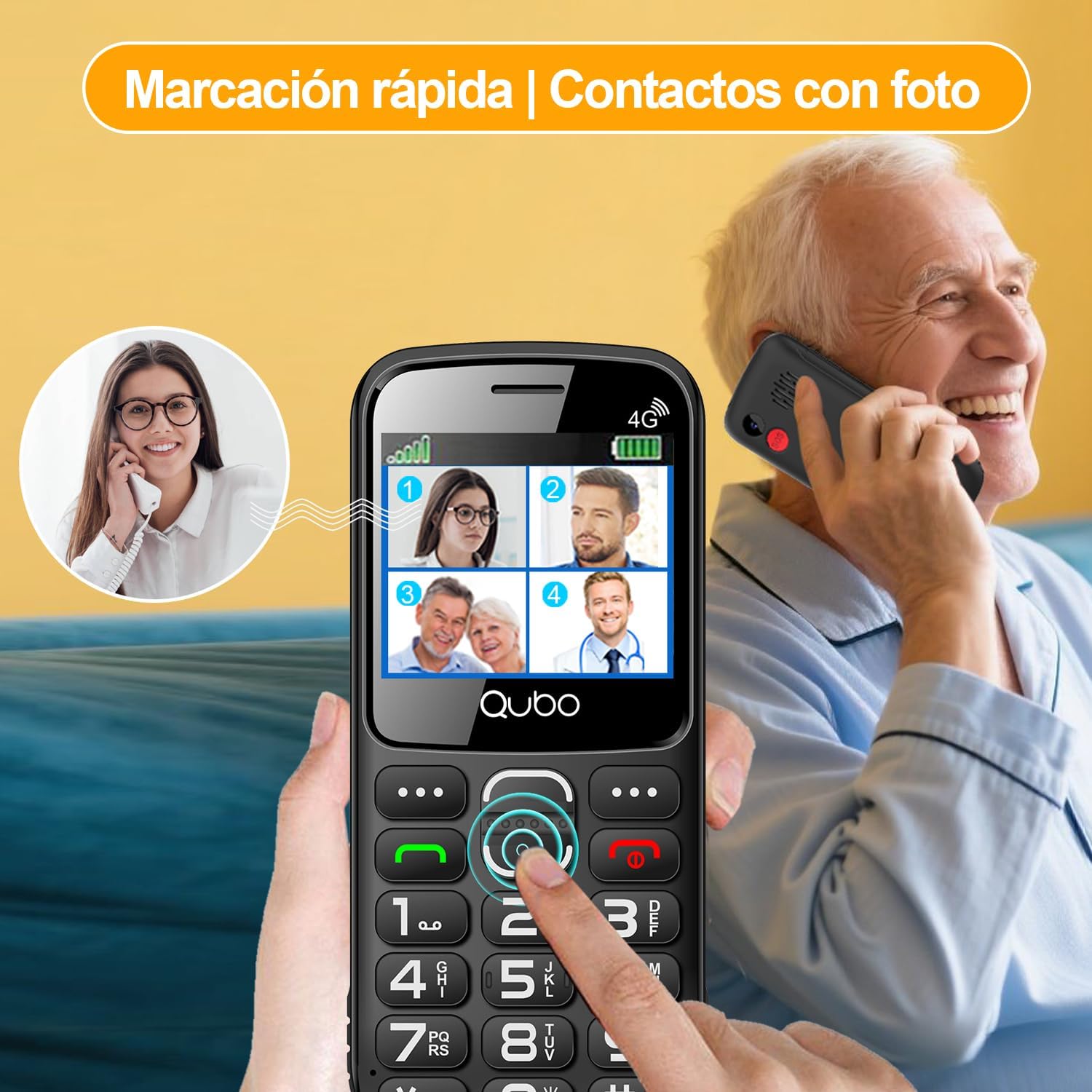
Quick dial and photo contacts on the Qubo X232 simplify calling for users, allowing them to recognize contacts visually.
5.3. SOS 비상 버튼
The SOS button is located on the back of the phone. In an emergency:
- Press and hold the SOS button for a few seconds.
- The phone will automatically dial up to 5 pre-set emergency contacts in sequence until one answers.
- Simultaneously, an alert message will be sent to these contacts.
To set up SOS contacts: Navigate to Menu > SOS Settings and add/edit emergency numbers.
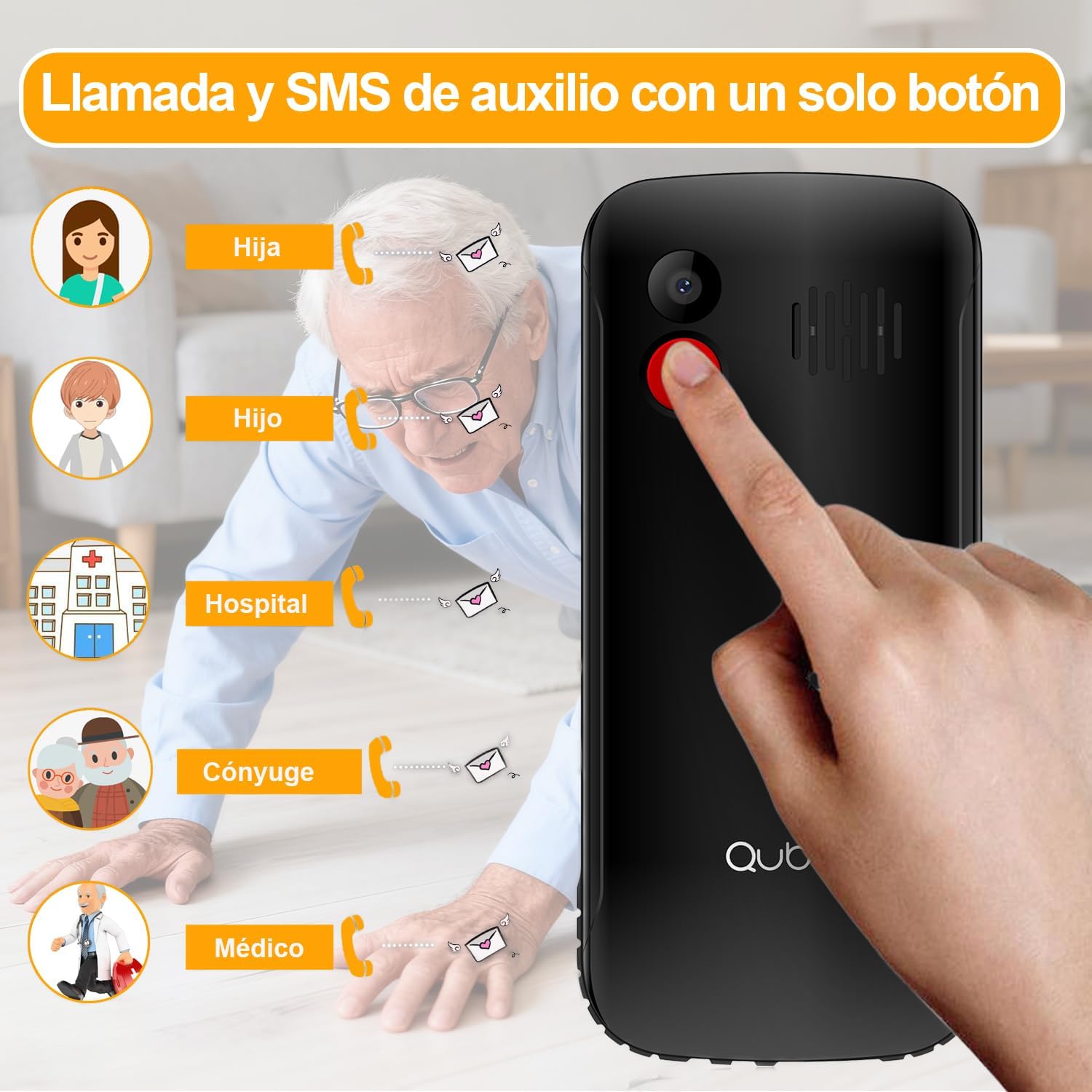
The dedicated SOS button on the Qubo X232 allows for quick emergency calls to up to five pre-selected contacts.
5.4. 메시지(SMS)
To send or read text messages, navigate to Menu > Messages. The large screen and clear font facilitate easy reading and composing.
5.5. 손전등
The Qubo X232 includes a built-in LED flashlight. To activate/deactivate, use the dedicated side button or access it via the menu.

The Qubo X232 includes a bright built-in flashlight, easily accessible for use in low-light conditions.
5.6. FM 라디오
Access the FM Radio via the 메뉴. The Qubo X232 allows listening to FM radio without requiring headphones.

Enjoy FM radio on the Qubo X232, which can be used without the need for headphones.
5.7. 기타 응용 분야
The phone includes various useful applications:
- 카메라: For taking basic photos.
- 멀티미디어 플레이어: For playing audio and video files stored on the device or MicroSD card.
- 경보: 여러 개의 알람을 설정하세요.
- 달력: 날짜와 이벤트를 기록해 두세요.
- 계산자: 기본적인 산술 연산을 수행하십시오.
- Call Recorder: Record phone conversations (check local laws regarding consent).
- 브라우저: Basic internet access.

The Qubo X232 offers essential applications such as messaging, FM radio, a camera, and a calculator, along with Bluetooth connectivity.
5.8. 언어 설정
The phone supports multiple languages including Spanish, English, and Portuguese. To change the language, navigate to Menu > Settings > Phone Settings > Languages.
6. 유지관리
- 청소: 부드럽고 마른 천으로 휴대전화를 닦으세요. 액체 세척제는 사용하지 마세요.
- 배터리 관리 : 배터리 수명을 연장하려면 극한의 온도 환경을 피하고 휴대전화를 장시간 완전히 방전된 상태로 두지 마십시오.
- 저장: 사용하지 않을 때는 휴대전화를 서늘하고 건조한 곳에 보관하세요.
7. 문제 해결
| 문제 | 가능한 원인 | 해결책 |
|---|---|---|
| 전화가 켜지지 않습니다 | 배터리가 방전되었거나 제대로 설치되지 않았습니다. | Charge the battery for at least 30 minutes. Ensure the battery is correctly inserted. |
| 네트워크 신호 없음 | Out of network coverage, SIM card not inserted correctly, or network settings issue. | Move to an area with better coverage. Reinsert the SIM card. Check network settings in the menu. |
| 전화를 걸거나 받을 수 없습니다 | No network signal, insufficient balance (prepaid), or call barring activated. | Check network signal. Ensure sufficient balance. Deactivate call barring if active. |
| SOS 버튼이 작동하지 않습니다 | 비상연락처가 설정되어 있지 않거나 번호가 잘못되었습니다. | Verify SOS settings and ensure emergency contacts are correctly saved. |
| 배터리가 빨리 소모됩니다 | Heavy usage, poor network signal, or background applications. | Reduce usage. Turn off features like Bluetooth when not needed. Charge regularly. |
8. 사양
| 특징 | 세부 사항 |
|---|---|
| 상표 | 쿠보 |
| 모델 | X232 |
| 운영 체제 | 뉴클리어스 OS |
| 숫양 | 48메가바이트 |
| 내부 저장소 | 1GB (XNUMX기가바이트) |
| 확장 가능한 스토리지 | 최대 64GB의 MicroSD |
| 화면 크기 | 2.31 인치 |
| 해결 | 320 x 240 픽셀 |
| 화면 유형 | 아몰레드 |
| 모바일 기술 | 4G (compatible with 5G SIM on 4G network) |
| SIM 카드 슬롯 | 듀얼 SIM |
| SIM 카드 크기 | 나노 |
| 배터리 용량 | 1700mAh |
| 통화 시간 | 최대 6시간 |
| 대기 시간 | 최대 14일 |
| 충전 포트 | USB 타입-C |
| 오디오 잭 | 3.5mm (XNUMXmm) |
| 치수(길이 x 너비 x 높이) | 132.1 x 58.2 x 14.1mm |
| 무게 | 약 110그램 |
| 기원 | 중국 |
9. 공식 제품 영상
9.1. HXEIR 4G Phone Features Overview
Video demonstrating the features of a 4G phone for seniors, including large buttons, SOS function, flashlight, and a simplified user interface.
9.2. artfone 4G Basic Mobile Phone for Seniors
위에view video of a basic 4G mobile phone for seniors, showcasing features like large buttons, SOS emergency call, charging dock, and built-in flashlight.
9.3. artfone C1+ 4G Mobile Phone for Seniors
Demonstration of the artfone C1+ 4G mobile phone for seniors, highlighting its large buttons, SOS function, charging cradle, and voice dialing capabilities.
10. 보증 및 지원
10.1. 보증 정보
Your Qubo X232 phone comes with a 30-day product warranty from the date of purchase. This warranty covers manufacturing defects. Please retain your proof of purchase for warranty claims.
10.2. 고객 지원
For technical assistance, troubleshooting, or warranty inquiries, please contact your retailer or the Qubo customer support line. Refer to the packaging or official Qubo web연락처 정보 사이트.