
소개
Thank you for choosing the vretti PB821 Portable Thermal Printer. This compact and versatile device is designed for convenient, inkless printing from various devices, including smartphones, tablets, and laptops. Its portability makes it ideal for business, office, home, and travel use. This manual provides essential information on setting up, operating, maintaining, and troubleshooting your printer to ensure optimal performance.
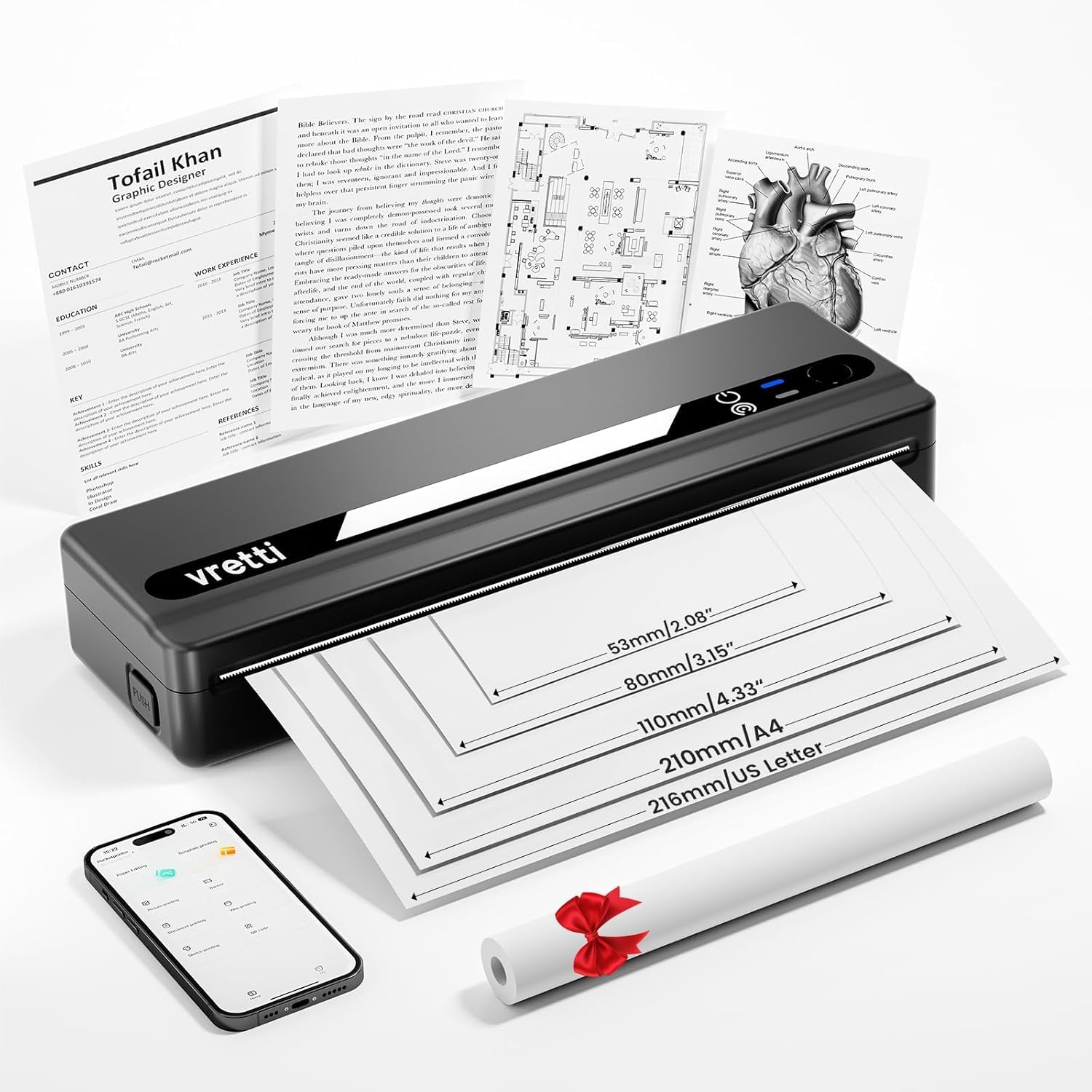
Image: The vretti PB821 Portable Thermal Printer, a sleek black device, ready for use.
패키지 내용
모든 품목이 들어 있는지 확인하기 위해 상자를 푼 후 패키지 내용물을 확인하세요.
- Vretti PB821 휴대용 열전사 프린터
- 1 Roll of Thermal Paper
- USB-C 충전 케이블
- 사용자 설명서
제품 끝view
주요 특징
- 무선 블루투스 인쇄: Connects wirelessly to phones and tablets via the "XLifePro" app.
- 휴대성과 컴팩트성: Small and lightweight design for easy transport.
- 비용 효율적인 잉크리스 인쇄: Utilizes advanced thermal printing technology, eliminating the need for ink, toner, or ribbons.
- High-quality Printing: Delivers clear prints with a 203 DPI resolution.
- 오래 지속되는 배터리: 내장된 1500mAh 충전식 배터리는 완충 시 최대 A4 용지 223매까지 인쇄할 수 있습니다.
- 다양한 크기의 용지 지원: Compatible with A5, A4, Letter, and 2-4 inch labels.
연결 옵션

Image: The vretti PB821 printer supports both Bluetooth and USB connections for versatile use with Android, iOS, iPad, Windows, Mac OS, Linux, and Chromebook devices.
The vretti PB821 printer offers flexible connectivity, allowing you to print wirelessly via Bluetooth from mobile devices or directly via USB from computers. This ensures compatibility across various operating systems and devices.
휴대형 디자인

Image: A visual comparison highlighting the compact and portable design of the vretti PB821 printer against a larger, traditional printer, emphasizing its convenience.
The PB821 is designed for maximum portability, making it easy to carry in a backpack or bag. Its compact form factor does not compromise on functionality, offering easy setup and smooth, inkless printing.
설정
1. 초기 충전
Before first use, fully charge the printer using the provided USB-C cable. Connect the cable to the printer's USB-C port and a compatible power adapter (not included) or computer USB port. The charging indicator light will show the charging status.

Image: Visual representation of the printer's 1500mAh battery capacity, USB-C charging, and its ability to print up to 223 A4 sheets on a single charge.
2. 감열지 넣기
The vretti PB821 supports various thermal paper types. To load paper:
- 프린터 용지 덮개를 여세요.
- 인쇄면이 위로 향하도록 감열지를 넣으세요. 용지가 가이드에 제대로 정렬되었는지 확인하세요.
- 종이 덮개를 단단히 닫으세요.

Image: The vretti PB821 printer showcasing its compatibility with different thermal paper types, including folding thermal paper and roll paper, along with various paper sizes.
3. 블루투스를 이용한 연결 (모바일 기기)
To print wirelessly from your smartphone or tablet:
- Download the "XLifePro" app from the App Store (iOS) or Google Play Store (Android).
- Turn on the vretti PB821 printer. The Bluetooth indicator light will blink.
- Open the XLifePro app, navigate to the device connection settings, and select the PB821 printer from the list of available Bluetooth devices.
- 연결되면 Bluetooth 표시등이 켜집니다.

Image: Step-by-step guide on connecting the vretti PB821 printer via Bluetooth, including downloading the XLifePro app and pairing the device.
4. USB를 통한 연결 (컴퓨터)
To print from your Windows, Mac OS, or Linux computer:
- Download the appropriate printer driver from the official vretti web대지: vrettitech.com/pages/p83-support.
- Install the driver on your computer following the on-screen instructions.
- Connect the vretti PB821 printer to your computer using the provided USB-C cable.
- The computer should recognize the printer, and you can now select it as your printing device.

Image: Instructions for USB connection, detailing driver download from the vretti website and connecting the PB821 printer to a laptop.
작동 지침
Printing from Mobile Devices
Bluetooth를 통해 연결되면:
- Open the document, image, or file you wish to print within the XLifePro app. The app supports various formats including TXT, PDF, Excel, and Word documents.
- 앱 내에서 인쇄 옵션을 선택하세요.
- Confirm print settings such as paper size and quantity.
- Initiate printing.
Printing from Computers
Once connected via USB and drivers are installed:
- 문서를 열거나 file 컴퓨터로 인쇄하고 싶으신가요?
- 사용하시는 애플리케이션에서 인쇄 옵션을 선택하세요(예: File > 인쇄).
- Choose "vretti PB821" from the list of available printers.
- 필요에 따라 인쇄 설정을 조정하십시오(예: 용지 크기, 방향).
- "인쇄"를 클릭하세요.
Supported Paper Types and Sizes
The PB821 printer is compatible with various thermal paper types and sizes, including:
- A4(210mm)
- Letter (8.5" x 11" / 216mm)
- A5(148mm)
- B5 (175mm)
- 2-inch (53mm) labels
- 3-inch (80mm) labels
- 4-inch (110mm) labels

Image: The vretti PB821 printer demonstrating its support for multiple paper sizes, including standard document sizes and various label sizes.
Using the XLifePro App
The XLifePro app provides additional functionalities beyond basic printing, including:
- Access to multiple templates for creative printing.
- Options for document printing, picture printing, and more.
- Customization features for various printing needs.

Image: Screenshots of the XLifePro app interface, illustrating its diverse range of templates and printing options.
유지
프린터 청소
To maintain print quality and prolong the printer's lifespan:
- Ensure the printer is turned off and disconnected from power before cleaning.
- 부드럽고 털이 없는 천을 살짝 사용하세요.ampened with water or isopropyl alcohol to gently wipe the print head and paper path.
- 연마성 세척제나 용제를 사용하지 마십시오.
- Allow the printer to dry completely before turning it on.
배터리 관리
배터리 수명을 최적화하려면:
- 배터리를 자주 완전히 방전시키지 마세요.
- 장기간 사용하지 않을 때는 프린터를 서늘하고 건조한 곳에 보관하십시오.
- Charge the printer regularly, even if not in frequent use, to prevent deep discharge.
문제 해결
| 문제 | 가능한 원인 | 해결책 |
|---|---|---|
| 프린터가 켜지지 않습니다 | 배터리 부족; 전원 버튼을 제대로 누르지 않았습니다 | 프린터를 충전하려면 전원 버튼을 몇 초 동안 길게 누르세요. |
| 블루투스를 통해 연결할 수 없습니다 | 기기 블루투스 꺼짐; 프린터 페어링 모드 아님; 앱 문제 | Ensure Bluetooth is enabled; Restart printer; Reinstall XLifePro app |
| 인쇄 품질이 좋지 않음 | Low battery; Dirty print head; Incorrect paper type | Charge printer; Clean print head; Use recommended thermal paper |
| 종이 걸림 | 용지 공급 불량; 용지 손상 | Turn off printer, carefully remove jammed paper, reload correctly; Use undamaged paper |
| 컴퓨터에서 프린터를 인식하지 못합니다. | Missing/incorrect drivers; Faulty USB cable/port | Install/reinstall drivers from vretti website; Try a different USB cable/port |
명세서
| 특징 | 세부 사항 |
|---|---|
| 모델 | PB821 |
| 상표 | 브레티 |
| 인쇄 기술 | 열의 |
| 연결 기술 | 블루투스, USB |
| 최대 인쇄 해상도 | 203 DPI (Black and White) |
| 인쇄 매체 | 감열지 (일반) |
| 지원되는 시트 크기 | 2'', 3'', 4'', A4, 8.5''x 11'' US Letter |
| 최대 입력 시트 용량 | 30장 |
| 배터리 용량 | 1500mAh(리튬 이온) |
| 제품 치수 | 25.7 x 7 x 4.7cm |
| 품목 무게 | 900g |
| 양면 인쇄 | 아니요 |
| 잉크 색상 | 검은색 |
보증 및 지원
The vretti PB821 Portable Thermal Printer comes with a standard manufacturer's warranty. For specific warranty details, technical support, or service inquiries, please refer to the warranty card included in your package or visit the official vretti web사이트. 보증 청구를 위해 구매 증빙 자료로 구매 영수증을 보관하세요.
제품 비디오
Video: An official product video demonstrating the features and usage of the vretti PB821 Portable Thermal Printer, including its compact design, wireless connectivity, and printing capabilities.