
소개
Thank you for choosing the ProtoArc KM310 Wireless Mechanical Keyboard and Mouse. This combo offers a responsive typing experience with low-profile linear red switches and versatile multi-device connectivity. The ergonomic mouse is designed for comfort and precision. This manual provides detailed instructions for setup, operation, maintenance, and troubleshooting to ensure optimal performance.
상자 안에 무엇이 들어있나요?

Image: Contents of the ProtoArc KM310 package, including the keyboard, mouse, charging cable, and user manual.
- ProtoArc KM310 무선 기계식 키보드
- 프로토아크 무선 마우스
- USB-C 충전 케이블
- 사용자 설명서
제품 끝view
키보드 기능

이미지: 클로즈업 view of the ProtoArc KM310 keyboard, highlighting its low-profile keys and linear red switches.
- 로우프로file 기계식 키: Equipped with linear red switches for a smooth, quiet, and responsive typing experience.
- Aluminum Top Case: Provides durability and a sleek, modern aesthetic.
- 조절 가능한 틸트 다리: Ergonomically designed with 2-stage foot mats offering 6° and 9° tilt options for comfortable typing.
- 전체 크기 레이아웃: A 108-key layout suitable for office and business use.
마우스 기능

Image: The ProtoArc KM310 mouse being held, showcasing its ergonomic design for a natural grip.
- 63G Ultra-Lightweight: Reduces hand fatigue during extended use and enhances portability.
- 인체공학적 디자인: Contoured shape for a comfortable and natural grip.
- 조정 가능한 DPI: Three DPI levels (1000/1600/2400) for tailored control and precision.
- 조용한 클릭: 조용한 작동을 위해 설계되었습니다.
- 앞으로/뒤로 버튼: Integrated for seamless browsing.
연결성 및 전원
- 다중 장치 연결: Connects up to 3 devices via 2.4G USB receiver or Dual Bluetooth (BT1, BT2).
- 충전식: Both keyboard and mouse feature Type-C charging. The mouse's USB receiver is stored on its bottom.
- 긴 배터리 수명: Up to 150-200 days standby time; 2-3 hours for a full charge.
설치 지침
1. 장치 충전

Image: The keyboard and mouse are shown connected to power sources via USB-C cables for charging.
- Connect the provided USB-C charging cable to the charging port on the keyboard (located on the top edge) and the mouse (located on the front edge).
- 케이블의 다른 쪽 끝을 USB 전원(예: 컴퓨터 USB 포트, USB 벽면 어댑터)에 꽂으세요.
- The indicator lights will show charging status. Allow 2-3 hours for a full charge.
2. 장치에 연결

Image: A desk setup showing the ProtoArc KM310 keyboard and mouse connected to a laptop, monitor, and tablet, illustrating multi-device capability.
The KM310 combo supports three connection modes: 2.4G wireless via USB receiver, Bluetooth 1 (BT1), and Bluetooth 2 (BT2).
2.1. 2.4G 무선 연결
- 마우스 하단 수납 공간에 보관된 USB 수신기를 찾으십시오.
- USB 수신기를 컴퓨터의 사용 가능한 USB 포트에 연결합니다.
- 각각의 전원 스위치를 사용하여 키보드와 마우스를 켭니다.
- The devices should connect automatically.
2.2. 블루투스 연결(BT1 / BT2)
- 키보드와 마우스를 켭니다.
- 키보드에서 다음을 누르세요. BT1 or BT2 key (usually located on the number pad, indicated by orange keycaps) to select the desired Bluetooth channel. The indicator light will flash.
- On your device (computer, tablet, etc.), go to Bluetooth settings and search for "ProtoArc KM310 Keyboard" and "ProtoArc KM310 Mouse".
- Select the devices to pair. The indicator light will stop flashing once connected.
- 다른 블루투스 채널을 사용하여 두 번째 블루투스 장치에 대해서도 동일한 과정을 반복하십시오.
2.3. 장치 간 전환
To switch between connected devices, simply press the corresponding connection key on the keyboard (2.4G, BT1, or BT2) and the channel switch button on the bottom of the mouse.
작동 지침
키보드 사용
- 타자: 로우 프로file linear red switches provide a responsive and quiet typing experience.
- 운영 체제 호환성: The keyboard is compatible with Windows and Mac OS. Keys like 'Win' and 'Alt' also show 'Option' and 'Cmd' for Mac users.
- 기울기 조정: Use the adjustable tilt legs on the underside of the keyboard to set your preferred typing angle (6° or 9°).
마우스 사용
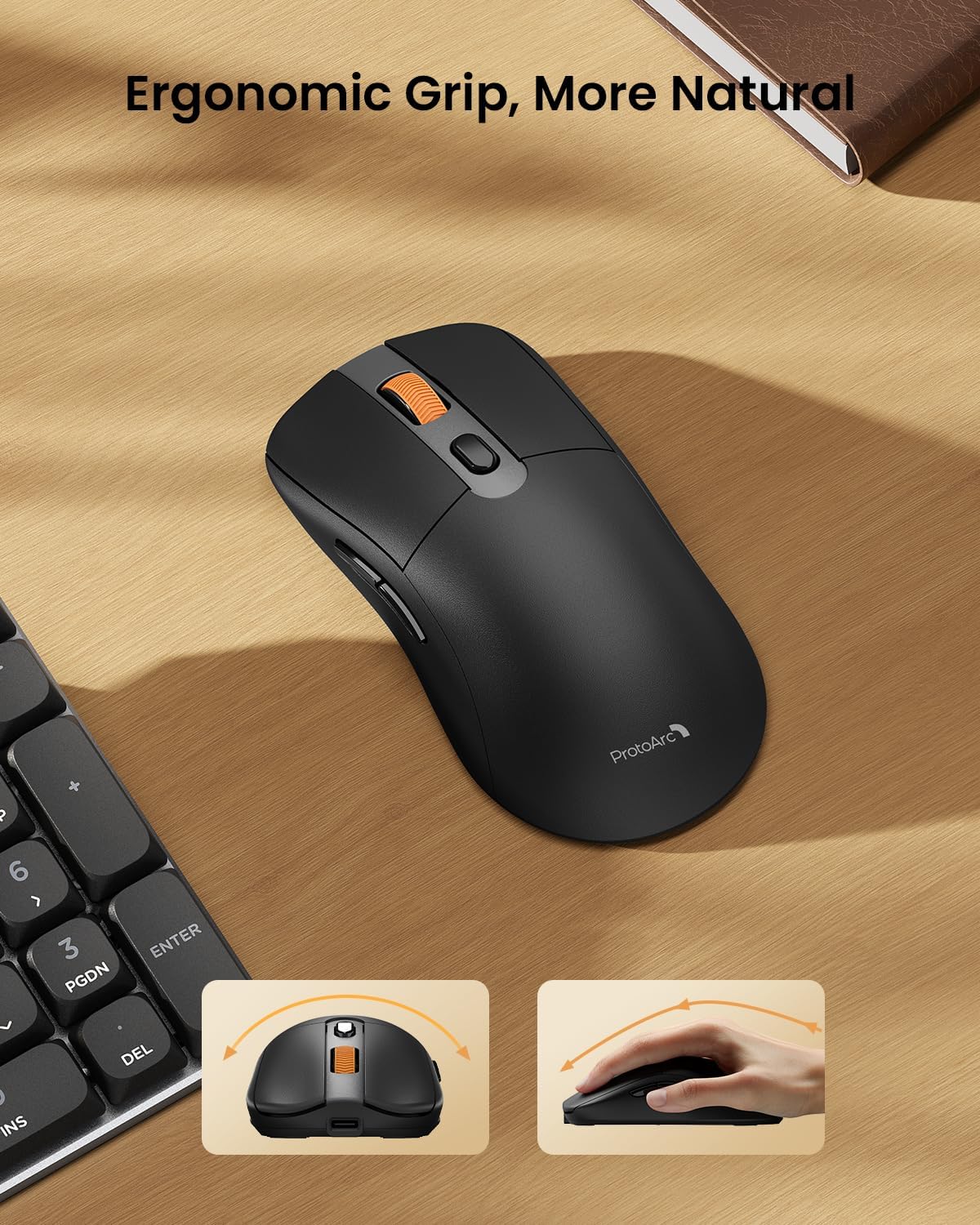
Image: A close-up of the ProtoArc KM310 mouse, illustrating the three adjustable DPI settings (1000, 1600, 2400).
- DPI 조정: Press the DPI switch button (usually located near the scroll wheel) to cycle through the 3 DPI levels (1000/1600/2400) to match your preference for cursor speed and precision.
- 탐색 버튼: 마우스 측면에 있는 앞뒤 버튼을 사용하여 빠르게 탐색하세요. web 브라우저 또는 file 탐험가.
- 조용한 클릭: The mouse features silent click buttons for a quiet working environment.
유지
- 청소: 부드럽고 마른 천으로 키보드와 마우스를 닦으세요. 잘 지워지지 않는 얼룩은 약간 거친 천으로 닦아내세요.amp 순한 비누를 묻힌 천을 사용하여 액체가 기기 내부로 들어가지 않도록 하세요.
- 배터리 관리 : Recharge the devices when the battery indicator is low. Avoid prolonged exposure to extreme temperatures.
- 저장: When not in use for extended periods, turn off the devices to conserve battery life. Store the USB receiver inside the mouse to prevent loss.
문제 해결
Keyboard/Mouse Not Turning On or Stopping Working
- 배터리 확인: Ensure both the keyboard and mouse are sufficiently charged. Connect them to a power source using the USB-C cable.
- 기기 수리:
- For 2.4G connection, ensure the USB receiver is securely plugged in and the devices are set to 2.4G mode.
- For Bluetooth connection, ensure the devices are set to the correct BT channel (BT1 or BT2) and re-pair them through your device's Bluetooth settings.
- 다른 케이블을 사용해 보십시오: If charging issues persist, try using a different USB-C cable to rule out a faulty cable.
- 간섭: 기기를 컴퓨터 가까이로 옮기거나 간섭을 일으킬 수 있는 다른 무선 기기에서 멀리 떨어뜨려 놓으세요.
- 지원팀에 문의: If the issue persists, please contact ProtoArc customer support for further assistance.
명세서
| 모델 번호 | 케이엠310 |
| 상표 | 프로토아크 |
| 색상 | 스페이스 그레이 |
| 연결 기술 | 블루투스, USB (2.4G 무선) |
| 특별 기능 | 로우 프로file Keys, Linear Red Switches, Ergonomic Design, Ultra-Light Mouse, Ergonomic Mouse |
| 호환 장치 | Laptop, Personal Computer, Tablet (Windows 7/8/10, Mac OS X 10.12, Android 4.3 or higher) |
| 품목 무게 | 2.31파운드 |
| 패키지 크기 | 17.68 x 8.07 x 2.05 인치 |
보증 및 지원
The ProtoArc KM310 Mechanical Keyboard and Mouse combo comes with a 2년 보증.
For any questions, technical support, or warranty claims, please contact ProtoArc customer service:
- 이메일: support@protoarc.com
- 핸드폰: +1 866-287-8188
공식 제품 영상
영상: 공식 제품 영상 쇼asing the features and design of the ProtoArc KM310 Aluminum Mechanical Keyboard and Mouse.