
소개
The ASUS TUF Gaming A16 is a high-performance gaming laptop designed for immersive gaming and efficient multitasking. It features robust components and a durable build to withstand demanding usage. This manual provides essential information for setting up, operating, maintaining, and troubleshooting your device.
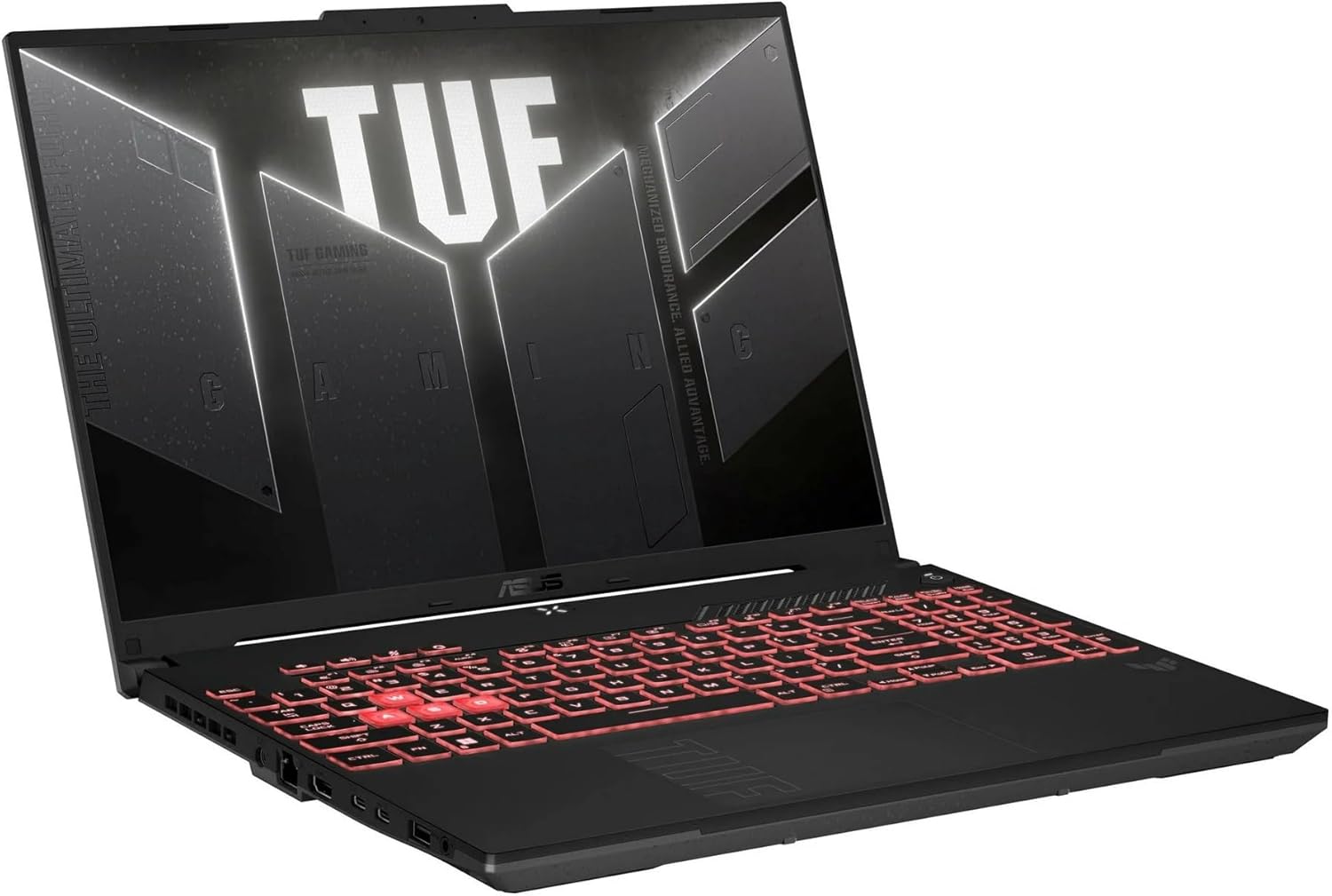
Image: The ASUS TUF Gaming A16 Laptop, shown open at an angle, displaying a vibrant game on its screen. The keyboard is visible, and the laptop's sleek design is highlighted.
주요 특징:
- AMD Ryzen 7 7445HS Processor (3.2GHz)
- 16" Full HD+ 145Hz Display
- NVIDIA GeForce RTX 4050 그래픽 카드
- 16GB DDR5 RAM; 512GB SSD
- Backlit Keyboard, Wi-Fi 6(802.11ax) (Dual band) 2*2, Bluetooth, Windows 11, HDMI, USB-C
설정
Follow these steps to set up your ASUS TUF Gaming A16 Laptop for the first time:
- 언박싱: Carefully remove the laptop and all accessories from the packaging. Ensure all components, including the AC adapter, are present.
- 전원 연결: Connect the AC adapter to the laptop's power input port and then plug it into a power outlet. It is recommended to fully charge the battery before initial use.
- 초기 부팅: Open the laptop lid and press the power button. The system will guide you through the initial Windows 11 setup process. Follow the on-screen instructions to configure your operating system, language, and user account.
- 네트워크 설정 : During the Windows setup, you will be prompted to connect to a Wi-Fi network. Select your preferred network and enter the password.
- 소프트웨어 업데이트: After completing the initial setup, connect to the internet and allow Windows to download and install any pending updates to ensure optimal performance and security.
주변 장치 연결:
노트북에는 외부 장치를 연결하기 위한 다양한 포트가 장착되어 있습니다.
- USB 포트: 마우스, 키보드, 외장 저장 드라이브 등 USB 장치를 연결합니다.
- HDMI 포트 : 더 큰 화면을 원하시면 외부 모니터나 TV를 연결하세요.
- USB-C 포트: Utilize these versatile ports for data transfer, display output, or charging compatible devices.
- 오디오 잭 : 헤드폰 또는 외부 스피커를 연결합니다.

Image: The left side of the ASUS TUF Gaming A16 Laptop, showcasing its various ports including USB, HDMI, and USB-C connections.

Image: The right side of the ASUS TUF Gaming A16 Laptop, displaying additional USB ports and other connectivity options.
운영
표시하다:
The 16-inch Full HD+ display with a 145Hz refresh rate provides smooth and vibrant visuals, crucial for gaming and multimedia consumption. Adjust display settings via Windows Display Settings or NVIDIA Control Panel for optimal experience.
성능:
Equipped with an AMD Ryzen 7 7445HS Processor and NVIDIA GeForce RTX 4050 Graphics, the laptop delivers powerful performance for demanding applications and games. The 16GB DDR5 RAM ensures efficient multitasking, while the 512GB SSD provides fast boot times and quick application loading.
키보드 및 터치패드:
The backlit keyboard offers comfortable typing and enhanced visibility in low-light conditions. Customize the RGB backlighting effects through the ASUS Armoury Crate software. The precision touchpad supports multi-touch gestures for intuitive navigation.

이미지: 위에서 아래로 view of the ASUS TUF Gaming A16 Laptop's keyboard, highlighting its backlit keys and full layout.
오디오:
Experience immersive audio with the integrated sound system. For enhanced audio quality, connect external headphones or speakers to the audio jack.
연결성:
The laptop supports Wi-Fi 6 (802.11ax) for fast and stable wireless internet connections and Bluetooth for connecting wireless peripherals.
유지
적절한 유지 관리는 노트북의 수명과 최적의 성능을 보장합니다.
- 청소: Regularly clean the screen with a soft, lint-free cloth and a specialized screen cleaner. Use compressed air to clear dust from keyboard keys and ventilation grilles.
- 소프트웨어 업데이트: Keep your operating system, drivers, and applications updated to the latest versions to ensure security and performance improvements.
- 배터리 관리 : To prolong battery life, avoid fully discharging the battery frequently. If storing the laptop for an extended period, charge it to about 50-60% and store it in a cool, dry place.
- 통풍: Ensure the laptop's ventilation openings are not obstructed during use to prevent overheating. Use the laptop on a hard, flat surface.
문제 해결
일반적으로 발생할 수 있는 문제에 대한 해결책은 다음과 같습니다.
- 노트북 전원이 켜지지 않음: Ensure the AC adapter is securely connected to both the laptop and the power outlet. Check if the power outlet is functional. If the battery is completely drained, allow it to charge for a few minutes before attempting to power on.
- 디스플레이 문제: If the screen is blank or flickering, try adjusting the brightness settings. If an external monitor is connected, ensure the display output settings are correct (e.g., duplicate, extend).
- 인터넷에 연결되지 않음: Verify that Wi-Fi is enabled and you are connected to the correct network. Restart your router and modem. Check for any network driver updates.
- 느린 성능: Close unnecessary applications running in the background. Check for sufficient free space on your SSD. Ensure your system drivers are up to date.
- 키보드/터치패드가 작동하지 않습니다: Restart the laptop. Check for any driver updates for the keyboard and touchpad.
명세서
| 특징 | 사양 |
|---|---|
| 상표 | 아수스 |
| 모델명 | TUF 게이밍 A16 |
| 스탠딩 스크린 디스플레이 크기 | 16 인치 |
| 화면 해상도 | 1920 x 1200 픽셀 |
| 최대 화면 해상도 | 1920x1200 픽셀 |
| 프로세서 | AMD 라이젠 7 7445HS (4.7GHz) |
| 숫양 | 16GB DDR5 |
| 하드 드라이브 | 512GB SSD |
| 그래픽 코프로세서 | 엔비디아 지포스 RTX 4050 |
| 그래픽 카드 램 크기 | 6GB (XNUMX기가바이트) |
| 무선형 | 802.11ax(와이파이 6) |
| USB 3.0 포트 수 | 3 |
| 운영 체제 | 윈도우 11 홈 |
| 품목 무게 | 7파운드 |
| 제품 치수 | 20 x 4 x 14 인치 |
| 색상 | 회색 |
| 특징 | 눈부심 방지 코팅, HD 오디오, 방수 기능, 트랙포인트 |
보증 및 지원
Your ASUS TUF Gaming A16 Laptop comes with a manufacturer's warranty. For detailed information regarding warranty coverage, terms, and conditions, please refer to the documentation included with your product or visit the official ASUS support web대지.
For technical assistance, troubleshooting, or to access drivers and manuals, please visit the ASUS 지원 페이지.
Additional protection plans are available for purchase to extend coverage beyond the standard warranty period. These plans may include extended service, accidental damage protection, and other benefits.