
소개
The iLive Cinema Pop-up Movie Kit is a comprehensive portable entertainment solution designed to transform any space into a personal cinema. This kit includes a 720p projector, a 120-inch ultra-bright projector screen, an adjustable tripod, and a powerful Bluetooth 5.0 speaker system. Enjoy crisp images and rich audio for both indoor and outdoor movie nights.
무엇이 포함됩니까?
- 720p 프로젝터
- 120-inch Anti-Wrinkle Polyester Projector Screen (16:9 aspect ratio, 1.3 gain)
- Professional-Grade Tripod with integrated bubble level (360-degree pan, ±180-degree tilt, 41.73-inch max height, 4 kg capacity)
- Bluetooth 5.0 Speaker System (dual 4-inch full-range speakers, 16W peak output, LED light effects, rechargeable battery)
- 원격 제어
- 전원 케이블
- HDMI 케이블
- 3.5mm 오디오 케이블
- USB 케이블
- 운반 케이스
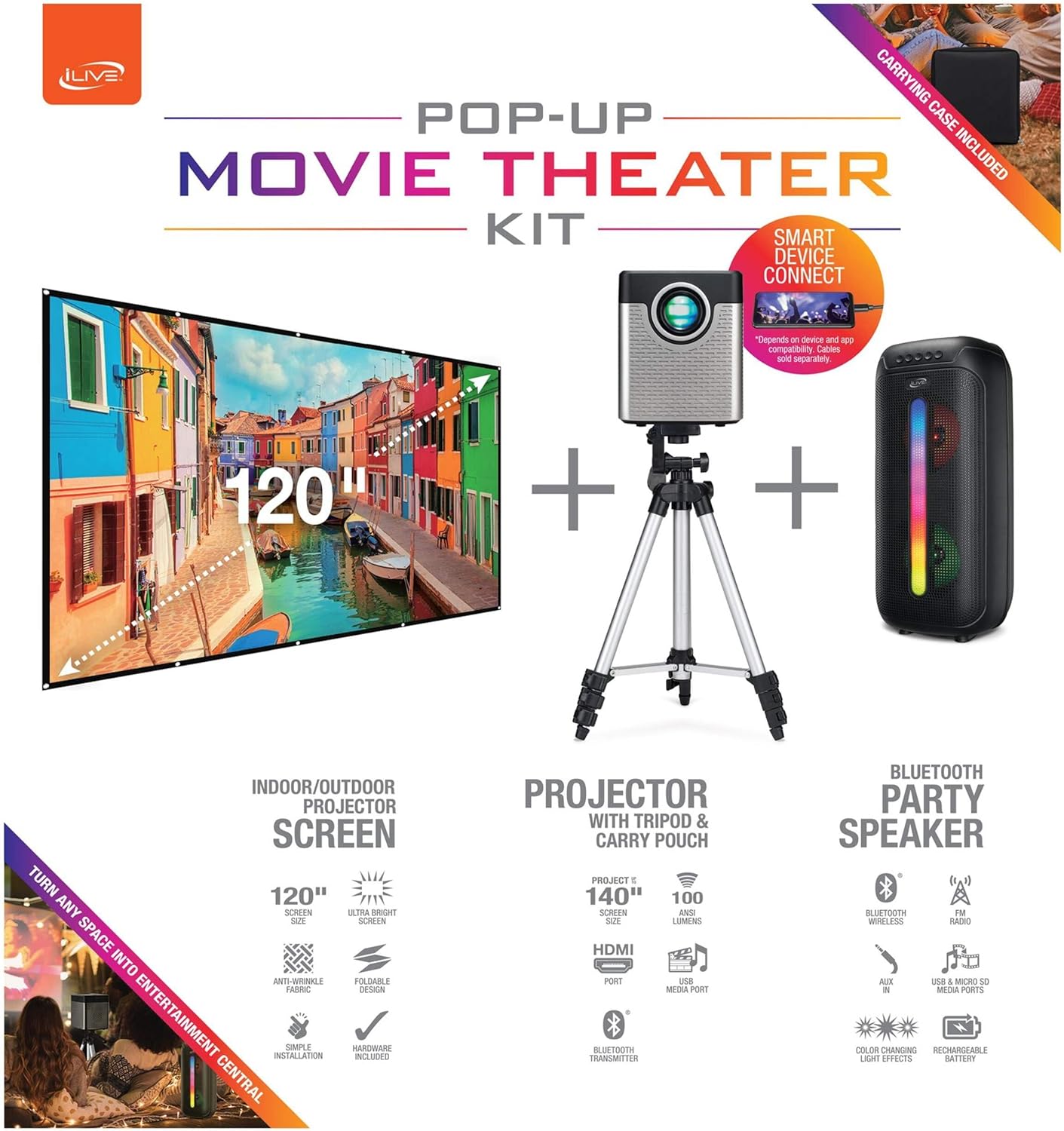
Figure 1: Diagram of the iLive Cinema Pop-up Movie Kit components.

Figure 2: The complete kit packed in its carrying case.
설정
- 구성 요소 풀기: 휴대용 케이스에서 모든 물품을 조심스럽게 꺼내십시오.
- 삼각대 조립: Extend the legs of the tripod and secure them. Adjust the height to your desired viewing level. The integrated bubble level assists in ensuring a stable and level base.
- Mount Projector: Securely attach the projector to the tripod mount. Ensure it is stable and facing the desired projection area.
- Set Up Screen: Unfold the 120-inch anti-wrinkle screen. If using the tripod, attach the screen to the tripod frame using the provided fasteners. Ensure the screen is taut and wrinkle-free for optimal viewing. For alternative mounting, use the grommets along the screen's edges with appropriate wall hooks (not included).
- 발언자 위치: Place the Bluetooth speaker in a location that provides optimal sound distribution for your view지역입니다.
- 전원 연결: 프로젝터와 적절한 전원 콘센트에 전원 케이블을 연결하십시오.
- 장치 연결(선택 사항): Connect your media source (e.g., laptop, gaming console, Blu-ray player) to the projector using an HDMI or USB cable. For external audio, use the 3.5mm audio input or connect wirelessly via Bluetooth to the speaker.

Figure 3: Projector mounted on the tripod.

그림 4: 예ample outdoor setup with the projector and screen.
작동 지침
프로젝터 작동
- 전원 켜기/끄기: 프로젝터 또는 리모컨의 전원 버튼을 눌러 기기를 켜거나 끄세요.
- 입력 소스: Use the remote control to select the desired input source (HDMI, USB, etc.).
- 초점 조정: 프로젝터 렌즈의 초점 링을 조정하여 이미지가 선명해지도록 하십시오.
- 키스톤 보정: If the projected image appears trapezoidal, use the keystone correction feature (manual or automatic, if available) to adjust the image to a rectangular shape. The projector supports vertical keystone correction.
- 종횡비: Select between 16:9 and 4:3 aspect ratios based on your content and preference.
- 투사 거리: The projector has a flexible projection range of 2.6 to 12.5 feet. Adjust the distance to achieve the desired screen size.
블루투스 스피커 작동
- 전원 켜기/끄기: Press and hold the power button on the speaker to turn it on or off.
- 블루투스 페어링 : 기기(예: 스마트폰, 태블릿)에서 Bluetooth를 활성화하세요. 검색 the iLive speaker in the list of available devices and pair.
- 볼륨 조절: 스피커 또는 연결된 장치의 컨트롤을 사용하여 볼륨을 조정합니다.
- LED 조명 효과: The speaker features LED light effects. Refer to the speaker's specific controls for adjusting or disabling these effects.
- 진정한 무선 스테레오(TWS): If you have two iLive Bluetooth speakers, you can pair them together for a True Wireless Stereo experience. Follow the instructions provided with the speaker for TWS pairing.
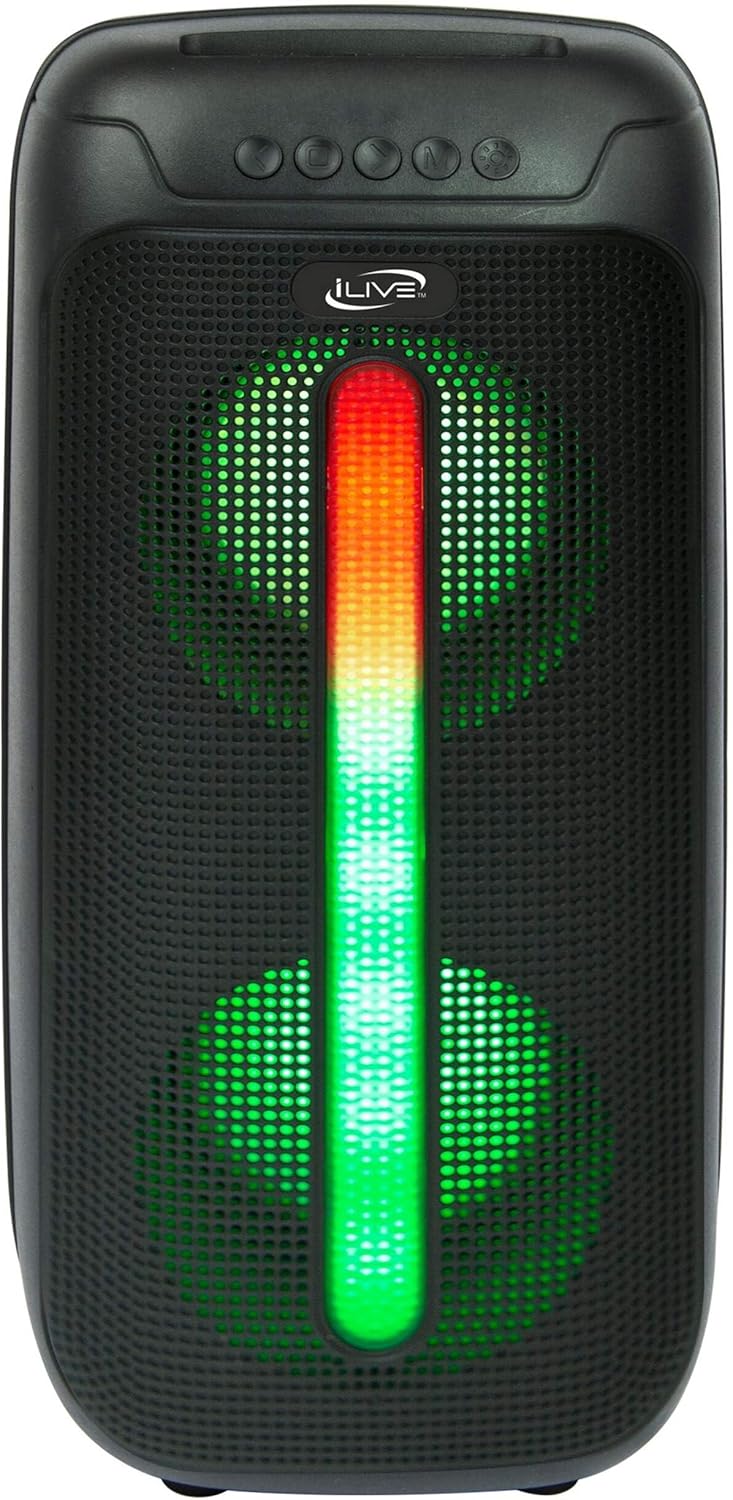
Figure 5: iLive Bluetooth 5.0 Speaker.
유지
- 프로젝터 렌즈: Use a soft, lint-free cloth to gently clean the projector lens. Avoid abrasive materials or harsh chemicals.
- Projector Vents: Ensure the projector's ventilation openings are clear of dust and debris to prevent overheating.
- 화면 청소: The anti-wrinkle polyester screen can be gently wiped with a damp cloth if necessary. Allow it to air dry completely before folding or storing.
- 스피커 관리: Keep the speaker dry and clean. Avoid exposing it to extreme temperatures or direct sunlight.
- 저장: When not in use, store all components in the provided carrying case in a cool, dry place to protect them from dust and damage.
문제 해결
- 화면에 이미지가 없습니다:
- 프로젝터의 전원이 켜져 있고 렌즈 캡이 제거되었는지 확인하세요.
- 프로젝터에서 올바른 입력 소스가 선택되었는지 확인하십시오.
- 모든 케이블 연결(HDMI, USB)이 제대로 되어 있는지 확인하십시오.
- 흐릿한 이미지:
- 프로젝터 렌즈의 초점 링을 조정합니다.
- Ensure the projection distance is within the recommended range (2.6-12.5 ft).
- 왜곡된 이미지(사다리꼴 모양):
- Use the keystone correction feature to adjust the image geometry.
- Ensure the projector is placed on a level surface or the tripod is properly adjusted.
- 스피커에서 소리가 나지 않습니다:
- 스피커 전원이 켜져 있고 충전 중인지 확인하십시오.
- Verify Bluetooth pairing or 3.5mm audio cable connection.
- 스피커와 연결된 장치의 볼륨 레벨을 확인하세요.
- 블루투스 페어링 문제:
- 스피커가 페어링 모드에 있는지 확인하세요.
- 스피커를 기기에 더 가까이 옮기세요.
- Disconnect and re-pair the device.
명세서
| 특징 | 사양 |
|---|---|
| 모델 번호 | 더2024BDL |
| 디스플레이 해상도 | 1280 x 720(720p) |
| 디스플레이 유형 | 주도의 |
| 명도 | 3000루멘 |
| 대비율 | 1000시 1분 |
| 종횡비 | 16:9, 4:3 |
| 빛의 근원 생명 | 20,000시간 |
| 투사 범위 | 2.6 - 12.5피트 |
| 최대 이미지 크기 | 120 인치 |
| 연결성 | HDMI, USB, 3.5mm Audio, Bluetooth 5.0 |
| 스피커 출력 | 16W Peak (Dual 4-inch drivers) |
| 스피커 배터리 수명 | 최대 4시간(50% 볼륨) |
| 삼각대 기능 | Integrated bubble level, 360-degree pan, ±180-degree tilt, 41.73-inch max height, 4 kg capacity |
| 비디오 인코딩 지원 | H.264, H.265 |
| 제어 방법 | 원격 제어 |
공식 제품 영상
현재 이 제품에 대한 공식 판매자 영상이 제공되지 않습니다.
보증 및 지원
For warranty information or technical support, please contact iLive customer service at 1-888-999-4215. Please have your model number (THE2024BDL) and proof of purchase ready when contacting support.