
소개
구매해주셔서 감사합니다asing the LG 43QNED70A 43 inch Class 70A Series QNED AI 4K Smart TV. This manual provides essential information for the safe and efficient use of your television. Please read it thoroughly before operating the product and retain it for future reference.
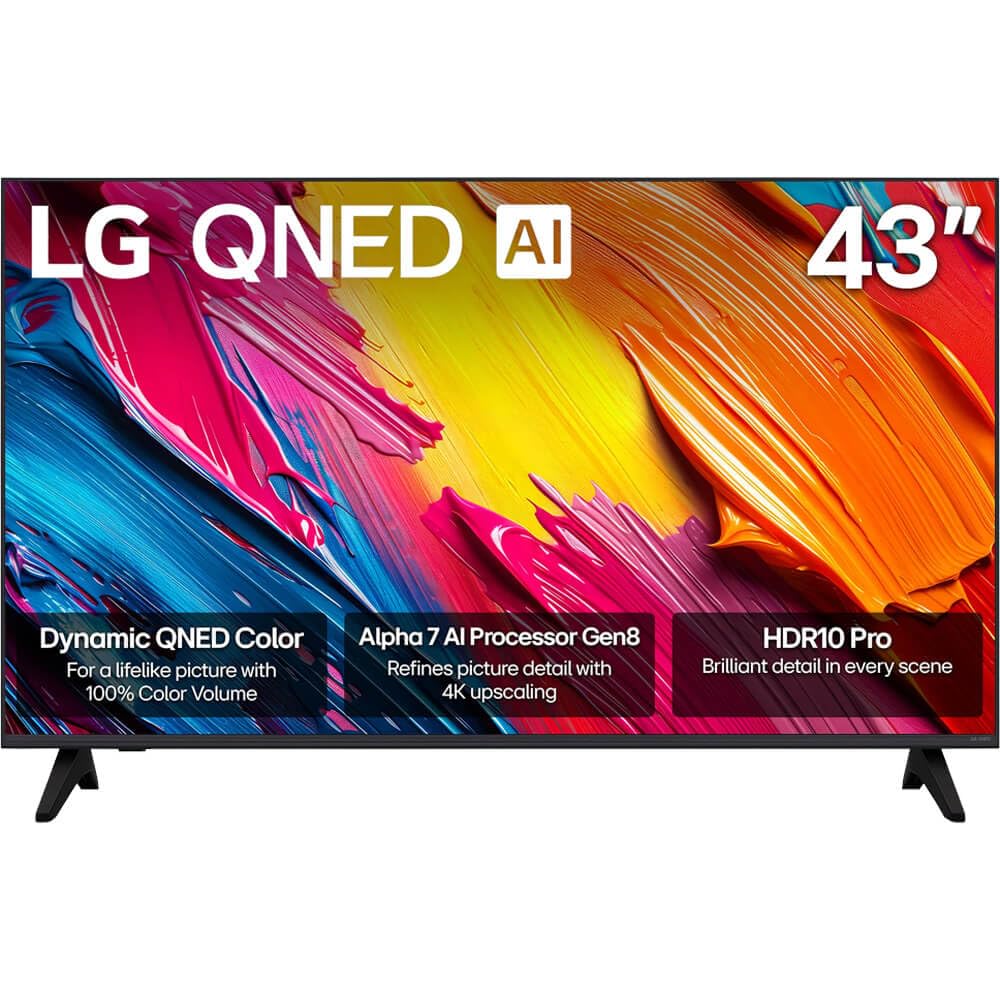
그림 1: 전면 view of the LG 43QNED70A Smart TV.
안전 정보
Before using your TV, please read these safety instructions carefully to prevent damage and ensure safe operation.
- 전원: TV를 AC 100-240V, 50/60Hz 전원 콘센트에 연결하십시오. 벽면 콘센트에 과부하가 걸리지 않도록 하십시오.
- 통풍: TV 주변의 통풍이 잘 되도록 하세요. 통풍구를 막지 마세요.
- 물과 습기: 텔레비전을 비나 습기에 노출시키지 마십시오. 텔레비전 위에 액체가 담긴 물건을 올려놓지 마십시오.
- 청소: 청소하기 전에 TV 플러그를 뽑으세요. 부드럽고 마른 천을 사용하세요. 액체 세제는 사용하지 마세요.
- 놓기: TV를 안정적이고 평평한 곳에 놓으세요. 직사광선이나 열원 근처에 두지 마세요.
- 어린이들: 아이들이 TV나 스탠드에 올라가지 않도록 감독하세요.
- 서비스: TV를 직접 수리하려고 하지 마십시오. 모든 수리는 자격을 갖춘 서비스 담당자에게 맡기십시오.
패키지 내용
제품 상자에 모든 품목이 들어 있는지 확인하세요.
- LG 43QNED70A 43 inch QNED AI 4K Smart TV
- AI Magic Remote Control
- 전원 코드
- TV 스탠드 (2개) 및 나사
- 사용 설명서 (본 문서)
- Batteries for Remote Control (AA or AAA, depending on region)
설정
1. Physical Setup (Stand Installation or Wall Mounting)
Before installing the TV, ensure the power cord is disconnected. Place the TV face down on a soft cloth or cushion to protect the screen.
스탠드 설치:
- Align the two stand pieces with the corresponding slots on the bottom of the TV.
- 제공된 나사를 사용하여 스탠드를 고정하세요. 나사가 단단히 조여졌는지 확인하세요.
- 텔레비전을 조심스럽게 들어 올려 안정적인 표면에 똑바로 세우십시오.
벽면 장착:
This TV supports VESA mount standard 200 x 200 mm. Wall mounting requires a compatible wall mount bracket (sold separately) and professional installation. Refer to the wall mount bracket's instructions for proper installation.
2. 외부기기 연결하기
Your LG 43QNED70A TV provides various ports for connecting external devices such as Blu-ray players, game consoles, soundbars, and USB storage devices.

그림 2: 후면 view 입력 포트가 있는 TV.
- HDMI 포트: Connect high-definition devices like Blu-ray players or game consoles. This model has 1 HDMI port.
- USB 포트: Connect USB storage devices for media playback. This model has 1 USB 3.0 port.
- 오디오 입력(RCA): For connecting older audio devices.
- 이더넷 포트 : 유선 인터넷 연결의 경우.
After connecting devices, ensure all cables are securely fastened.
3. 초기 전원 켜기 및 네트워크 설정
- 전원 코드를 TV에 연결한 다음 벽면 콘센트에 연결하세요.
- 리모컨이나 TV의 전원 버튼을 누르면 TV가 켜집니다.
- Follow the on-screen instructions for the initial setup, which includes language selection, country, and network connection.
- For network setup, you can choose between Wi-Fi or a wired Ethernet connection. Follow the prompts to connect to your home network.
운영
1. AI Magic Remote Control Overview
The AI Magic Remote allows for intuitive control of your TV with point-and-click, scrolling, and voice commands.

Figure 3: LG AI Magic Remote Control.

Figure 4: Key features of the AI Magic Remote.
- 전원 버튼: TV를 켜거나 끕니다.
- AI 버튼: Activates AI features for search and recommendations.
- Scroll Wheel (OK Button): 메뉴를 탐색하고 선택 사항을 확인합니다.
- 방향 버튼: Moves cursor or navigates menus.
- 홈 버튼: 액세스 webOS 스마트 TV 홈 화면.
- 볼륨/채널 버튼: 볼륨을 조절하고 채널을 변경합니다.
- 스트리밍 서비스 버튼: Quick access to popular streaming apps like Netflix, Prime Video, Disney+, and LG Channels.
2. 스마트 TV 기능 (web운영 체제)
Your LG QNED AI 4K Smart TV runs on webOS, providing a user-friendly interface for accessing content and applications.
- AI Search & Recommendations: Use voice commands or the AI button to search for content, get personalized recommendations, and control smart home devices.
- 스트리밍 서비스: Access a wide range of popular streaming applications directly from the home screen.
- LG 채널: Enjoy free access to a variety of streaming channels provided by LG.
3. 화면 및 사운드 설정
최적화하세요 view첨단 영상 및 음향 기술에 대한 경험이 있습니다.

Figure 5: Dynamic QNED Color technology for enhanced color reproduction.

Figure 6: The α7 AI Processor Gen8 enhances brightness, sound, and picture detail.

Figure 7: HDR10 Pro delivers a dramatic visual experience by enhancing colors.

Figure 8: 4K Super Upscaling transforms regular content into sharper 4K definition.
- 사진 모드: Select from various preset picture modes (e.g., Vivid, Standard, Cinema, Game, Filmmaker Mode) or customize settings like brightness, contrast, and color.
- 사운드 모드 : Choose sound presets (e.g., Standard, Cinema, Clear Voice) or adjust equalizer settings. The TV also supports immersive sound with LG Soundbars.
- AI Picture Pro / AI Sound Pro: The α7 AI Processor Gen8 automatically optimizes picture and sound based on content and environment.
- 다이내믹 톤 매핑: Enhances HDR content for optimal brightness and contrast.
유지
1. Cleaning the Screen and Cabinet
TV의 외관과 성능을 유지하려면 다음 사항을 준수하십시오.
- 화면: 부드럽고 마른 극세사 천으로 화면을 부드럽게 닦으세요. 잘 지워지지 않는 얼룩은 가볍게 닦아주세요.amp천에 물이나 특수 화면 세척제를 묻혀 닦으세요(화면에 직접 뿌리지 마세요).
- 내각: 캐비닛을 부드럽고 마른 천으로 닦으십시오. 연마성 세제, 왁스 또는 용제 사용은 피하십시오.
- 청소하기 전에는 항상 TV의 플러그를 뽑아 두세요.
2. 소프트웨어 업데이트
LG regularly releases software updates to improve performance and add new features. Ensure your TV is connected to the internet to receive these updates.
- 로 이동 설정 > 모든 설정 > 일반 > 이 TV에 관하여 > 업데이트 확인.
- 화면의 지시에 따라 사용 가능한 업데이트를 다운로드하고 설치하세요.
문제 해결
TV에 문제가 발생하면 다음의 일반적인 문제와 해결 방법을 참조하세요.
| 문제 | 가능한 해결책 |
|---|---|
| 전원이 안 들어와요 / TV가 켜지지 않아요 | 전원 코드가 TV와 벽면 콘센트에 제대로 꽂혀 있는지 확인하십시오. 다른 콘센트에 꽂아 보십시오. 리모컨 배터리가 방전되지 않았는지 확인하십시오. |
| 화면은 나오지 않지만 소리는 나옵니다 | 입력 소스를 확인하세요. 외부 장치의 전원이 켜져 있고 올바르게 연결되어 있는지 확인하세요. 다른 HDMI 케이블을 사용해 보세요. |
| 소리는 나지 않지만 화면은 나옵니다 | Check the volume level. Ensure the TV is not muted. Check audio output settings (e.g., internal speakers, external soundbar). |
| 리모컨이 작동하지 않습니다 | Replace the batteries. Ensure there are no obstructions between the remote and the TV. Re-pair the AI Magic Remote if necessary (refer to the on-screen guide). |
| 화질이 좋지 않음 | Check the input source resolution. Adjust picture settings (brightness, contrast, sharpness). Ensure the antenna/cable connection is secure. |
| Wi-Fi에 연결할 수 없습니다 | Wi-Fi 라우터가 켜져 있고 작동하는지 확인하세요. Wi-Fi 비밀번호를 다시 입력하세요. TV와 라우터를 다시 시작해 보세요. |
이러한 해결 방법을 시도한 후에도 문제가 지속되면 LG 고객 지원팀에 문의하세요.
명세서
Detailed technical specifications for the LG 43QNED70A Smart TV:
| 특징 | 사양 |
|---|---|
| 모델명 | 43QNED70A |
| 화면 크기 | 43 인치 |
| 디스플레이 기술 | QNED |
| 해결 | 4K(3840 x 2160) |
| 새로 고침 빈도 | 120Hz |
| 종횡비 | 16시 9분 |
| 프로세서 | a7 AI 프로세서 Gen8 |
| Picture Quality Enhancement | Dynamic Tone Mapping, HDR10 Pro |
| Display Backlight Technology | Self-Luminous |
| 지원되는 인터넷 서비스 | Netflix, YouTube, Amazon Prime, etc. |
| 색상 | 검은색 |
| 모델 연도 | 2025 |
| 총 HDMI 포트 | 1 |
| Total USB 3.0 Ports | 1 |
| 오디오 입력 | USB, RCA |
| 제어 방법 | 원격 |
| VESA 마운트 표준 | 200 x 200mm |
| 제조업체 | LG |
보증 및 지원
Your LG 43QNED70A TV comes with a limited warranty. Please refer to the warranty card included in your package for specific terms and conditions, including coverage duration and limitations.
For technical support, service, or warranty claims, please contact LG Customer Service:
- Web대지: 공식 LG를 방문하세요 web지원 리소스, FAQ 및 연락처 정보를 제공하는 사이트입니다. www.lg.com/us/support
- 핸드폰: 보증 카드 또는 LG 서비스 센터를 참조하십시오. web해당 지역의 고객 서비스 전화번호를 확인하려면 사이트를 방문하세요.
When contacting support, please have your TV's model number (43QNED70A) and serial number ready.