
제품 끝view
The DIERYA DK68 is a 60% compact mechanical keyboard designed for versatility and performance. It features triple-mode connectivity, allowing seamless switching between Bluetooth 5.0, 2.4GHz wireless, and USB-C wired connections. Equipped with clicky blue mechanical switches and vibrant RGB backlighting, it offers a responsive and customizable typing experience for both gaming and office use.

Figure 1: DIERYA DK68 Wireless Mechanical Keyboard showcasin컴팩트한 디자인과 RGB 조명이 특징입니다.
패키지 내용
패키지에 모든 품목이 들어 있는지 확인하세요.
- 디에리야 DK68 무선 기계식 키보드
- USB-C to USB-A 케이블
- 키캡 풀러
- 2.4GHz USB Receiver (stored in the keyboard's back compartment)
- 사용 설명서 (본 문서)
설정 및 연결
The DK68 keyboard supports three connection modes: USB-C wired, 2.4GHz wireless, and Bluetooth 5.0. Choose the mode that best suits your needs.
1. USB-C 유선 모드
- 제공된 USB-C 케이블을 키보드의 USB-C 포트에 연결합니다.
- 케이블의 USB-A 끝을 컴퓨터의 사용 가능한 USB 포트에 연결합니다.
- 키보드가 자동으로 인식되어 사용할 준비가 됩니다.
2. 2.4GHz 무선 모드
- Locate the 2.4GHz USB receiver in the compartment on the back of the keyboard.
- 수신기를 분리하여 컴퓨터의 사용 가능한 USB 포트에 꽂으세요.
- Turn on the keyboard using the switch located on the back.
- 키보드는 수신기에 자동으로 연결되어야 합니다. 연결되지 않으면 버튼을 누르십시오. Fn + G (labeled '2.4G' on the key) to activate 2.4GHz pairing mode.

Figure 2: Triple-mode connectivity options including 2.4GHz wireless.
3. 블루투스 5.0 모드
이 키보드는 최대 3개의 블루투스 장치에 연결할 수 있습니다.
- Turn on the keyboard using the switch on the back.
- 누르고 있으세요 에프앤지 (labeled 'BT1'), FN + X (labeled 'BT2'), or 에프앤씨 (labeled 'BT3') for 3-5 seconds until the corresponding key's backlight flashes rapidly. This indicates pairing mode.
- On your device (PC, laptop, tablet, phone), enable Bluetooth and search for "DIERYA DK68".
- 페어링할 키보드를 선택하세요. 연결되면 키의 백라이트가 깜빡임을 멈춥니다.
- 페어링된 Bluetooth 장치 간에 전환하려면 간단히 누르세요. Fn + Z/X/C.

Figure 3: Bluetooth connectivity for multiple devices.
작동 지침
RGB 백라이트 제어
The DK68 features 20 built-in RGB lighting effects and 16.8 million customizable colors. Use the following key combinations to control the lighting:
- Fn + 백스페이스: Turn backlighting On/Off.
- Fn + 시프트: Switch light colors.
- Fn + 엔터: Switch light modes (20 dynamic RGB modes).
- Fn + 위쪽 화살표: 밝기를 높입니다.
- Fn + 아래쪽 화살표밝기를 낮추세요.
- Fn + 왼쪽 화살표빛의 속도를 줄인다.
- Fn + 오른쪽 화살표빛의 속도를 증가시키세요.

Figure 4: RGB lighting control key combinations for the DK68 keyboard.
키 사용자 지정 및 매크로
The DIERYA DK68 supports full key anti-ghosting and N-Key Rollover (NKRO) for accurate input. For advanced customization, including key remapping, macro programming, and additional lighting effects, dedicated software is available. Please refer to the official DIERYA web소프트웨어 다운로드 및 사용 설명서 사이트입니다.

Figure 5: Full N-Key Rollover and software customization capabilities.
기계식 파란색 스위치
The keyboard is equipped with clicky blue mechanical switches, providing a distinct tactile bump and an audible click with each keystroke. These switches are ideal for users who prefer clear feedback and a satisfying typing experience. They feature a medium 60gf actuation force (±15gf) and 2.3mm travel (±0.6mm), with a lifespan of 50 million clicks.

그림 6: 상세 view of mechanical blue switches and their specifications.
유지
배터리 관리
The keyboard is powered by a 3000mAh lithium battery. To charge, connect the keyboard via the USB-C cable to a power source. The keyboard can be used while charging.
- Usage Time (Backlighting On): 최대 12시간.
- Usage Time (Backlighting Off): 최대 333시간.
- 자동 절전 모드: The keyboard enters auto-sleep mode after 3 minutes of inactivity to conserve power.
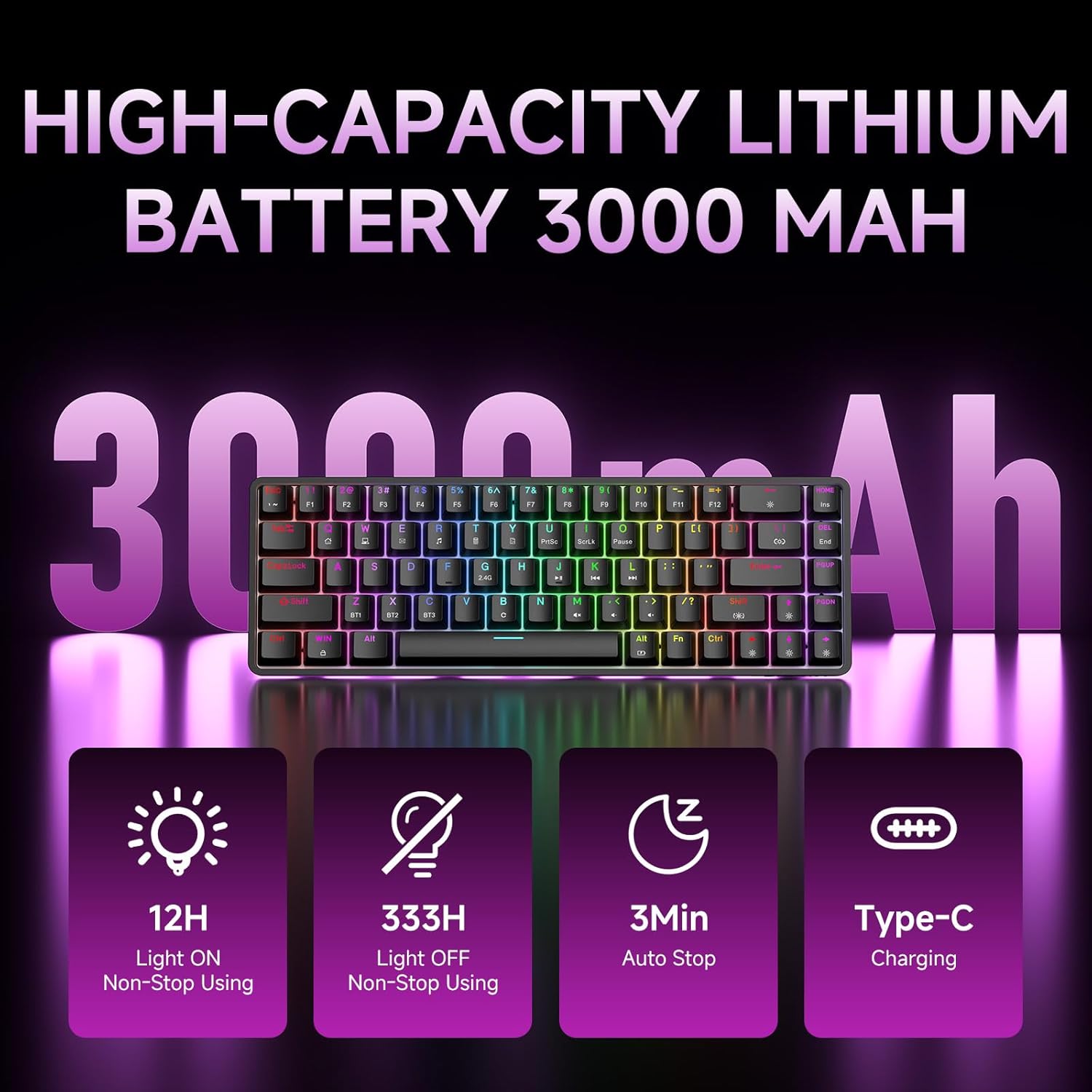
Figure 7: Battery capacity and power-saving features of the DK68.
청소 및 관리
- Use the provided keycap puller to carefully remove keycaps for cleaning.
- 부드러운 천으로 키보드 표면을 닦으세요.amp 천으로 닦아주세요. 과도한 습기는 피해주세요.
- 독한 화학 물질이나 연마성 세제를 사용하지 마십시오.
- 청소하기 전에 키보드의 전원이 꺼져 있는지 확인하세요.
문제 해결
- 키보드가 응답하지 않습니다:
- Check the power switch on the back of the keyboard.
- Ensure the correct connection mode (wired, 2.4GHz, or Bluetooth) is selected.
- 2.4GHz의 경우, USB 수신기가 제대로 연결되어 있는지 확인하세요.
- 블루투스 연결 시, 키보드가 기기에서 페어링되어 선택되어 있는지 확인하십시오. 필요한 경우 다시 페어링해 보세요.
- If using wired mode, try a different USB port or cable.
- 백라이트가 작동하지 않습니다:
- 누르다 Fn + 백스페이스 to toggle the backlighting.
- 배터리 잔량을 확인하십시오. 배터리가 부족하면 백라이트가 꺼질 수 있습니다.
- 키가 등록되지 않음:
- 키보드가 제대로 연결되어 있고 전원이 켜져 있는지 확인하십시오.
- If specific keys are not working, try removing and re-seating their keycaps.
명세서
| 특징 | 세부 사항 |
|---|---|
| 모델 번호 | DK68 |
| 연결 기술 | 2.4GHz 무선, 블루투스 5.0, USB-C 유선 |
| 스위치 유형 | 클릭키 블루 기계식 스위치 |
| 키 레이아웃 | 68개 키(60% 레이아웃) |
| 백라이트 | RGB (16.8만 색상, 20가지 효과) |
| 배터리 용량 | 3000mAh 리튬 폴리머 |
| 호환 장치 | 게임 콘솔, 노트북, PC, 태블릿 |
| 안티 고스팅 | Full Key Anti-Ghosting & NKRO |
| 재료 | 플라스틱 |
| 품목 무게 | 1.76파운드(약 800g) |
| 패키지 크기 | 14.33 x 4.37 x 1.73 인치 |

Figure 8: Keyboard dimensions and compact 68-key layout.
보증 및 지원
For warranty information and technical support, please refer to the documentation included with your product or visit the official DIERYA website. Amazon's return policy for this product is 30 days from the date of receipt.