
소개
Thank you for choosing the Spacetronik Manual Height-Adjustable Sit-Stand Desk. This ergonomic desk is designed to provide a flexible workspace, allowing you to easily switch between sitting and standing positions to promote better posture and reduce fatigue. This manual provides essential information for the safe assembly, operation, and maintenance of your desk.
The desk features a robust steel frame and a silent, smooth crank mechanism for height adjustment. It supports a load capacity of up to 40 kg, making it suitable for various office or gaming setups.
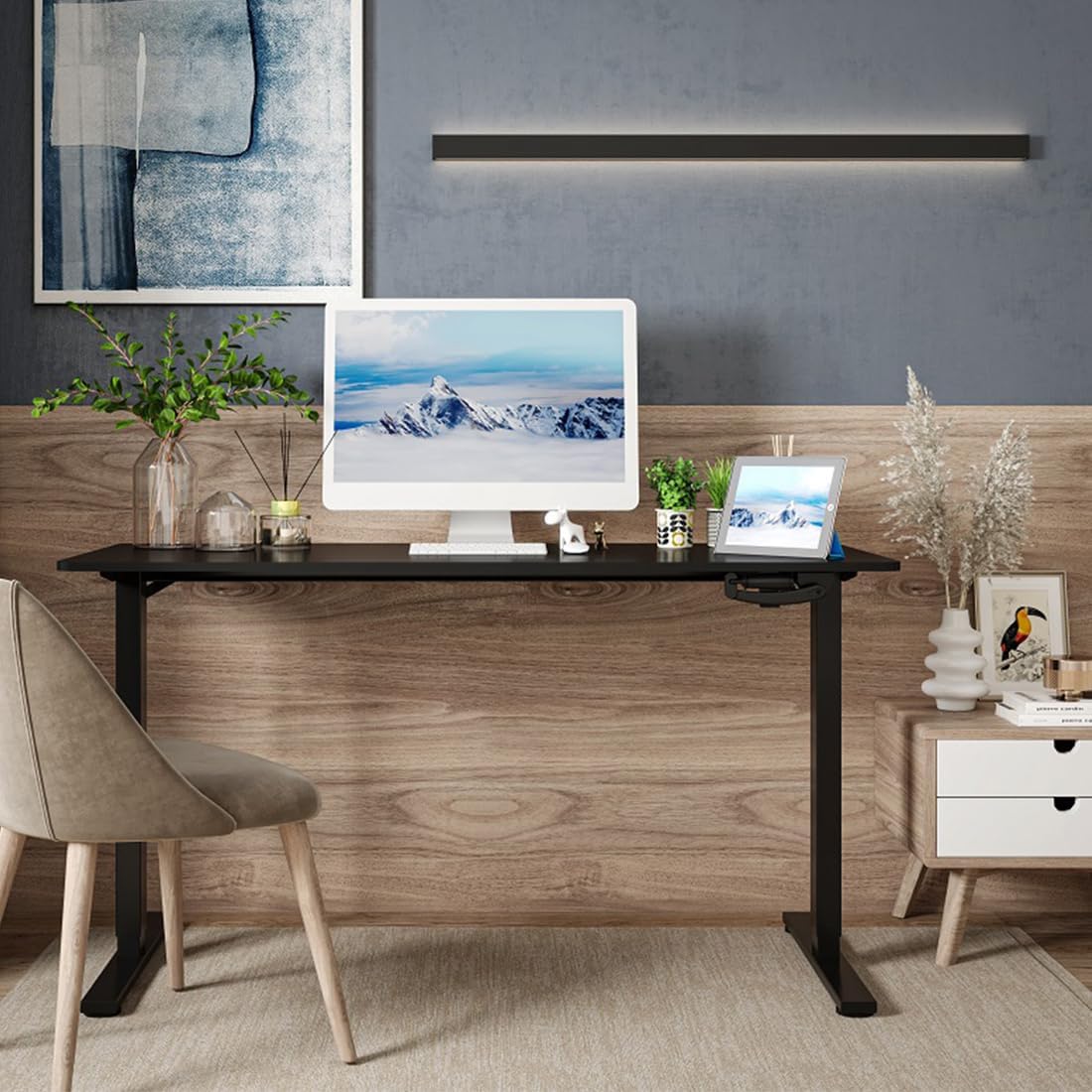
Image: The Spacetronik desk in a contemporary office environment, showcasin디자인과 기능성이 뛰어납니다.
안전 정보
- 조립 및 사용 전에 모든 지침을 주의 깊게 읽으십시오.
- Keep children and pets away from the desk during assembly and operation.
- 사용 전에 모든 나사와 볼트가 단단히 조여졌는지 확인하십시오. 주기적으로 점검하고 필요하면 다시 조여주십시오.
- Do not overload the desk. The maximum load capacity is 40 kg.
- Avoid placing liquids directly on the desk surface without protective coasters.
- When adjusting the height, ensure there are no obstructions above or below the desk that could cause damage or injury.
- Use the desk on a level surface to ensure stability.
패키지 내용
Please check the package contents against the list provided in your separate assembly instructions. Ensure all parts are present and undamaged before beginning assembly. If any parts are missing or damaged, please contact Spacetronik customer support.
일반적인 구성 요소는 다음과 같습니다.
- 책상 탁상
- 책상 다리와 받침대
- Crank mechanism and handle
- 가로대/프레임 구성 요소
- Hardware kit (screws, bolts, tools)
- 조립 설명서
설정 및 조립
Assembly of the Spacetronik desk is designed to be straightforward. Follow the detailed step-by-step instructions provided in the separate assembly manual included with your product. Ensure you have adequate space and the necessary tools (usually included in the hardware kit) before starting.
- 구성 요소 풀기: Carefully remove all parts from the packaging and lay them out on a clean, soft surface to prevent scratches. Verify all parts are present using the provided parts list.
- 프레임 조립: Attach the crossbar and side frames to the desk legs according to the diagrams in the assembly manual. Ensure all connections are secure.
- Install Crank Mechanism: Mount the crank mechanism and handle onto the designated area of the frame. Test the mechanism for smooth rotation.
- 테이블탑 부착: Carefully place the tabletop onto the assembled frame. Align the pre-drilled holes and secure the tabletop using the provided screws.
- 최종 확인: Once assembled, ensure all screws are tightened, and the desk is stable.

Image: A technical drawing illustrating the dimensions and structure of the Spacetronik desk, useful for assembly reference.
작동 지침
The Spacetronik desk features a manual crank system for height adjustment, allowing you to effortlessly switch between sitting and standing positions.
책상 높이 조정:
- Locate the Crank Handle: The crank handle is typically located on the front or side of the desk frame.
- Rotate to Adjust: To raise the desk, turn the crank handle clockwise. To lower the desk, turn the crank handle counter-clockwise.
- 원활한 작동: The crank mechanism is designed for smooth and quiet operation, adjusting the desk height by approximately 8 mm per turn.
- 최적의 높이: Adjust the desk to a height that allows for comfortable posture, whether sitting or standing. For standing, your elbows should form a 90-degree angle when typing.

이미지: 자세한 view of the manual crank system, highlighting its smooth and precise adjustment capability.

Image: Illustration of the desk's height adjustment range, demonstrating comfortable sitting (72 cm) and standing (109.5 cm) positions.
유지
Regular maintenance will help prolong the life and appearance of your Spacetronik desk.
- 청소: 부드러운 천으로 책상 표면을 닦으세요.amp 천을 사용하세요. 잘 지워지지 않는 얼룩에는 순하고 마모성이 없는 세제를 사용하십시오. 마감재를 손상시킬 수 있는 강한 화학 물질은 사용하지 마세요.
- 프레임 관리: The steel frame can be cleaned with a damp 천으로 닦아주세요. 녹이 슬지 않도록 완전히 말려주세요.
- Crank Mechanism: The crank mechanism is generally maintenance-free. If it becomes stiff, a small amount of silicone-based lubricant can be applied to the moving parts, avoiding excessive application.
- 하드웨어 검사: 정기적으로 모든 나사와 볼트가 단단히 조여져 있는지 확인하십시오. 헐거워진 부분이 발견되면 다시 조이십시오.
문제 해결
If you encounter any issues with your Spacetronik desk, refer to the following common problems and solutions:
- 책상이 흔들거린다:
- 모든 조립 나사와 볼트가 단단히 조여졌는지 확인하십시오.
- Check that the desk is placed on a level surface. Adjust the leveling feet if present.
- Crank mechanism is stiff or difficult to turn:
- 책상의 최대 하중인 40kg을 초과하여 과부하가 걸리지 않도록 하십시오.
- Check for any obstructions preventing the mechanism from moving freely.
- Apply a small amount of silicone lubricant to the moving parts of the crank mechanism.
- Desk does not adjust evenly:
- This is unlikely with a manual crank system but ensure the crank is fully engaged and turning both legs simultaneously.
- Verify that the desk is not obstructed on one side.
If these solutions do not resolve the issue, please contact Spacetronik customer support for further assistance.
명세서
| 특징 | 세부 사항 |
|---|---|
| 상표 | 스페이스트로닉 |
| 모델 번호 | SPEO113 |
| 색상 (현재 제품) | 하얀색 |
| 치수(길이 x 너비 x 높이) | 120 x 60 x 72-109.5 cm (approx. 60P x 120l x 109H cm) |
| 높이 조절 범위 | 72cm ~ 109.5cm |
| 높이 조절 메커니즘 | Manual Crank (approx. 8 mm per turn) |
| 하중 용량 | 40kg |
| 프레임 소재 | Robust Steel |
| 품목 무게 | 20 킬로그램 |
| Available Tabletop Sizes | 100x60cm, 120x60cm, 140x60cm |
| Available Tabletop Colors | White, Black, Dark Wood |

Image: Visual representation of the three available tabletop sizes for the Spacetronik desk.

Image: The desk supporting a computer, monitor, and other accessories, illustrating its robust 40 kg load capacity.
보증 및 지원
Spacetronik products are designed for durability and performance. For specific warranty information, please refer to the documentation included with your purchase or visit the official Spacetronik web대지.
For customer support, technical assistance, or to inquire about replacement parts, please contact Spacetronik directly through their official channels. When contacting support, please have your model number (SPEO113) and purchase details ready.
제조업체: 스페이스트로닉
원산지: 중국