
1. 서론
This manual provides essential information for the safe and effective use of your Livenpace HHM1 1-Lead Heart Health Monitor. Please read this manual thoroughly before using the device and keep it for future reference. The Livenpace HHM1 is a portable device designed for continuous heart health monitoring, offering AI analysis and PC report generation.
2. 중요한 안전 정보
- Consult your physician before using this device if you have any pre-existing heart conditions or concerns.
- This device is for informational purposes only and should not be used as a substitute for professional medical advice, diagnosis, or treatment.
- Do not use this device near strong electromagnetic fields (e.g., MRI machines, X-ray equipment).
- 기기를 어린이와 애완동물이 닿지 않는 곳에 보관하세요.
- 기기를 분해하거나 개조하거나 직접 수리하려고 시도하지 마십시오. 도움이 필요하시면 고객 지원팀에 문의하십시오.
- Ensure the device and electrodes are clean and dry before each use to ensure accurate readings.
- 사용 중 불편함이나 이상 증상이 나타나면 즉시 사용을 중단하고 의사와 상담하십시오.
3. 패키지 내용
Upon opening your Livenpace HHM1 package, please verify that all the following items are included:
- Livenpace HHM1 Heart Health Monitor
- 가슴 스트랩
- USB 충전 케이블
- 사용 설명서 (본 문서)
- Battery (pre-installed or separate, as indicated on packaging)
4. 제품 오버view
The Livenpace HHM1 is a compact and portable 1-lead heart health monitor designed for ease of use and comprehensive data collection. Key features include:
- 하루 종일 추적: Continuously captures and records heart data for up to 24 hours.
- AI 분석: Supports identification of 16 categories, providing accurate conclusions after measurement.
- 사용하기 쉽습니다: Automatic recording initiation when worn with the chest strap or attached directly.
- 데이터 저장: Stores up to 10 recordings (30 hours total) or one 24-hour record directly on the device.
- Convenient Data Management: View and manage PDF reports using Livenpace PC software (no subscription required).
- 편안한 착용감: Designed for seamless fit with either a chest strap or direct body attachment.
- 휴대용 및 충전식: Small, lightweight, and powered by a built-in rechargeable lithium battery.

Figure 1: Livenpace HHM1 Heart Health Monitor.
5. 설정
5.1 장치 충전
Before first use, fully charge your HHM1 monitor. Connect the provided USB charging cable to the device and a compatible USB power source (e.g., computer USB port, wall adapter). The charging indicator will show the charging status.
5.2 기기 착용
The HHM1 offers two methods for comfortable and accurate monitoring:
- 가슴 스트랩 사용법: Attach the HHM1 monitor to the chest strap. Secure the strap around your chest, ensuring the electrodes are in firm contact with your skin. This method is ideal for continuous 24-hour tracking.
- Direct Body Attachment: For shorter, on-demand measurements, you can attach the device directly to your chest. Ensure the device's electrodes make good contact with your skin.

Figure 2: Device worn with chest strap for comfortable monitoring.
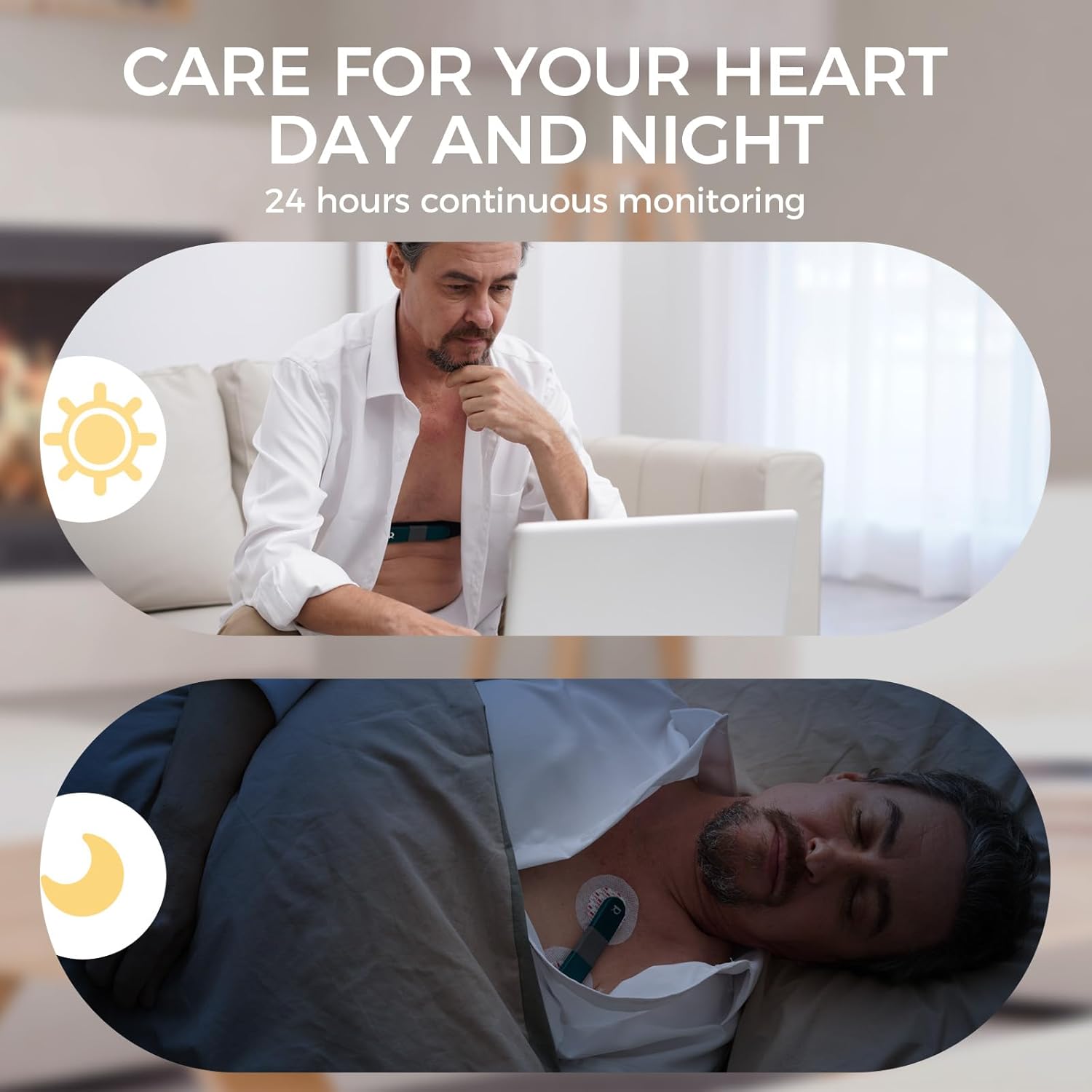
Figure 3: Device attached directly to the chest for quick measurements.
6. 사용 설명서
6.1 녹음 시작
Once the device is properly worn and powered on, it will automatically begin recording when it detects sufficient contact and heart activity. The device is designed for continuous monitoring for up to 24 hours or multiple shorter recordings.
6.2 Monitoring During Activity and Rest
The HHM1 is suitable for monitoring throughout your day, whether you are active or at rest. Its compact design allows for discreet wear.

Figure 4: The HHM1 supports 24-hour continuous monitoring, day and night.
7. 데이터 관리 및 분석
7.1 Transferring Data to PC
After recording, connect your HHM1 device to your PC or Mac using the USB cable. The device will appear as a storage device. You can then use the Livenpace PC software to access and manage your recorded data.
The Livenpace PC software allows you to:
- Review real-time analysis results.
- Generate and manage PDF reports.
- Share records and reports effortlessly.
메모: No subscription fee is required for using the Livenpace PC software.
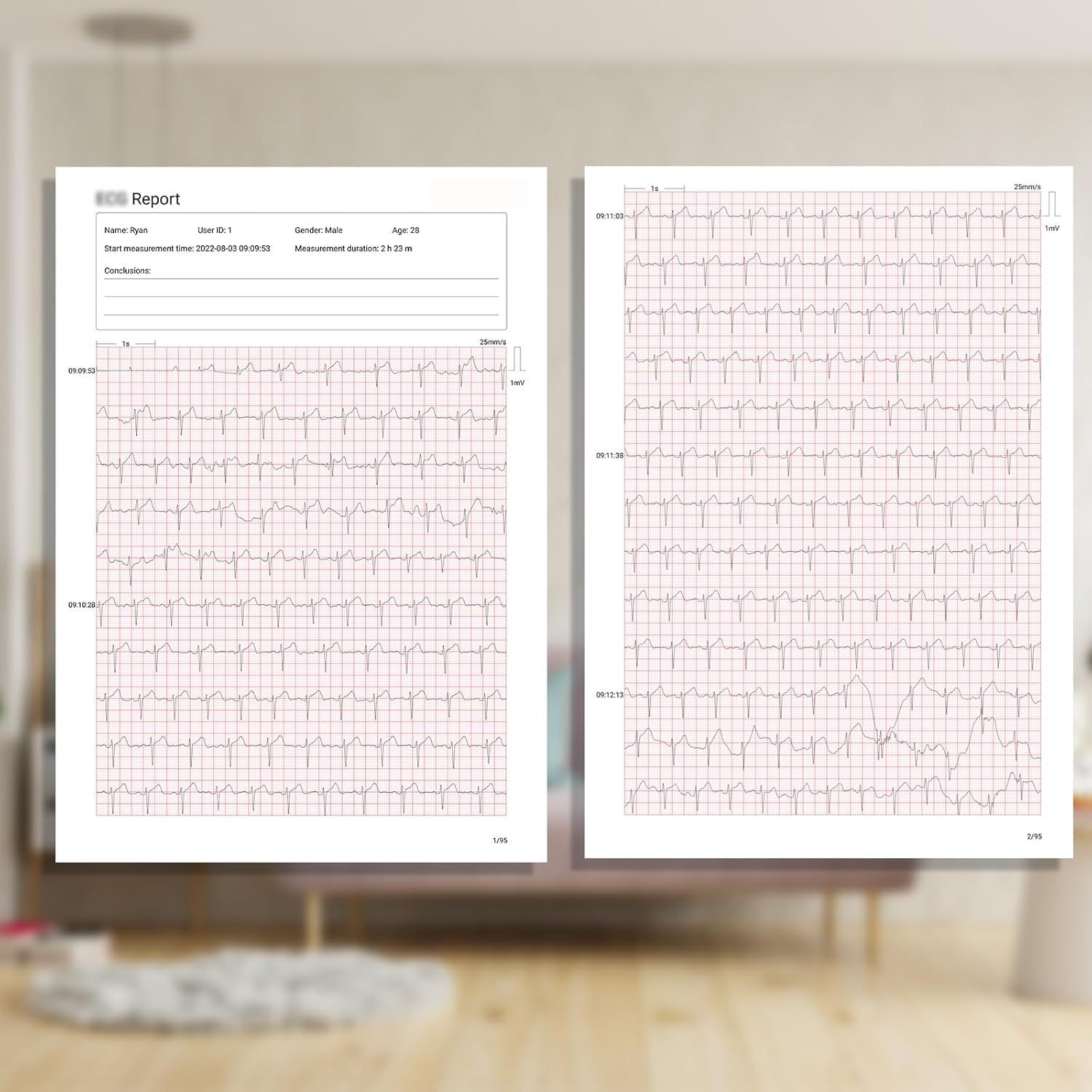
그림 5: 다시viewing heart health reports on the Livenpace PC software.
7.2 AI Analysis
The integrated AI analysis feature supports the identification of 16 categories of heart conditions, providing accurate conclusions based on your recorded data. This analysis is accessible through the Livenpace PC software.
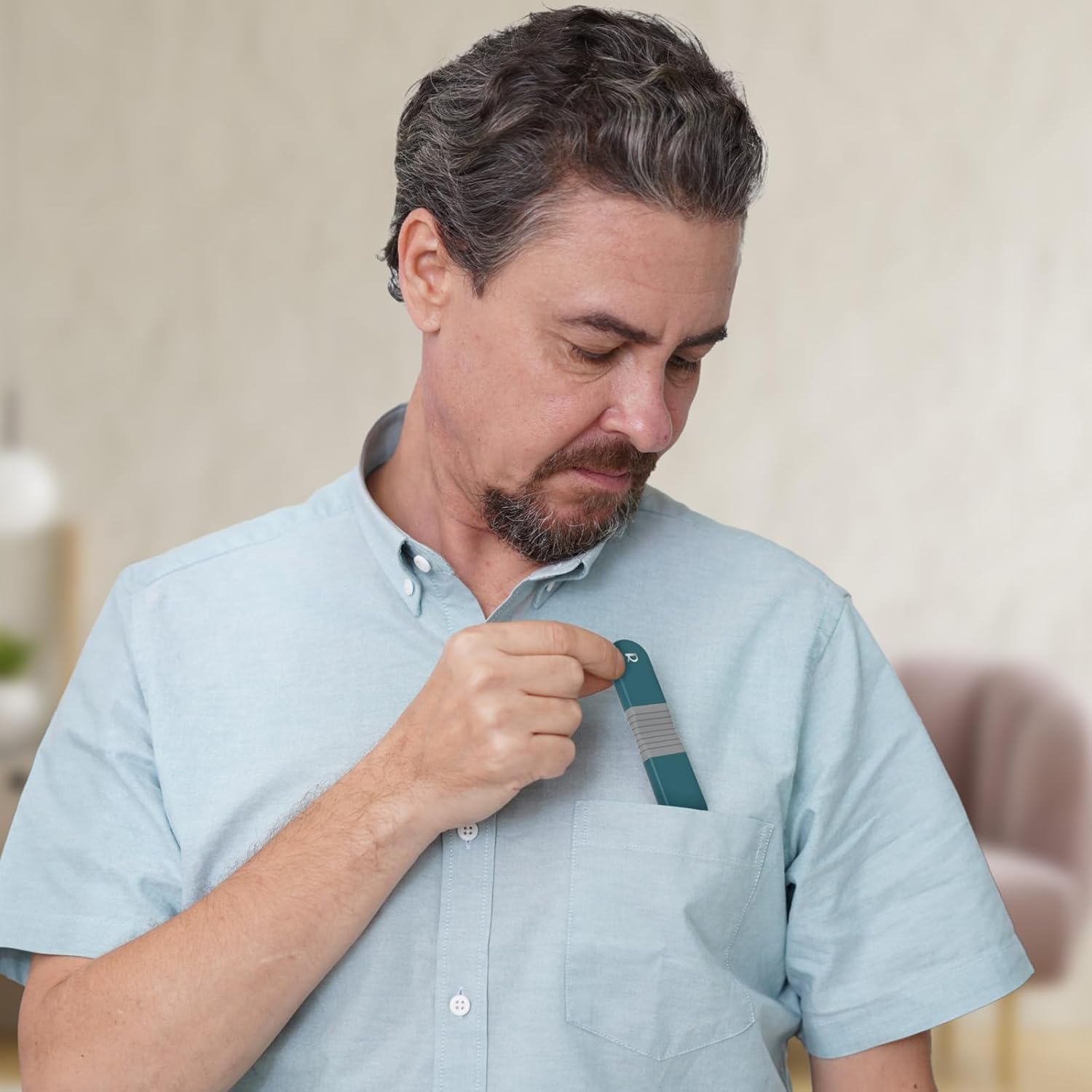
Figure 6: The portable design of the HHM1 allows for easy storage and transport.
8. 유지관리
8.1 청소
- Wipe the device and chest strap with a soft, damp 사용 후마다 천을 닦으세요.
- 연마성 세척제를 사용하거나 기기를 물에 담그지 마세요.
- 보관하거나 다음에 사용하기 전에 장치가 완전히 건조되었는지 확인하세요.
8.2 보관
Store the Livenpace HHM1 in a cool, dry place away from direct sunlight and extreme temperatures. Keep it in its original packaging or a protective case when not in use.
8.3 배터리 관리
The device contains a built-in rechargeable lithium battery. For optimal battery life, avoid fully discharging the battery frequently. Recharge the device regularly, even if not in constant use.
9. 문제 해결
| 문제 | 가능한 원인 | 해결책 |
|---|---|---|
| Device not recording or showing irregular readings. | Poor skin contact with electrodes. | Ensure electrodes are firmly pressed against clean, dry skin. Adjust the chest strap for a snug fit. |
| Device not connecting to PC software. | USB cable issue, software not installed correctly, or device driver problem. | Try a different USB port or cable. Reinstall the Livenpace PC software. Ensure your operating system drivers are up to date. Restart both the device and your computer. |
| "Server error" during AI analysis or app issues. | Internet connectivity issues, temporary server problem, or outdated software/firmware. | Check your internet connection. Try again later. Ensure your Livenpace PC software and device firmware are updated to the latest versions. |
| 배터리가 충전되지 않습니다. | Faulty USB cable/charger, or device issue. | Try a different USB cable and power adapter. Ensure the charging port on the device is clean and free of debris. |
If you encounter persistent issues not covered here, please contact Livenpace Customer Support.
10. 사양
| 특징 | 세부 사항 |
|---|---|
| 상표 | 라이브페이스 |
| 모델 | HHM1 |
| 재료 | 플라스틱 |
| 색상 | 검은색 |
| 호환 장치 | Laptops (for software) |
| 화면 크기 | 0.96 인치 |
| 제품 크기(L x W x H) | 3.9인치 길이 x 0.78인치 너비 x 0.31인치 높이 |
| 품목 무게 | 35그램 |
| 센서 유형 | 광학 |
| 배터리 설명 | Lithium, Rechargeable |
| 한국어: | 850074725497 |
11. 보증 및 지원
11.1 보증 정보
The Livenpace HHM1 comes with a 1년 보증 구매일로부터. 본 보증은 정상적인 사용 중 발생한 제조상의 결함 및 고장에 적용됩니다. 보증 청구를 위해 구매 증빙 자료를 보관해 주십시오.
11.2 고객 지원
For technical assistance, troubleshooting, or warranty inquiries, please visit the official Livenpace store or contact their customer support directly.
Livenpace Store: Visit Livenpace Store on Amazon