
1. 소개 및 이상view
This manual provides detailed instructions for setting up and using your Rapoo Blade-Series E9310M Wireless Keyboard and M300G Silent Mouse Combo. This combo offers multi-device connectivity and a compact design for enhanced productivity across various operating systems.
주요 특징:
- Compact Wireless Combo: Features a 99-key layout with number pad and arrow keys, paired with a silent mouse with side buttons. This design optimizes typing and browsing efficiency while occupying 20% less space.
- Multi-Device and Multi-OS Support: Connects to up to 4 devices across Windows, Mac OS, and Linux via Bluetooth 5.0/4.0 and a plug-and-play USB receiver.
- 유동적인 타이핑 경험: Laptop-like profile with incurve rounded keys ensures a fast, fluid, precise, and quiet typing experience.
- 5-DPI Adjustable Silent Mouse: The M300G mouse offers good portability and ergonomics, with 5 preset DPI levels (800/1000/1200/1600/2400) for smooth tracking.
- 멀티미디어 키: Supports Windows and Mac OS dual system shortcuts for 12 common functions like play/pause and volume control.
- Aesthetic and Durable Design: Constructed with an aluminum alloy frame and a matte antioxidant finish for a delicate texture and enhanced durability.
- 세련된 세부 정보: Includes device and capitalization indicator lights for improved user awareness and an upgraded Bluetooth 5.0/4.0 for extended battery life.
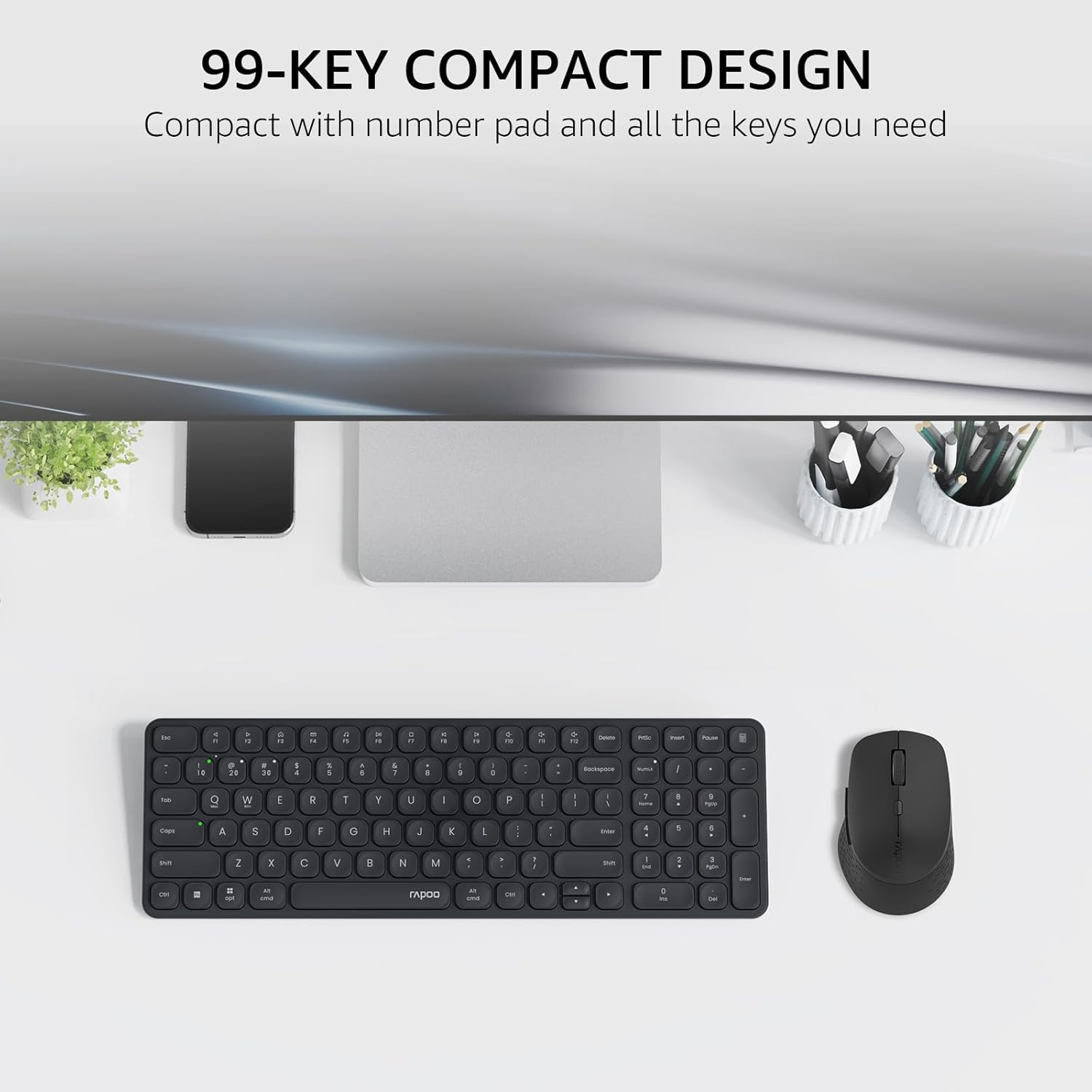
Image: The Rapoo E9310M keyboard and M300G mouse combo, showcasing its compact design on a desk.
2. 설정 지침
2.1 배터리 설치
The keyboard and mouse require AAA batteries. Two AAA batteries are included with the product.
- 키보드와 마우스 아랫면에 있는 배터리함을 찾으세요.
- 배터리 덮개를 엽니다.
- AAA 배터리를 올바른 극성(+/-)에 맞춰 삽입하세요.
- 배터리 덮개를 단단히 닫으세요.
2.2 장치에 연결하기
Your Rapoo combo supports connection via 2.4GHz USB receiver or Bluetooth 5.0/4.0, allowing connection to up to 4 devices (3 via Bluetooth, 1 via 2.4GHz).
2.2.1 2.4GHz USB 수신기 연결
- 일반적으로 마우스 배터리 칸에 보관되어 있는 USB 수신기를 찾으십시오.
- USB 수신기를 컴퓨터의 사용 가능한 USB 포트에 연결합니다.
- 각각의 전원 스위치를 사용하여 키보드와 마우스를 켭니다.
- The devices should automatically connect to your computer. If not, press the 2.4G pairing button on the keyboard/mouse (refer to device for exact button location).
2.2.2 Bluetooth Connection (for up to 3 devices)
- 키보드와 마우스를 켭니다.
- On the keyboard, press and hold one of the Bluetooth pairing keys (e.g., Fn + 1, Fn + 2, or Fn + 3) until the indicator light flashes, indicating pairing mode.
- On your device (PC, tablet, phone), go to Bluetooth settings and search for new devices.
- Select the Rapoo keyboard from the list and follow any on-screen prompts to complete pairing.
- Repeat steps 2-4 for the mouse, pressing its Bluetooth pairing button (usually on the underside) until its indicator flashes.
- To switch between paired Bluetooth devices, simply press the corresponding Bluetooth key (Fn + 1/2/3) on the keyboard or the Bluetooth switch on the mouse.
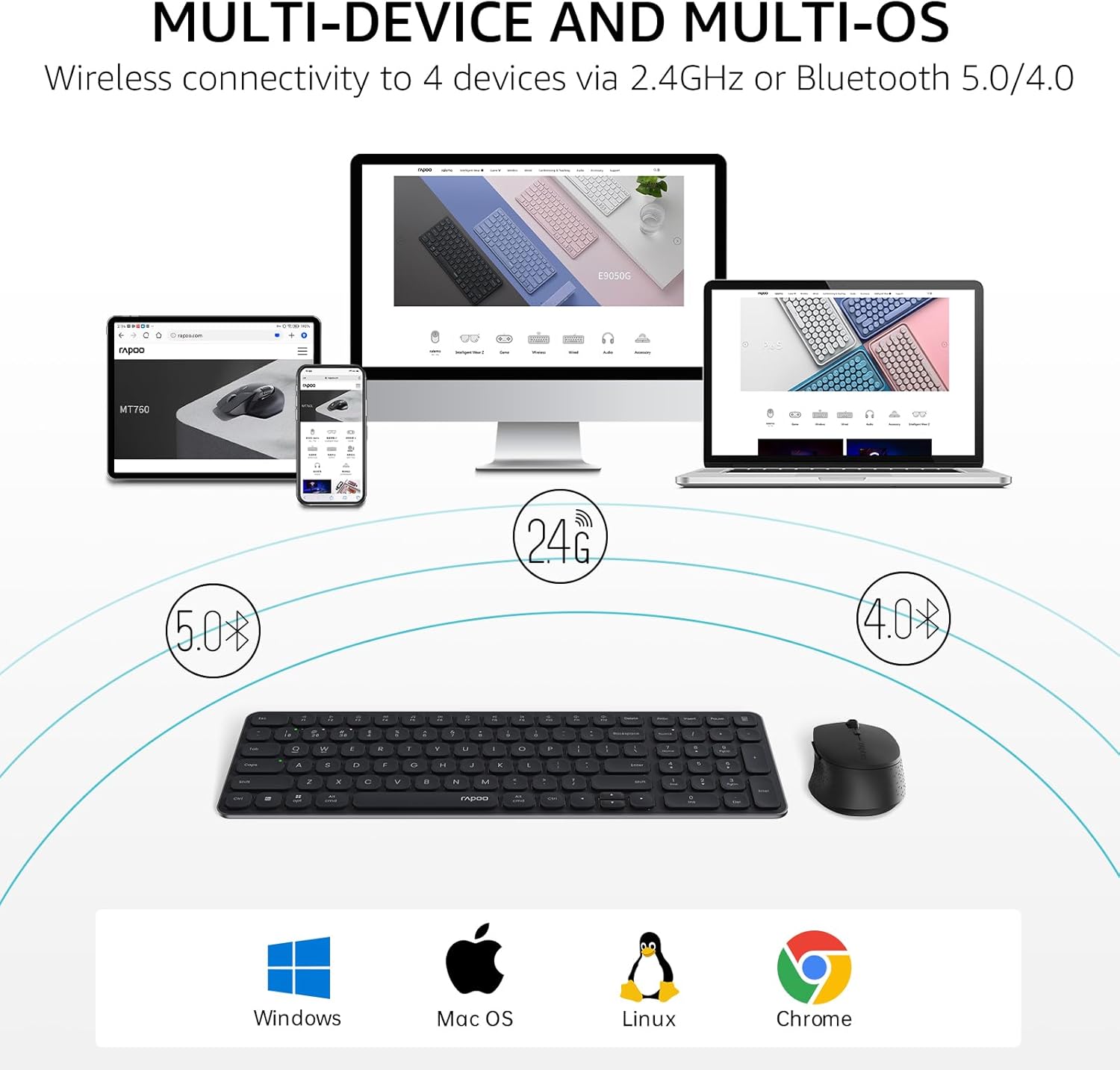
Image: The Rapoo keyboard and mouse combo connected to a desktop, laptop, tablet, and smartphone, illustrating its multi-device capability.
3. 사용 설명서
3.1 키보드 기능
The E9310M keyboard features a 99-key layout, including a number pad and dedicated arrow keys, designed for efficient input.
3.1.1 멀티미디어 키
Access 12 widely used function keys by pressing the Fn key in combination with the corresponding F-keys (F1-F12). These shortcuts are compatible with both Windows and Mac OS.
- Fn+F1: 재생/일시정지
- Fn+F2: 멈추다
- Fn+F3: 이전 트랙
- Fn+F4: 다음 트랙
- Fn+F5: 무음
- Fn+F6: 볼륨 낮추기
- Fn+F7: 볼륨을 높이다
- Fn+F8: 검색
- Fn+F9: 집
- Fn+F10: 우편
- Fn+F11: 내 컴퓨터
- Fn+F12: 즐겨찾기
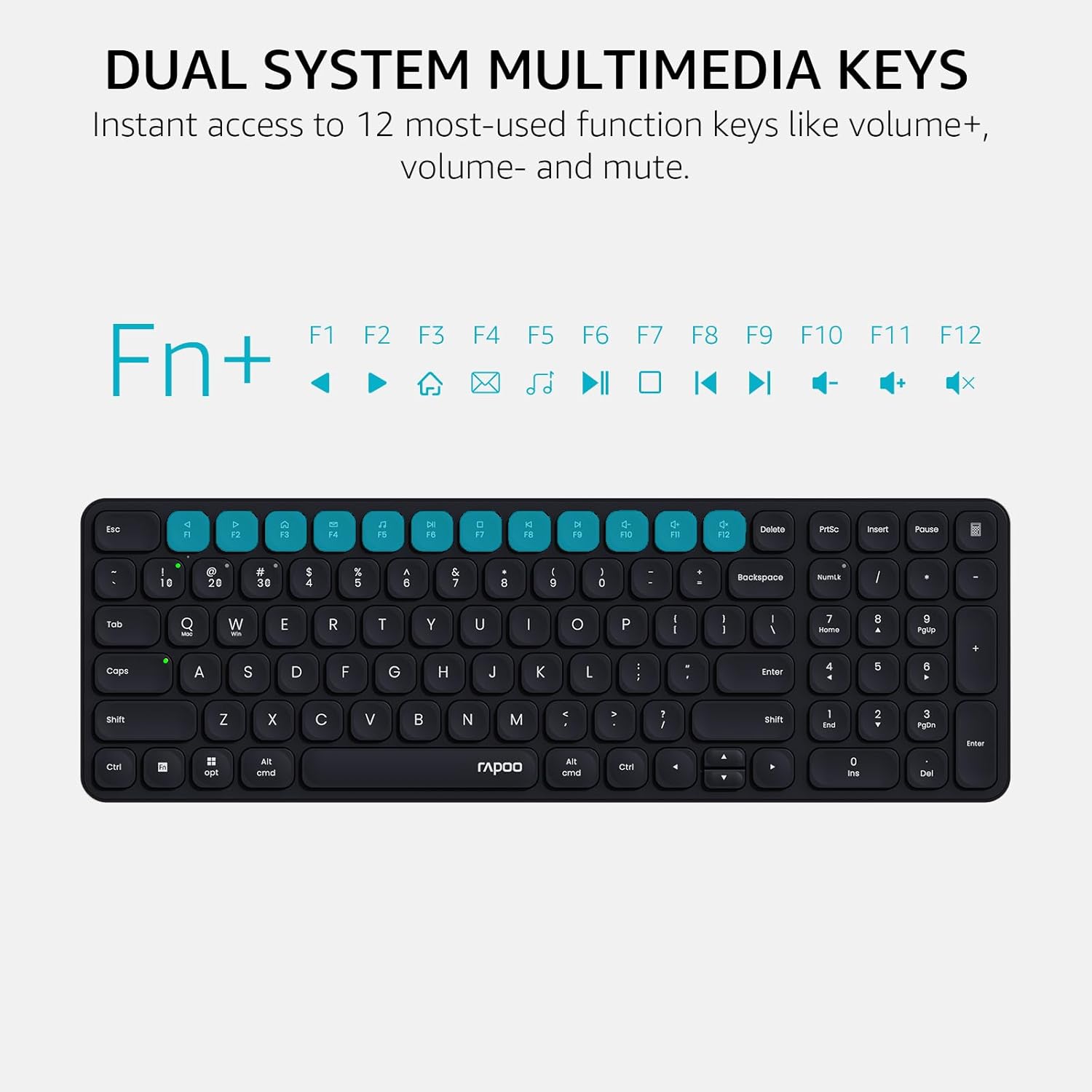
Image: Close-up of the Rapoo E9310M keyboard highlighting the multimedia function keys (F1-F12) and their corresponding icons.
3.1.2 Device and Capitalization Indicator Lights
The keyboard includes indicator lights to show which device is currently active and the status of the Caps Lock key.
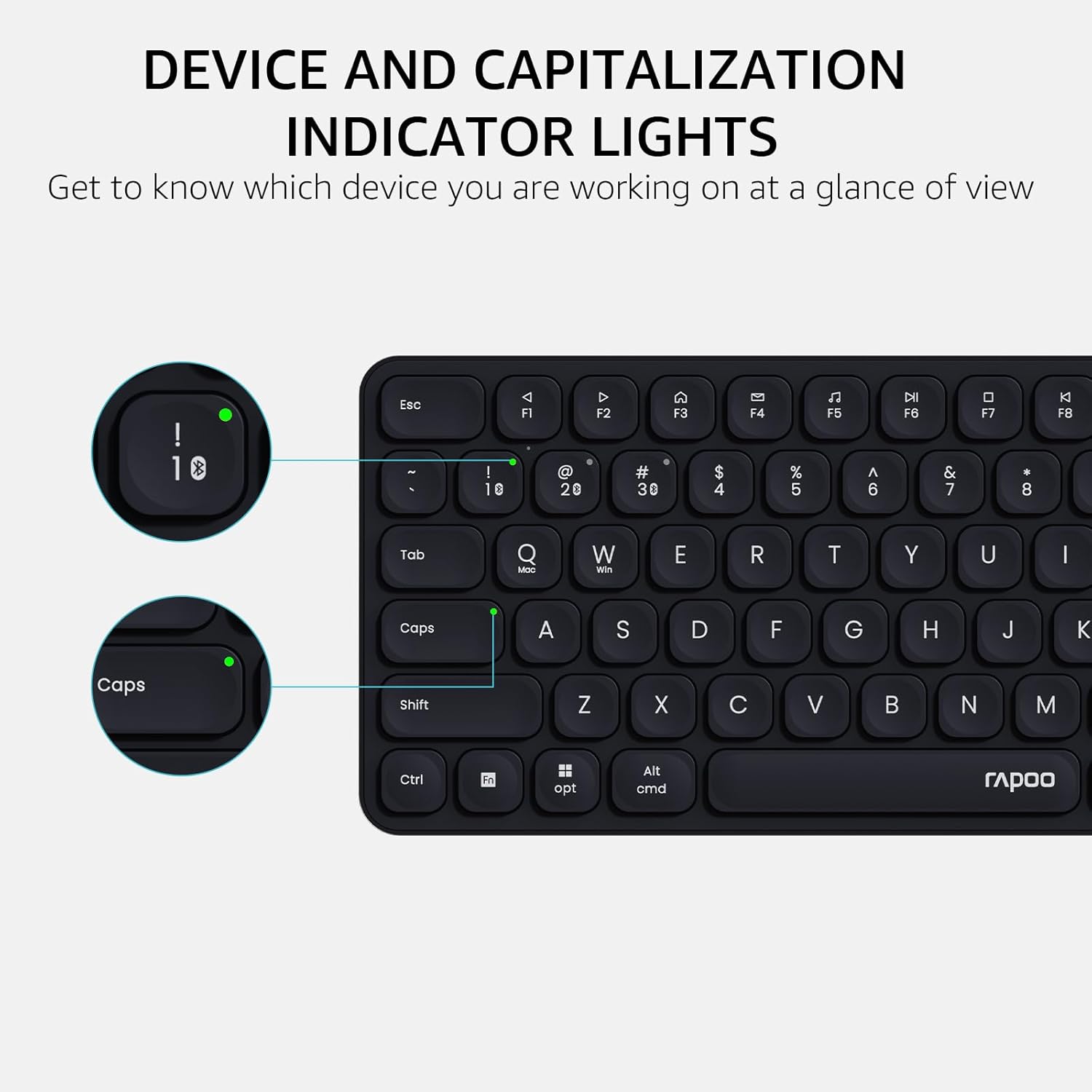
이미지: 자세한 view of the Rapoo E9310M keyboard, pointing out the indicator lights for device connection and Caps Lock status.
3.2 마우스 기능
The M300G Silent Mouse provides precise control with adjustable DPI settings and a quiet click design.
3.2.1 DPI 조정
The mouse features 5 adjustable DPI levels (800/1000/1200/1600/2400) to suit different screen resolutions and user preferences. Press the DPI button (usually located near the scroll wheel) to cycle through the settings.
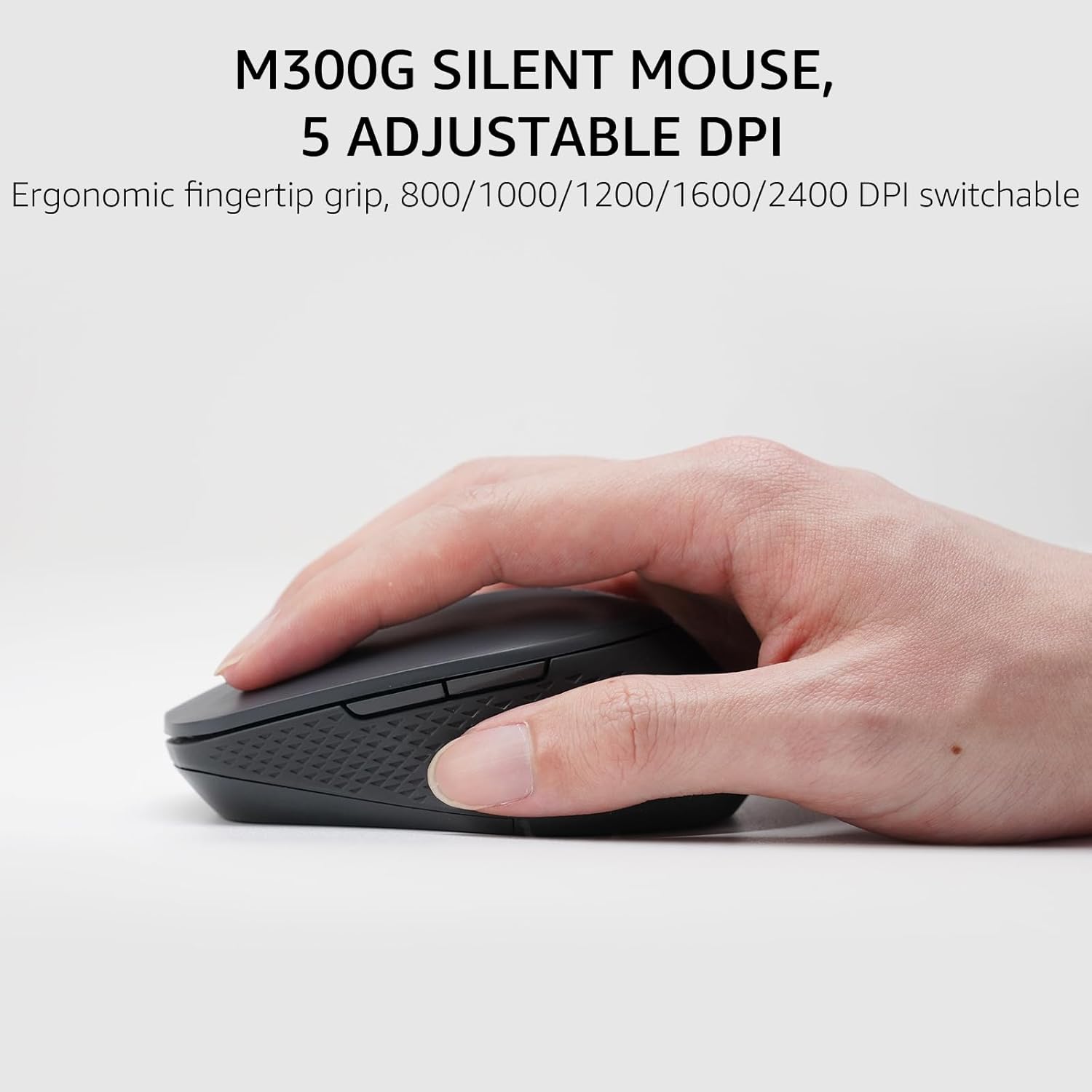
Image: The Rapoo M300G Silent Mouse, highlighting its ergonomic design and the DPI adjustment button.
4. 유지관리
4.1 청소
- 부드럽고 마른 천으로 키보드와 마우스 표면을 닦으세요.
- 완고한 먼지에는 약간 damp천에 물이나 순한 세척액을 묻혀 닦아주세요. 과도한 습기는 피하세요.
- 연마성 세척제, 용제 또는 에어로졸 스프레이를 사용하지 마십시오.
4.2 배터리 교체
When the battery indicator light flashes or performance degrades, replace the batteries. The upgraded Bluetooth 5.0/4.0 technology extends battery life up to 12 months.
- 장치를 끄세요.
- 배터리 칸을 엽니다.
- 사용한 배터리는 제거하고 지역 규정에 따라 폐기하십시오.
- 극성을 확인하여 새 AAA 배터리를 삽입하십시오.
- 구획을 닫습니다.
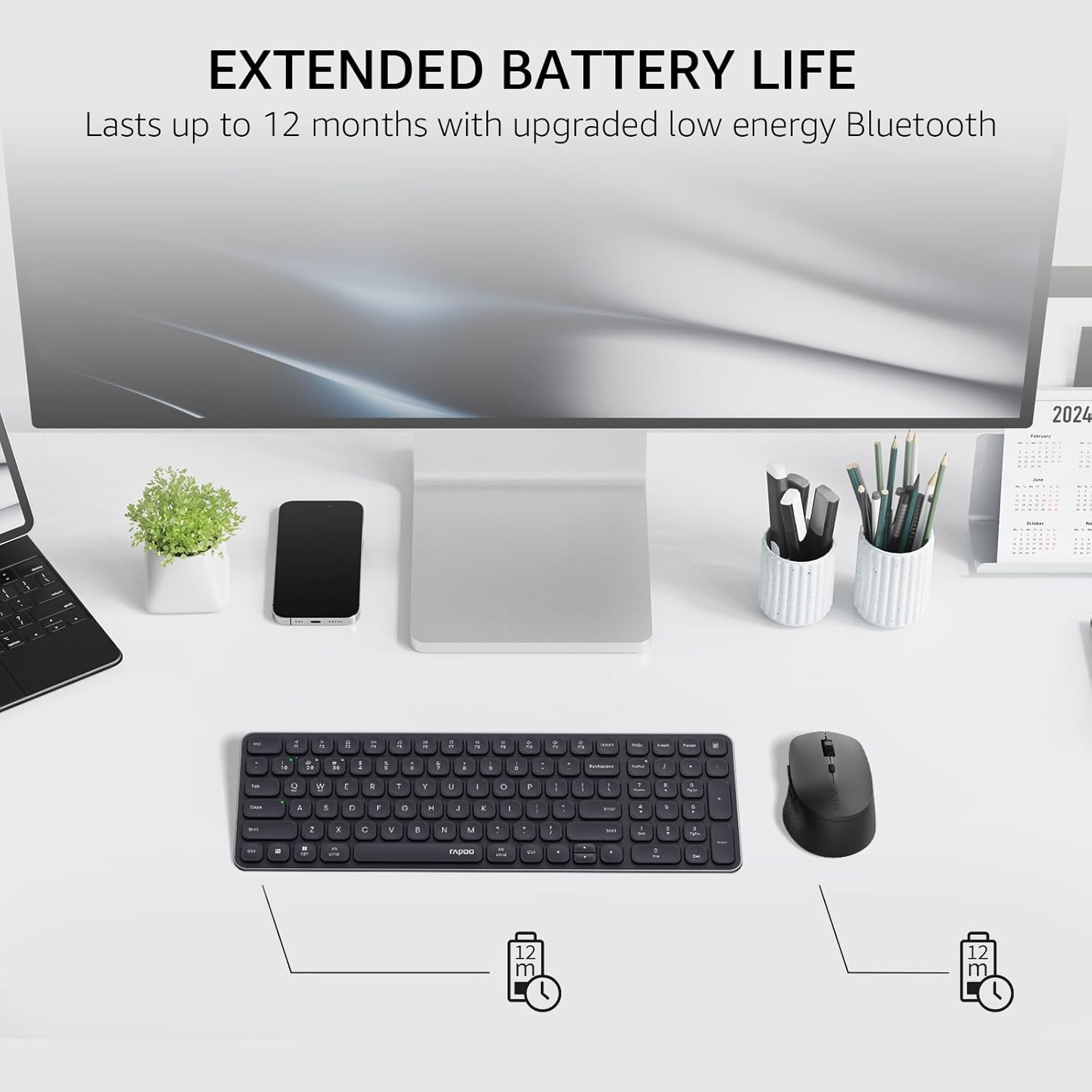
Image: The Rapoo keyboard and mouse on a desk, with an overlay indicating an extended battery life of up to 12 months.
5. 문제 해결
5.1 연결 문제
- 장치가 연결되지 않음: Ensure the keyboard/mouse is turned on and in pairing mode (indicator light flashing). Check your device's Bluetooth settings to ensure Bluetooth is enabled and the correct Rapoo device is selected.
- 2.4GHz 연결이 불안정합니다: Ensure the USB receiver is securely plugged into a working USB port. Try a different USB port. Ensure no other wireless devices are causing interference.
- Bluetooth connection dropping: Ensure the devices are within the effective range (typically 10 meters/33 feet). Check battery levels. Remove and re-pair the device if issues persist.
5.2 Keyboard/Mouse Not Responding
- 입력 없음: Check battery levels and replace if necessary. Ensure the correct connection mode (2.4GHz or Bluetooth channel) is selected on the keyboard/mouse.
- 키가 작동하지 않습니다: 영향을 받은 키 주변을 청소하여 이물질을 제거하세요.
- 마우스 커서가 불규칙합니다. Clean the mouse sensor. Ensure the mouse is used on a suitable surface. Adjust DPI settings if sensitivity is an issue.
6. 사양
| 특징 | 세부 사항 |
|---|---|
| 상표 | 라푸 |
| 모델(키보드) | E9310m |
| 모델(마우스) | M300G |
| 색상 | 검은색 |
| 연결 기술 | Bluetooth (5.0/4.0), Radio Frequency (2.4GHz) |
| 호환 장치 | Laptop, Personal Computer (Windows, macOS, Linux, Chrome OS) |
| 키보드 레이아웃 | QWERTY, 99-Key with Number Pad |
| 마우스 DPI | 800/1000/1200/1600/2400 (Adjustable) |
| 전원 | 배터리 구동(AAA 배터리 2개 포함) |
| 품목 무게 | 393.2그램 |
| 제조업체 | 심천 Rapoo 기술 Co., 주식 회사. |
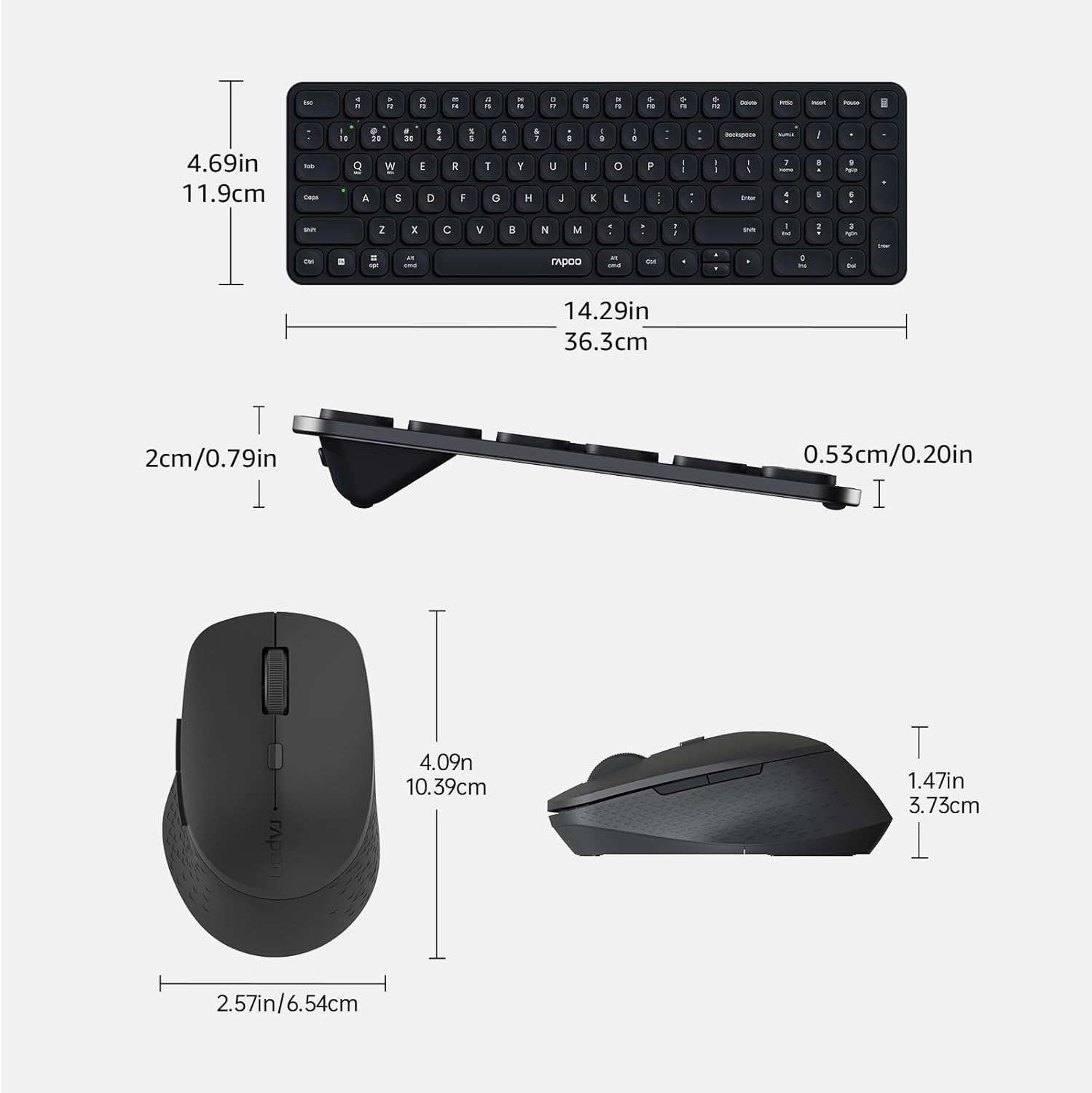
Image: Technical drawing showing the dimensions of the Rapoo E9310M keyboard and M300G mouse in inches and centimeters.
7. 보증 및 지원
7.1 보증 정보
이 제품에는 다음이 포함되어 있습니다. 1년 보증 구매일로부터 적용됩니다. 보증 청구를 위해 구매 증빙 자료를 보관해 주십시오. 보증은 정상적인 사용 조건에서 발생하는 제조상의 결함 및 오작동에 적용됩니다.
7.2 고객 지원
For technical assistance, troubleshooting, or warranty inquiries, please contact Rapoo customer support. Refer to the official Rapoo web최신 연락처 정보는 웹사이트 또는 제품 포장을 참조하십시오.