
1. 서론
Welcome to the OnePlus 15 user manual. This guide provides essential information for setting up, operating, maintaining, and troubleshooting your new smartphone. The OnePlus 15 is designed for high performance and extended battery life, featuring a Snapdragon 8 Elite Gen 5 processor, a 7300mAh battery, and a triple 50 MP camera system. Please read this manual thoroughly to ensure optimal use of your device.
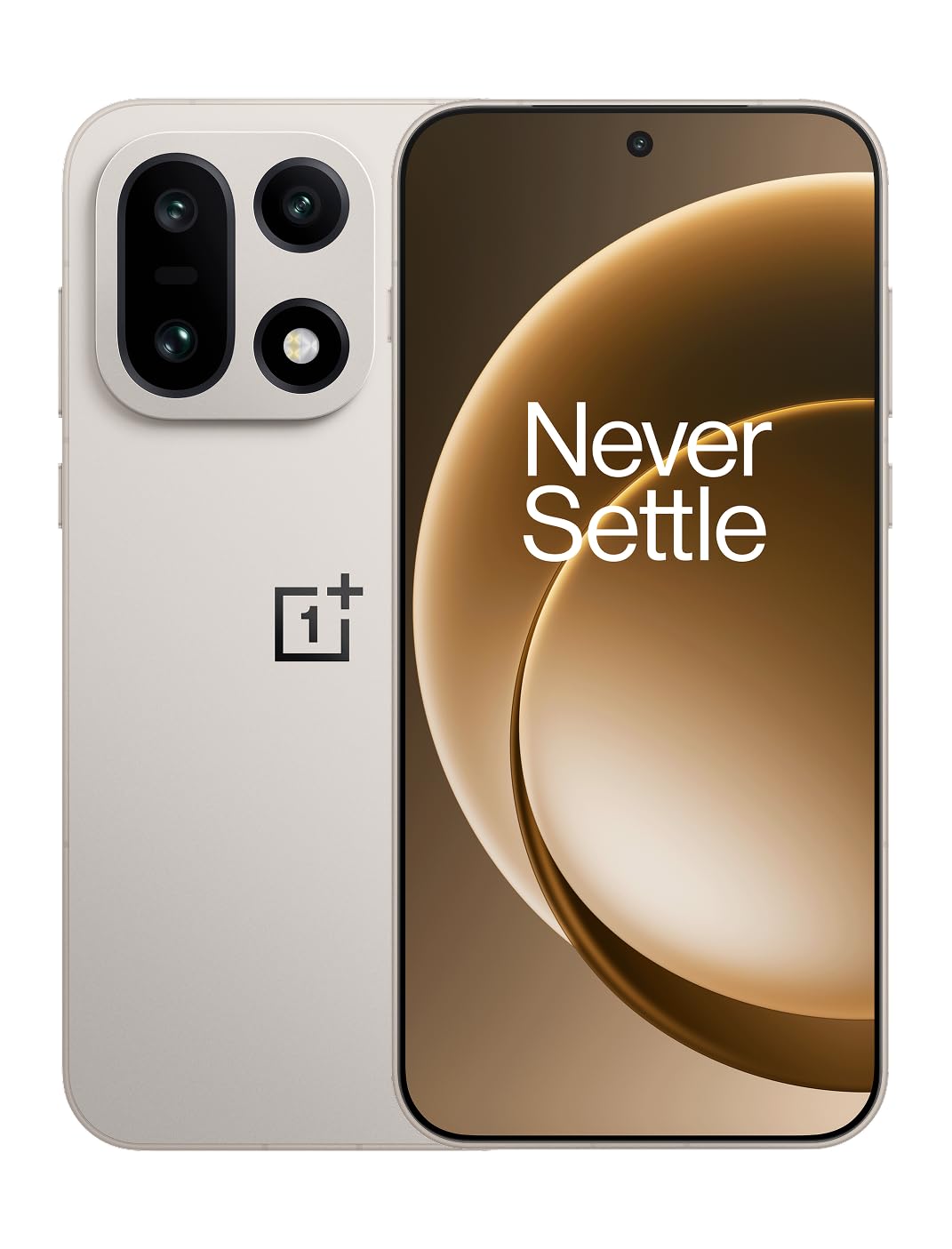
그림 1: 전면 view of the OnePlus 15 smartphone.
2. 상자 안에 무엇이 들어있나요?
제품 포장에 모든 품목이 들어 있는지 확인하세요.
- OnePlus 15 Smartphone (x1)
- 충전기(x1)
- USB 데이터 케이블(x1)
- SIM Ejector Tool (x1)
- 빠른 가이드 (x1)
- Safety Guide (x1)

Figure 2: Included items in the OnePlus 15 package.
3. 설정
3.1. SIM 카드 설치
The OnePlus 15 supports Dual-SIM functionality. To install your SIM card(s):
- 기기 측면에서 SIM 카드 트레이를 찾으세요.
- SIM 꺼내기 도구를 트레이 옆에 있는 작은 구멍에 넣고 트레이가 튀어나올 때까지 단단히 누르세요.
- 나노 SIM 카드의 금색 접촉부가 아래로 향하도록 트레이에 넣으세요. 카드가 제대로 장착되었는지 확인하세요.
- SIM 카드 트레이를 조심스럽게 휴대폰에 다시 삽입하세요.

그림 3: 측면 view of the OnePlus 15, highlighting the SIM card tray.
3.2. 초기 전원 켜기 및 설정
처음으로 기기의 전원을 켜려면:
- OnePlus 로고가 나타날 때까지 전원 버튼(오른쪽에 위치)을 길게 누르세요.
- 화면의 안내에 따라 언어 선택, Wi-Fi 연결, Google 계정 로그인, 보안 설정 등 초기 설정을 완료하세요.
3.3. 배터리 충전
The OnePlus 15 is equipped with a 7300mAh battery. To charge your device:
- 유선 충전: Connect the provided USB Data Cable to the Type-C port on the bottom of the phone and the other end to the charger. Plug the charger into a power outlet.
- 무선 충전: Place the phone on a compatible wireless charging pad. Ensure the phone is centered on the pad for efficient charging.
A full charge provides approximately 68.7 hours of talk time.

Figure 4: Illustration of the 7300mAh battery capacity.
4. 장치 작동
4.1. 디스플레이
The OnePlus 15 features a 6.78-inch AMOLED display with a 2772x1272 resolution and a 165 Hz refresh rate. This provides smooth visuals and vibrant colors. Adjust display settings such as brightness, color mode, and refresh rate in the device settings menu.
4.2. 성능
Powered by the Snapdragon 8 Elite Gen 5 processor and 16GB of RAM, the OnePlus 15 delivers fast and efficient performance for multitasking, gaming, and demanding applications. The Tri-Chip System, combining the Snapdragon 8 Elite Gen 5 with a dedicated Wi-Fi chip and CPU scheduler, optimizes for speed, connectivity, and power efficiency.
비디오 1: 끝view of the OnePlus 15's performance capabilities and user experience.
4.3. 카메라 시스템
The device is equipped with a Triple 50 MP camera system, offering wide, ultra-wide, and telephoto lenses for versatile photography. The DetailMax Engine enhances photo quality in various lighting conditions, including day, night, and motion shots. Both front and rear cameras are available for capturing images and videos.

그림 5: 후면 view of the OnePlus 15, showcasin트리플 카메라 시스템.

Figure 6: DetailMax Engine for stunning photos.
4.4. 연결성
The OnePlus 15 supports a range of connectivity options:
- 무선 전화: Wi-Fi, Bluetooth, NFC, Infrared.
- 열광한: USB 타입 C.
- 항해: Dual-band GPS (L1+L5) and Galileo (E1+E5a).
- 심: Dual SIM support for managing multiple networks.
4.5. 운영 체제
The device runs on Android 16 with OxygenOS 16, providing a fast and smooth user experience. Regular software updates will be provided to enhance features and security.
5. 유지관리
5.1. 내구성 및 보호성
The OnePlus 15 is built with IP66/IP68/IP69 and IP19K ratings, offering resistance against dust and water. While designed to be durable, avoid exposing the device to extreme conditions or prolonged submersion in water.

Figure 7: OnePlus 15 demonstrating water resistance.
5.2. 기기 청소
Use a soft, lint-free cloth to clean the screen and body of your phone. Avoid using abrasive materials or harsh chemicals, which can damage the display or finish.
5.3. 소프트웨어 업데이트
Periodically check for software updates in the device settings. Keeping your software up-to-date ensures you have the latest features, security patches, and performance improvements.
6. 문제 해결
This section addresses common issues you might encounter with your OnePlus 15.
6.1. 장치 전원이 켜지지 않음
- 배터리가 충전되어 있는지 확인하십시오. 휴대전화를 충전기에 연결하고 몇 분 정도 기다린 후 다시 전원을 켜보세요.
- 최소 10~15초 동안 전원 버튼을 길게 눌러 강제로 다시 시작하세요.
6.2. 네트워크 연결 불량
- 유심 카드가 제대로 삽입되었는지 확인하십시오.
- Verify that airplane mode is not enabled.
- 장치를 다시 시작합니다.
- If issues persist, contact your network provider.
6.3. 앱 충돌 또는 정지
- 앱을 닫았다가 다시 엽니다.
- Clear the app's cache and data in device settings.
- 앱이 최신 버전으로 업데이트되었는지 확인하세요.
- If the issue is widespread, consider restarting the phone.
6.4. 배터리가 빠르게 소모됨
- 화면 밝기와 화면 자동 꺼짐 시간을 줄이세요.
- 필요하지 않을 때는 Wi-Fi, 블루투스, GPS 등의 사용하지 않는 기능을 비활성화하세요.
- Identify and close power-intensive applications running in the background.
- Check for recent software updates, as they often include battery optimizations.
7. 사양
Detailed technical specifications for the OnePlus 15 (Model: CPH2749).
| 특징 | 세부 사항 |
|---|---|
| 모델명 | 원플러스 15 |
| 품목 모델 번호 | CPH2749 |
| 제품 치수 | 6.36 x 3.02 x 0.32 인치 |
| 품목 무게 | 1.28파운드 |
| 운영 체제 | 안드로이드 16 |
| CPU 모델 | Snapdragon 8 Elite Gen 5 |
| CPU 속도 | 4.61GHz |
| 설치된 RAM 메모리 크기 | 16GB (XNUMX기가바이트) |
| 메모리 저장 용량 | 512GB (XNUMX기가바이트) |
| 스탠딩 스크린 디스플레이 크기 | 6.78 인치 |
| 해결 | 2772*1272 |
| 새로 고침 빈도 | 165Hz |
| 배터리 용량 | 7300밀리amp 시간 (7300mAh) |
| 전화 통화 시간 | 68.7시간 |
| 연결 기술 | Infrared, NFC, USB, Wi-Fi, Bluetooth |
| GPS | Dual band: GPS(L1+L5) Galileo(E1+E5a) |
| 특별 기능 | Dual SIM, Wireless Charging |
| 오디오 잭 | Type-C headphones: supported Type-C digital headphones & Type-C analog headphones |
| 기타 카메라 기능 | Front, Rear (Triple 50 MP Camera System) |
| IP 등급 | IP66/IP68/IP69 and IP19K rated |
| 색상 | Sand Storm |
8. 보증 정보
Your OnePlus 15 device is covered by a limited manufacturer's warranty. Please refer to the included Safety Guide or visit the official OnePlus website for detailed warranty terms and conditions, including coverage duration and service procedures. Keep your proof of purchase for warranty claims.
9. 지원
For further assistance, technical support, or to access additional resources, please visit the official OnePlus support website or contact customer service. You can find contact details and FAQs on the OnePlus web대지.
온라인 리소스: www.oneplus.com/support