
소개
This manual provides essential information for setting up, operating, and maintaining your OnePlus 15 smartphone. The OnePlus 15 is an unlocked Android smartphone featuring a powerful Snapdragon 8 Elite Gen 5 processor, a massive 7300mAh battery, and a versatile triple 50 MP camera system. It is designed for smooth performance and all-day power.

이미지: 앞면과 뒷면 view of the OnePlus 15 smartphone in Ultra Violet.
상자 안에 무엇이 들어있나요?
제품 포장에 모든 품목이 들어 있는지 확인하세요.
- OnePlus 15 x1
- 충전기 x1
- USB 데이터 케이블 x1
- SIM Ejector Tool x1
- 퀵 가이드 x1
- Safety Guide x1

Image: All components included in the OnePlus 15 retail packaging.
제품 끝view 동영상
Video: Official OnePlus 15 Launch Video, showcasing 주요 특징 및 디자인 요소.
설정
1. SIM 카드 삽입
- Locate the SIM card tray on the side of your OnePlus 15.
- SIM 꺼내기 도구를 트레이 옆에 있는 작은 구멍에 넣고 트레이가 튀어나올 때까지 단단히 누르세요.
- 나노 SIM 카드의 금색 접점이 아래를 향하도록 트레이에 놓으세요.
- 트레이를 조심스럽게 전화기에 다시 삽입하세요.
2. 전원 켜기
- OnePlus 로고가 나타날 때까지 전원 버튼(오른쪽에 위치)을 길게 누르세요.
3. 초기 구성
- 화면의 안내에 따라 언어를 선택하고, Wi-Fi에 연결하고, Google 계정을 설정하세요.
- You will also be guided through setting up security features like fingerprint unlock and facial recognition.
작동 지침
기본 탐색
- 홈 화면: 하단에서 위로 살짝 밀어 앱 서랍에 접근하세요.
- 알림: 화면 상단에서 아래로 스와이프하여 view 알림 및 빠른 설정.
- 멀티태스킹: 아래에서 위로 스와이프하고 유지하세요 view 최근 앱.
산소OS 16
The OnePlus 15 runs on OxygenOS 16, providing a fast and smooth Android experience with customizable features and optimizations for performance and battery life.
카메라 기능
The OnePlus 15 features a Triple 50 MP Camera System, allowing you to capture stunning photos and videos with wide, ultra-wide, and telephoto versatility.
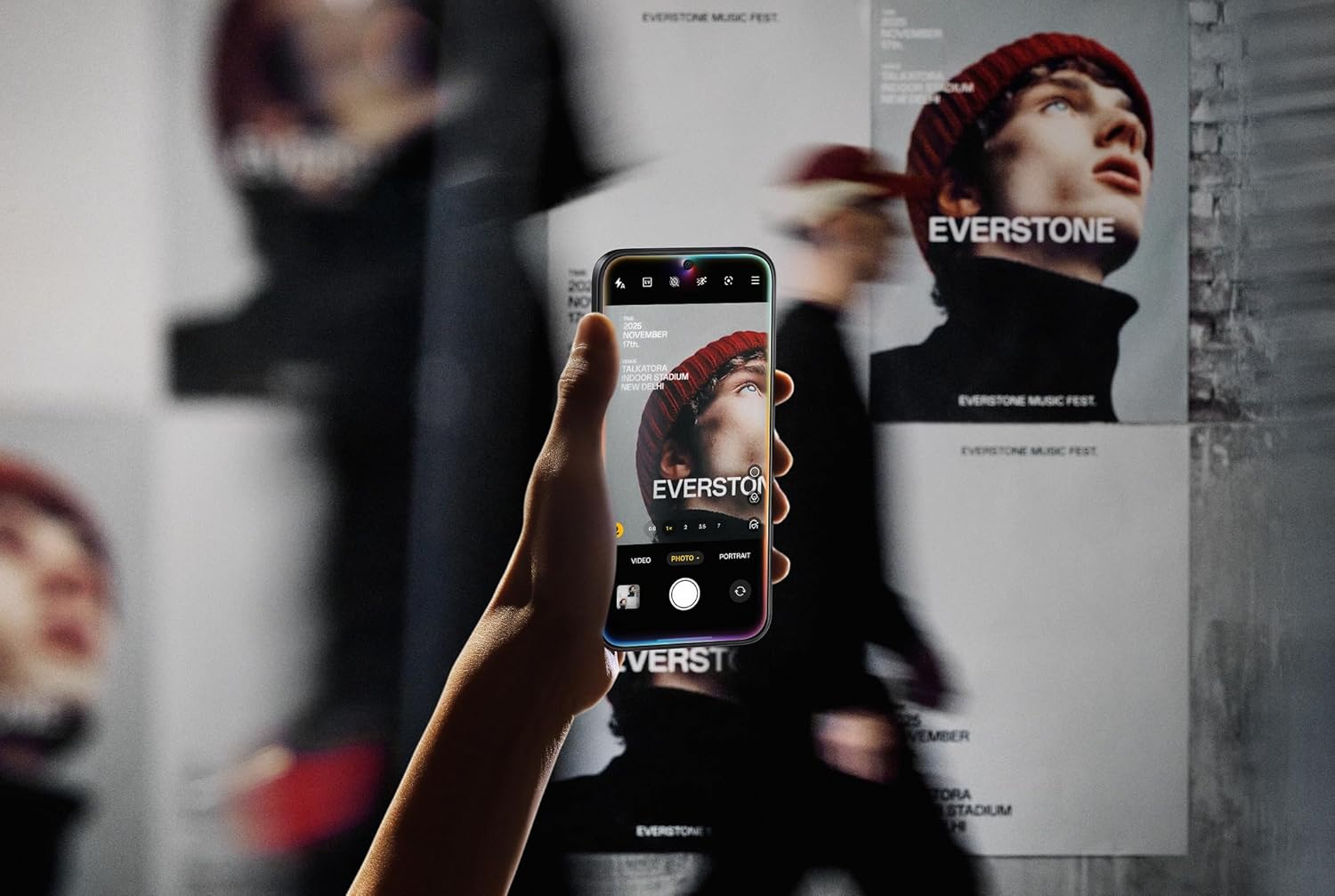
Image: A person using the OnePlus 15 to photograph a poster.

Image: The OnePlus 15 capturing an image underwater, showcasin방수 기능이 있습니다.
디스플레이 기능
Experience vivid colors, ultra-smooth motion, and stunning clarity on the 6.78″ 165 Hz AMOLED Display. The high refresh rate ensures a fluid visual experience for all content.

이미지: 앞면 view of the OnePlus 15, highlighting its display.
성능
The OnePlus 15 is powered by the Tri-Chip System, combining the Snapdragon 8 Elite Gen 5 with a dedicated Wi-Fi chip and CPU scheduler for faster performance, smoother connectivity, and superior efficiency. With 16GB of RAM, multitasking and demanding applications run seamlessly.

Image: Users engaged in mobile gaming on the OnePlus 15.
성능 오버view 동영상
Video: Official OnePlus video demonstrating the performance capabilities of the OnePlus 15.
PlusMind Technology Video
Video: Official OnePlus video highlighting the PlusMind technology in the OnePlus 15.
배터리 및 충전
The OnePlus 15 is equipped with a massive 7300mAh battery, designed to provide extended usage throughout the day and beyond. It supports fast charging to quickly get you back up and running.
연결성
The device supports Dual SIM functionality, 5G network speeds, Wi-Fi, Bluetooth, NFC, and USB connectivity for versatile communication and data transfer.
유지
장치 청소
- 부드럽고 보푸라기가 없는 천을 사용하여 휴대전화 화면과 본체를 닦으세요.
- 가혹한 화학물질이나 연마재의 사용은 피하세요.
소프트웨어 업데이트
- 최적의 성능과 보안을 유지하려면 정기적으로 소프트웨어 업데이트를 확인하고 설치하세요. 설정 > 시스템 > 시스템 업데이트로 이동하세요.
문제 해결
일반적인 문제
- 장치가 응답하지 않음: 전원 버튼을 약 10초간 길게 눌러 강제로 다시 시작하세요.
- 앱 충돌: 앱 캐시를 지우거나 앱을 다시 설치하세요.
- 네트워크 문제: Try restarting your device or resetting network settings.
공장 초기화
If you encounter persistent issues, a factory reset may be necessary. This will erase all data on your phone, so ensure you back up important information first. Go to Settings > System > Reset options > Erase all data (factory reset).
명세서
| 특징 | 사양 |
|---|---|
| 모델명 | 원플러스 15 |
| 품목 모델 번호 | CPH2749 |
| 상표 | 원플러스 |
| 운영 체제 | 안드로이드 16 |
| CPU 모델 | Snapdragon 8 Elite Gen 5 |
| CPU 속도 | 4.61GHz |
| 설치된 RAM 메모리 크기 | 16GB (XNUMX기가바이트) |
| 메모리 저장 용량 | 512GB (XNUMX기가바이트) |
| 스탠딩 스크린 디스플레이 크기 | 6.78 인치 |
| 해결 | 2772*1272 |
| 새로 고침 빈도 | 165Hz |
| 배터리 용량 | 7300밀리amp 시간 |
| 전화 통화 시간 | 68.7시간 |
| 제품 치수 | 6.36 x 3.02 x 0.33 인치 |
| 품목 무게 | 1.27파운드 |
| 연결 기술 | Infrared, NFC, USB, Wi-Fi, Bluetooth |
| 특별 기능 | Dual SIM, Wireless Charging |
| 기타 카메라 기능 | 전면, 후면 |
Product Features Recap Video
Video: Official OnePlus video summarizing the key features of the OnePlus 15.
보증 및 지원
보증 정보 및 기술 지원에 대해서는 OnePlus 공식 웹사이트를 참조하십시오. website or contact OnePlus customer service. Details regarding your specific warranty period and coverage can be found in the included Safety Guide.