
소개
Thank you for choosing the Kidsneed 5" Split Screen Baby Monitor. This device is designed to provide a secure and reliable way to monitor your baby with advanced features and ease of use. Please read this manual thoroughly before operation to ensure proper setup and functionality.

Image: The Kidsneed 5" Split Screen Baby Monitor system, including the monitor unit and two camera units.
패키지 내용
- 1 x Kidsneed 5" HD Monitor Unit
- 2 x Kidsneed HD 720P Camera Units
- 3 x Power Adapters (one for monitor, two for cameras)
- 1 x 사용자 설명서
설정
1. 모니터 장치 충전
Connect the monitor unit to a power outlet using the provided power adapter. The monitor has a 4000mAh battery for portable use. Ensure it is fully charged before initial use for optimal battery life.
2. Powering the Camera Units
Connect each camera unit to a power outlet using the provided power adapters. The cameras require continuous power to operate.
3. Positioning the Cameras
Place the camera units in your baby's room(s) in a location that provides a clear view of the crib or play area. Ensure the camera is out of reach of children and that the power cord is securely routed to prevent entanglement. The cameras support tabletop, wall, and ceiling mounting.

Image: Camera unit displaying various mounting methods for optimal room coverage.
4. 페어링 (필요한 경우)
The monitor and cameras are typically pre-paired at the factory. If pairing is required or if you are adding additional cameras (up to 4 supported), refer to the 'Settings' menu on the monitor unit for pairing instructions.
작동 지침
1. 전원 켜기/끄기
Press and hold the power button on the monitor unit to turn it on or off.
2. Viewing Modes (Single/Split Screen)
The 5-inch HD display can show a single camera view 또는 화면 분할 view for monitoring two cameras simultaneously.

Image: Monitor displaying the split-screen feature, allowing simultaneous viewing of two camera feeds.
Use the navigation buttons on the monitor to switch between camera views or activate split-screen mode.
3. 원격 팬, 틸트 및 줌(PTZ)
Use the directional buttons on the monitor to remotely pan (left/right), tilt (up/down), and zoom (up to 4x) the camera lens to get a better view 아기의.

Image: Illustrates the 4X zoom function, providing detailed views of the baby.
4. 야간 투시경
The camera automatically activates night vision in low-light conditions, providing clear greyscale infrared images of your baby.
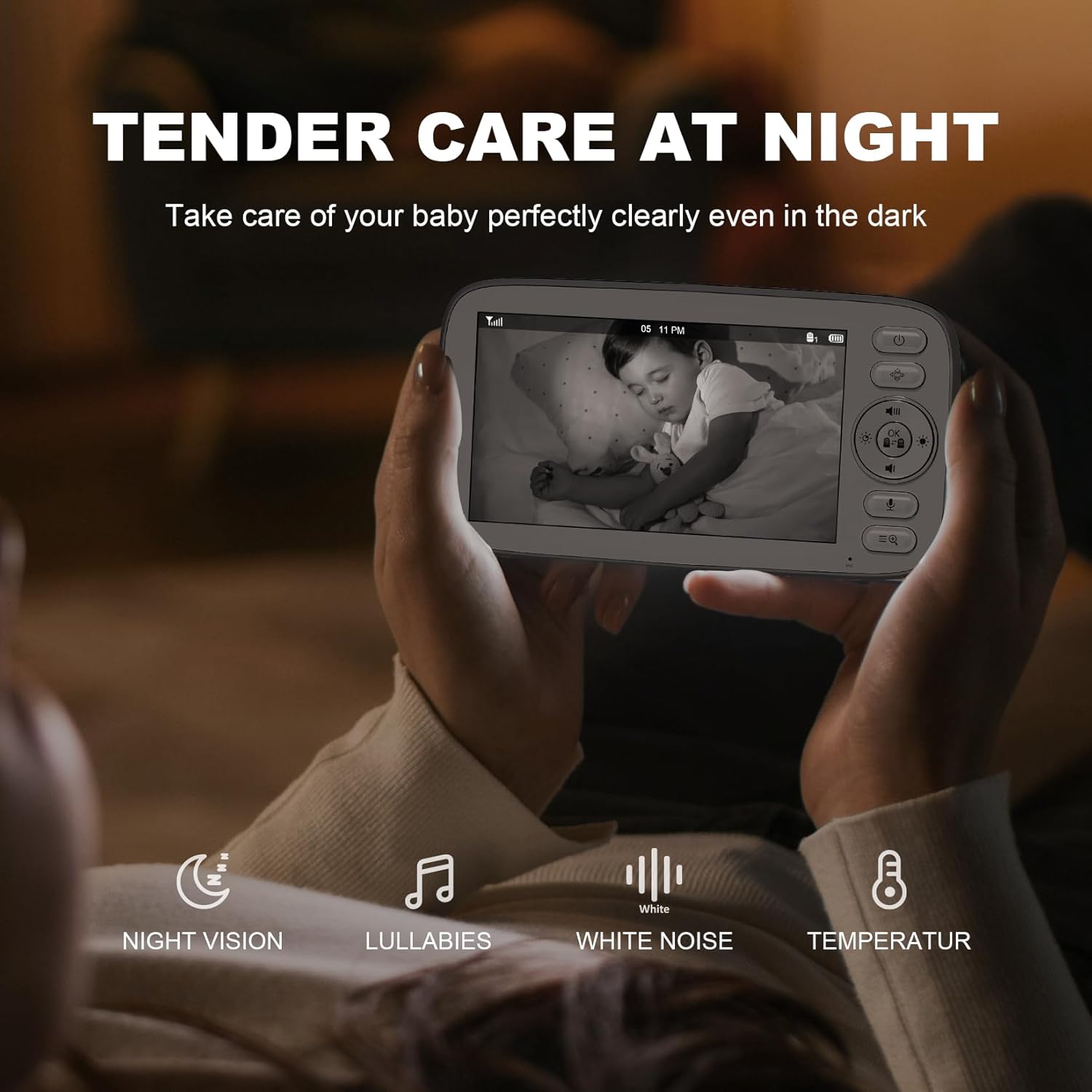
Image: Monitor screen showing a baby in night vision mode, highlighting clear visibility in the dark.
5. 양방향 대화
Press and hold the microphone button on the monitor unit to speak to your baby through the camera's speaker.

Image: A user interacting with the two-way talk feature on the monitor.
6. 자장가
Access the menu to select from 4 relaxing lullabies to play through the camera unit to soothe your baby.
7. 온도 모니터링
The built-in temperature sensor on the camera unit monitors the room temperature and displays it on the monitor. Alerts can be set for temperature fluctuations.
8. 에코 모드
Activate ECO mode to conserve battery life. In this mode, the screen turns off and audio is muted when no sound is detected from the baby's room. The monitor will reactivate when sound is detected.
9. 먹이 타이머
Set a feeding timer through the monitor's menu to remind you of feeding schedules.
명세서
- 모델: SM510FV2
- 화면 크기: 5인치 HD
- 비디오 해상도: 720p
- 연결성: 2.4G FHSS Wireless (No Wi-Fi/App Required)
- 범위: 최대 960피트(시야)
- 배터리: 4000mAh (Monitor Unit)
- 특징: Remote Pan/Tilt/Zoom (4x), Automatic Night Vision, Two-Way Talk, Lullabies, Temperature Sensor, ECO Mode, Feeding Timer, Split-Screen View잉
- 확장 성 : 최대 4대의 카메라를 지원합니다.
- 치수: 4.9 x 5 x 7.6 인치
- 무게: 2.51파운드
- 전원: Corded Electric (Power Adapter included)
유지
1. 청소
Wipe the monitor and camera units with a soft, dry cloth. Do not use abrasive cleaners or solvents. Keep the camera lens clean for optimal image quality.
2. 배터리 관리
To prolong battery life, avoid fully discharging the monitor unit frequently. Charge it regularly. If storing for an extended period, charge it to about 50% and store in a cool, dry place.
3. 보관
기기를 건조하고 먼지가 없는 환경에 보관하고 극한 온도에 노출시키지 마십시오.
문제 해결
- No Signal/Disconnected: Ensure both the monitor and camera units are powered on and within range. Obstacles like thick walls or other electronic devices can interfere with the signal. Try repositioning the units.
- 이미지 품질이 좋지 않음: Check if the camera lens is clean. Ensure adequate lighting for optimal day vision. In night vision, ensure no direct light sources are interfering.
- 오디오 문제: Adjust the volume on the monitor unit. Ensure no obstructions are blocking the microphone or speaker on either unit.
- 배터리가 빨리 소모됩니다: Reduce screen brightness or activate ECO mode to conserve battery. Ensure the battery is fully charged before use.
보증 및 지원
For warranty information or technical support, please refer to the contact details provided in the included user manual or visit the Kidsneed official web사이트. 구매 증빙 자료로 구매 영수증을 보관하세요.