
1. 서론
This manual provides detailed instructions for the Newmen GM104 Wired Gaming Keyboard and Mouse Combo. It covers essential information regarding product features, setup procedures, operational guidelines, maintenance tips, troubleshooting common issues, and product specifications. Please read this manual thoroughly before using the product to ensure optimal performance and longevity.
2. 제품 특징
- Wired Gaming Keyboard and Mouse Combo: Designed for gaming and suitable for office and home use. Includes a 104-key membrane keyboard and a gaming mouse.
- LED 백라이트: Both the keyboard and mouse feature RGB backlighting. The keyboard offers switchable backlight effects, colors, adjustable brightness, and speed. The mouse has 7-color cyclical breathing lighting.
- 전문 소프트웨어 지원: The keyboard supports professional driver software for backlight customization, key settings, and macro recording. (Note: The mouse does not support driver software.)
- 104 Keys & 26-Key Anti-Ghosting: Full-size keyboard with standard US QWERTY layout, 12 multimedia function keys, and a number pad. The 26-key anti-ghosting ensures accurate and fast registration of multiple key presses.
- Mechanical Feel & Ergonomic Design: The keyboard provides a tactile typing experience similar to mechanical keyboards. It features an ergonomic design with adjustable foot stands for comfort during extended use.
- Wired Gaming Mouse: Features a 6-button layout and 4-level DPI adjustment (1200/1800/2400/3600) for various scenarios.
3. 패키지 내용
패키지에 모든 품목이 들어 있는지 확인하세요.
- Newmen GM104 Wired Gaming Keyboard
- Newmen Wired Gaming Mouse
- 사용 설명서 (본 문서)
4. 설정
Follow these steps to set up your Newmen GM104 Keyboard and Mouse Combo:
- 키보드 연결: Locate an available USB port on your computer. Plug the USB connector of the Newmen GM104 keyboard into the USB port.
- 마우스 연결: Locate another available USB port on your computer. Plug the USB connector of the Newmen gaming mouse into the USB port.
- 시스템 인식: Your computer should automatically detect and install the necessary drivers for both the keyboard and mouse. This is a plug-and-play process.
- 기능 확인: Once connected, test the keyboard and mouse to ensure they are working correctly. The backlights should illuminate.

Image: The Newmen GM104 keyboard and mouse combo connected to a desktop computer, illustrating a typical setup.
5. 사용 설명서
5.1 키보드 기능
- 표준 타이핑: 일반적인 텍스트 입력에는 QWERTY 레이아웃을 사용하십시오.
- 멀티미디어 키: The keyboard includes 12 multimedia function keys (F1-F12) which can be accessed by pressing the Fn key in combination with the respective F-key. These keys control media playback, volume, and other system functions.
- 안티 고스팅: The 26-key anti-ghosting feature ensures that multiple simultaneous key presses are registered accurately, which is beneficial for gaming.
키보드 백라이트 제어
The keyboard features customizable RGB backlighting. Use the following controls:
- 백라이트 켜기/끄기: Refer to the keyboard's specific key combination (often Fn + a designated key like Scroll Lock or a light icon key).
- 스위치 백라이트 효과: Cycle through various lighting modes (e.g., breathing, static, wave) using a dedicated key combination.
- 스위치 백라이트 색상: Change the color scheme of the backlight.
- 백라이트 밝기 조정: 백라이트의 밝기를 높이거나 낮추세요.
- 백라이트 속도 조정: Modify the speed of dynamic lighting effects.
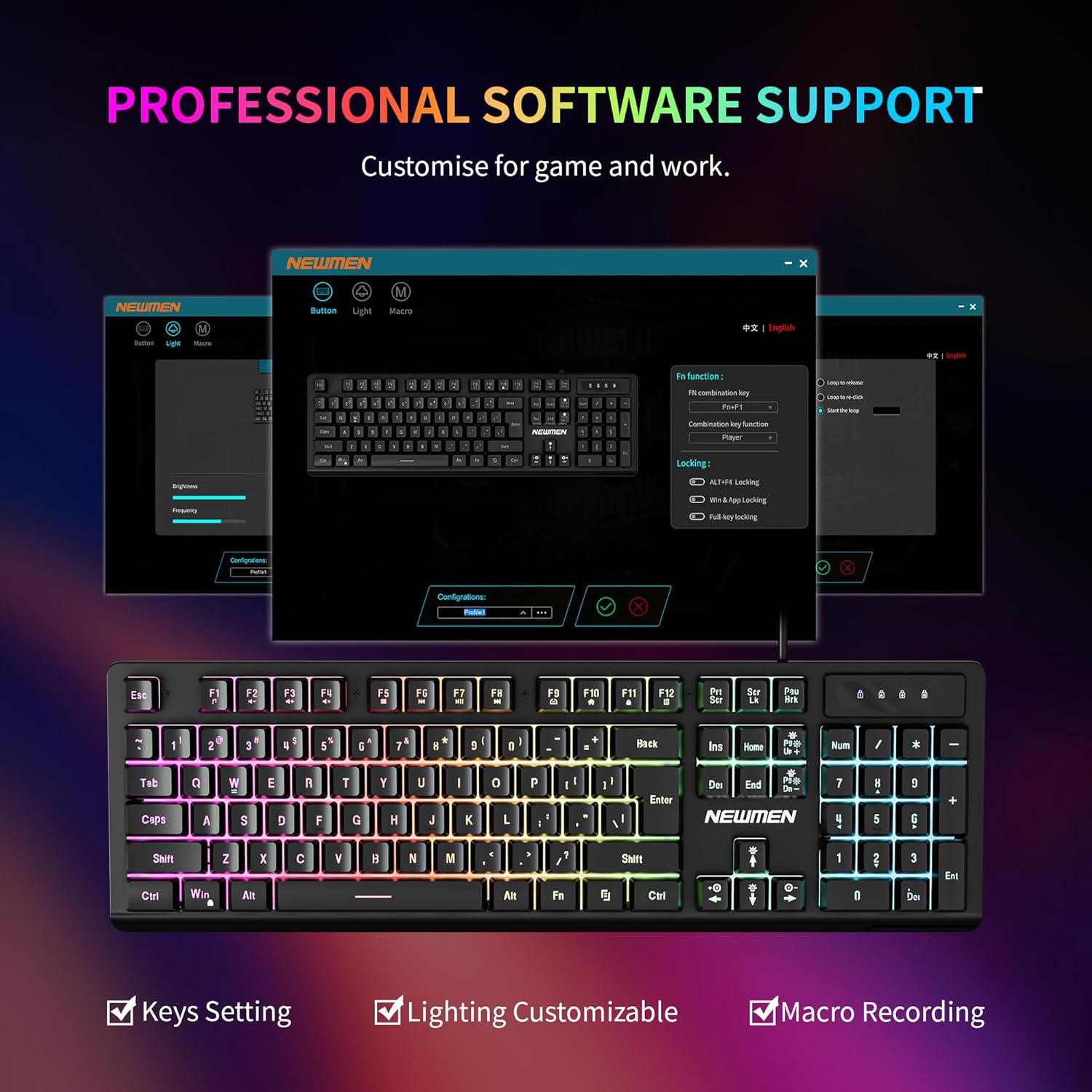
Image: The Newmen GM104 keyboard displaying its RGB backlighting, with icons indicating controls for turning on/off, switching effects, changing colors, and adjusting brightness and speed.
Professional Software Customization
The keyboard supports professional driver software for advanced customization. This software allows you to:
- 백라이트 사용자 정의: Fine-tune lighting effects and colors beyond onboard controls.
- 주요 설정: Remap keys or assign specific functions.
- 매크로 기록: 복잡한 명령 시퀀스를 위한 매크로를 생성하고 할당합니다.
The software is compatible with Windows and Mac systems. Please visit the official Newmen website to download the latest driver software.

Image: A visual representation of the Newmen GM104 keyboard's customization software interface, showing options for key settings, lighting, and macro recording.
5.2 마우스 기능
- 6버튼 레이아웃: The mouse features Left Button, Right Button, Scroll Wheel, DPI Button, Forward Button, and Backward Button.
- DPI 조정: Press the DPI button to cycle through 4 adjustable DPI levels: 1200, 1800, 2400, and 3600. This allows you to adjust cursor sensitivity to suit different tasks or games.
- 7-Color Breathing Lighting: The mouse features a continuous cycle of 7 breathing colors, enhancing the aesthetic.

Image: The Newmen gaming mouse with its six buttons clearly labeled and an illustration of the four adjustable DPI levels (1200, 1800, 2400, 3600).
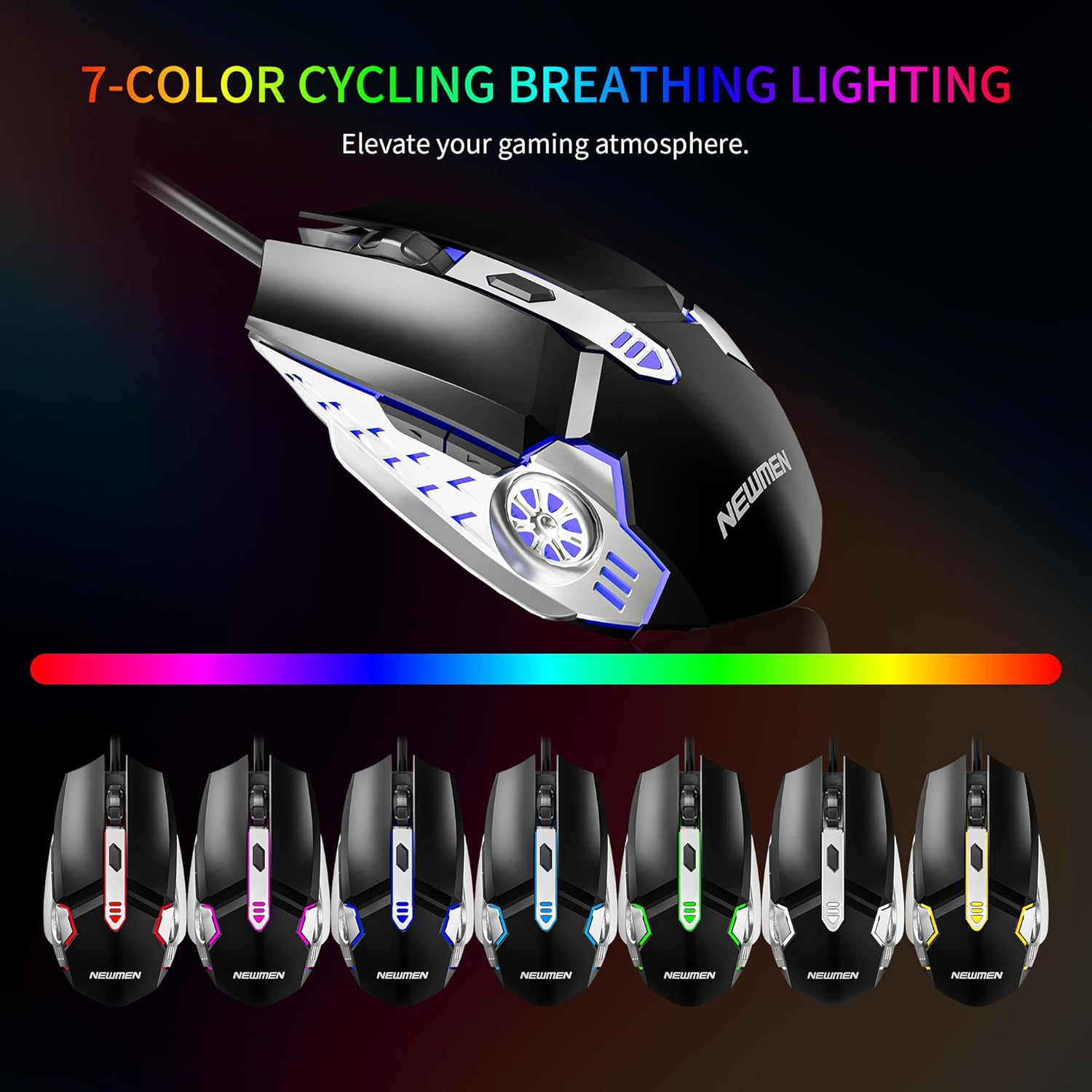
Image: The Newmen gaming mouse showcasing its 7-color cyclical breathing lighting effect, with a spectrum of colors illustrated below.
6. 유지관리
Proper maintenance ensures the longevity and performance of your keyboard and mouse combo.
- 청소: 부드럽고 마른 천으로 키보드와 마우스 표면을 닦아주세요. 잘 지워지지 않는 얼룩은 약간 건조한 천으로 닦아내세요.amp천에 물이나 순한 세척액을 묻혀 닦아주세요. 과도한 습기는 피하세요.
- 먼지 제거: 압축 공기를 사용하여 키보드 키 사이와 마우스 센서 주변의 먼지와 이물질을 제거하십시오.
- 액체를 피하세요: Do not spill liquids on the keyboard or mouse. If a spill occurs, immediately disconnect the device and allow it to dry completely before reconnecting.
- 저장: 장기간 사용하지 않을 때는 직사광선과 극한의 온도를 피해 시원하고 건조한 곳에 보관하세요.
7. 문제 해결
If you encounter issues with your Newmen GM104 combo, refer to the following troubleshooting steps:
- 인식되지 않는 장치:
- USB 케이블이 컴퓨터의 USB 포트에 단단히 꽂혀 있는지 확인하세요.
- 장치를 다른 USB 포트에 연결해 보세요.
- 컴퓨터를 다시 시작하세요.
- Check your computer's Device Manager (Windows) or System Information (Mac) to see if the devices are listed.
- 백라이트가 작동하지 않음:
- Ensure the backlight is turned on using the designated key combination (e.g., Fn + Scroll Lock).
- 밝기 설정을 조정하세요.
- If using the software, ensure backlight settings are correctly configured.
- 키보드나 마우스 버튼이 작동하지 않음:
- Clean the affected keys or buttons to remove any debris.
- Test the devices on another computer to rule out a system-specific issue.
- 마우스 커서가 튀거나 정확하지 않음:
- 마우스 밑면의 마우스 센서를 청소하세요.
- 마우스를 적합한 표면(예: 마우스 패드)에서 사용하고 있는지 확인하세요.
- 마우스의 DPI 버튼을 사용하여 DPI 설정을 조정합니다.
8. 사양
| 특징 | 설명 |
|---|---|
| 상표 | 뉴맨 |
| 모델 | GM104 |
| 연결 기술 | USB 유선 |
| 키보드 레이아웃 | US QWERTY, 104 Keys |
| 키보드 안티고스팅 | 26키 안티고스팅 |
| 키보드 백라이팅 | RGB |
| 마우스 버튼 | 6개의 버튼 |
| 마우스 DPI 레벨 | 1200/1800/2400/3600 |
| 마우스 백라이트 | 7-Color Cyclical Breathing |
| 호환 장치 | 노트북, 개인용 컴퓨터 (윈도우, 맥) |
| 전원 | 코드식 전기 |
9. 보증 및 지원
9.1 보증 정보
The Newmen GM104 Wired Gaming Keyboard and Mouse Combo comes with a 12개월 보증 구매일로부터 적용됩니다. 본 보증은 정상적인 사용 조건에서 발생하는 제조상의 결함 및 오작동에 한해 적용됩니다. 단, 오용, 사고, 무단 개조 또는 외부 요인으로 인한 손상은 보증 대상에서 제외됩니다.
9.2 고객 지원
For technical assistance, warranty claims, or any questions regarding your Newmen GM104 product, please contact Newmen customer support. Refer to the product packaging or the official Newmen web최신 연락처 정보는 사이트에서 확인하세요.