
소개
This manual provides essential instructions for the safe operation, setup, and maintenance of your DEERC M66 1080P Drone. Designed for beginners, teenagers, and families, this drone features a 4.3-inch screen remote control, a 1080P camera for close-up aerial photography, a brushless motor for stable flight, and 5G transmission for a smooth live view. Please read this manual thoroughly before operating the drone to ensure proper use and to prevent damage or injury.
안전 정보
경고: 성인의 직접적인 감독 하에서만 사용하십시오.
- 드론은 항상 사람, 동물, 장애물이 없는 열린 공간에서 작동하세요.
- 비행 전에 모든 프로펠러가 단단히 부착되었는지 확인하십시오.
- 공항이나 비행 제한 구역 근처에서는 비행하지 마십시오.
- 강풍이나 악천후에는 비행을 피하세요.
- 회전하는 프로펠러에 손가락과 머리카락을 가까이 두지 마세요.
- 비행 직후에는 모터가 뜨거울 수 있으므로 만지지 마십시오.
- 드론과 리모컨은 사용하지 않을 때는 항상 전원을 끄십시오.
- 드론 운용과 관련된 모든 지역 규정 및 법률을 준수하십시오.
패키지 내용
아래 나열된 모든 품목이 패키지에 포함되어 있는지 확인하세요.
- 1 x DEERC M66 Drone
- 1 x Remote Control with 4.3-inch Screen
- 2 x Drone Batteries (Lithium-polymer)
- 4 x 예비 프로펠러
- 1 x USB 충전 케이블
- 1 x 드라이버
- 1 x 메모리 카드
- 핸드백 1개
- 사용 설명서 (본 문서)

영상: A visual representation of all components included in the DEERC M66 drone package, laid out neatly. This includes the folded drone, the remote control, two batteries, spare propellers, a USB charging cable, a screwdriver, a memory card, and a carrying bag.
설정
1. 배터리 설치 및 충전
The DEERC M66 drone comes with two Lithium-polymer batteries, providing up to 40 minutes of total flight time. Ensure batteries are fully charged before each flight.
- 드론 배터리 : Insert the drone battery into the battery compartment on the rear of the drone until it clicks into place. To charge, connect the USB charging cable to the battery and a suitable USB power source (e.g., computer, USB adapter). The charging indicator will show the charging status.
- 리모컨 배터리: The remote control requires 2 D batteries (not included). Open the battery compartment on the back of the remote control and insert the batteries, observing the correct polarity.
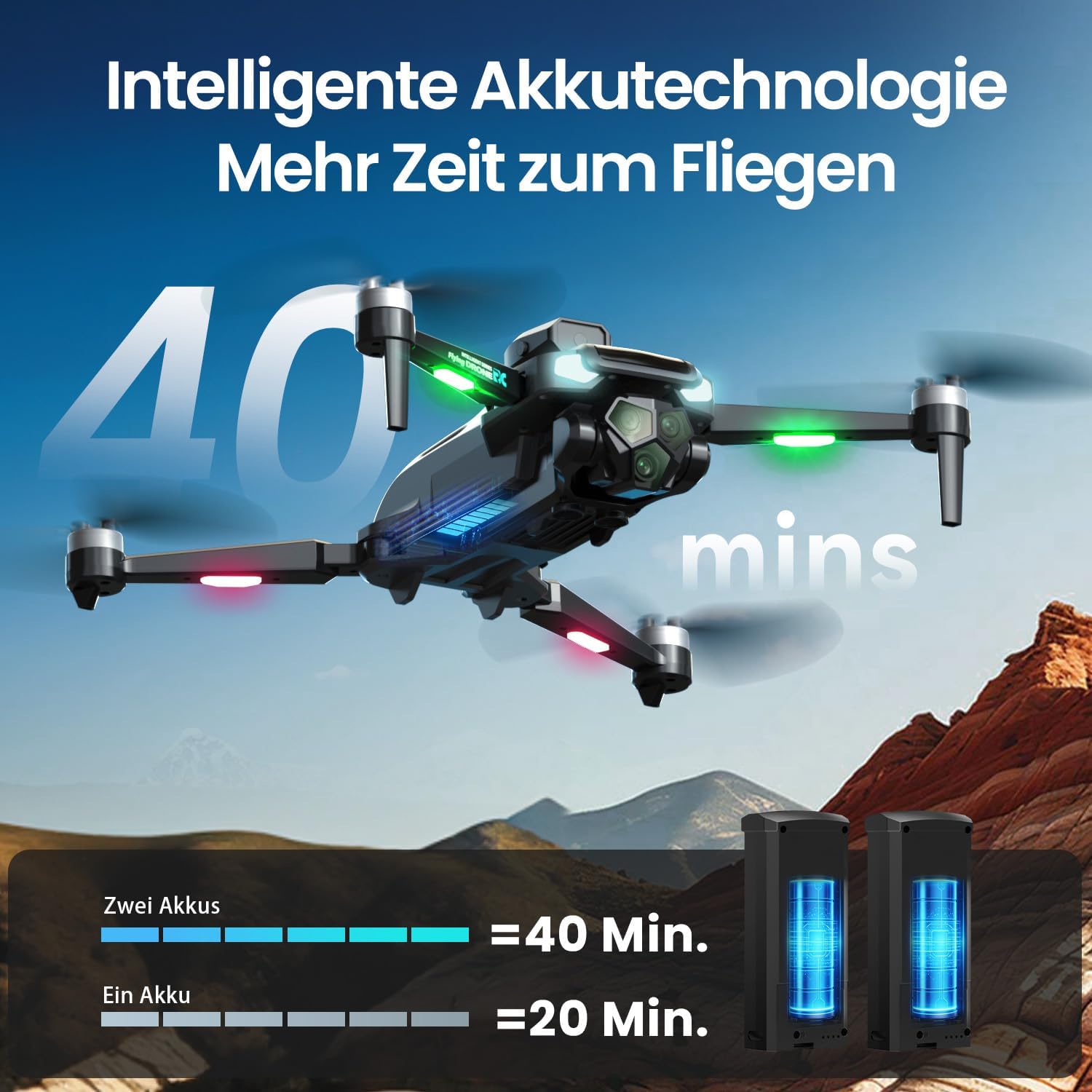
영상: The DEERC M66 drone in flight, with an overlay indicating "40 mins" flight time. Below, two drone batteries are shown, illustrating that two batteries provide 40 minutes of flight, while one provides 20 minutes. This highlights the extended flight capability.
2. 프로펠러 설치
The drone's propellers are designed for easy replacement. If a propeller is damaged, replace it with a spare from the package.
- Identify the correct propeller type (A or B) for each motor arm.
- Align the propeller with the motor shaft and press down firmly until it is securely attached.
- 모든 프로펠러가 막힘 없이 자유롭게 회전하는지 확인하십시오.
3. 리모콘 설정
The remote control features an integrated 4.3-inch screen, eliminating the need for a smartphone.
- Unfold the remote control's screen and antennas.
- 전원 버튼을 눌러 리모컨을 켜세요.
- Power on the drone. The remote control and drone will automatically pair. A successful connection will be indicated by a stable light on the drone and a live video feed on the remote's screen.
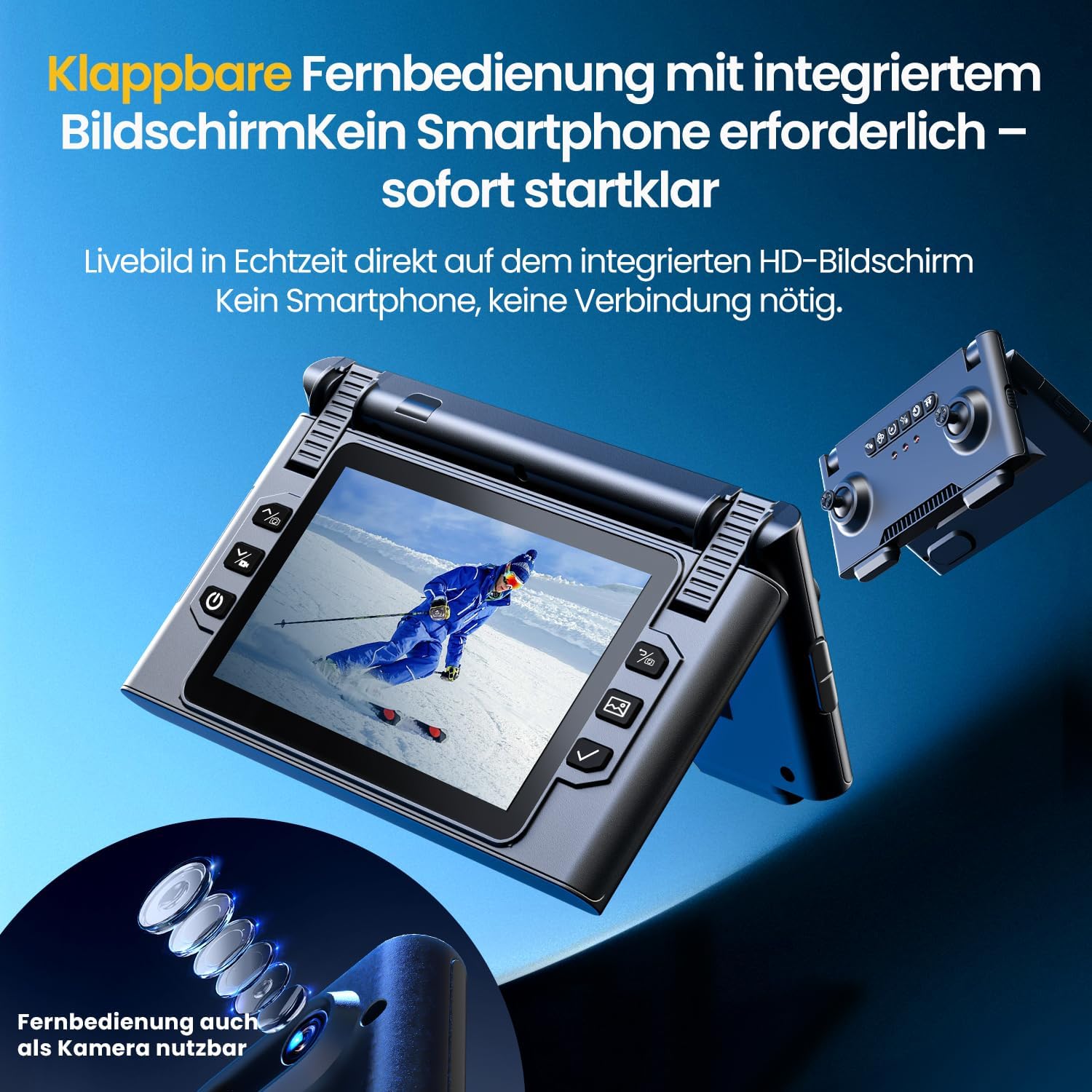
영상: 클로즈업 view of the DEERC M66 drone's foldable remote control, showcasing its integrated 4.3-inch HD screen. The screen displays a live feed, and the remote's buttons and joysticks are visible. This design allows for immediate flight without a smartphone connection.
작동 지침
1. 기본 비행 제어
- 원키 이륙/착륙: Press the dedicated button on the remote control for automatic takeoff or landing.
- 헤드리스 모드: Activate Headless Mode to simplify flight orientation. In this mode, the drone's front will always be the direction the remote control is facing, regardless of the drone's actual orientation.
- 비상 정지 : In case of an emergency, press the emergency stop button to immediately cut power to the motors.

영상: Three distinct panels illustrating beginner-friendly flight features. The first shows the drone taking off from a landing pad, representing one-button start and landing. The second depicts the drone in headless mode, with arrows indicating simplified directional control. The third shows the drone descending rapidly, symbolizing the emergency stop function.
2. Flight Modes and Tricks
- 속도 조정 : The drone offers 3 speed levels (Slow, Medium, Fast) to accommodate different skill levels and flying environments. Adjust the speed using the dedicated button on the remote control.
- 360° 플립: Perform impressive aerial stunts with a single button press. Ensure sufficient altitude and clear surroundings before attempting flips.

영상: Two panels demonstrating advanced flight capabilities. The top panel shows the drone performing a 360-degree flip with a single button press, illustrating an aerial trick. The bottom panel displays three drones at different speeds (Slow, Medium, Fast), indicating the adjustable speed settings for varied flight experiences.
3. Camera Operation and Features
The integrated 1080P camera is designed for clear close-up shots and everyday scenes.
- 1080P HD 카메라 : Capture high-definition photos and videos. The camera features a 90° adjustable lens for flexible wide-angle shots.
- 제스처 제어: Initiate photo and video recording with simple hand gestures, making it easy to capture moments without touching the remote.
- 5G 전송: Enjoy a stable live image feed on the remote control's screen up to approximately 100 meters, providing real-time visual feedback for precise control.

영상: 자세한 view of the DEERC M66 drone, highlighting its 1080P HD camera with a 90-degree adjustable lens. The image also shows a comparison between 1080P and 720P resolution, emphasizing the clarity of the 1080P camera for aerial views.
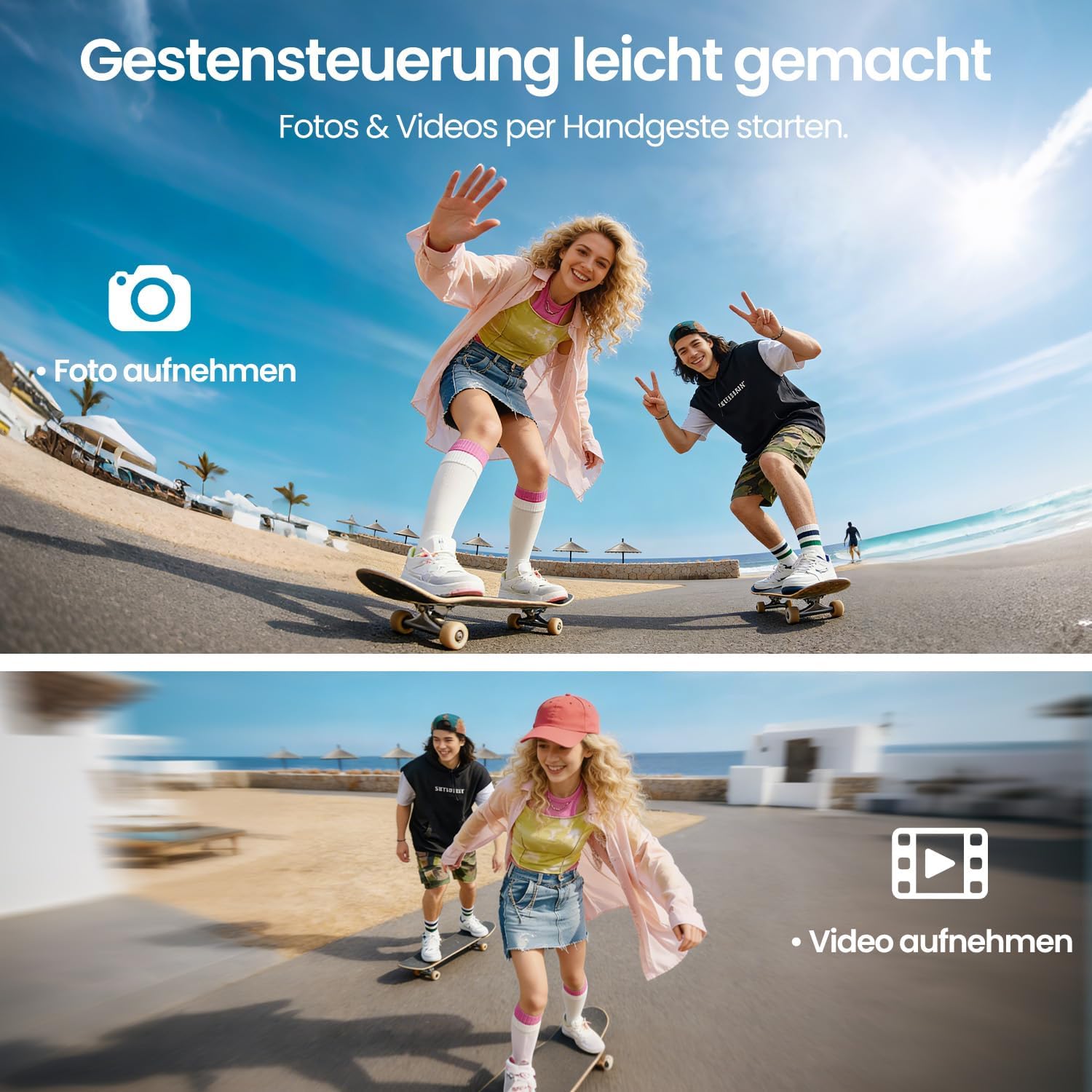
영상: Two panels demonstrating gesture control. The top panel shows a person making a hand gesture to take a photo, indicated by a camera icon. The bottom panel shows another person making a different hand gesture to record a video, indicated by a video camera icon. This illustrates the ease of capturing media hands-free.
4. Obstacle Avoidance and Stability
- 360° 장애물 회피: The drone is equipped with 360° obstacle avoidance to help reduce collisions, making it safer for beginners.
- 광학 흐름 위치 지정: Optical flow sensors ensure stable positioning at low altitudes, contributing to a calm and uniform flight experience, especially indoors or in confined outdoor spaces.
- 브러시리스 모터 : The brushless motor provides quiet and stable flight performance, enhancing durability and efficiency.

영상: The DEERC M66 drone flying near a rocky surface, with visual cues indicating obstacle avoidance sensors and stable flight. An inset shows a brushless motor, emphasizing its quiet and uniform operation. This image highlights the drone's stability features and collision prevention.
유지
- 청소: Regularly clean the drone body, propellers, and camera lens with a soft, dry cloth. Avoid using liquids or solvents.
- 프로펠러 교체: Inspect propellers for damage before each flight. Replace any bent, cracked, or chipped propellers immediately using the provided screwdriver and spare propellers.
- 배터리 관리 : Store batteries in a cool, dry place. Do not overcharge or over-discharge batteries. If the drone will not be used for an extended period, charge batteries to approximately 50% before storage.
- 모터 검사: Periodically check the brushless motors for any debris or obstructions. Ensure they spin freely.
문제 해결
| 문제 | 가능한 원인 | 해결책 |
|---|---|---|
| 드론의 전원이 켜지지 않습니다. | 배터리가 충전되지 않았거나 제대로 삽입되지 않았습니다. | Ensure drone battery is fully charged and correctly inserted. Check remote control batteries. |
| 리모컨이 드론에 연결되지 않습니다. | Drone and remote are not paired or too far apart. | Ensure both devices are powered on and within range. Restart both devices and try pairing again. |
| Drone is unstable during flight. | Damaged propellers, uncalibrated sensors, or strong winds. | Check and replace damaged propellers. Perform sensor calibration (refer to advanced settings in the remote control). Avoid flying in windy conditions. |
| 카메라 화질이 좋지 않거나 실시간 영상이 제공되지 않습니다. | Weak 5G signal, dirty lens, or memory card issue. | Ensure drone is within 5G transmission range (approx. 100m). Clean the camera lens. Check if the memory card is properly inserted and has free space. |
| 드론이 제자리 비행 중 표류합니다. | Uncalibrated gyroscope or optical flow sensor. | Perform gyroscope and optical flow sensor calibration as per remote control instructions. |
명세서
| 특징 | 세부 사항 |
|---|---|
| 모델 번호 | M66 |
| 상표 | 디어크 |
| 치수(길이 x 너비 x 높이) | 15 x 8 x 7.5cm (접힘) |
| 품목 무게 | 148그램 |
| 카메라 해상도 | 1080p (Video Capture) |
| 원격 제어 화면 | 4.3인치 |
| 비행 시간 | 최대 40분 (배터리 2개 사용 시) |
| 모터 유형 | 무브러시 모터 |
| 전송 기술 | 5G Wi-Fi |
| 특별 기능 | Optical Flow Positioning, 360° Obstacle Avoidance, 360° Flip, Headless Mode, 3 Speed Levels |
| 배터리 구성 | 리튬폴리머 |
| 리모컨 배터리 | 2 x D batteries (not included) |
| 연령대 (설명) | 12세 이상 |
보증 및 지원
For warranty information and technical support, please refer to the contact details provided with your purchase or visit the official DEERC web사이트. 보증 청구를 위해 구매 증빙 자료를 보관하세요.
- 반품 정책: 30-day refund/replacement policy (as per Amazon.com.be).
- 제조업체: 디어크
- 파는 사람: HOLYTON (fulfilled by Amazon)