1. 서론
The Cudy AX300 WU300 Wi-Fi 6 Nano USB Adapter provides a compact and efficient solution for adding Wi-Fi 6 connectivity to your desktop or laptop computer. Designed for ease of use, this adapter offers fast and stable 2.4GHz wireless performance, making it ideal for everyday internet activities such as streaming, browsing, and online communication. Its nano size ensures it remains discreetly plugged into your USB port.
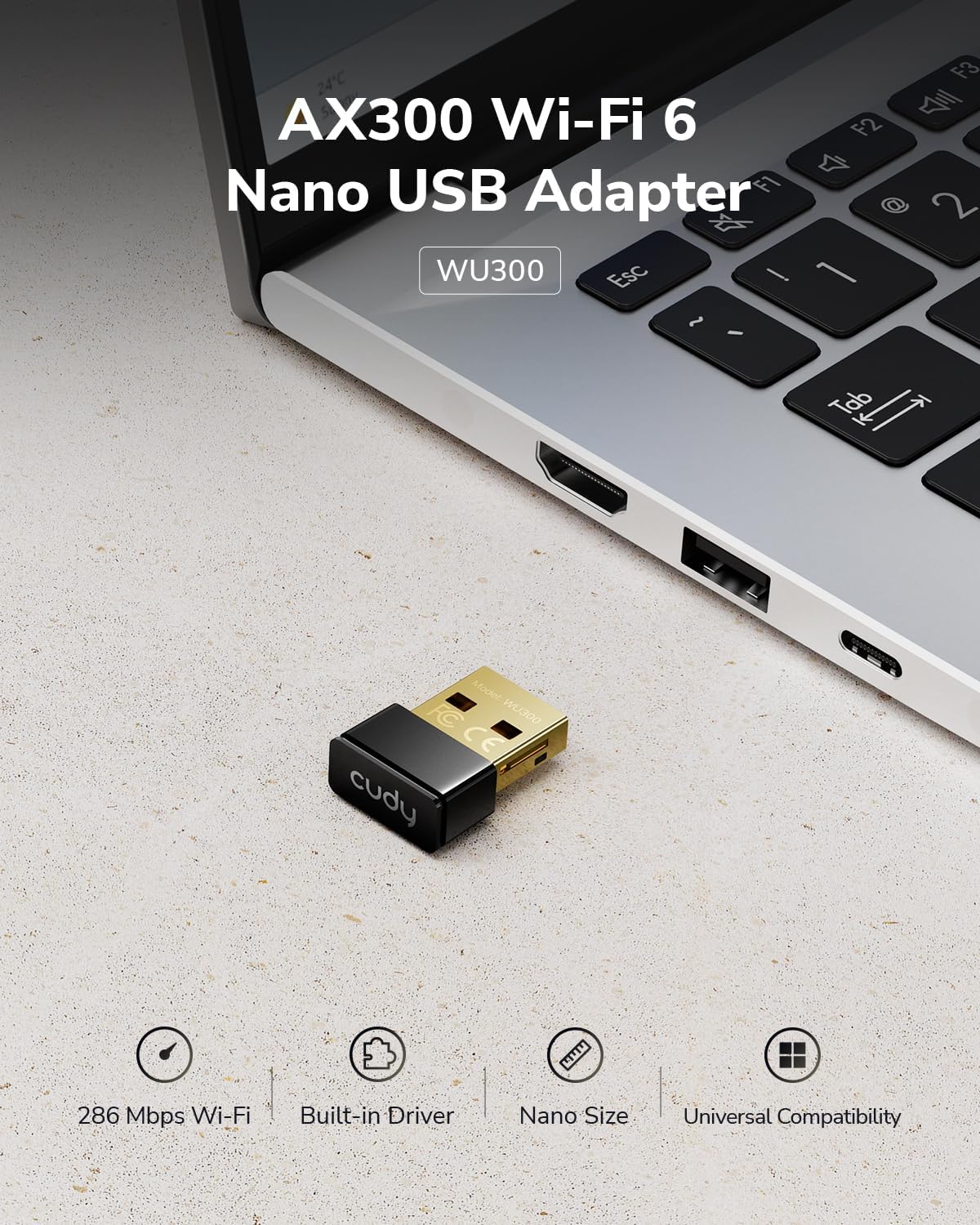
Image: The Cudy AX300 WU300 Nano USB Adapter shown plugged into a laptop's USB port, highlighting its small form factor.
2. 제품 오버view
주요 특징:
- 초고속 Wi-Fi 6 속도: Experience wireless speeds up to 286 Mbps on the 2.4GHz band for smooth online activities.
- Compact Nano Design: The ultra-small dimensions (20 × 15 × 8 mm) allow for discreet integration into your device without obstructing other ports.
- Flexible Soft AP Mode: Convert your computer's wired internet connection into a Wi-Fi hotspot to share with other devices.
- Universal USB 2.0 Compatibility: Works with standard USB 2.0 ports, ensuring broad compatibility with various devices.
- 광범위한 시스템 지원: Compatible with Windows 7, Windows 10, Windows 11, and Linux operating systems.
상자 안에 무엇이 들어있나요?
- Cudy AX300 WU300 Wi-Fi 6 Nano USB Adapter

Image: The compact design of the Cudy AX300 WU300 adapter, illustrating its small physical dimensions.
3. 설정
The Cudy AX300 WU300 adapter features a built-in driver for convenient installation.
설치 단계:
- 어댑터를 삽입합니다: Plug the Cudy AX300 WU300 Nano USB Adapter into an available USB 2.0 port on your computer.
- 드라이버 설치:
- Windows 10/11의 경우: The adapter is typically plug-and-play. Your operating system should automatically detect the device and install the necessary drivers.
- For Windows 7 and Linux: Manual driver installation may be required. The adapter functions as a small flash drive containing the driver installer. Navigate to 'My Computer' or 'This PC', locate the adapter's drive, and run the installer executable. Follow the on-screen prompts to complete the installation.
- Wi-Fi에 연결: Once the drivers are installed, you can connect to your Wi-Fi network through your operating system's network settings.

Image: The Cudy AX300 WU300 adapter illustrating its easy setup process with a built-in driver, eliminating the need for a physical CD.
4. 사용 설명서
와이파이 네트워크에 연결하기:
- After driver installation, click on the Wi-Fi icon in your system tray (Windows) or network manager (Linux).
- 사용 가능한 네트워크 목록에서 원하는 Wi-Fi 네트워크를 선택하세요.
- 메시지가 나타나면 네트워크 보안 키(비밀번호)를 입력하세요.
- '연결'을 클릭하세요. 이제 컴퓨터가 Wi-Fi 네트워크에 연결되었습니다.
Using Soft AP Mode:
Soft AP (Access Point) mode allows your computer to act as a Wi-Fi hotspot, sharing its internet connection with other wireless devices.
- 컴퓨터에 활성 인터넷 연결(예: 이더넷)이 있는지 확인하세요.
- Open your operating system's network settings.
- Look for an option like 'Mobile hotspot', 'Wi-Fi hotspot', or 'Soft AP'.
- 새 핫스팟의 네트워크 이름(SSID)과 비밀번호를 설정하세요.
- Enable the hotspot feature. Your other devices can now connect to this new Wi-Fi network.

Image: A user demonstrating the Soft AP mode, sharing a laptop's internet connection with a smartphone.
5. 유지관리
To ensure optimal performance and longevity of your Cudy AX300 WU300 Wi-Fi 6 Nano USB Adapter, follow these general maintenance guidelines:
- 깨끗하게 유지하십시오: 어댑터를 주기적으로 부드럽고 마른 천으로 닦아주세요. 액체 세척제나 용제 사용은 피해주세요.
- 물리적 손상 방지: Handle the adapter carefully. While compact, excessive force or bending can damage the USB connector or internal components.
- 최적의 환경: Use the adapter in a dry environment, away from extreme temperatures, direct sunlight, and humidity.
- 펌웨어 업데이트: Check the official Cudy website periodically for any available firmware or driver updates to ensure the best performance and security.
6. 문제 해결
If you encounter issues with your Cudy AX300 WU300 adapter, refer to the following troubleshooting tips:
Adapter Not Recognized / Drivers Not Installing:
- 다른 USB 포트를 시도해 보세요: Some USB ports may have power delivery issues or compatibility problems. Try plugging the adapter into another USB port on your computer.
- 드라이버 재설치: If automatic installation fails (especially on Windows 7 or Linux), manually run the driver installer from the adapter's virtual drive. Ensure you have administrator privileges.
- 장치 관리자 확인(Windows): Open Device Manager and look for any unknown devices or devices with warning signs. Right-click and select 'Update driver' or 'Uninstall device' and then restart your computer.
Wi-Fi 네트워크에 연결할 수 없습니다:
- Verify Network Band: The Cudy AX300 WU300 adapter supports 2.4GHz Wi-Fi 네트워크만 해당. Ensure your router's 2.4GHz band is enabled and that you are attempting to connect to a 2.4GHz network.
- 올바른 비밀번호: 올바른 Wi-Fi 비밀번호를 입력했는지 다시 한번 확인하세요.
- WPA3 Compatibility: This adapter does not support WPA3 security. If your network is configured for WPA3-only, you may need to adjust your router settings to allow WPA2 connections or create a separate WPA2 SSID.
- 라우터 거리: Ensure you are within a reasonable range of your Wi-Fi router.
- Restart Router/PC: Sometimes, a simple restart of your router and computer can resolve connectivity issues.
느린 Wi-Fi 속도:
- 간섭: Other electronic devices (microwaves, cordless phones, Bluetooth devices) can interfere with 2.4GHz signals. Try to minimize these or move closer to your router.
- 라우터 배치: Ensure your router is centrally located and not obstructed by large objects.
- 네트워크 혼잡: If many devices are using the 2.4GHz network, speeds may be reduced.
Boot Issues (Advanced Users):
- Some users have reported that the adapter's built-in storage for drivers can cause boot issues on certain systems if BIOS settings are not configured correctly. If you experience boot problems with the adapter plugged in, try adjusting your BIOS settings to prioritize your primary boot drive or disable USB boot options.
7. 사양
| 모델 | WU300 |
| 하드웨어 인터페이스 | USB 2.0 유형 A |
| 와이파이 표준 | 와이파이 6(802.11ax) |
| 주파수 대역 | 2.4GHz 전용 |
| 데이터 전송 속도 | 최대 286Mbps |
| 호환되는 운영 체제 | Windows 7 / 10 / 11, Linux |
| 제품 크기(L x W x H) | 0.79인치 x 0.59인치 x 0.31인치(20 x 15 x 8mm) |
| 품목 무게 | 1.13 온스 |

Image: Visual representation of the Cudy AX300 WU300 adapter's compatibility with Windows 11, Windows 10, Windows 7, and Linux operating systems.
8. 보증 및 지원
Cudy products are designed for reliability and performance. For warranty information, technical support, or further assistance, please visit the official Cudy web사이트를 방문하거나 고객 지원팀에 문의하세요. 보증 청구를 위해 구매 영수증을 보관하세요.
커디 공식 Web대지: www.cudy.com