
1. 서론
Thank you for choosing the UCOCARE 4G LTE Outdoor Solar Security Camera, Model BF-A30. This camera is designed to provide reliable surveillance in outdoor environments where traditional power and Wi-Fi connectivity may be limited. Featuring a high-resolution camera, efficient solar charging, and advanced detection capabilities, this manual will guide you through the setup, operation, and maintenance of your new security camera.
2. 제품 특징
- Self-Sufficient Power: Equipped with an 8W high-efficiency solar panel and a large 15000mAh rechargeable battery, ensuring continuous operation without external power sources.
- 4G LTE 연결: Operates independently of Wi-Fi, utilizing a 4G SIM card (included with a 7-day free unlimited data trial) for remote access. Compatible with major Japanese carriers (NTT Docomo, KDDI AU, SoftBank).
- 고해상도 비디오: Captures clear and vivid 4MP QHD images with a 120° wide-angle lens.
- 유연한 모니터링: Offers 355° pan and 120° tilt control via the UBox app, along with 10x digital zoom to cover a wide area and capture details.
- 고급 야간 투시경: Features a powerful 500 lumen floodlight for full-color night vision up to 20 meters in low-light conditions. Built-in IR LEDs provide clear black and white night vision up to 30 meters in complete darkness.
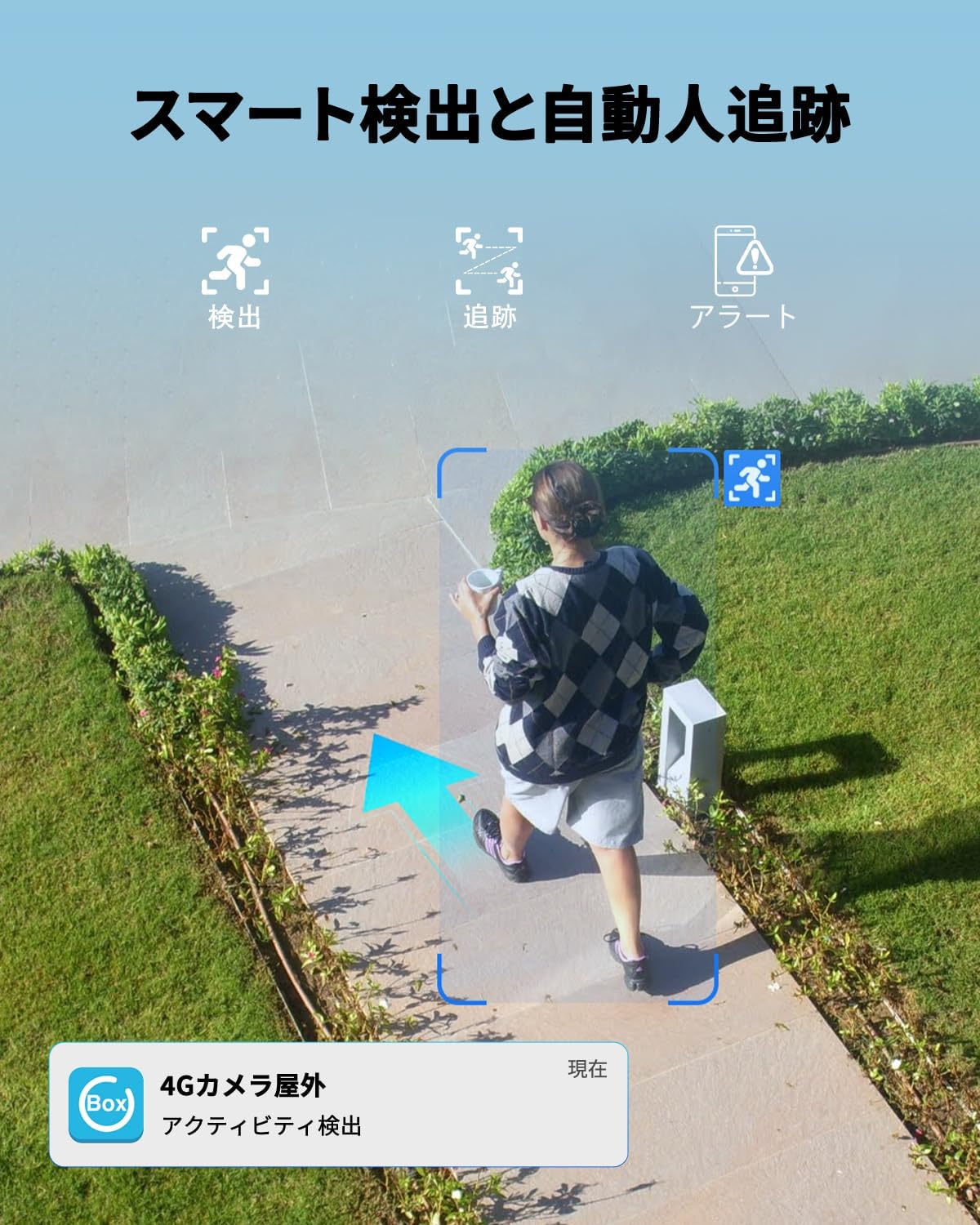
- Smart Detection & Tracking: Utilizes advanced detection technology to accurately identify human movement, filtering out irrelevant motion. Automatic human tracking ensures continuous monitoring of detected subjects.
- Instant Alerts & Deterrence: Sends real-time alerts to your mobile phone upon detection. Includes two-way audio for remote communication and a sound/light alarm to deter intruders. Alert sensitivity and schedules are customizable.
- 내구성 있는 디자인: IP66 waterproof rating ensures reliable performance in various weather conditions, including sun, rain, and snow.
- 안전한 저장 옵션: Supports local storage via a Micro SD card (up to 128GB, sold separately) and cloud storage with a 30-day free trial.
- 다중 사용자 액세스: Allows unlimited device sharing and up to 5 online users to view 실시간 영상도 동시에 제공합니다.
3. 패키지 내용
다음 품목이 패키지에 포함되어 있는지 확인하세요.
- UCOCARE 4G LTE Outdoor Solar Security Camera (BF-A30)
- 태양광 패널(8W)
- 장착 브래킷 및 나사
- 4G SIM Card (pre-installed or included separately)
- USB 충전 케이블
- 사용자 설명서
4. 설정 가이드
4.1 초기 충전
Before first use, fully charge the camera's built-in 15000mAh battery using the provided USB cable. Connect the cable to the camera's charging port and a standard 5V/2A USB power adapter (not included). The charging indicator light will show the charging status.
4.2 SIM 카드 설치
The camera operates using a 4G LTE SIM card. If the SIM card is not pre-installed, follow these steps:
- Locate the SIM card slot on the camera, usually protected by a rubber cover.
- Carefully open the cover and insert the 4G SIM card into the slot with the correct orientation. Ensure it clicks into place.
- Close the rubber cover firmly to maintain waterproofing.

4.3 앱 다운로드 및 등록
다운로드 유박스 app from your smartphone's app store (iOS App Store or Google Play Store). Follow the in-app instructions to register an account.
4.4 Camera Pairing with App
- Power on the camera. A blue indicator light should illuminate, indicating it's ready for pairing.
- Open the UBox app and tap on "Add Device" or the '+' icon.
- Select the 4G camera option.
- Scan the QR code located on the camera or its packaging using the app.
- 화면의 지시에 따라 페어링 과정을 완료하세요.

4.5 카메라 장착
Choose a suitable outdoor location with good solar exposure for the solar panel and a clear view for the camera. Use the provided mounting bracket and screws to securely attach the camera to a wall, ceiling, or pole.
5. 사용 설명서
5.1 라이브 View 및 원격 제어
Open the UBox app to access the live feed from your camera. You can remotely control the camera's pan (355°) and tilt (120°) movements by swiping on the screen. Use the pinch-to-zoom gesture for 10x digital zoom.


5.2 양방향 오디오
The camera supports two-way audio communication. Tap the microphone icon in the app to speak through the camera's speaker, and listen to audio from the camera's microphone.

5.3 동작 감지 및 알림
The camera features smart human detection and automatic tracking. When motion is detected, the camera will send instant alerts to your phone. You can customize the detection sensitivity and set alarm schedules within the UBox app to avoid false alarms.

5.4 녹음 및 재생
Recordings are saved to either a Micro SD card (if installed) or cloud storage. You can access and playback recorded events through the UBox app. The smart playback feature allows you to quickly locate important events.


5.5 장치 공유
You can share access to your camera with family members or trusted individuals through the UBox app. The camera supports unlimited device sharing and up to 5 online users simultaneously.

6. 유지관리
6.1 태양광 패널 관리
To ensure optimal charging efficiency, regularly clean the surface of the solar panel to remove dust, dirt, or debris. A clean panel will maximize sunlight absorption.
6.2 배터리 관리
The 15000mAh battery provides extended operation. In areas with prolonged cloudy weather or low sunlight, occasional manual charging via the USB port may be necessary to maintain battery levels.
6.3 펌웨어 업데이트
Periodically check the UBox app for available firmware updates. Keeping your camera's firmware up-to-date ensures optimal performance, security, and access to new features.
6.4 방수
The camera is rated IP66 waterproof, designed to withstand various outdoor elements. Ensure all covers and seals are properly closed after any access to internal components (e.g., SIM card, SD card) to maintain its waterproof integrity.
7. 문제 해결
| 문제 | 가능한 원인 | 해결책 |
|---|---|---|
| 카메라 전원이 켜지지 않음 | Low battery; Power button not pressed; Faulty unit. | Charge the battery fully. Press and hold the power button. Contact support if issue persists. |
| 앱에 연결할 수 없습니다. | Incorrect SIM card insertion; No 4G signal; App pairing error. | Ensure SIM card is correctly inserted. Check 4G signal strength. Re-attempt pairing process. |
| 비디오 품질이 좋지 않음 | Low 4G signal; Dirty lens; App settings. | Check 4G signal. Clean the camera lens. Adjust video quality settings in the app. |
| 빈번한 허위 경보 | High sensitivity setting; Environmental factors (e.g., moving branches). | Adjust motion detection sensitivity in the app. Set up activity zones to ignore irrelevant areas. |
| 태양광 패널이 충전되지 않음 | Panel is dirty; Insufficient sunlight; Panel not connected. | Clean the solar panel. Relocate for better sun exposure. Ensure the solar panel cable is securely connected. |
For further assistance, please refer to the UBox app's help section or contact UCOCARE customer support.
8. 사양
| 특징 | 세부 사항 |
|---|---|
| 모델 번호 | BF-A30 |
| 제조업체 | 유코케어 |
| 색상 | 검은색 |
| 해결 | 4MP QHD |
| 태양 광 패널 전력 | 8W |
| 배터리 용량 | 15000mAh |
| 연결성 | 4G LTE (유닛 카드 필요) |
| 팬/틸트 범위 | 355° 팬, 120° 틸트 |
| 디지털 줌 | 10배 |
| 나이트 비전 | Color (up to 20m), IR B&W (up to 30m) |
| 저장 옵션 | 마이크로 SD 카드(최대 128GB), 클라우드 저장소 |
| 방수 등급 | IP66 |
| 기원 | 중국 |
| 한국어: | 755560373117 |
| GTIN | 755560373117 |
9. 보증 및 지원
UCOCARE products are manufactured to high-quality standards and undergo strict inspection. For warranty information, technical support, or any product-related inquiries, please refer to the contact information provided with your purchase or visit the official UCOCARE website. Our technical support team is dedicated to resolving any issues and ensuring your satisfaction.