
1. 서론
The SINOTIMER SVP719-1-40A is a versatile 3-in-1 adjustable voltage surge protector designed to safeguard electrical equipment from over-voltage, 언더볼륨tage, and over-current conditions. It also features an integrated consumption kWh meter for monitoring energy usage. This device provides automatic recovery, ensuring continuous protection and minimizing downtime. Its compact design and DIN rail mount make it suitable for various applications.
2. 안전 정보
- 설치는 해당 지역의 전기 규정 및 법규에 따라 자격을 갖춘 전문가가 수행해야 합니다.
- Ensure the power supply is disconnected before installation, wiring, or maintenance to prevent electric shock.
- 올바른 볼륨 확인tage and current settings for your application to avoid damage to the device or connected equipment.
- 기기가 손상되었거나 오작동하는 경우 작동하지 마십시오.
- The device housing is made of flame-retardant PC material; however, proper ventilation should be maintained.
3. 제품 특징
- 3-in-1 보호: Combines over-voltage, 언더볼륨tage, and over-current protection in a single unit.
- Integrated kWh Meter: 실시간 거래량 표시tage, current, and energy consumption (kWh).
- 자동 복구: Automatically restores power when voltage returns to normal after a fault.
- 조정 가능한 매개변수: 오버볼tage value, undervoltage value, overcurrent protection, and fault recovery delay time are user-adjustable.
- 내구성 있는 구조: Made from flame-retardant and high-quality PC material for impact resistance and long operational life.
- 간편한 설치: Equipped with a universal DIN 35mm standard guide rail for quick and secure mounting.
- Clear Status Display: Three digital displays provide clear visibility of circuit status.

Figure 1: SINOTIMER SVP719-1-40A highlighting its core features.
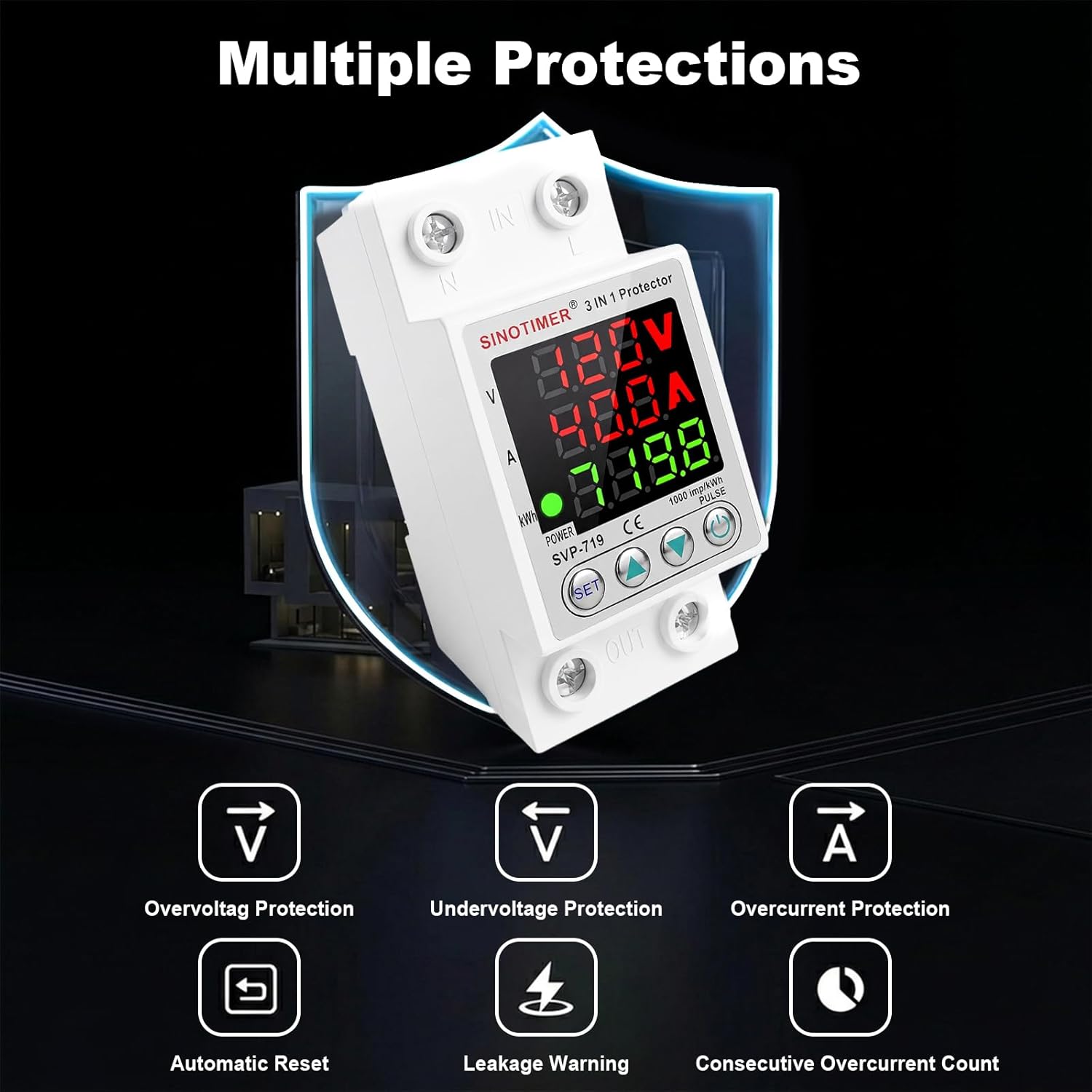
그림 2: 이상view of the multiple protection functions provided by the device.
4. 사양
| 매개변수 | 값 |
|---|---|
| 모델 | SVP719-1-40A |
| 정격 주파수 | 50/60Hz |
| 전류(A) | 1-40A |
| 오버볼tage 보호 범위 | 130-300V |
| 언더볼tage 보호 범위 | 80-210V |
| Reset/Start Delay | 1초~600초 |
| 현재 평가 | 40 Amps |
| 코일 권tage | 110볼트(AC) |
| 장착 유형 | DIN 레일 마운트 |
| 접촉 재료 | 은 |
| 작동 모드 | 오토매틱 |

Figure 3: Device dimensions and key electrical parameters.
5. 설치
The SVP719-1-40A is designed for easy installation on a standard 35mm DIN rail. Follow these general guidelines:
- 전원 차단: Always ensure the main power supply is completely disconnected before beginning any installation work.
- 설치: Snap the device onto a 35mm DIN rail securely. The rail-type buckle ensures a firm fit.
- 배선: Connect the input (IN) and output (OUT) terminals according to the wiring diagram. The terminal posts are made of copper for good conductivity. Applicable wire sizes are 16-25mm² / 6AWG-4AWG. Ensure all connections are tight and secure.
- 확인: After wiring, double-check all connections for correctness and ensure no loose wires.

Figure 4: Product wiring diagram. De-energize circuit before wiring. Follow diagram exactly. Verify voltage/current settings. Use proper wire size and torque terminals.

Figure 5: Close-up of easy wiring terminals and DIN rail buckle.
6. 운영
6.1 디스플레이 오버view
The device features three digital displays for real-time monitoring:
- 권tag전자(V): Shows the current line voltage.
- 전류(A): Displays the current load.
- 에너지(kWh): Indicates accumulated energy consumption.
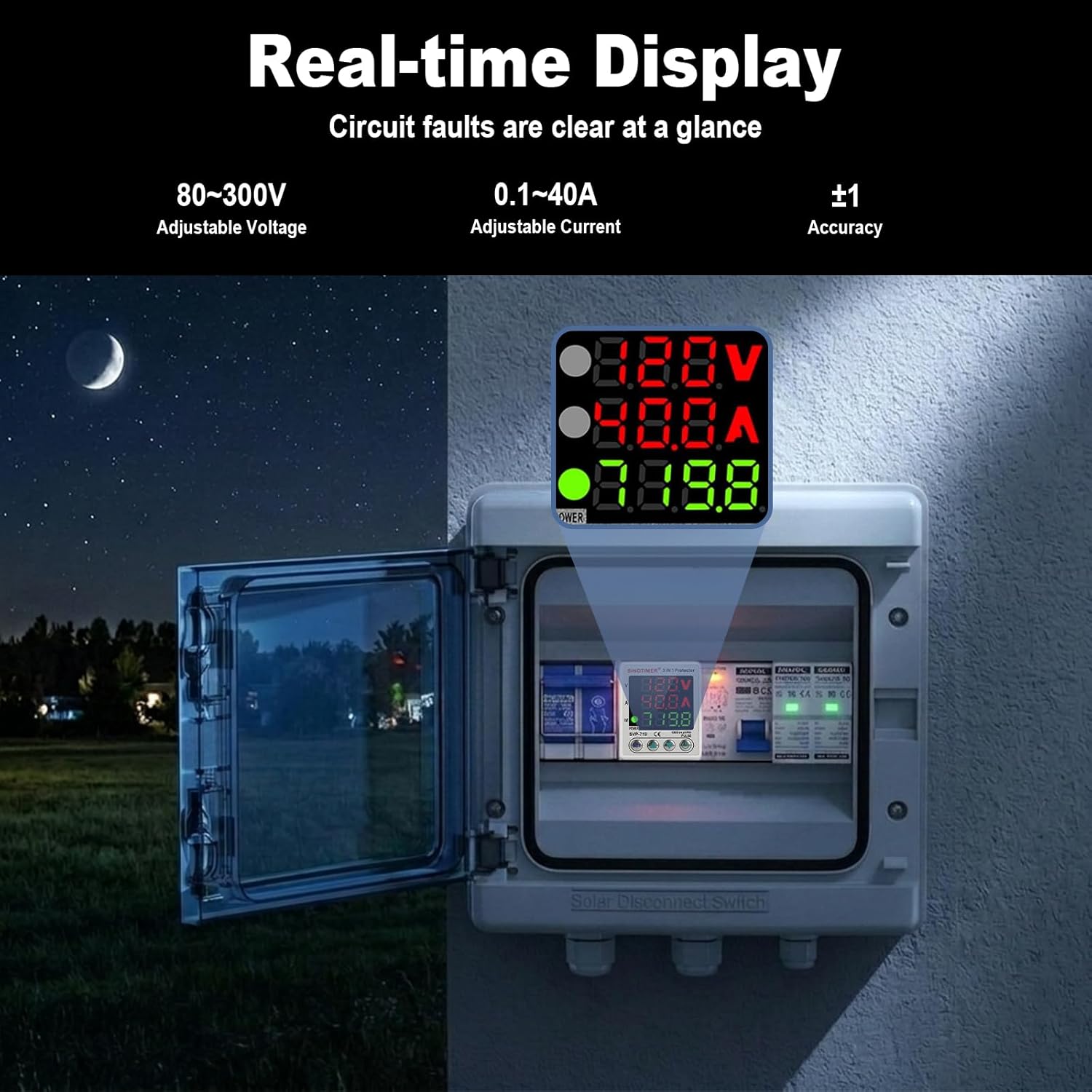
Figure 6: Real-time display of voltage, current, and kWh.
6.2 파라미터 설정
Use the 'SET' button and arrow keys to adjust protection parameters. Press 'SET' to cycle through parameters. Use the up/down arrow keys to change values. The device will automatically save settings after a few seconds of inactivity.
Video 1: This video demonstrates how to navigate and adjust the various protection parameters on the SINOTIMER SVP719-1-40A device, including power-on delay, protection recovery delay, over-voltage/언더볼tage settings, current protection, and reset options.

Figure 7: Button controls for menu navigation and value adjustment.
6.3 일반 작업
Once installed and configured, the device operates automatically. It continuously monitors voltage and current. If a parameter exceeds or falls below the set limits, the protector will instantaneously cut off the power supply to protect connected equipment. When conditions return to normal, the device will automatically re-engage the power supply after the set recovery delay time.
비디오 2: 이 비디오는 일반적인 내용을 제공합니다.view SINOTIMER 조절식 볼륨tage Surge Protector Relay, showing its real-time display of voltage and current during operation.
7. 문제 해결
| 문제 | 가능한 원인 | 해결책 |
|---|---|---|
| 장치의 전원이 켜지지 않습니다. | 전원 입력이 없습니다. 배선이 잘못되었습니다. | Check main power supply. Verify wiring connections according to the diagram. |
| Power cuts off frequently. | 권tage/current outside set limits; sensitive protection settings. | 실제 볼륨을 확인하세요tage/current. Adjust over/under voltage or overcurrent protection values if necessary, ensuring they are appropriate for your system. |
| Device does not reset automatically. | Fault condition persists; recovery delay set too long. | 고장 조건(과부하/과소)을 확인하십시오.tage, overcurrent) has cleared. Check the protection recovery delay setting. |
| 잘못된 볼륨tage/현재 측정값. | 보정 오류입니다. | Refer to the operation section for calibration procedures. |
8. 유지관리
The SINOTIMER SVP719-1-40A requires minimal maintenance. Periodically inspect the device and its connections:
- 모든 배선 연결부가 단단히 고정되어 있고 부식되지 않았는지 확인하십시오.
- 장치를 깨끗하고 먼지나 이물질이 없는 상태로 유지하십시오.
- Verify that the digital displays are functioning correctly and showing accurate readings.
- Do not attempt to open or repair the device yourself. Refer to qualified service personnel for any issues beyond basic troubleshooting.
9. 보증 및 지원
This SINOTIMER product is covered by a 1년 제조사 보증 구매일로부터. 이 보증은 정상적인 사용 하에서 재료 및 제조상의 결함을 포함합니다.
For warranty claims, technical support, or further assistance, please contact SINOTIMER customer service through your purchase platform or the official SINOTIMER website. Please have your model number (SVP719-1-40A) and proof of purchase ready when contacting support.


