
1. 서론
The EASYLONGER ES270 CPAP Battery is a versatile 99.9Wh power bank designed to provide reliable power for CPAP machines during air travel, camping, 그리고 힘 outages. It features multiple charging options, including 100W Power Delivery (PD) for laptops, wireless charging, and comprehensive safety protections. This manual provides essential information for the safe and efficient use of your ES270 CPAP Battery.
2. 패키지 내용
아래 나열된 모든 품목이 패키지에 포함되어 있는지 확인하세요.
- 1 × EASYLONGER ES270 CPAP Battery
- 4 × CPAP Charge Cables (compatible with ResMed AirMini, AirSense 11, AirSense 10, AirCurve 10, AirCurve 11, Luna TravelPAP, Philips DreamStation, Philips DreamStation 2)
- 1 × 65W USB-C Adapter
- USB-C to C 케이블 1개
- 1 × 사용자 설명서

Video 2.1: Unboxing the EASYLONGER ES270 CPAP Battery and its contents.
3. 제품 오버view
The ES270 features a compact design and multiple ports for various charging needs. The smart display provides real-time battery status and voltag정보.

포트 및 표시기:
- DC 입력: For recharging the power bank via a 72W adapter (not included) or solar panel.
- USB-C In/Out (PD 100W): For fast charging the power bank or charging compatible laptops and devices.
- USB Out (USB-A): Standard USB output for charging smartphones, tablets, and other USB-powered devices.
- DC 출력: For connecting CPAP machines using the provided DC cables.
- 무선 충전 패드: Qi 호환 기기의 경우 상단 표면에 위치해 있습니다.
- 디지털 디스플레이: 배터리 비율을 표시합니다.tage 및 선택된 출력 볼륨tage.
4. 설정 및 초기 사용
Before first use, fully charge your ES270 CPAP Battery. The compact size and airline approval make it suitable for various environments.


5. Charging the ES270 Battery
The ES270 offers multiple convenient ways to recharge:
- USB-C 입력 : Use the included 65W USB-C adapter or a compatible solar panel/car charger. Full recharge in approximately 2 hours.
- DC 입력 : Use a 72W adapter (not included) for a full recharge in approximately 1.5 hours.
Note: USB-C Input and DC Input cannot be used simultaneously for charging.


6. Operating with CPAP Devices
The ES270 is designed to power various CPAP machines. Ensure you select the correct voltage and use the appropriate CPAP charging cable.
6.1 Connecting to ResMed AirSense 11
Video 6.1: Instructions for connecting the ES270 to a ResMed AirSense 11 CPAP machine.
6.2 Connecting to Luna TravelPAP (BMC M1 Mini)
Video 6.2: Instructions for connecting the ES270 to a Luna TravelPAP (BMC M1 Mini) CPAP machine.
6.3 Connecting to Philips DreamStation
Video 6.3: Instructions for connecting the ES270 to a Philips DreamStation CPAP machine.
6.4 Connecting to ResMed AirMini
Video 6.4: Instructions for connecting the ES270 to a ResMed AirMini CPAP machine.
6.5 Connecting to ResMed AirSense 10
Video 6.5: Instructions for connecting the ES270 to a ResMed AirSense 10 CPAP machine.
6.6 Optimizing CPAP Runtime
For extended runtime, especially with high-power CPAP machines, it is recommended to turn off humidification and heating modes.

6.7 통과 기능
The pass-through function allows the CPAP device to operate continuously during short power outages while the ES270 is connected to a power source, ensuring uninterrupted sleep.

6.8 Factors Affecting Battery Duration
Several factors can influence the duration of the battery pack when powering a CPAP device:
- Humidifier and heated tubing ON/OFF/Level Setting
- Ramp Up Function ON/OFF/Time setting
- Use of any additional features such as Altitude Compensation
- 기계 유형
- 압력 완화
- Patient's breathing pattern
- Mask leaks
- Automatic Leak Compensator
- Bluetooth/APP/Wifi usage
- Smart Start / Smart Stop features
- 치료 모드
7. Other Charging Functions
7.1 PD 100W Fast Charging for Laptops
The ES270's 100W USB-C port provides rapid charging for compatible laptops, such as charging a MacBook Pro 14 from 0% to 50% within 30 minutes.

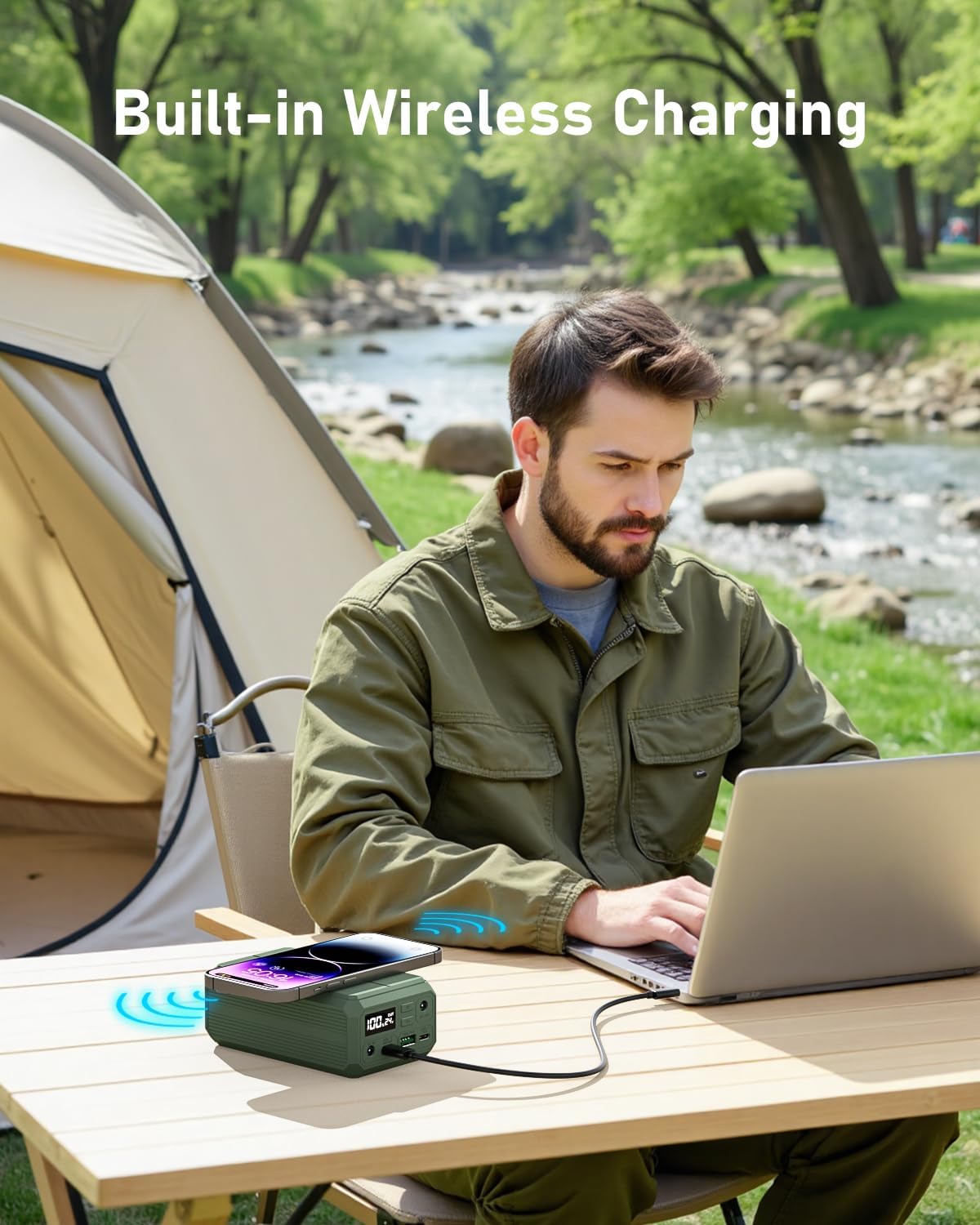
7.2 무선 충전
Place your Qi-compatible smartphone on the charging pad for convenient wireless charging, eliminating the need for cables.
8. 안전 및 유지보수
The ES270 CPAP Battery incorporates an advanced Battery Management System (BMS) for your safety and device longevity.
8.1 BMS 보호
- 과전류 보호
- 과열 보호
- 과충전 보호
- Short-circuiting Protection
- 과방 전 보호

8.2 일반 유지 관리
- 직사광선이나 극한의 온도를 피하고 서늘하고 건조한 곳에 배터리를 보관하십시오.
- 장치를 떨어뜨리거나 강한 충격을 가하지 마십시오.
- 부드럽고 마른 천으로 외부를 닦으세요. 강한 화학 물질이나 연마제는 사용하지 마세요.
- 배터리를 분해하거나 개조하지 마십시오.
9. 문제 해결
If you encounter issues with your ES270 CPAP Battery, consider the following:
- 장치가 충전되지 않음: Ensure the charging cable is securely connected to both the ES270 and the power source. Verify the power source is active.
- CPAP machine not powering on: 올바른 볼륨인지 확인하십시오.tage is selected on the ES270 and that the CPAP cable is properly connected. Ensure the ES270 has sufficient charge.
- 무선 충전이 작동하지 않습니다: Confirm your device is Qi-compatible and properly aligned on the charging pad. Remove any thick cases that may interfere.
- 짧은 실행 시간: For CPAP machines, ensure humidification and heated tubing are turned off to maximize battery life.
문제가 지속되는 경우 고객 지원팀에 문의하세요.
10. 사양
| 특징 | 사양 |
|---|---|
| 제품 치수 | 5 x 2.9 x 1.9 인치 |
| 품목 무게 | 1.3파운드 |
| 배터리 용량 | 27000 mAh / 99.9 Wh |
| USB-C 출력(PD) | 최대 100W |
| DC 출력 | 12V, 19V, 24V (선택 가능) |
| 무선 충전 | 10와트 |
| Recharge Time (65W USB-C) | 약 2시간 |
| Recharge Time (72W DC) | 약 1.5시간 |
| 안전 기능 | BMS (Overcurrent, Overheating, Overcharging, Short-circuiting, Over-discharge Protection) |
11. 보증 및 지원
EASYLONGER is committed to providing reliable charging solutions. For any questions, technical support, or warranty claims, please refer to the contact information provided in your user guide or visit the official EASYLONGER web대지.
Manufacturer: Dongguan Yihang Electronic Co., Ltd
자세한 내용은 다음을 방문하세요. EASYLONGER Store