
1. 서론
The Apple Watch Ultra 3 is a robust and advanced smartwatch designed for sports, adventure, and everyday use. It features a durable titanium case, a bright sapphire crystal display, and comprehensive health and fitness tracking capabilities. This manual provides essential information for setting up, operating, maintaining, and troubleshooting your device.
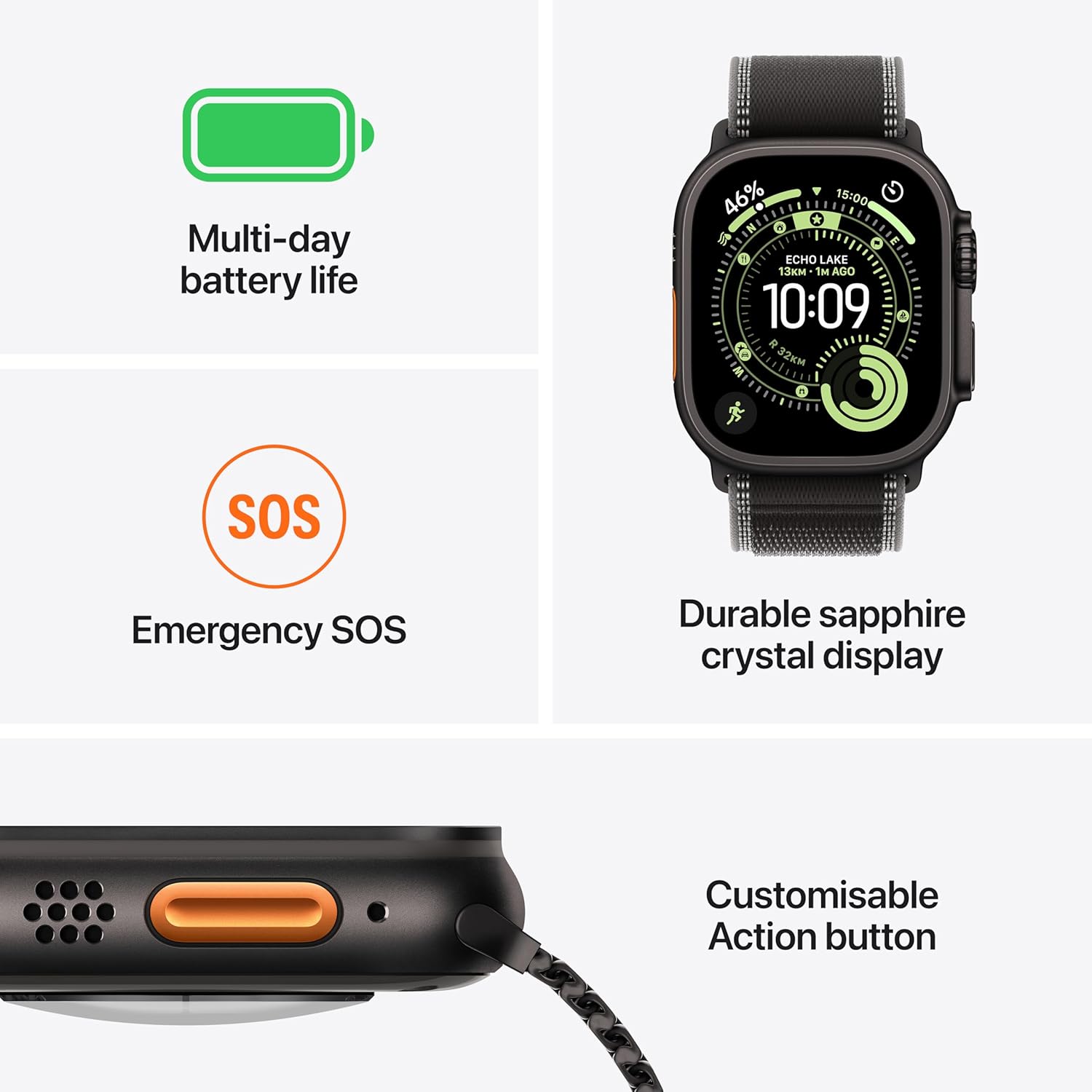
Image: The Apple Watch Ultra 3 with its Milanese Loop band, showcasin디자인이 그렇습니다.
2. 상자 안에 무엇이 들어있나요?
Verify that all components are present in your Apple Watch Ultra 3 package:
- Apple Watch Ultra 3 Case (49mm Natural Titanium)
- Natural Titanium Milanese Loop Band
- 1m Magnetic Fast Charging USB-C Cable

Image: The Apple Watch Ultra 3 packaging contents, including the watch, band, and charging cable.
3. 설정
3.1 Apple Watch 충전하기
- Connect the 1m Magnetic Fast Charging USB-C Cable to a USB-C power adapter (sold separately) and plug it into a power outlet.
- Place the back of your Apple Watch on the magnetic charger. The charger will snap into place automatically.
- The watch display will show a charging indicator. Allow the watch to charge sufficiently before initial use.
3.2 Attaching the Band
To attach the Milanese Loop band:
- Slide the band into the watch case until you feel and hear a click. Ensure the band is inserted correctly and securely.
- Adjust the magnetic closure for a comfortable fit on your wrist.
3.3 아이폰과의 페어링
- Ensure your iPhone is updated to the latest iOS version and has Bluetooth and Wi-Fi enabled.
- Turn on your Apple Watch by pressing and holding the Side Button until the Apple logo appears.
- Bring your iPhone near your Apple Watch. A pairing animation will appear on your iPhone. Tap 'Continue'.
- iPhone과 Apple Watch 화면에 나타나는 지시에 따라 페어링 과정을 완료하세요. 원하는 경우 셀룰러 서비스 설정도 포함됩니다.
4. Operating Your Apple Watch Ultra 3
4.1 기본 탐색
- 디지털 크라운: 돌려서 스크롤, 확대/축소 또는 값을 조정하세요. 한 번 누르면 시계 화면 또는 앱 목록으로 이동합니다. 두 번 누르면 최근 사용한 앱 간에 전환됩니다. 길게 누르면 Siri가 실행됩니다.
- 측면 버튼: Press once to open the Dock (recent apps). Double-press for Apple Pay. Press and hold for Emergency SOS or to power off.
- 액션 버튼: The customizable orange button on the left side. By default, it can be set to start a workout, mark a Compass Waypoint, begin a Backtrack path, or activate the flashlight. Customize its function in the Settings app on your watch.
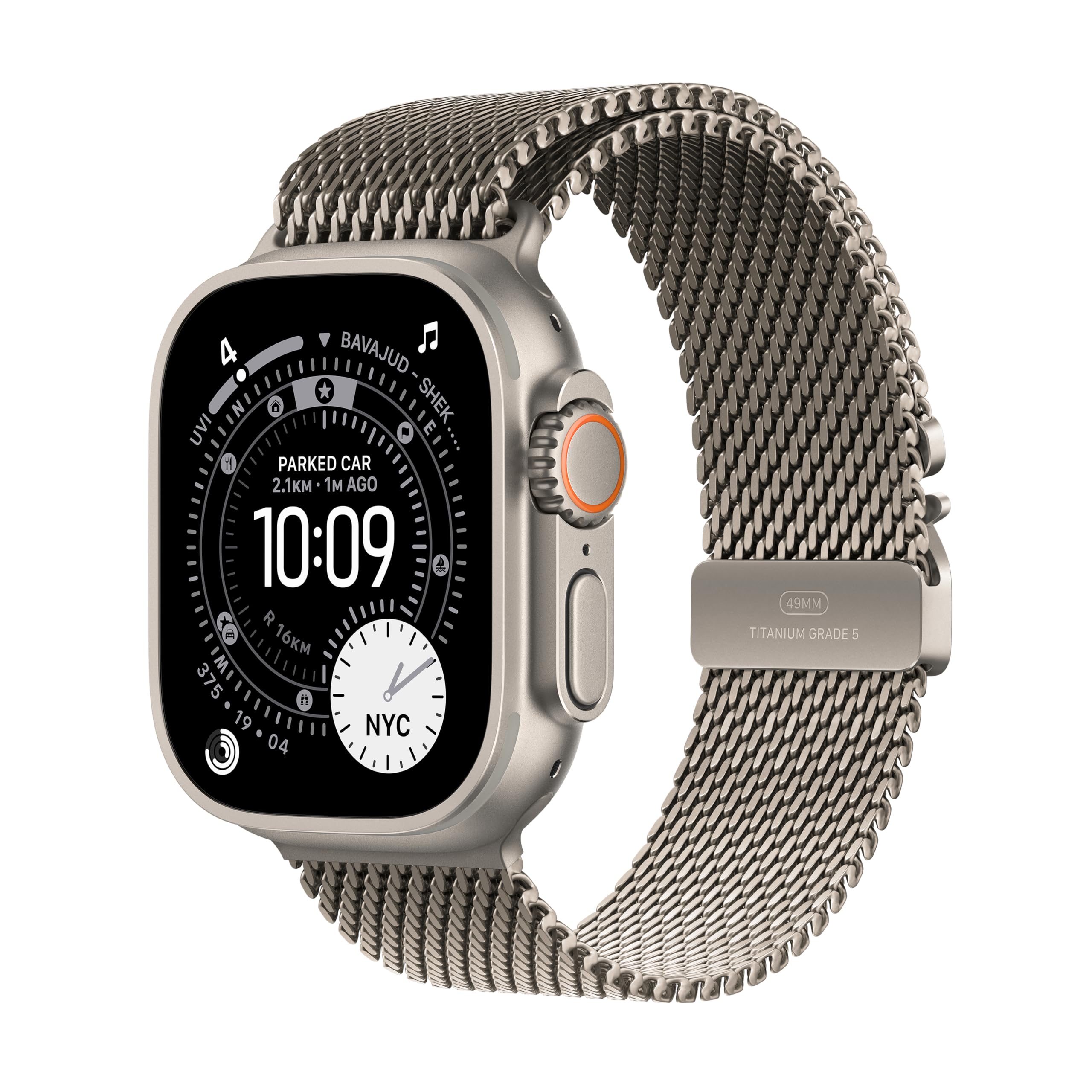
이미지: 이상view of key features including multi-day battery life, Emergency SOS, durable sapphire crystal display, and the customizable Action button.
4.2 주요 특징
- GPS + 셀룰러: Stay connected, make calls, send messages, and stream music even without your iPhone nearby.
- Multi-day Battery Life: Enjoy extended usage with up to 42 hours in normal use and up to 72 hours in Low Power Mode.
- Durable Sapphire Crystal Display: The large, bright display is protected by a strong sapphire crystal, offering enhanced readability and durability. It can also function as a flashlight.
- 고급 건강 및 피트니스 추적: Monitor heart rate, track workouts, set custom workouts, and utilize features like Pacer, Heart Rate Zones, and running power.

Image: The Apple Watch Ultra 3 as an ultimate running companion, displaying advanced metrics such as heart rate, zone, elevation, and pace.
- 안전 기능: Includes Emergency SOS, Fall Detection, and Crash Detection, which can automatically connect you to emergency services and notify your emergency contacts. Check In can also notify a loved one when you arrive at your destination.
- Hiking Tools: Utilize features like Backtrack to retrace your steps and access offline maps for navigation in remote areas.

Image: The Apple Watch Ultra 3 showcasing key hiking tools like the compass and offline maps.

Image: A user running outdoors, demonstrating the Apple Watch Ultra 3's capability to provide personalized fitness motivation.
4.3 방수성
The Apple Watch Ultra 3 is water resistant to 100 meters, making it suitable for swimming, diving, and high-speed water sports. It is not recommended for scuba diving below 40 meters or other activities involving high-velocity water impact. After exposure to chlorinated or salt water, rinse the watch with fresh water and dry it thoroughly.
5. 유지관리
5.1 애플 워치 청소하기
- 애플 워치를 끄고 충전기에서 분리하세요.
- Wipe the watch clean with a soft, lint-free cloth. If necessary, lightly dampko 깨끗한 물로 천을 닦으십시오.
- 비누, 세척제, 연마재 또는 압축 공기를 사용하지 마십시오.
- 부드럽고 보풀 없는 천으로 시계를 완전히 말려주세요.
5.2 Cleaning the Milanese Loop Band
- Wipe the band with a soft, lint-free cloth. If needed, lightly dampko 깨끗한 물로 천을 닦으십시오.
- Allow the band to air dry completely before reattaching it to your watch.
5.3 소프트웨어 업데이트
Regularly update your Apple Watch to the latest watchOS version to ensure optimal performance, security, and access to new features. Updates can be performed via the Watch app on your paired iPhone.
6. 문제 해결
6.1 시계가 켜지지 않음
If your Apple Watch does not turn on, ensure it is sufficiently charged. Place it on the magnetic charger for at least 30 minutes. If it still doesn't turn on, try a force restart by holding both the Side Button and the Digital Crown for at least 10 seconds until the Apple logo appears.
6.2 페어링 문제
If your watch fails to pair with your iPhone:
- Ensure both devices have Bluetooth and Wi-Fi enabled.
- Restart both your Apple Watch and iPhone.
- Check for any pending software updates on your iPhone.
- If issues persist, unpair the watch from your iPhone (if previously paired) and attempt the pairing process again.
6.3 배터리 소모
배터리 소모가 평소와 다르게 나타나는 경우:
- 백그라운드에서 실행 중인 앱을 확인하고 불필요한 앱은 종료하세요.
- 화면 밝기를 낮추세요.
- Enable Low Power Mode in Settings.
- Ensure your watchOS is up to date.
6.4 공장 초기화
To erase all content and settings from your Apple Watch:
- On your Apple Watch, go to 설정 > 일반 > 재설정.
- 수도꼭지 모든 콘텐츠 및 설정 지우기.
- 암호를 입력하라는 메시지가 나타나면 암호를 입력하십시오.
- Confirm the action. This will unpair your watch from your iPhone and erase all data.
7. 사양
| 특징 | 세부 사항 |
|---|---|
| 모델명 | 애플워치 울트라 3 |
| 품목 모델 번호 | MEWW4HN/A |
| ASIN | B0FQFJG5CM |
| 제조업체 | 사과 |
| 케이스 소재 | 티탄 |
| 표시하다 | 사파이어 크리스털 |
| 방수성 | 100 미터 |
| 운영 체제 | watchOS |
| 메모리 저장 용량 | 64GB (XNUMX기가바이트) |
| 배터리 용량 | 0.1밀리amp Hours (up to 42 hours normal use, 72 hours Low Power Mode) |
| 연결 기술 | 블루투스, 셀룰러 |
| 특별 기능 | Activity Tracker, Alarm Clock, Always On Display, Fall Detection, GPS |
| 품목 무게 | 61.6g |
8. 보증 및 지원
8.1 제품 보증
Your Apple Watch Ultra 3 is covered by a limited manufacturer's warranty. For detailed information regarding warranty terms and conditions, please refer to the documentation provided with your purchase or visit the official Apple web대지.
8.2 AppleCare Protection Plan
Additional protection plans, such as 1 Year Protect+ with AppleCare Service by Apple, may be available for purchase to extend your coverage and provide additional support options. Please check with your retailer or Apple for availability and details.
8.3 고객 지원
추가적인 지원, 기술 지원 또는 서비스 문의 사항이 있는 경우 Apple 공식 지원 페이지를 방문하십시오. website or contact Apple customer service directly. You can find contact information and support resources at 지원.애플.com.