
소개
Thank you for choosing the HUANUO Ergonomic Office Chair. This manual provides essential information for the safe assembly, operation, and maintenance of your chair. Please read these instructions carefully before use and retain them for future reference.
안전 정보
- 권장 최대 하중을 초과하지 마십시오. 136kg(300파운드).
- Read and follow all assembly instructions carefully to prevent injuries.
- 의자를 사용하기 전에 모든 나사와 볼트가 단단히 조여졌는지 확인하십시오. 주기적으로 점검하고 필요에 따라 다시 조여주십시오.
- 조립하는 동안 어린이와 애완 동물을 가까이 두지 마십시오.
- 의자가 넘어지지 않도록 평평한 곳에서 사용하십시오.
- 의자 위에 서거나 의자를 발판으로 사용하지 마십시오.
- 의자의 부품이 손상되었거나 누락된 경우 사용하지 마십시오. 교체 부품은 고객 지원 센터로 문의하십시오.
패키지 내용
Before assembly, verify that all components are present and undamaged. Refer to the included assembly guide for a detailed list of parts and hardware.
- Backrest with mesh
- 좌석쿠션
- 머리받침
- 팔걸이(2)
- 가스 리프트 실린더
- 바퀴가 달린 베이스
- 메커니즘 플레이트
- 조립용 하드웨어 및 도구
설정 및 조립
Assembly is required for this chair. For detailed, step-by-step instructions, please refer to the separate assembly manual included in your package. Ensure you have adequate space and follow the instructions carefully to ensure proper and safe assembly.
총회 절차:
- Attach the wheels to the chair base.
- 가스 리프트 실린더를 받침대 중앙에 삽입하십시오.
- Attach the mechanism plate to the underside of the seat cushion.
- 등받이를 좌석 쿠션에 연결하세요.
- 팔걸이를 좌석과 등받이에 부착합니다.
- 조립된 좌석과 등받이를 가스 리프트 실린더에 장착합니다.
- Install the headrest onto the backrest.
운영 및 조정
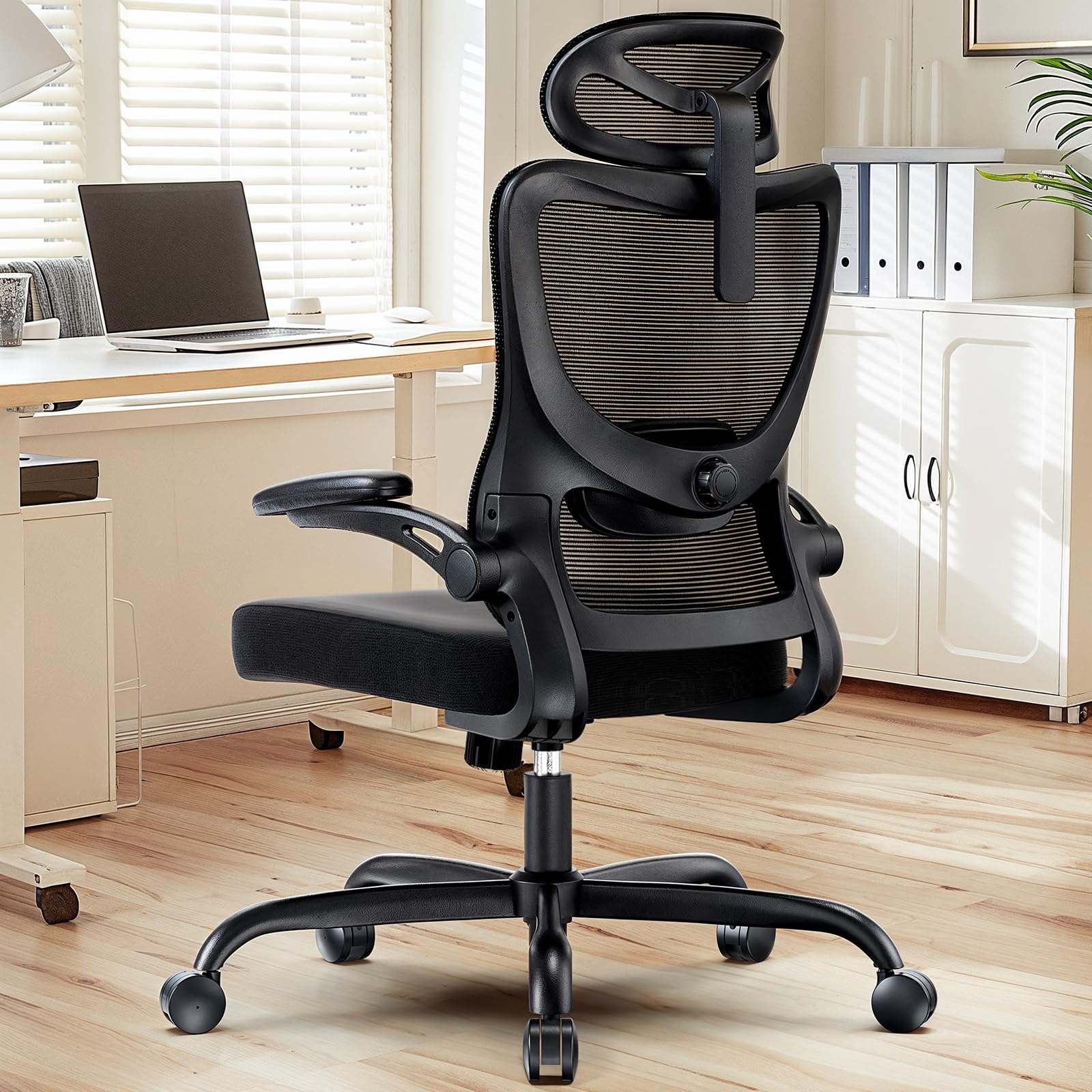
The HUANUO Ergonomic Office Chair offers multiple adjustment options to customize your seating experience for optimal comfort and support.

영상: 위에view of the chair's adjustable components, highlighting the 2D headrest, 2D lumbar support, and 3D armrests.
1. 헤드레스트 조절
The 2D adjustable headrest allows you to position it for optimal neck and head support.
- 높이 조정: Grasp the headrest and slide it up or down to your desired height. It offers approximately 10.1 inches of vertical adjustment.
- 각도 조정: Tilt the headrest forward or backward to find the most comfortable angle for your head and neck.

영상: Visual guide for adjusting the 2D headrest, demonstrating its range of motion.
2. Backrest Recline and Tilt
The backrest can recline and tilt to suit various working or resting postures.
- 리클라이닝 각도: The backrest can be reclined between 90° and 120°. Use the lever located on the right side under the seat to adjust and lock the recline angle.
- 틸트 장력: Adjust the round knob under the seat to increase or decrease the tension required to recline the backrest. Turn clockwise to increase tension, counter-clockwise to decrease.

영상: Instructions for adjusting backrest recline and tilt, including the tilt tension knob and lock lever.
3. 요추 지지대 조정
The flexible lumbar support system adapts to your body shape, promoting optimal posture.
- 깊이 조정: The lumbar support can move 3 cm (1.2 inches) forward and backward. Use the knob on the side of the lumbar support to adjust its depth.
- 높이 조정: The lumbar support can move 5.5 cm (2.2 inches) up and down. Grasp the lumbar support and slide it vertically to align with the natural curve of your lower back.

영상: 상세한 view of the flexible 2D lumbar support, illustrating how to adjust its depth and height.
4. 팔걸이 조절
The 3D armrests provide versatile support for your arms and can be folded away for convenience.
- 높이 조정: Press the button on the side of the armrest and slide it up or down. It offers approximately 10.1 inches of vertical adjustment.
- 깊이 조정: Slide the armrest pad forward or backward by up to 5 cm (1.96 inches).
- 회전 조정: Rotate the armrest pad left or right by up to 15°.
- 플립업 기능: The armrests can be folded up 90° to allow the chair to slide closer to a desk or for more freedom of movement.

영상: Visual guide for adjusting the 3D armrests, demonstrating flip-up, depth, and swivel functions.

영상: The armrests folded up 90 degrees, illustrating how they can be moved out of the way.
5. 좌석 높이 조절
발이 바닥에 평평하게 닿고 무릎이 90도 각도를 이루도록 의자 높이를 조절하십시오.
- Raise Seat: While seated, pull the lever on the left side of the seat upwards. The seat will rise. Release the lever at the desired height.
- Lower Seat: While seated, pull the lever on the left side of the seat upwards and apply weight to the seat. The seat will lower. Release the lever at the desired height.

영상: Detail of the seat cushion, showing its 3.14-inch thickness for comfort and support.
유지
Regular maintenance will help prolong the life and appearance of your HUANUO office chair.
- 청소: 부드러운 천으로 의자를 닦으세요.amp cloth. For mesh areas, use a mild soap solution if necessary, and allow to air dry. Avoid harsh chemicals or abrasive cleaners.
- 점검: Periodically check all bolts and screws to ensure they are tight. Re-tighten as needed to maintain stability and safety.
- 캐스터 : 바퀴의 먼지와 이물질을 제거하여 원활한 움직임을 유지하도록 정기적으로 청소하십시오.
문제 해결
의자에 문제가 발생하면 다음의 일반적인 해결책을 참조하세요.
- 의자가 흔들거려요. Check all assembly bolts and screws. Ensure they are fully tightened. Verify the chair is on a flat, even surface.
- Gas lift not working: Ensure the height adjustment lever is fully engaged or disengaged. If the issue persists, the gas lift cylinder may need replacement. Contact customer support.
- 캐스터가 원활하게 굴러가지 않음: Clean any hair or debris from the caster wheels. Lubricate with a silicone-based spray if necessary.
- 등받이가 뒤로 젖혀지거나 고정되지 않습니다. Check the recline lock lever and tilt tension knob. Ensure they are correctly positioned.
명세서
영상: Detailed product dimensions and maximum load capacity.
| 특징 | 세부 사항 |
|---|---|
| 모델 번호 | MSOC10B-US |
| 상표 | 화누오 |
| 색상 | 검은색 |
| 재료 | Metal and Plastic (Frame), Foam (Seat), Mesh (Backrest) |
| 최대 하중 용량 | 136kg(300파운드) |
| Headrest Width | 13.2인치 |
| 머리받침 높이 조절 | 10.1인치 |
| 등받이 높이 | 24.1인치 |
| 좌석 폭 | 20.1인치 |
| 좌석 깊이 | 20.1인치 |
| 좌석 두께 | 3.14인치 |
| 좌석 높이 조절 범위 | 14.5인치에서 18.5인치까지 |
| 팔걸이 조정 | 3D (Height, Depth, Swivel), 90° Flip-up |
| 요추 지지대 조정 | 2D (Height, Depth) |
| 등받이 리클라인 | 90° ~ 120° |
| 조립이 필요합니다 | 예 |
| 한국어: | 840478843729 |
보증 및 지원
For warranty information, technical support, or to order replacement parts, please refer to the warranty card included with your product or visit the official HUANUO website. Please have your model number (MSOC10B-US) and purchase date available when contacting support.


