
1. 서론
Thank you for choosing the BOTSLAB G300H Plus 4K Dual Dash Cam. This manual provides detailed instructions for the installation, operation, and maintenance of your device. The G300H Plus is designed to capture high-quality video footage from both the front and rear of your vehicle, enhancing driving safety and providing crucial evidence in case of incidents. It features 4K front and 1080P rear recording, a STARVIS 2 sensor for superior low-light performance, 24/7 parking monitoring, wide-angle lenses, and convenient voice control.
2. 패키지 내용
패키지에 모든 품목이 들어 있는지 확인하세요.
- BOTSLAB G300H Plus Front Dash Cam
- 후방 카메라
- Type C Hardwire Kit (for parking monitoring)
- 사용자 설명서
- Power Cable (USB Type-C)
- 후면 카메라 연결 케이블
- 장착 액세서리
3. 설정 및 설치
3.1 MicroSD 카드 삽입
Before installation, insert a high-speed (Class 10 or higher, U3 recommended) MicroSD card into the front dash cam's slot. Ensure the card is inserted correctly until it clicks into place. Format the card within the dash cam settings upon first use.
3.2 전면 카메라 설치
- 대시캠이 장착될 앞유리 부분을 청소하세요.
- Attach the adhesive mount to the front camera.
- Mount the camera behind the rearview 거울이 시야를 가리지 않도록 하십시오. view.
- Adjust the lens angle to capture the road ahead clearly.

Image: Illustration of the front and rear dash cam setup, showing 4K front and 1080P rear recording clarity.
3.3 후방카메라 설치
- 일반적으로 상단 중앙에 후면 유리창의 적합한 위치를 지정하여 깨끗한 상태를 유지하십시오. view.
- 해당 부위를 깨끗이 청소하세요.
- Attach the rear camera with its adhesive mount.
- 제공된 후방 카메라 연결 케이블을 사용하여 후방 카메라와 전방 카메라를 연결하십시오. 케이블은 차량 내부 트림을 따라 깔끔하게 정리하십시오.
3.4 전원 연결
- Connect the Type C power cable to the front dash cam.
- Plug the other end of the power cable into your vehicle's cigarette lighter socket or a suitable USB power source.
- For 24/7 parking monitoring, connect the included Type C Hardwire Kit to your vehicle's fuse box according to the hardwire kit's specific instructions. This ensures continuous power even when the vehicle is off.
3.5 초기 전원 켜기 및 설정
Once powered, the dash cam will automatically turn on and begin recording. Follow the on-screen prompts to set the date, time, and other preferences. Ensure the MicroSD card is formatted for optimal performance.
4. 사용 설명서
4.1 자동 기록
The dash cam automatically starts recording when your vehicle's ignition is turned on and stops when the ignition is turned off. Footage is saved in continuous loops, overwriting the oldest files when the MicroSD card is full, unless protected by emergency lock.
4.2 음성 제어
The G300H Plus supports hands-free voice commands for safer operation. Keep your focus on the road by using commands such as:
- "사진을 찍으세요": 정지 이미지를 캡처합니다.
- "비디오 시작": Initiates video recording.

Image: A driver using voice commands like "Take photo" and "Video start" to control the dash cam, emphasizing hands-free operation.
4.3 24시간 연중무휴 주차 모니터링
With the Type C Hardwire Kit installed, the dash cam provides continuous surveillance when your vehicle is parked. It offers two modes:
- 타임랩스 녹화: Records at 1 frame per second, compressing hours of footage into minutes for extended surveillance.
- 충돌 감지: Automatically locks a 1-minute video segment upon detecting an impact, ensuring critical event footage가 저장되었습니다.
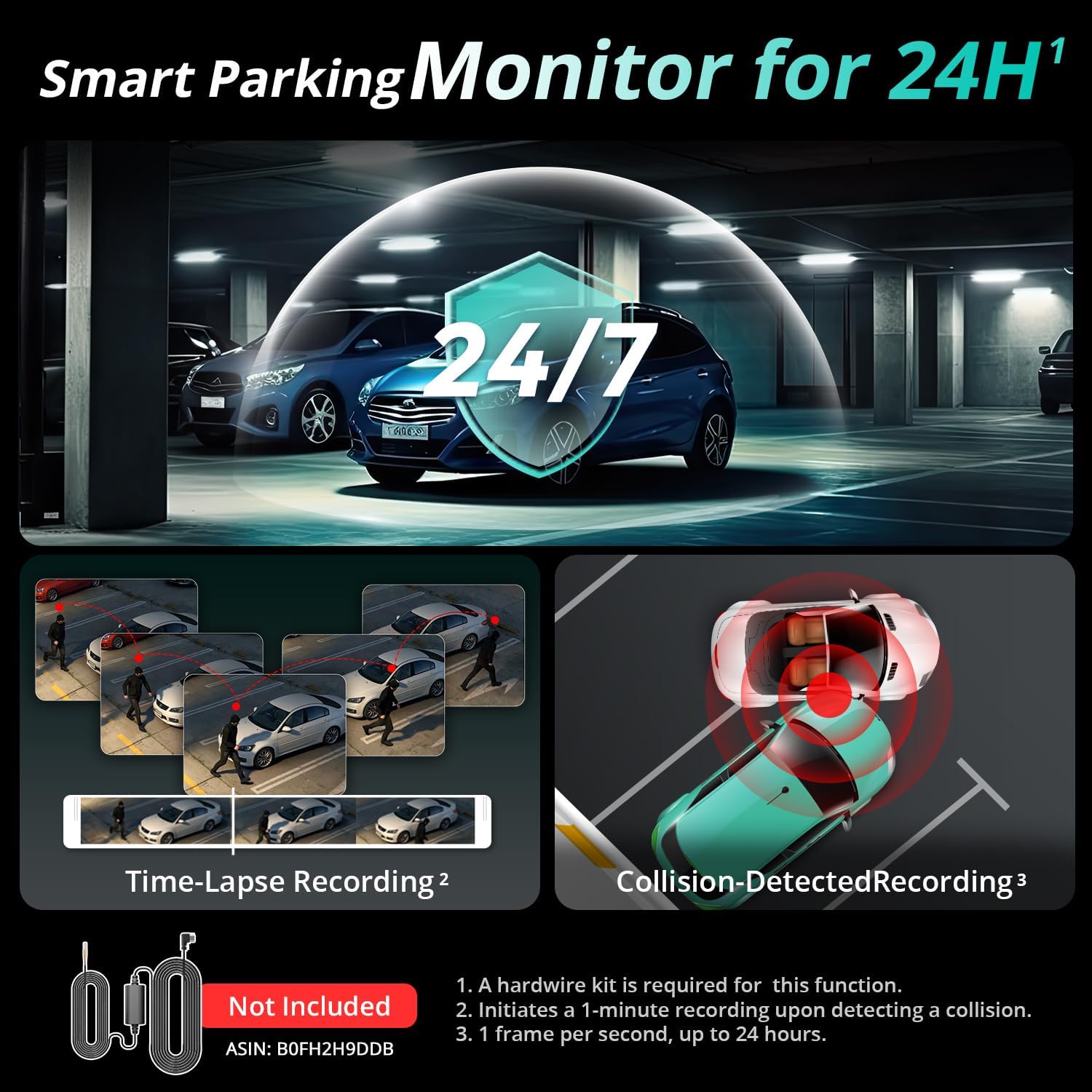
Image: Visual representation of the 24/7 parking monitoring feature, showing time-lapse recording and collision-detected recording modes.
4.4 뛰어난 야간 시야
Equipped with a STARVIS 2 sensor and F1.5 (front) / F2.0 (rear) apertures, the G300H Plus delivers clear and detailed footage even in low-light conditions, enhancing visibility and safety during nighttime driving.
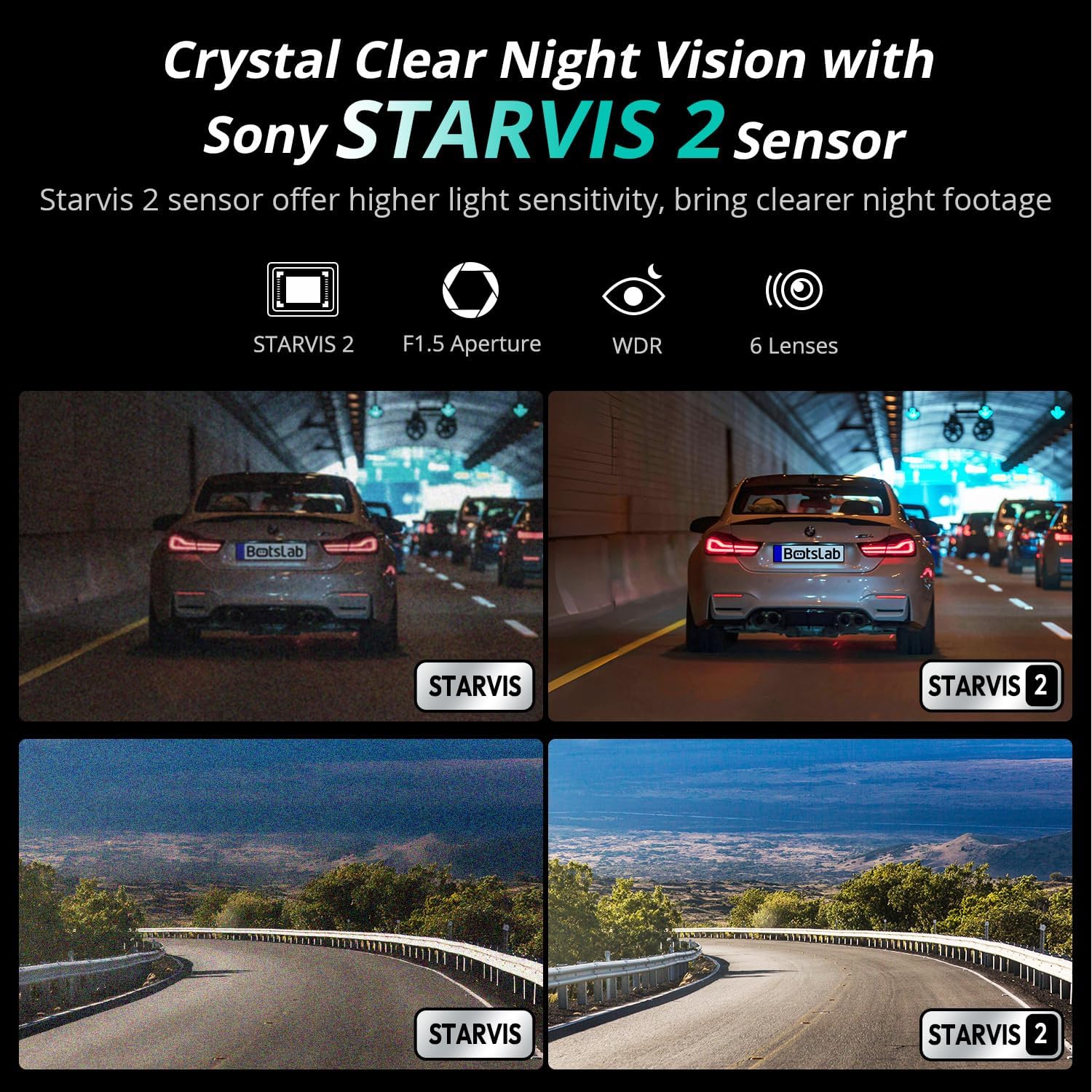
Image: Comparison of night vision quality with and without the STARVIS 2 sensor, demonstrating enhanced clarity in low light.
4.5 Wide-Angle Coverage
The dash cam features a 170° front and 150° rear wide-angle lens, minimizing blind spots and providing comprehensive coverage of the road and surroundings.

Image: Diagram illustrating the 170° front and 150° rear wide-angle coverage, showing how it reduces blind spots.
4.6 Seamless Trip Tracking (GPS)
The integrated GPS functionality provides precise location and speed data, which can be view동영상과 함께 edtage. This feature allows for detailed trip tracking and route analysis.

Image: A visual showing the dash cam display with GPS data and a smartphone app interface displaying trip tracking on a map.
4.7 Botslab App Integration
Connect your dash cam to the Botslab app on your smartphone for easy access to recorded footage, settings adjustments, and sharing options. The app allows you to capture, edit, and share your videos conveniently.
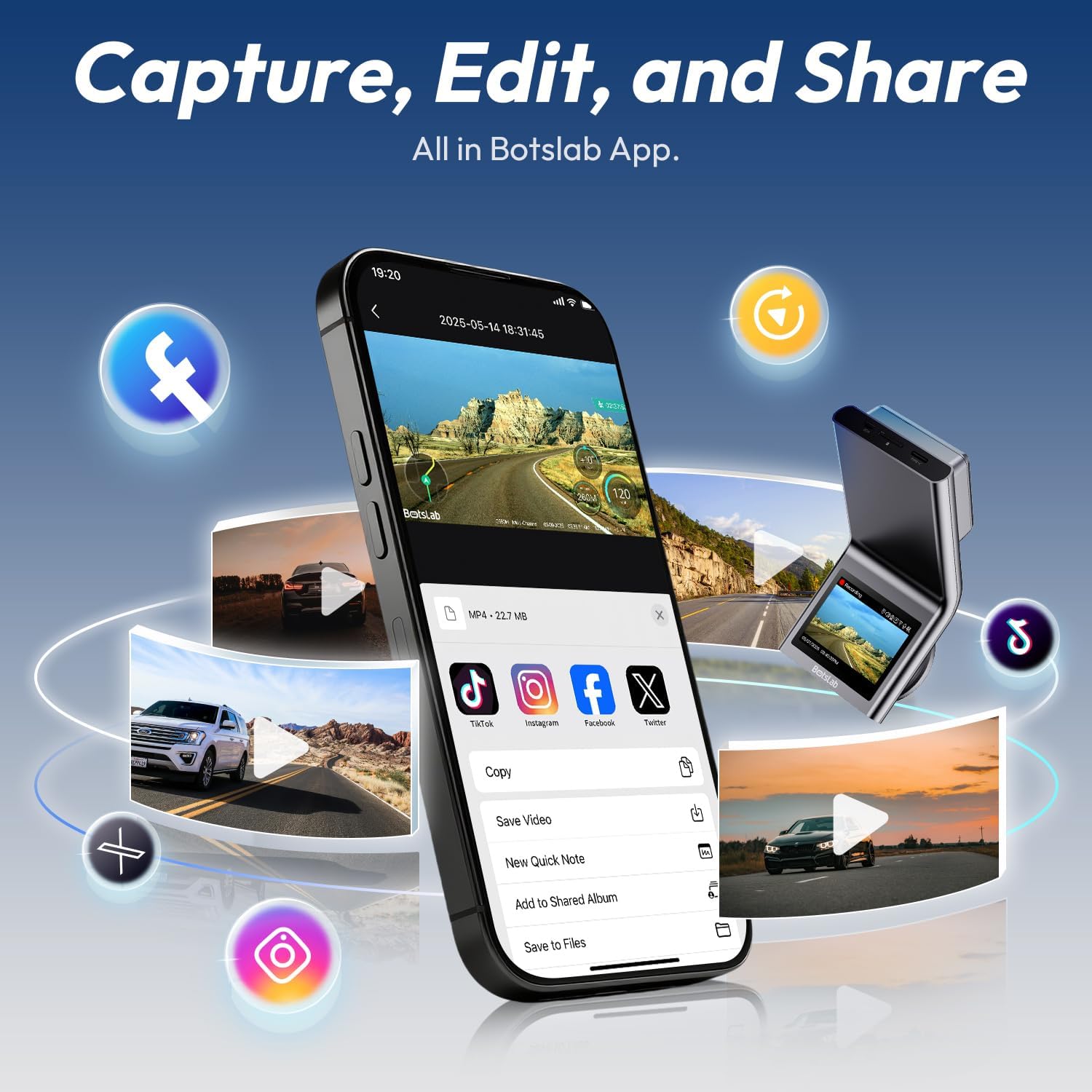
Image: A smartphone displaying the Botslab app interface for managing dash cam footage, with icons for various social media sharing options.
4.8 공식 제품 영상
For visual guidance on setup and features, please refer to these official product videos:
영상: 자세한 내용view and setup guide for the BOTSLAB G300H Plus Dash Cam (Duration: 9:58).
Video: Comprehensive guide to the features and functions of the BOTSLAB G300H Plus (Duration: 5:36).
Video: Quick start and essential features of the BOTSLAB G300H Plus Dash Cam (Duration: 1:55).
5. 유지관리
5.1 MicroSD 카드 관리
To ensure optimal performance and prevent data corruption, it is recommended to format the MicroSD card within the dash cam settings every 2-4 weeks. Replace the MicroSD card if it shows signs of degradation or error messages.
5.2 장치 청소
Use a soft, dry cloth to clean the dash cam lenses and body. Avoid using abrasive cleaners or solvents that could damage the device. Ensure lenses are free of dust and smudges for clear recording.
6. 문제 해결
- 대시캠 전원이 켜지지 않음: Check the power cable connection to both the dash cam and the vehicle's power source. Ensure the vehicle's ignition is on if not using the hardwire kit. Test the power source with another device.
- 녹화 문제 (예: 녹화 중 멈춤, 녹화 파일 손상) file에스): Format the MicroSD card within the dash cam. Ensure you are using a high-speed (Class 10, U3) MicroSD card from a reputable brand. Replace the MicroSD card if issues persist.
- 후방 카메라가 표시되지 않음: Verify the rear camera cable is securely connected to both the front and rear cameras. Check for any damage to the cable.
- 음성 제어가 응답하지 않음: Ensure the environment is not excessively noisy. Speak clearly and directly towards the dash cam. Check settings to ensure voice control is enabled.
- 앱 연결 문제: Ensure Wi-Fi is enabled on your smartphone and you are connected to the dash cam's Wi-Fi network. Restart both the dash cam and your smartphone.
7. 사양
| 모델명 | G300H 플러스 |
| 상표 | 봇슬랩 |
| 비디오 캡처 해상도 | 4K (3840x2160) Front + 1080P (1920x1080) Rear |
| 분야의 View | 170도 (전면) |
| 특별 기능 | Night Vision, Time Lapse, Emergency Lock, Voice Control, GPS |
| 연결 기술 | USB Type-C, 무선 |
| 포함된 구성 요소 | Hardwire Kit, Type C Hardwire Kit, User Manual |
| 차량 서비스 유형 | 자동차 |
| 색상 | 검은색 |
8. 보증 및 지원
The BOTSLAB G300H Plus Dash Cam comes with a standard manufacturer's warranty. For specific warranty details, registration, or technical support, please refer to the official BOTSLAB web사이트에서 확인하거나 고객 서비스에 직접 문의하세요. 구매 증빙 자료로 구매 영수증을 보관하세요.
추가 지원이 필요하면 다음을 방문하세요. www.botslab.com