
1. 서론
The Gemmac Stargate Projection Lamp is a versatile device combining multiple functions: aurora projection, interactive plasma ball, Bluetooth speaker, white noise generator, digital clock, and alarm clock. This manual provides instructions for safe and effective use of your device.
2. 패키지 내용
아래 나열된 모든 품목이 패키지에 포함되어 있는지 확인하세요.
- 스타게이트 프로젝션 Lamp 단위
- 원격 제어
- 전원 케이블
- 사용자 설명서
- Astronaut Figure
- Alien Figure

Image: The Stargate Projection Lamp, its remote control, and the included user manual.
3. 제품 오버view
The Gemmac Stargate Projection Lamp features a central interactive plasma ball, a digital time display, and a projection lens for aurora effects. It includes a base designed to hold the decorative astronaut and alien figures. The unit can be controlled using its built-in buttons or the provided remote control.
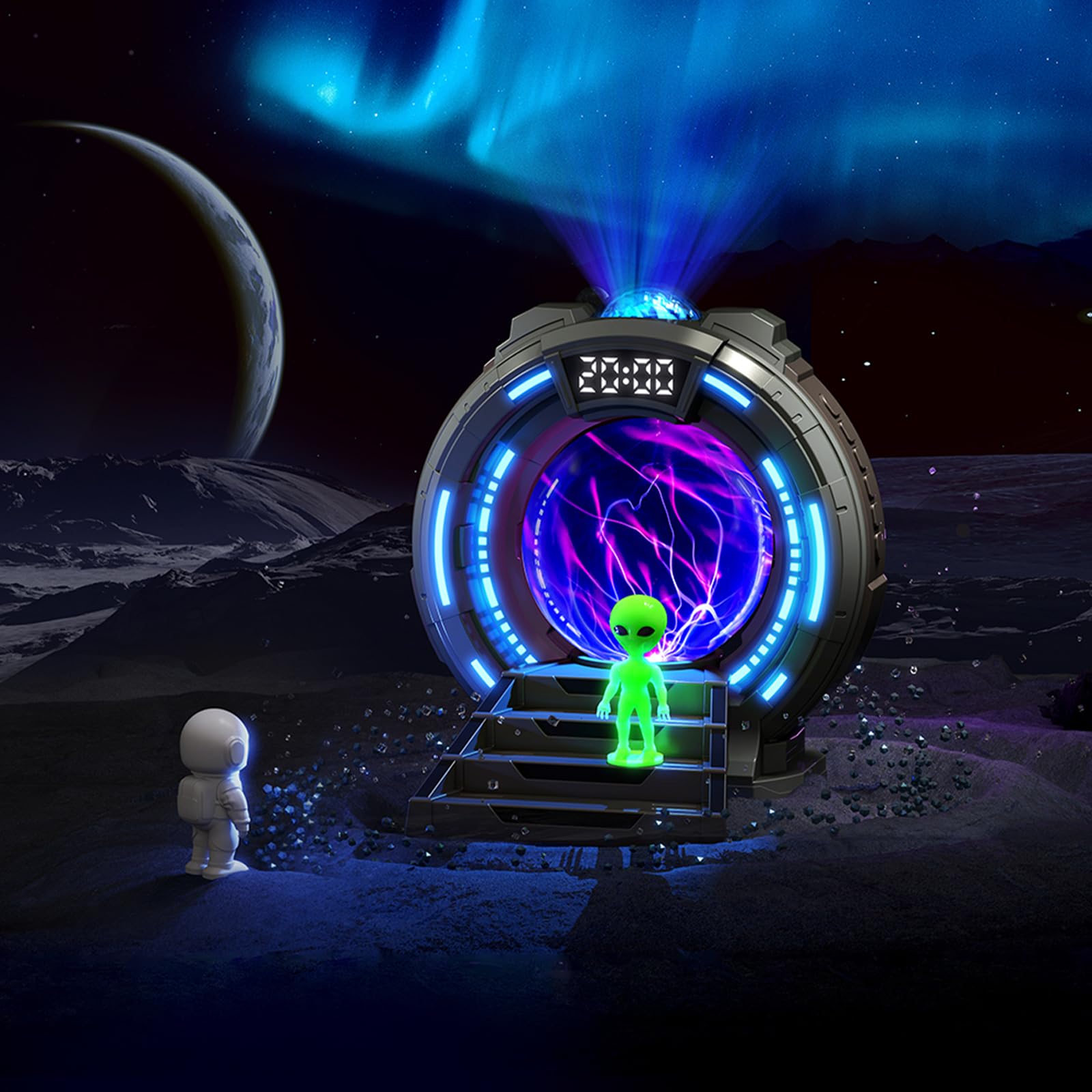
이미지: 앞면 view of the Stargate Projection Lamp, 보여 주다asin디자인과 포함된 그림들.

Image: Detailed dimensions of the Stargate Projection Lamp and its remote control for reference.
4. 설정
- 짐 풀기: 모든 구성품을 포장에서 조심스럽게 꺼내세요. 나중에 보관하거나 운반할 수 있도록 포장을 보관하세요.
- 놓기: l을 놓으세요amp on a stable, flat surface. For optimal projection, ensure there is a clear ceiling or wall space above or in front of the device.
- 전원 연결: Connect the provided power cable to the lamp's power input port. Then, connect the other end of the power cable to a suitable USB power adapter (not included) and plug it into a wall outlet. The lamp 작동하려면 지속적인 전원이 필요합니다.
- 인물 배치: Position the astronaut and alien figures on the designated steps in front of the plasma ball for decorative display.
5. 사용 설명서
5.1 전원 켜기/끄기
Use the power button on the unit or the remote control to turn the lamp 켜기 또는 끄기.
5.2 Aurora Projection
- Press the "Projection" button on the remote to activate the aurora effect.
- Cycle through 8 different color options using the color selection buttons on the remote.
- Adjust brightness with the brightness control buttons (5 levels available).
- The aurora creates a dynamic, flowing light effect on walls and ceilings.

Image: Visual representation of the 8 available aurora light colors.

Image: Diagram showing the 5 adjustable brightness levels from 15% to 100%.
5.3 플라즈마 볼
The central plasma ball activates automatically when the lamp is on. Touch the glass surface of the plasma ball to interact with the light streams, creating dynamic electrical patterns.

Image: The plasma ball in action, displaying its interactive light streams.

Image: A hand interacting with the plasma ball, showing how the light reacts to touch.
5.4 블루투스 스피커 기능
- Activate Bluetooth mode on the lamp (refer to the unit's controls or remote for specific button).
- On your mobile device or computer, search for "Gemmac Stargate Lamp" (or a similar name) in your Bluetooth settings and pair.
- Once paired, play audio from your device; sound will output through the lamp의 화자.
- Adjust volume using the remote control or your connected device.

이미지: lamp's Bluetooth speaker function, indicating wireless audio playback.
5.5 백색 잡음 함수
- Press the "White Noise" button on the remote to activate this feature.
- Cycle through 8 different white noise sounds (e.g., rain, birdsong, wind, campfire, stream, cicadas, ocean waves, frog croaks) to aid relaxation or sleep.

이미지: 전amples of the 8 white noise sounds available for relaxation and sleep.
5.6 Alarm Clock and Time Display
The digital display shows the current time. Refer to the specific instructions in the included paper manual for detailed steps on setting the time and up to two alarms.
5.7 원격 제어 사용
The remote control allows adjustment of light modes, colors, brightness, volume, music playback, white noise selection, and timer settings. Ensure the remote has working batteries and is pointed towards the lamp's sensor for optimal functionality.
6. 유지관리
- 청소: Use a soft, dry cloth to clean the exterior of the lamp. Do not use liquid cleaners, solvents, or abrasive materials, as these may damage the surface or internal components.
- 저장: 장기간 사용하지 않을 경우 l을 보관하십시오.amp 서늘하고 건조한 곳에 직사광선과 습기를 피해 보관하십시오.
- 손질: Avoid dropping or subjecting the device to strong impacts. Do not attempt to open or repair the unit yourself, as this will void the warranty and may cause damage or injury.
7. 문제 해결
- 전원 없음:
- 전원 케이블이 양쪽 단자에 단단히 연결되어 있는지 확인하십시오.amp and a functional power outlet.
- Verify the USB power adapter (if external) is working correctly.
- 투영 없음:
- Check if the projection feature is activated via the remote or unit buttons.
- Ensure the projection lens is not obstructed.
- 블루투스 페어링 문제:
- l을 확인하세요amp is in Bluetooth pairing mode.
- 기기의 Bluetooth가 활성화되어 있고 범위 내에 있는지 확인하세요.
- Try restarting both the lamp 그리고 당신의 블루투스 장치.
- Poor Speaker Sound Quality:
- The speaker is designed for ambient audio. For high-fidelity sound, external speakers may be preferred.
- Ensure the volume on both the lamp and your connected device is adjusted appropriately.
- 원격 제어가 작동하지 않음:
- 리모컨 배터리를 확인하고 필요하면 교체하세요.
- 리모컨과 l 사이에 장애물이 없는지 확인하십시오.amp의 센서입니다.
8. 사양
| 특징 | 세부 사항 |
|---|---|
| 모델 번호 | TSD-CSM-003 |
| 상표 | Gemmac |
| 제품 치수 | 10.8D x 10W x 14.2H 센티미터 |
| 품목 무게 | 0.25 킬로그램 |
| 재료 | 아크릴로 니트릴 부타디엔 스티렌 |
| Lamp 유형 | 야간 조명 |
| 전구 유형 | 주도의 |
| 왓tage | 5 와트 |
| 연결 프로토콜 | 블루투스 |
| 전원 | 코드식 전기 |
| 스위치 유형 | 원격 |
| 실내/실외 사용 | 실내 |
9. 보증 및 지원
This product comes with a standard manufacturer's warranty. Please refer to the product packaging or the official Gemmac website for specific warranty terms and conditions. For technical support, troubleshooting assistance, or any inquiries regarding your Gemmac Stargate Projection Lamp, please contact Gemmac customer service through their official channels.
메모: 제공된 제품 데이터에는 특정 비디오가 포함되지 않았습니다. URLs for embedding. Therefore, no videos are included in this manual.


