
제품 끝view
The pTron Studio Pro are wireless over-ear headphones designed for extended listening and clear communication. They feature an ergonomic design with soft earpads and an adjustable headband for comfortable wear. Key features include long battery life, advanced audio drivers, and versatile connectivity options.
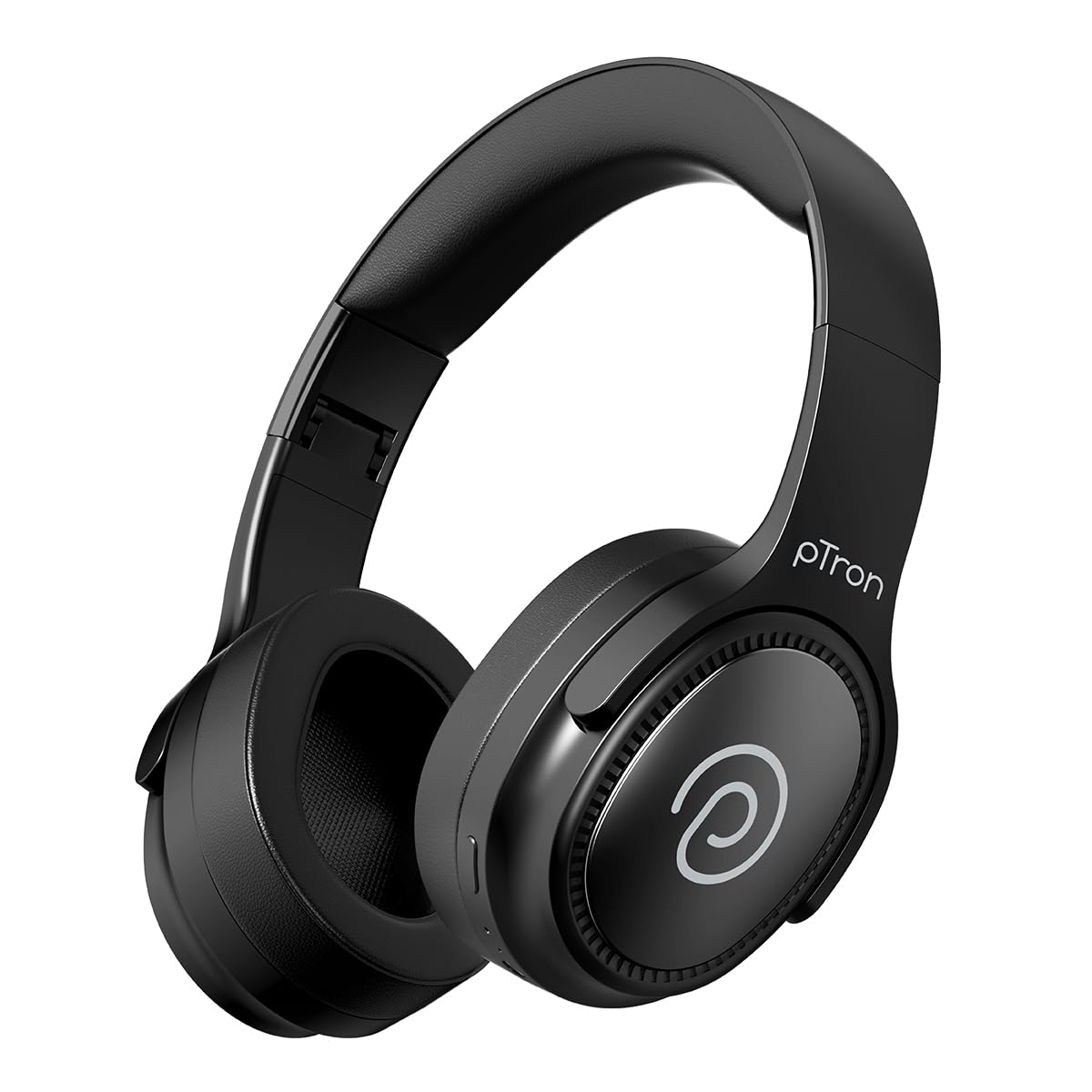
Image: pTron Studio Pro Wireless Over-Ear Headphones in Jet Black, showcasin세련된 디자인.
주요 특징
- 연장된 플레이 시간: Up to 65 hours of music playback on a single full charge.
- 빠른 충전: 2.5 hours for a full charge via Type-C. A 10-minute charge provides approximately 4 hours of playtime.
- 고품질 오디오: Equipped with 40mm Neody Drivers for pristine stereo sound.
- 통화 지우기: Built-in HD Microphone with TruTalk AI-ENC (Environmental Noise Cancellation) for crystal-clear calls.
- 고급 연결성 : Fast Bluetooth v5.4 for instant pairing and stable connection.
- 듀얼 기기 페어링: 두 기기를 동시에 끊김 없이 연결하고 전환하세요.
- 다양한 모드: Dedicated Low-Latency Gaming Mode and Music Mode.
- 방수 기능: IPX4 rating, making them resistant to water splashes and sweat.
- Comfort & Portability: Ergonomic, lightweight, and foldable design with soft earpads and an adjustable headband for a perfect fit and easy storage.
- 쉬운 컨트롤 : Multi-functional buttons for managing music, calls, and activating voice assistant.

Image: Infographic detailing the main features of the pTron Studio Pro headphones, including battery life, drivers, and connectivity.
상자 안에 무엇이 들어있나요?
Upon unboxing your pTron Studio Pro headphones, you will find the following items:
- pTron Studio Pro Wireless Over-Ear Headphones
- 충전 케이블(C형)
- 사용자 설명서
Video: An official product video demonstrating the unboxing and key features of the pTron Studio Pro headphones.
제품 레이아웃 및 제어
Familiarize yourself with the physical components and control buttons of your pTron Studio Pro headphones.

이미지: 상세 view of the multi-function control buttons located on the ear cup, including power, volume, and track controls.
제어 버튼 기능:
| 버튼/액션 | 기능 |
|---|---|
| 전원 버튼(길게 누르기) | 전원 켜기/끄기, 페어링 모드 진입 |
| 재생/일시 정지 버튼(한 번 누름) | 음악 재생/일시 정지, 전화 받기/종료 |
| 재생/일시정지 버튼(길게 누르기) | 통화 거부, 음성 지원 활성화 |
| 볼륨 높이기(+) (한 번 누르기) | 볼륨을 높이다 |
| 볼륨 낮추기(-) (한 번 누르기) | 볼륨 감소 |
| 볼륨 높이기(+) (길게 누르기) | 다음 트랙 |
| 볼륨 낮추기(-) (길게 누르기) | 이전 트랙 |
| Mode Button (Single Press) | 게임 모드와 음악 모드 간 전환 |
설정
1. 헤드폰 충전
- 제공된 Type-C 충전 케이블을 헤드폰의 충전 포트에 연결하세요.
- Connect the other end of the cable to a USB power source (DC5V-1A max.).
- LED 표시등이 충전 상태를 표시합니다. 완전히 충전하는 데는 약 2.5시간이 걸립니다.
- 10분 충전으로 최대 4시간 동안 사용할 수 있습니다.

Image: The pTron Studio Pro headphones highlighting the Type-C charging port and emphasizing the 65-hour playtime.
2. 블루투스 페어링
- 헤드폰이 완전히 충전되었는지 확인하세요.
- 전원 버튼을 길게 누르면 LED 표시등이 빨간색과 파란색으로 번갈아 깜빡이며 페어링 모드에 진입합니다.
- 기기(스마트폰, 태블릿, 노트북)에서 Bluetooth를 활성화하고 사용 가능한 기기를 검색하세요.
- Select "pTron Studio Pro" from the list of devices.
- 연결이 완료되면 LED 표시등이 파란색으로 계속 켜지거나 깜빡임을 멈춥니다.
3. 두 기기 페어링
- 위에서 설명한 대로 헤드폰을 첫 번째 장치와 페어링합니다.
- 첫 번째 기기의 Bluetooth를 비활성화하세요. 헤드폰이 다시 페어링 모드로 전환됩니다.
- 헤드폰을 두 번째 장치와 페어링합니다.
- 첫 번째 기기에서 Bluetooth를 다시 활성화하세요. 헤드폰이 두 기기에 자동으로 연결될 것입니다.
- You can now switch audio playback between the two connected devices.

Image: The headphones connected to both a laptop and a smartphone, demonstrating the dual device pairing feature.
4. Wired Connection (3.5mm Aux-in)
- Insert one end of a 3.5mm audio cable (not included) into the Aux-in port on the headphones.
- 케이블의 다른 쪽 끝을 오디오 소스의 3.5mm 잭에 연결하십시오.
- 헤드폰은 자동으로 유선 모드로 전환됩니다.

Image: The headphones connected to a smartphone using a 3.5mm Aux-in cable, illustrating wired music playback.
작동 지침
전원 켜기/끄기
- 전원 켜기: LED 표시등이 켜질 때까지 약 3초 동안 전원 버튼을 길게 누릅니다.
- 전원 끄기 : LED 표시등이 꺼질 때까지 약 5초 동안 전원 버튼을 길게 누릅니다.
음악 컨트롤
- 재생/일시 중지: 재생/일시정지 버튼을 한 번 누르세요.
- 다음 트랙: 볼륨 높이기(+) 버튼을 길게 누릅니다.
- 이전 트랙 : 볼륨 낮추기(-) 버튼을 길게 누릅니다.
- 볼륨 업: 볼륨 높이기(+) 버튼을 한 번 누르세요.
- 볼륨 작게 : 볼륨 낮추기(-) 버튼을 한 번 누르세요.
통화 제어
- 전화 받기/종료: 재생/일시정지 버튼을 한 번 누르세요.
- 전화 거부: 재생/일시정지 버튼을 길게 누르세요.
음성 지원
- Voice Assistant 활성화 : Long press the Play/Pause button (after rejecting a call, if applicable, or when not on a call).
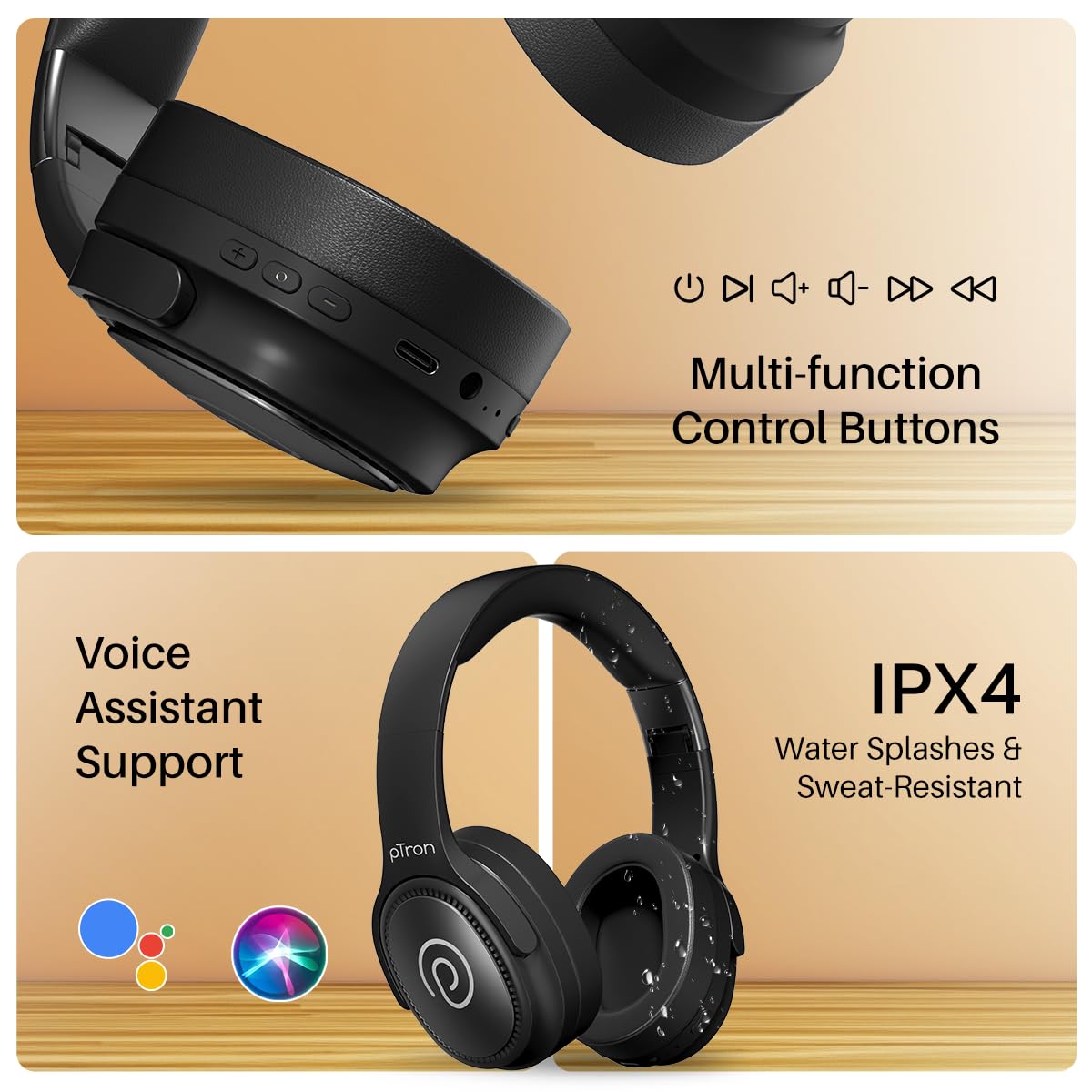
Image: The headphones illustrating support for voice assistants like Google Assistant and Siri, along with their IPX4 water-resistant rating.
Game & Music Modes
- 스위치 모드: Single press the Mode button to toggle between Low-Latency Gaming Mode and standard Music Mode.
유지
To ensure the longevity and optimal performance of your pTron Studio Pro headphones, follow these maintenance guidelines:
- 청소: 부드럽고 마른 천으로 헤드폰을 닦으세요. 연마성 세제나 용제는 사용하지 마세요.
- 저장: 사용하지 않을 때는 헤드폰을 서늘하고 건조한 곳에 보관하세요. 접이식 디자인으로 컴팩트하게 보관할 수 있습니다.
- 물 노출: While rated IPX4 for water splashes and sweat resistance, avoid submerging the headphones in water or exposing them to heavy rain. Dry them thoroughly if they get wet.
- 충전 중: Use only the provided Type-C cable and a compatible power adapter (DC5V-1A max.) for charging.
- 극한의 온도를 피하세요: 헤드폰을 극도로 높거나 낮은 온도에 노출시키지 마십시오.
문제 해결
If you encounter any issues with your pTron Studio Pro headphones, refer to the following common troubleshooting steps:
| 문제 | 해결책 |
|---|---|
| 헤드폰의 전원이 켜지지 않습니다. | 헤드폰이 완전히 충전되었는지 확인하세요. 전원에 연결하고 충전 표시등을 확인하세요. |
| 기기와 페어링할 수 없습니다. | Make sure Bluetooth is enabled on your device and the headphones are in pairing mode (LED flashing red/blue). Move closer to the device. Forget previous pairings on your device and try again. |
| 소리가 나지 않거나 볼륨이 작습니다. | Check the volume levels on both the headphones and your connected device. Ensure the headphones are correctly paired. If using Aux-in, ensure the cable is fully inserted. |
| 통화 품질이 좋지 않습니다. | Ensure the microphone is not obstructed. Move to an area with less environmental noise. Check your device's network signal. |
| 헤드폰이 자주 끊어집니다. | Ensure there are no obstacles between the headphones and your device. Keep within the Bluetooth range (10 meters). Avoid strong electromagnetic interference. |
명세서
| 특징 | 세부 사항 |
|---|---|
| 상표 | 피트론 |
| 모델명 | 사진관 |
| 귀 위치 | 귀 위 |
| 블루투스 버전 | 5.4 |
| 블루투스 범위 | 10 미터 |
| 오디오 드라이버 크기 | 40 밀리미터 |
| 임피던스 | 32옴 |
| 배터리 평균 수명 | 65시간 |
| 배터리 충전 시간 | 2.5시간 |
| 충전 포트 | C타입 |
| 방수 레벨 | IPX4(방수) |
| 마이크로폰 | Built-in HD Mic with AI-ENC |
| 헤드폰 잭 | 3.5 mm 잭 |
| 제어 유형 | Call Control, Push Button |
| 제품 특징 | Fast Charging, Foldable, Microphone Included, Noise Isolation, Surround Sound |
| 품목 무게 | 200그램 |
| 재료 | 아크릴로니트릴 부타디엔 스티렌(ABS) |
| 호환 장치 | 휴대폰, 데스크탑, 노트북, 태블릿 |
보증 및 지원
Your pTron Studio Pro headphones come with a manufacturer's warranty and dedicated customer support.
- 보증: 6 Months Manufacturer Warranty from the Date of Purchase on Manufacturing Defects Only.
- 제조사 연락처: Building A1, Red Box Creative Park, No. 3 Huancheng South Road, Bantian Street, Longgang District, Shenzhen City, China 518116.
- Customer Care Contact Details: 40-67138888 / Support@ptron.in
- 수입자 연락처: PALRED ELECTRONICS PVT. LTD., SY.NO. 56, 1층, GUNDLAPOCHAMPALLY VILLAGE, TECH PARK MTP, TSIIC-IALA NACHARAM, HYDERABAD - 500076, TELANGANA, INDIA.